1. Rhagymadrodd
This manual provides detailed instructions for the LIGE FV21-F Smart Watch. Please read this guide thoroughly to ensure proper usage, optimal performance, and longevity of your device. This smartwatch is designed to enhance your daily life with health monitoring, fitness tracking, and smart communication features.
2. Beth sydd yn y Bocs
Upon unboxing your LIGE FV21-F Smart Watch, verify that all the following items are included:
- Smartwatch (LIGE FV21-F)
- Cebl Codi Tâl
- Watch Strap (Black Mesh)
- Additional Watch Strap (Apricot Silicone)
- Watch Setting Tools
- Smartwatch Manuals (this document)
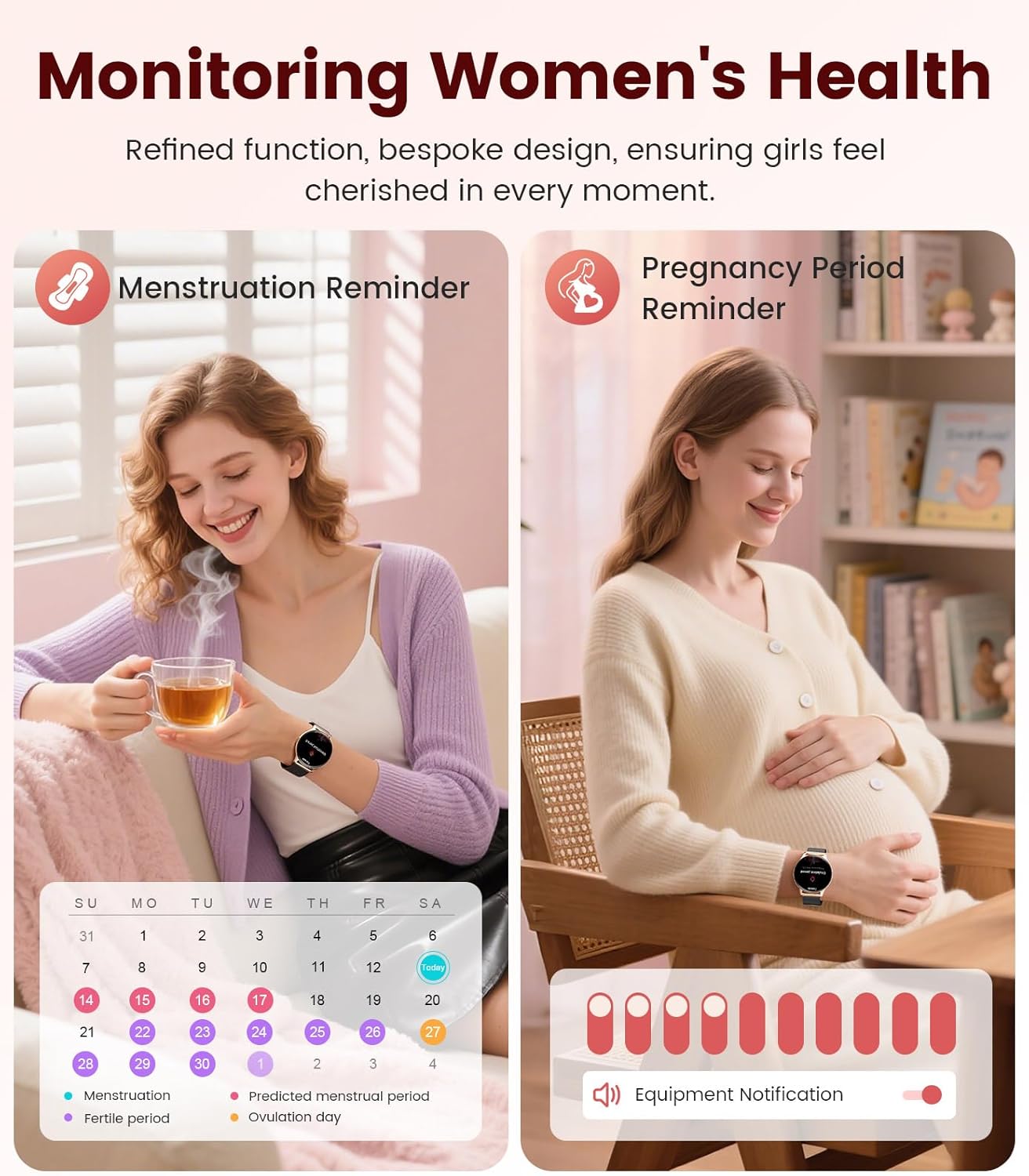
Image: Contents of the LIGE FV21-F Smart Watch package, showing the watch, charging cable, and two interchangeable bands.
3. Canllaw Gosod
3.1 Attaching the Watch Straps
Your LIGE FV21-F Smart Watch comes with two interchangeable straps: a black mesh band and an apricot silicone band. To attach a strap:
- Locate the spring bar on the back of the watch strap.
- Align one end of the spring bar with the lug hole on the watch case.
- Push the spring bar inward and slide the strap into place between the lugs.
- Release the spring bar, ensuring both ends are securely seated in the lug holes.
- Gently pull the strap to confirm it is firmly attached.
Video: Demonstrates how to attach and change the watch straps, as well as initial setup and pairing with a smartphone.
3.2 Gwefru'r Oriawr Clyfar
Cyn ei ddefnyddio gyntaf, gwefrwch eich oriawr smart yn llawn. Defnyddiwch y cebl gwefru magnetig a ddarperir.
- Connect the USB end of the charging cable to a power adapter (not included) or a computer's USB port.
- Place the magnetic end of the charging cable onto the charging contacts on the back of the smartwatch. The magnets will align it correctly.
- The watch screen will display a charging indicator. A full charge typically takes approximately 2-3 hours.
Image: The LIGE FV21-F Smart Watch being charged using its magnetic charging cable.
3.3 Lawrlwytho Ap a Pharu
To unlock the full functionality of your smartwatch, download the companion app, "FitCloudPro," and pair it with your smartphone.
- Lawrlwythwch yr Ap: Scan the QR code displayed on the watch screen (access via Settings > QR Code) or search for "FitCloudPro" in your smartphone's app store (App Store for iOS, Google Play Store for Android).
- Galluogi Bluetooth: Sicrhewch fod Bluetooth wedi'i alluogi ar eich ffôn clyfar.
- Agor yr Ap a Pharu: Open the FitCloudPro app, navigate to the "Device" section, and tap "Add Device" or "Search Now". Select "FV21" from the list of discovered devices.
- Cadarnhau Paru: Bydd cais paru yn ymddangos ar eich ffôn a'ch oriawr. Cadarnhewch y paru ar y ddwy ddyfais.
- Caniatáu Hysbysiadau: Grant necessary permissions for notifications (calls, messages, apps) when prompted by the app.

Image: The FitCloudPro app interface on a smartphone and the QR code on the smartwatch for easy app download and pairing.
4. Cyfarwyddiadau Gweithredu
4.1 Mordwyo Sylfaenol
- Sgrin gyffwrdd: Sweipiwch i'r chwith/dde, i fyny/i lawr i lywio dewislenni a sgriniau. Tapiwch i ddewis.
- Botwm Ochr: Press to wake the screen, return to the home screen, or access the app list.
- Sgrin Deffro: Raise your wrist or press the side button to activate the display.
4.2 Addasu Wynebau Oriawr
The LIGE FV21-F offers over 200 customizable watch faces. You can also upload your own photos.
- On the watch, long-press the home screen to access watch face options, then swipe to select.
- In the FitCloudPro app, go to "Watch Face Store" to browse and sync new faces.
- To use a custom photo, select "Watch Face DIY" in the app, choose a photo, adjust its position, and sync to your watch.

Image: The smartwatch displaying a custom watch face, demonstrating the personalization options available through the app.
4.3 Nodweddion Cyfathrebu
- Ateb/Gwneud Galwadau: Once paired via Bluetooth, you can answer incoming calls directly from your watch or dial numbers using the watch's dial pad.
- Hysbysiadau Neges: Receive notifications for SMS, emails, and various social media apps (WhatsApp, Facebook, Instagram, etc.) directly on your wrist. Ensure app permissions are granted.
- Cynorthwyydd Llais: Utilize the integrated voice assistant for quick commands and information.

Image: The smartwatch displaying an incoming call and message notifications, highlighting its communication capabilities.
5. Monitro Iechyd
The LIGE FV21-F Smart Watch provides comprehensive health tracking features to help you monitor your well-being.
- Monitro Cyfradd y Galon: Yn olrhain cyfradd eich calon yn barhaus drwy gydol y dydd.
- Monitro Cwsg: Yn dadansoddi eich patrymau cysgu, gan gynnwys cwsg dwfn, cwsg ysgafn, ac amseroedd effro.
- Monitro Ocsigen Gwaed (SpO2): Yn mesur lefelau dirlawnder ocsigen eich gwaed.
- Women's Physiological Cycle Monitor: Provides reminders and tracking for menstrual and pregnancy periods.
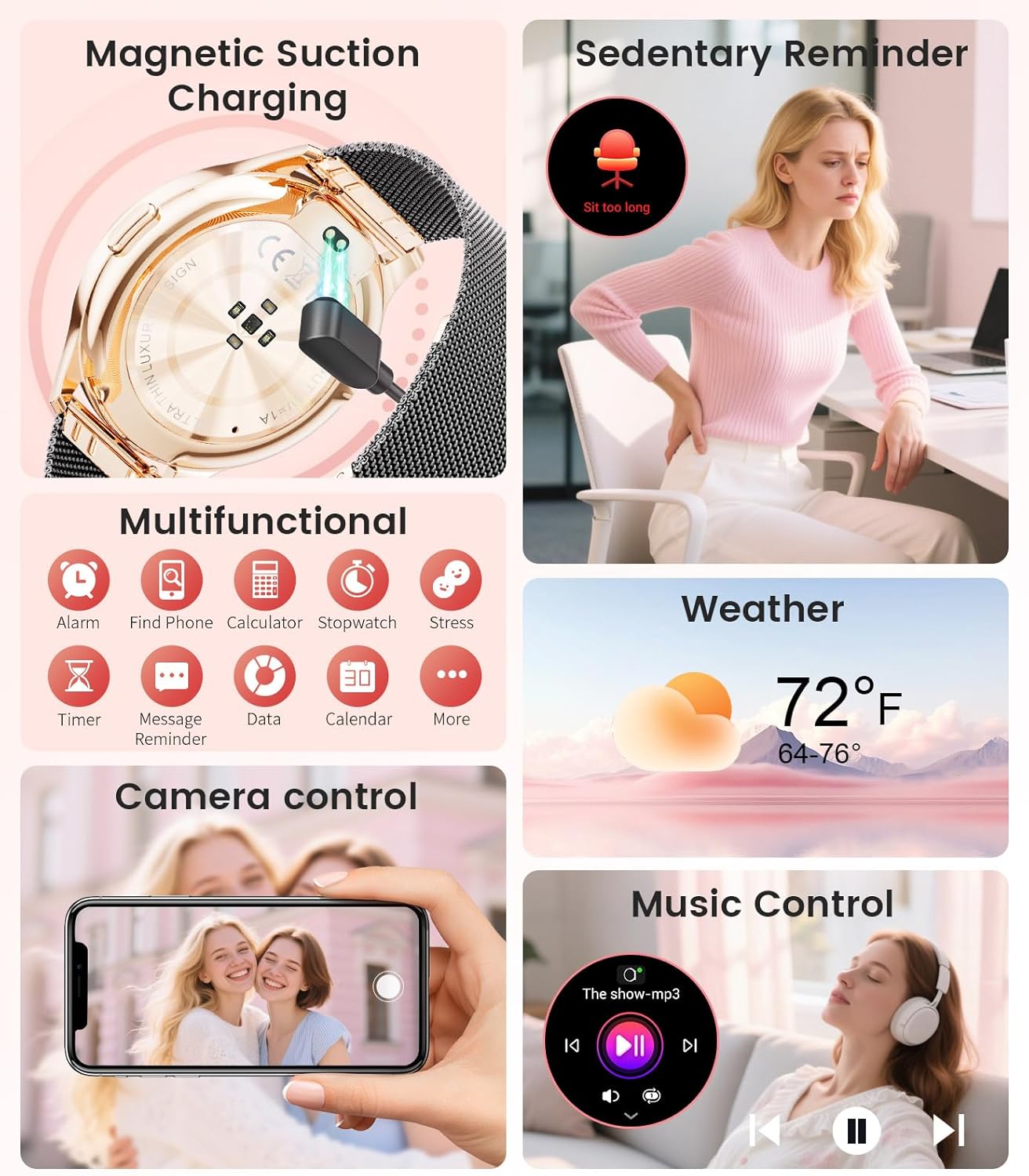
Image: The smartwatch interface showing women's health tracking features, including menstruation and pregnancy reminders.

Image: A user sleeping while wearing the smartwatch, with an inset showing the sleep tracking data on the watch face.
6. Fitness Tracking (120+ Sport Modes)
The LIGE FV21-F Smart Watch supports over 120 sport modes to track your activities, including walking, running, cycling, yoga, and more. It records steps, distance, calories burned, and heart rate during workouts.
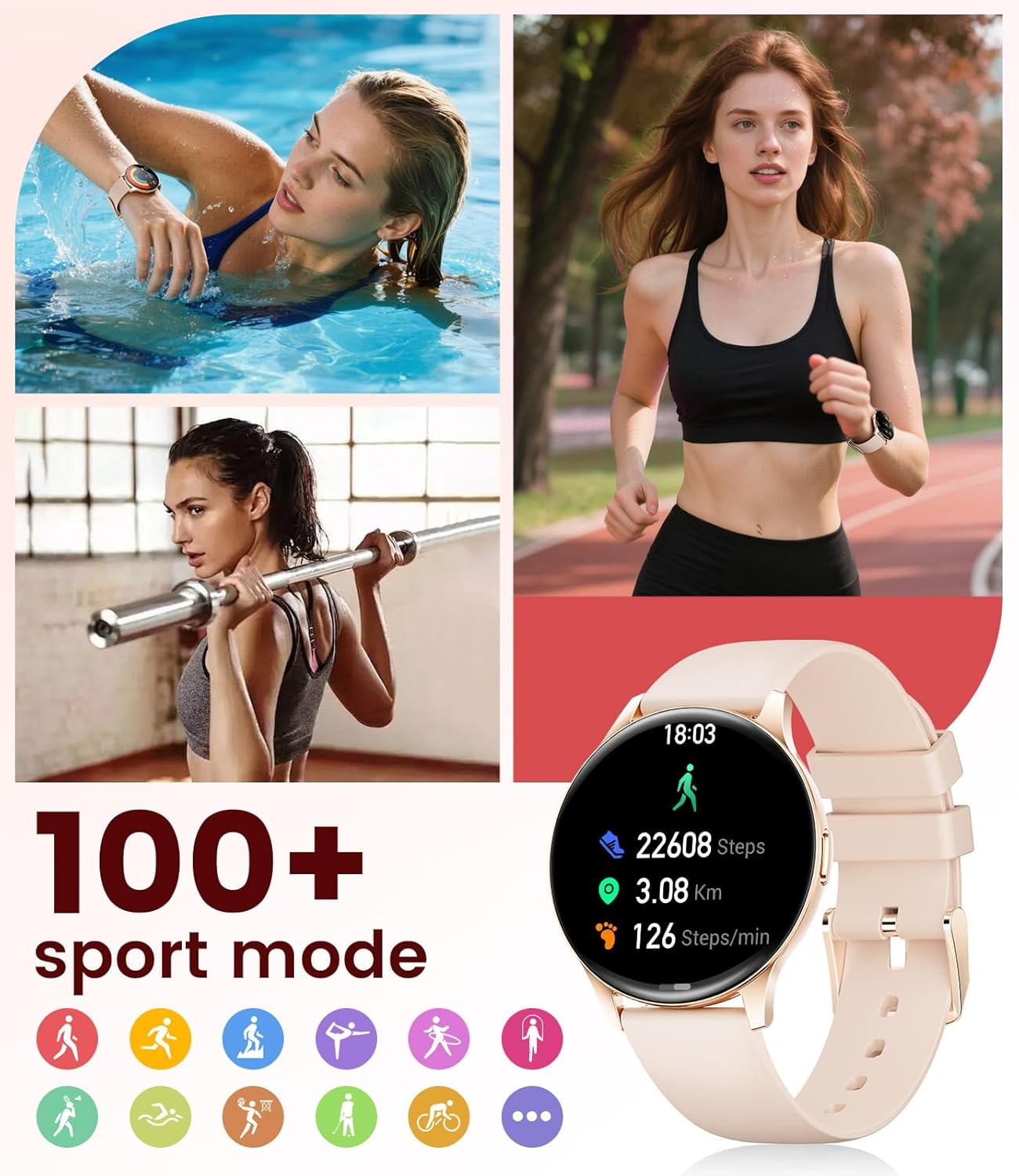
Image: The smartwatch showing different sport modes and real-time fitness data like steps, distance, and calories.
7. Nodweddion Clyfar Eraill
Beyond health and fitness, your smartwatch offers several convenient smart features:
- Rheoli Cerddoriaeth: Rheolwch chwarae cerddoriaeth ar eich ffôn clyfar yn uniongyrchol o'ch oriawr.
- Rheoli Camera: Defnyddiwch eich oriawr fel caead o bell ar gyfer camera eich ffôn.
- Arddangosfa Tywydd: Cael diweddariadau tywydd amser real.
- Larymau a nodiadau atgoffa: Set alarms, sedentary reminders, and drink water reminders.
- Dod o hyd i Ffôn: Locate your misplaced phone by triggering an alarm from your watch.
- Calculator & Stopwatch: Basic utility tools available on your wrist.

Image: The smartwatch screen showing icons for music control, weather forecast, camera remote, and other utility features.
8. manylebau
Detailed technical specifications for the LIGE FV21-F Smart Watch:
| Nodwedd | Manylyn |
|---|---|
| Enw Model | FV21-F |
| Arddangos | 1.43" HD Curved AMOLED (466x466) |
| Cydweddoldeb System Weithredu | Android 4.4+ ac iOS 9.0+ |
| Cysylltedd | Bluetooth |
| Gallu Batri | 1000 Miliamp Oriau (Polymer Lithiwm) |
| Gwrthiant Dŵr | IP68 Waterproof (up to 50 meters) |
| Cynhwysedd Storio Cof | 256 MB |
| Math Deunydd Band | Dur Di-staen, Silicôn |
| Metrigau a Fesurwyd | Heart Rate, Sleep Duration, Blood Oxygen |
| Mewnbwn Rhyngwyneb Dynol | Sgrîn gyffwrdd |
| GPS | Trwy ffôn clyfar |
9. cynnal
To ensure the longevity and optimal performance of your LIGE FV21-F Smart Watch, follow these maintenance guidelines:
- Glanhau: Regularly wipe the watch screen and straps with a soft, dry cloth. For silicone straps, a mild soap and water solution can be used, ensuring to rinse thoroughly and dry completely.
- Osgoi Cemegau llym: Do not use abrasive cleaners, solvents, or strong chemicals, as these can damage the watch's finish and internal components.
- Codi tâl: Use only the provided magnetic charging cable. Avoid exposing the charging contacts to moisture or corrosive substances.
- Storio: Pan nad yw'n cael ei ddefnyddio am gyfnodau hir, storiwch yr oriawr mewn lle oer, sych i ffwrdd o olau haul uniongyrchol a thymheredd eithafol.
- Amlygiad Dŵr: While IP68 waterproof, avoid prolonged submersion in hot water, steam, or high-pressure water jets. Dry the watch thoroughly after exposure to water.
Video: The smartwatch being rinsed under tap water, showcasing its IP68 water resistance. Ensure to dry the watch after such exposure.
10. Datrys Problemau
If you encounter issues with your LIGE FV21-F Smart Watch, refer to the following common solutions:
- Oriawr Ddim yn Troi Ymlaen: Gwnewch yn siŵr bod yr oriawr wedi'i gwefru'n llawn. Cysylltwch hi â'r gwefrydd am o leiaf 30 munud.
- Methu paru â ffôn:
- Gwnewch yn siŵr bod Bluetooth wedi'i alluogi ar eich ffôn a bod yr oriawr o fewn cyrraedd.
- Ailgychwynwch eich ffôn a'r oriawr.
- Clear the Bluetooth cache on your phone and try pairing again.
- Ensure the FitCloudPro app has all necessary permissions.
- Hysbysiadau Heb eu Derbyn:
- Check app permissions for notifications in your phone settings and within the FitCloudPro app.
- Gwnewch yn siŵr bod yr oriawr wedi'i chysylltu'n iawn trwy Bluetooth.
- Disable and re-enable notifications in the FitCloudPro app.
- Data Iechyd Anghywir:
- Gwnewch yn siŵr bod yr oriawr yn cael ei gwisgo'n glyd ar eich arddwrn, nid yn rhy dynn nac yn rhy llac.
- Glanhewch y synhwyrydd ar gefn yr oriawr.
- Note that health data is for reference and not for medical diagnosis.
- Bywyd batri byr:
- Lleihau disgleirdeb y sgrin ac amser y sgrin ymlaen.
- Analluogwch fonitro cyfradd curiad y galon yn barhaus os nad oes ei angen.
- Cyfyngwch nifer yr apiau sy'n anfon hysbysiadau i'r oriawr.
Os yw'r broblem yn parhau, cysylltwch â chymorth cwsmeriaid.
11. Gwarant a Chefnogaeth
The LIGE FV21-F Smart Watch comes with a Gwarant 2 mlynedd from the date of purchase, covering manufacturing defects. This warranty does not cover damage caused by misuse, accidents, unauthorized modifications, or normal wear and tear.
For technical support, warranty claims, or any other inquiries, please contact LIGE customer service through the retailer where you purchased the product or visit the official LIGE websafle ar gyfer gwybodaeth cyswllt.
We are committed to ensuring your satisfaction and providing a delightful experience with your LIGE Smart Watch.