1. Rhagymadrodd
Thank you for choosing the Vieta Pro Party 220 Portable Bluetooth Speaker. This powerful and versatile speaker is designed to deliver high-quality audio for various occasions, including parties, events, and karaoke sessions. This manual provides essential information for setting up, operating, and maintaining your speaker to ensure optimal performance and longevity.
2. Cynnyrch Drosview
The Vieta Pro Party 220 is a self-amplified portable speaker featuring advanced audio technology. It boasts 500W of powerful sound, Bluetooth 5.3 connectivity, Auracast technology, and a long-lasting 10-hour battery. Designed for portability, it includes an integrated handle and trolley-style wheels. Key features include:
- 500W RMS Sound Output: Delivers robust and clear stereo sound with 2" tweeters and 8" woofers.
- Bluetooth 5.3 with Auracast: Ensures stable and fast wireless connections, allowing multiple Auracast-compatible speakers to connect simultaneously.
- Karaoke Compatibility: Includes a wireless microphone and supports additional microphones. Features LED lights that synchronize with music.
- Bywyd Batri 10-Awr: Enjoy extended music playback with the rechargeable battery.
- Opsiynau Cysylltedd Lluosog: Mini Jack 3.5mm, AUX, Micro USB, USB MP3 player, and SD card slot.
- Gwir Stereo Di-wifr (TWS): Connect two Party 220 speakers for an immersive stereo experience.
- Dyluniad Symudol: Dolen ac olwynion integredig ar gyfer cludo hawdd.
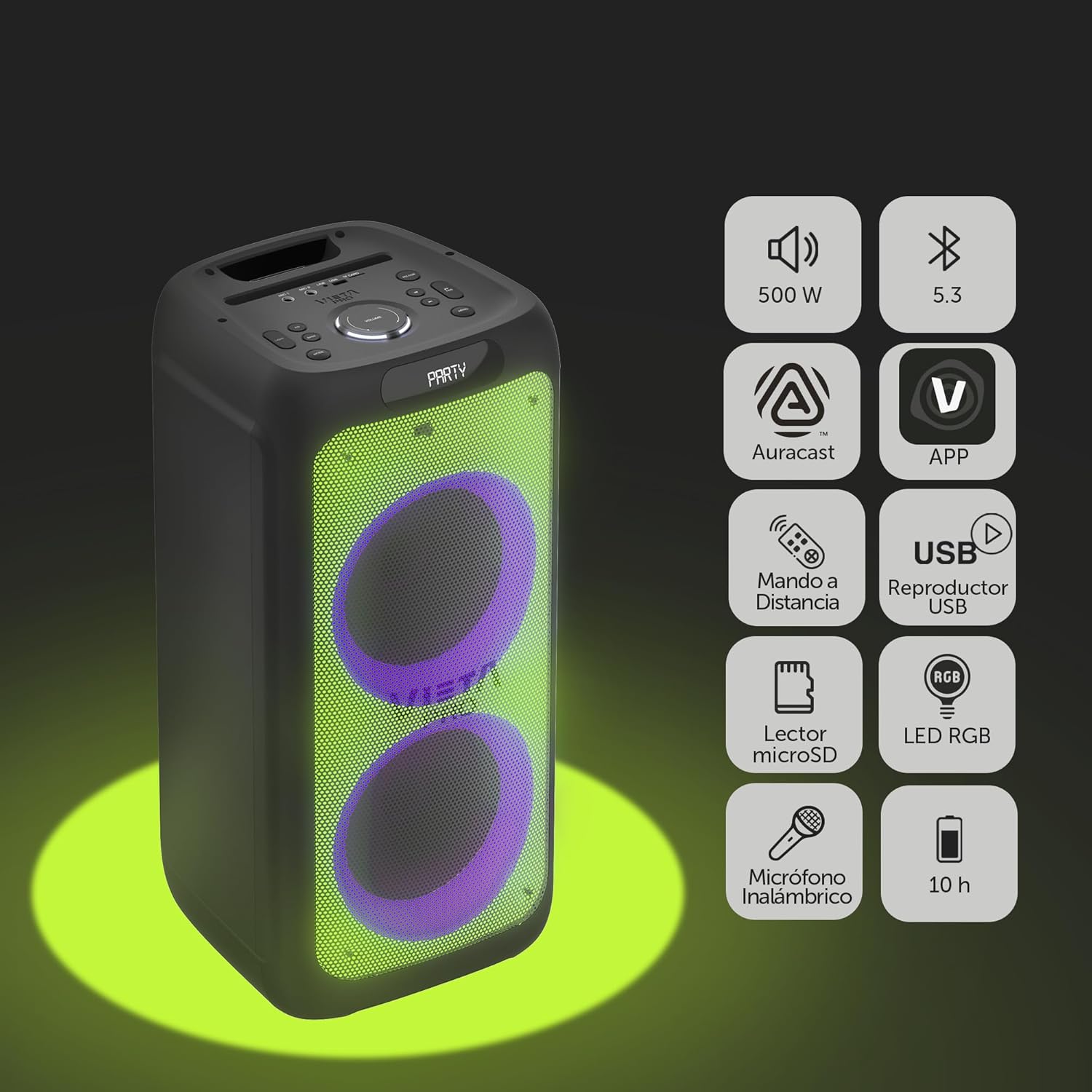
Image 2.1: The Vieta Pro Party 220 speaker highlighting its main features such as 500W power, Bluetooth 5.3, Auracast, app control, remote control, USB player, RGB LED lights, MicroSD reader, wireless microphone, and 10-hour battery life.
3. Beth sydd yn y Bocs
Wrth ddadbacio, gwnewch yn siŵr bod yr holl eitemau yn bresennol ac mewn cyflwr da:
- Vieta Pro Party 220 Portable Bluetooth Speaker
- Cebl Pŵer
- Meicroffon Di-wifr
- Rheolaeth Anghysbell
- Llawlyfr Defnyddiwr (y ddogfen hon)
4. Gosod
4.1. Codi Tâl ar y Llefarydd
Before first use, fully charge the speaker. Connect the provided power cable to the speaker's power input and then to a suitable power outlet. The charging indicator will illuminate. Once fully charged, the indicator may change color or turn off, depending on the model.
A full charge provides up to 10 hours of continuous playback.

Image 4.1: The Vieta Pro Party 220 speaker in a home environment, illustrating its long battery life of up to 10 hours.
4.2. Pweru Ymlaen / I ffwrdd
Locate the Power button on the speaker's control panel. Press and hold the Power button for a few seconds to turn the speaker ON or OFF.
5. Cyfarwyddiadau Gweithredu
5.1. Pâr Bluetooth
- Turn on the Vieta Pro Party 220 speaker. It will automatically enter Bluetooth pairing mode, indicated by a flashing LED light (usually blue).
- Galluogwch Bluetooth ar eich dyfais sain (ffôn clyfar, tabled, cyfrifiadur).
- Chwiliwch am "Vieta Pro Party 220" in the list of available Bluetooth devices.
- Select the speaker to pair. Once connected, the LED indicator will stop flashing and remain solid.
5.2. Auracast Technology
The Party 220 supports Auracast, allowing you to connect multiple compatible speakers (including other Party 220 units or different brands supporting Auracast) for a synchronized audio experience. Refer to the specific instructions for Auracast pairing, usually initiated via a dedicated button or through the Vieta Pro app (if available).
5.3. Paru Stereo Di-wifr Gwir (TWS)
To achieve a true stereo sound experience, you can pair two Vieta Pro Party 220 speakers:
- Ensure both Party 220 speakers are turned on and not connected to any Bluetooth device.
- On one speaker (this will be the primary speaker), press and hold the TWS button (if available) or follow the TWS pairing instructions in the speaker's specific controls.
- The primary speaker will search for the secondary speaker. Once connected, you will hear an audible confirmation, and the LED indicators will reflect the TWS connection status.
- Now, connect your audio device to the primary speaker via Bluetooth as described in section 5.1. Audio will play in stereo across both speakers.
5.4. Wired Connections (AUX, USB, MicroSD)
- Mewnbwn AUX: Connect an external audio device using a 3.5mm audio cable to the AUX input port. The speaker will automatically switch to AUX mode or require manual selection via the Mode button.
- Chwarae USB: Mewnosodwch yriant fflach USB sy'n cynnwys sain MP3 files i mewn i borthladd USB. Bydd y siaradwr yn canfod ac yn chwarae'r yn awtomatig files. Use the control panel or remote to navigate tracks.
- MicroSD Card Playback: Insert a MicroSD card with MP3 audio files into the MicroSD slot. The speaker will automatically detect and play the files.
5.5. Karaoke Function and Wireless Microphone
The Party 220 comes with a wireless microphone for karaoke. Simply turn on the microphone, and it should automatically connect to the speaker. Adjust microphone volume using the dedicated controls on the speaker or remote control. The speaker also has inputs for additional wired microphones.

Delwedd 5.5: Llun agos view of the wireless microphone included with the Vieta Pro Party 220 speaker, ready for karaoke use.
5.6. LED RGB Lights
The speaker features dynamic RGB LED lights that can enhance your audio experience. Use the dedicated button on the control panel or the remote control to cycle through different light modes, synchronize them with the music, or turn them off.

Image 5.6: The Vieta Pro Party 220 speaker showcasing its vibrant RGB LED lighting feature.
5.7. Rheolaeth Anghysbell
The included remote control allows for convenient operation of the speaker from a distance. Functions typically include power, volume, track navigation, mode selection, EQ settings, and LED light control.
6. cynnal
- Glanhau: Defnyddiwch frethyn meddal, sych i lanhau tu allan y siaradwr. Peidiwch â defnyddio glanhawyr sgraffiniol, cwyrau na thoddyddion.
- Storio: Storiwch y siaradwr mewn lle oer, sych i ffwrdd o olau haul uniongyrchol a thymheredd eithafol.
- Gofal Batri: Er mwyn ymestyn oes y batri, osgoi rhyddhau'r batri'n llwyr yn aml. Gwefrwch y siaradwr yn rheolaidd, hyd yn oed os nad yw'n cael ei ddefnyddio am gyfnodau hir.
- Amlygiad Dŵr: While the speaker may have some resistance, avoid direct exposure to water or excessive moisture unless explicitly stated as waterproof.
7. Datrys Problemau
| Problem | Achos Posibl | Ateb |
|---|---|---|
| Dim pŵer | Battery is depleted; Power cable not connected properly. | Gwefrwch y siaradwr; Gwnewch yn siŵr bod y cebl pŵer wedi'i gysylltu'n ddiogel. |
| Dim sain | Cyfaint yn rhy isel; Modd mewnbwn anghywir; Dyfais heb ei pharu. | Increase volume on speaker and source device; Select correct input mode (Bluetooth, AUX, USB); Re-pair Bluetooth device. |
| Mae paru Bluetooth yn methu | Nid yw'r siaradwr yn y modd paru; Mae'r ddyfais yn rhy bell; Ymyrraeth. | Gwnewch yn siŵr bod y siaradwr yn y modd paru; Symudwch y ddyfais yn agosach; Diffoddwch ddyfeisiau Bluetooth eraill. |
| Meicroffon ddim yn gweithio | Microphone off; Battery low in microphone; Volume too low. | Turn on microphone; Replace microphone batteries; Increase microphone volume. |
| Mae paru TWS yn methu | Nid yw'r siaradwyr yn y modd paru TWS; Rhy bell oddi wrth ei gilydd. | Ensure both speakers are in TWS pairing mode; Place speakers closer together. |
8. manylebau
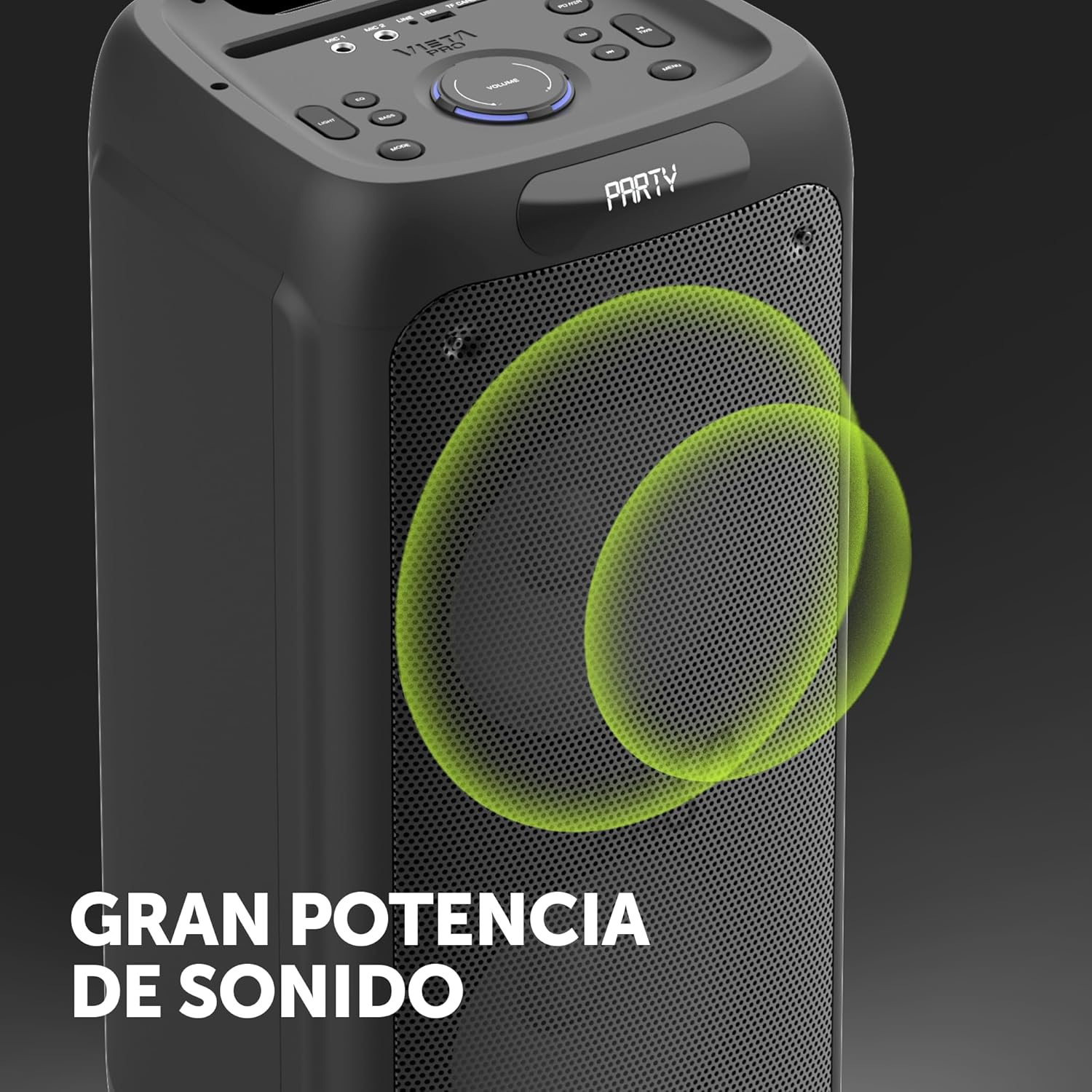
Image 8.1: The Vieta Pro Party 220 speaker, highlighting its powerful sound output.
| Nodwedd | Manylyn |
|---|---|
| Enw Model | Parti 220 |
| Rhif Model | VM-HW455BK |
| Brand | Vieta Pro |
| Math o Siaradwr | Outdoor, Portable, Self-amplied |
| Technoleg Cysylltedd | Bluetooth 5.3, AUX, USB, MicroSD |
| Cyfathrebu Di-wifr | Bluetooth |
| Pŵer Allbwn Siaradwr Uchaf | 500 Watt (RMS) |
| Modd Allbwn Sain | Stereo (gyda TWS) |
| Ymateb Amlder | 20 MHz |
| Ffynhonnell Pwer | Wedi'i Bweru â Batri |
| Bywyd Batri | Hyd at 10 awr |
| Dull Rheoli | Remote Control, On-device buttons |
| Nodweddion Arbennig | Anti-shock, USB Port, Shock resistant, Wireless speakers, Auracast, Karaoke, LED RGB lights |
| Dyfeisiau Cydnaws | MP3 Player, Mobile, PC, DJ Mixer, Tablet, Television |
| Dimensiynau Cynnyrch | 33.7D x 30W x 70.5U cm |
| Pwysau Eitem | 5 Cilogram |
| Deunydd | Plastig |
| Lliw | Du |
9. Gwarant a Chefnogaeth
The Vieta Pro Party 220 speaker comes with a limited warranty. Please refer to the warranty card included in your packaging for detailed terms and conditions. For technical support, troubleshooting assistance beyond this manual, or warranty claims, please contact Vieta Pro customer service through their official websafle neu'r wybodaeth gyswllt a ddarparwyd gyda dogfennaeth eich cynnyrch.
Cadwch eich prawf prynu at ddibenion gwarant.


