1. Rhagymadrodd
This manual provides essential information for the proper use and maintenance of your HOTWAV R9 Ultra 5G Rugged Tablet. Please read it thoroughly before operating the device to ensure optimal performance and longevity. The HOTWAV R9 Ultra is designed for durability and high performance, featuring 5G connectivity, a large display, and robust construction.
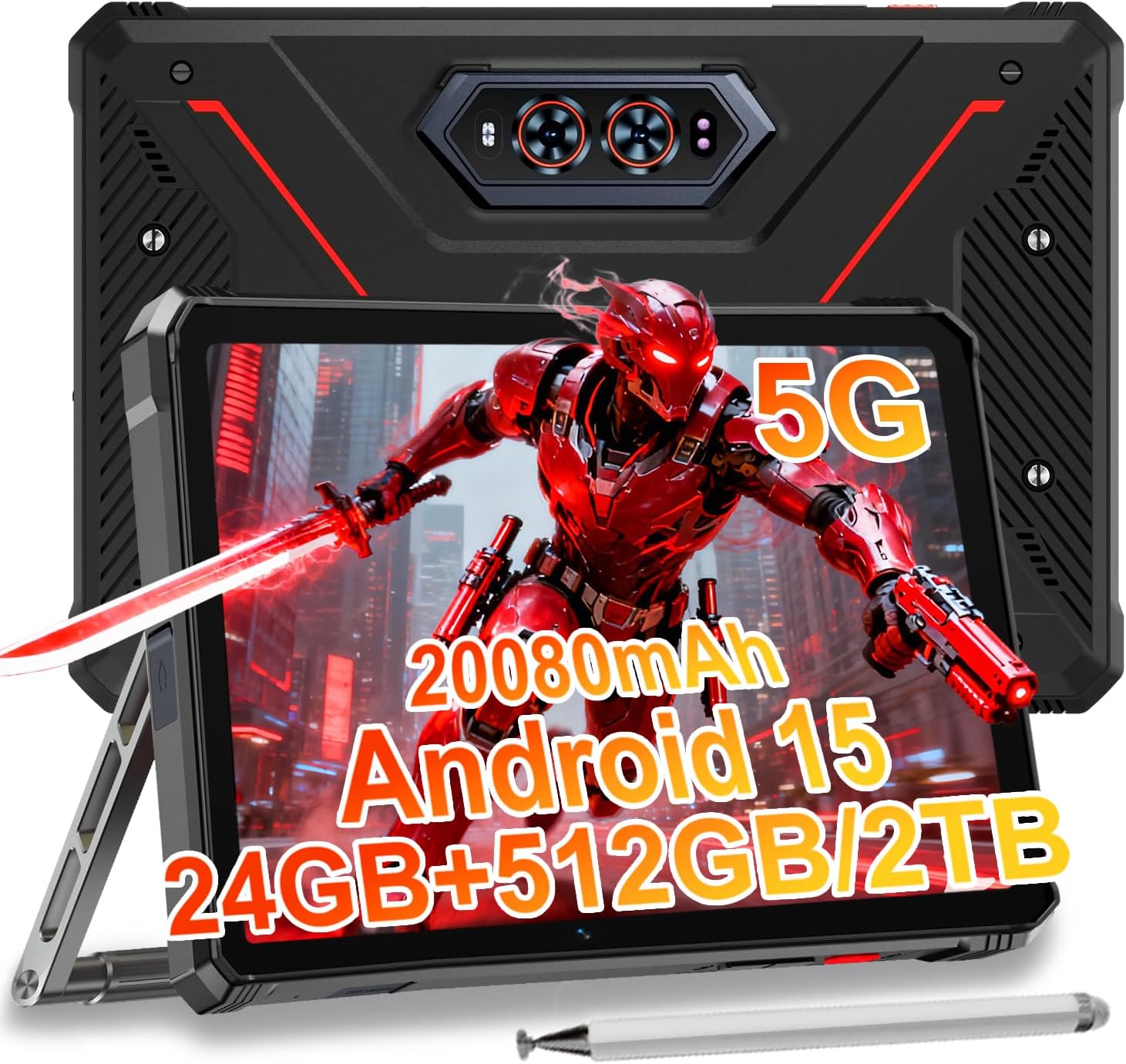
Image 1.1: The HOTWAV R9 Ultra 5G Rugged Tablet with its included stylus and stand.
2. Beth sydd yn y Bocs
Gwiriwch fod yr holl eitemau yn bresennol wrth ddadbocsio:
- 1 x R9 Ultra Tablet
- 1 x Llawlyfr Cyfarwyddiadau
- 1 x Tablet Protective Film (pre-installed or separate)
- 1 x Tablet Charger Accessory
- 1 x Tablet Stand + Strap + Electronic Pen
3. Dyfais Drosoddview
Ymgyfarwyddwch â chydrannau ffisegol eich tabled.
3.1 Cydrannau Ffisegol
- Arddangos: 11-inch FHD+ 2K screen.
- Camera blaen: 16MP for video calls and selfies.
- Camerâu Cefn: 64MP main camera, 20MP night vision camera.
- Porthladdoedd: USB-C charging/data port, Dual SIM/MicroSD card slot.
- Botymau: Botwm pŵer, botymau cyfaint i fyny/i lawr.
- Siaradwyr: Integrated stereo speakers.
- Camping Light: Integrated high-performance light on the rear.

Delwedd 3.1: Cefn view of the tablet highlighting the camera system and integrated camping golau.
4. Gosod
4.1 Gosod Cerdyn SIM a MicroSD
- Locate the SIM/MicroSD card slot on the side of the tablet.
- Defnyddiwch yr offeryn alldaflu SIM a ddarperir i agor yr hambwrdd.
- Carefully place your Nano-SIM cards (up to two) and/or a MicroSD card (up to 2TB) into the tray, ensuring correct orientation.
- Insert the tray back into the tablet until it clicks into place.
Important Notice Before Purchase: HOTWAV rugged tablets are not compatible with AT&T, Cricket, or Verizon networks. They fully support T-Mobile, Mint, Boost, and Google Fi. Verify your carrier compatibility to ensure seamless connectivity.
4.2 Troi ymlaen yn gychwynnol a gosod Android 15
- Press and hold the Power button until the HOTWAV logo appears.
- Dilynwch yr awgrymiadau ar y sgrin i gwblhau'r gosodiad cychwynnol, gan gynnwys dewis iaith, cysylltiad Wi-Fi, mewngofnodi i gyfrif Google, a gosodiadau diogelwch.
- The tablet runs on Android 15, offering enhanced features and security.

Delwedd 4.1: Drosoddview of the Android 15 operating system interface.
5. Gweithredu'r Tabled
5.1 Mordwyo Sylfaenol
- Ystumiau Cyffwrdd: Use taps, swipes, and pinches to interact with the screen.
- Sgrin Cartref: Access apps and widgets.
- Hysbysiadau: Sychwch i lawr o frig y sgrin i view hysbysiadau a gosodiadau cyflym.
5.2 Cysylltedd
- Rhwydwaith 5G: Insert a compatible 5G SIM card for high-speed mobile data.
- Wi-Fi 5: Cysylltu â rhwydweithiau diwifr i gael mynediad i'r rhyngrwyd.
- Bluetooth 5.0: Pair with Bluetooth devices such as headphones or speakers.
- GPS: Utilize multi-system navigation (Beidou, GPS, Galileo, Glonass) and a geomagnetic sensor for accurate positioning.

Image 5.1: The tablet's GPS functionality in use for navigation.
5.3 Defnyddio'r Camera
The tablet features a versatile camera system:
- Prif Gamera 64MP: Ar gyfer lluniau cydraniad uchel.
- Camera Gweledigaeth Nos 20MP: Ar gyfer delweddau clir mewn amodau golau isel.
- Camera Blaen 16MP: For video calls and self-portraits.
Camera modes include Night Mode, Pro Mode, Panorama Mode, and Underwater Mode for diverse shooting scenarios.

Image 5.2: Demonstrating the tablet's underwater and night vision camera capabilities.
5.4 Rheoli Batri
The tablet is equipped with a 20080mAh battery for extended use.
- Codi tâl: Use the included 20W fast charger for efficient power replenishment.
- Codi Tâl Gwrthdro OTG: The tablet can act as a power bank to charge other devices.

Image 5.3: Visual representation of the 20080mAh battery and 20W fast charging.
5.5 Stylus Usage
The included stylus allows for precise interaction with the screen, ideal for drawing, note-taking, or navigating with gloves on.

Image 5.4: The stylus pen, designed for precise input.
5.6 Nodweddion Arbennig
- Camping Light: Activate the rear camping light for illumination in dark environments.
- Deallusrwydd Artiffisial Gemini: Utilize Gemini AI for advanced reasoning, creative solutions, and deeper conversations.
- Modd Menig: The display supports operation while wearing gloves.
- ID wyneb: Unlock your tablet using facial recognition.
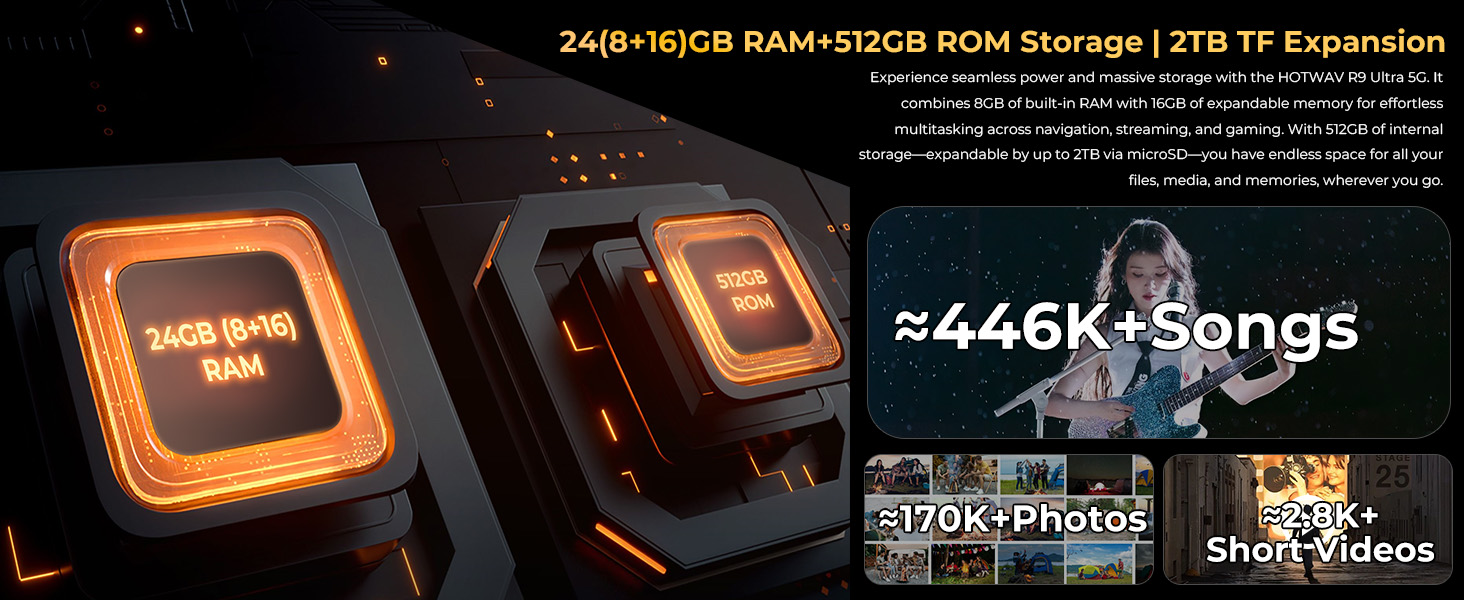
Image 5.5: The tablet's integrated camping light providing illumination.
5.7 Nodweddion Gwydnwch
The HOTWAV R9 Ultra is built to withstand challenging conditions:
- Gradd IP68 ac IP69K: Fully dust-tight and protected against high-pressure, high-temperature water jets.
- Ardystiedig MIL-STD-810H: Meets military standards for shock and drop resistance.
- Corning Gorilla Glass 3: Provides enhanced screen protection against scratches and impacts.

Image 5.6: The tablet's robust design, highlighting its resistance to drops, water, and dust.
6. cynnal
6.1 Glanhau
To clean your tablet, use a soft, lint-free cloth. For stubborn dirt, slightly dampgolchwch y brethyn gyda dŵr. Osgowch ddefnyddio cemegau llym neu ddeunyddiau sgraffiniol.
6.2 Diweddariadau Meddalwedd
Regularly check for and install software updates to ensure your tablet has the latest features, security patches, and performance improvements. Navigate to Gosodiadau > System > Diweddariad system i wirio am ddiweddariadau sydd ar gael.
6.3 Rheoli Storfa
Yn achlysurol parthedview your tablet's storage. Delete unnecessary files, dadosod apiau nas defnyddir, a throsglwyddo cyfryngau mawr files to external storage or cloud services to maintain optimal performance. The tablet supports up to 2TB of expandable storage via MicroSD.
7. Datrys Problemau
If you encounter issues with your tablet, refer to the following common solutions:
- Nid yw'r tabled yn troi ymlaen: Gwnewch yn siŵr bod y batri wedi'i wefru. Cysylltwch y dabled â'i gwefrydd ac aros ychydig funudau cyn ceisio ei throi ymlaen eto.
- Perfformiad araf: Close unused applications, clear cache, or restart the tablet. Check for available software updates.
- Connectivity issues (Wi-Fi/5G): Toggle Wi-Fi or mobile data off and on. Restart your router for Wi-Fi issues. Verify SIM card installation and carrier compatibility for 5G issues.
- Sgrin yn anymatebol: Ailgychwynnwch yn orfodol trwy ddal y botwm pŵer am tua 10-15 eiliad.
- Apiau'n chwalu: Clirio storfa a data'r ap yn Gosodiadau > Apiau, or reinstall the app.
Ar gyfer problemau parhaus, cysylltwch â chymorth cwsmeriaid.
8. manylebau
| Nodwedd | Manyleb |
|---|---|
| Brand | HOTWAV |
| Enw Model | R9 Ultra |
| System Weithredu | Android 15 |
| Maint Sgrin | 11 modfedd |
| Cydraniad Sgrin | 1200 x 1920 Pixels (2K FHD+) |
| Brand prosesydd | Unisoc |
| Cydbrosesydd graffeg | Mali-G57 MC2 |
| HWRDD | 24GB (8GB ffisegol + 16GB rhithwir) |
| Storio Mewnol | 512GB |
| Storfa Ehangadwy | Hyd at 2TB trwy MicroSD |
| Cefn Webcam Datrys | 64 MP (Main) + 20 MP (Nightvision) |
| Blaen Webcam Datrys | 16 AS |
| Gallu Batri | 20080mAh |
| Codi tâl | Gwefru Cyflym 20W, Gwefru Gwrthdro OTG |
| Graddfeydd Gwydnwch | IP68, IP69K, MIL-STD-810H |
| Cysylltedd | 5G, Wi-Fi 5, Bluetooth 5.0, GPS (Beidou, Galileo, Glonass) |
| Pwysau Eitem | 2.64 pwys |
| Dimensiynau Cynnyrch | 10.6 x 7.1 x 0.7 modfedd |
9. Gwarant a Chefnogaeth
9.1 Gwybodaeth Gwarant
The HOTWAV R9 Ultra comes with a comprehensive 2-year hardware warranty. This warranty covers manufacturing defects and ensures the reliability of your device. Please retain your proof of purchase for warranty claims.
9.2 Cefnogaeth i Gwsmeriaid
For technical assistance, troubleshooting, or warranty inquiries, please contact HOTWAV customer support. Support options typically include:
- Cefnogaeth Ar-lein 24/7
- Cymorth Technegol Oes
Refer to the official HOTWAV webgwefan neu'ch dogfennaeth prynu am fanylion cyswllt penodol.

Image 9.1: Representation of HOTWAV's customer support services.


