Rhagymadrodd
The Razer Kraken Kitty V2 BT Wireless RGB Headset, Kuromi Edition, is designed for immersive audio experiences and personalized style. This headset features Razer Chroma RGB lighting on the kitty ears and earcups, Bluetooth 5.2 connectivity with a dedicated Gaming Mode, and Razer TriForce 40 mm Drivers for clear sound. It also includes integrated beamforming noise-cancelling microphones and offers up to 40 hours of battery life with USB Type-C charging. This manual provides essential information for setup, operation, maintenance, and troubleshooting to ensure optimal performance of your headset.
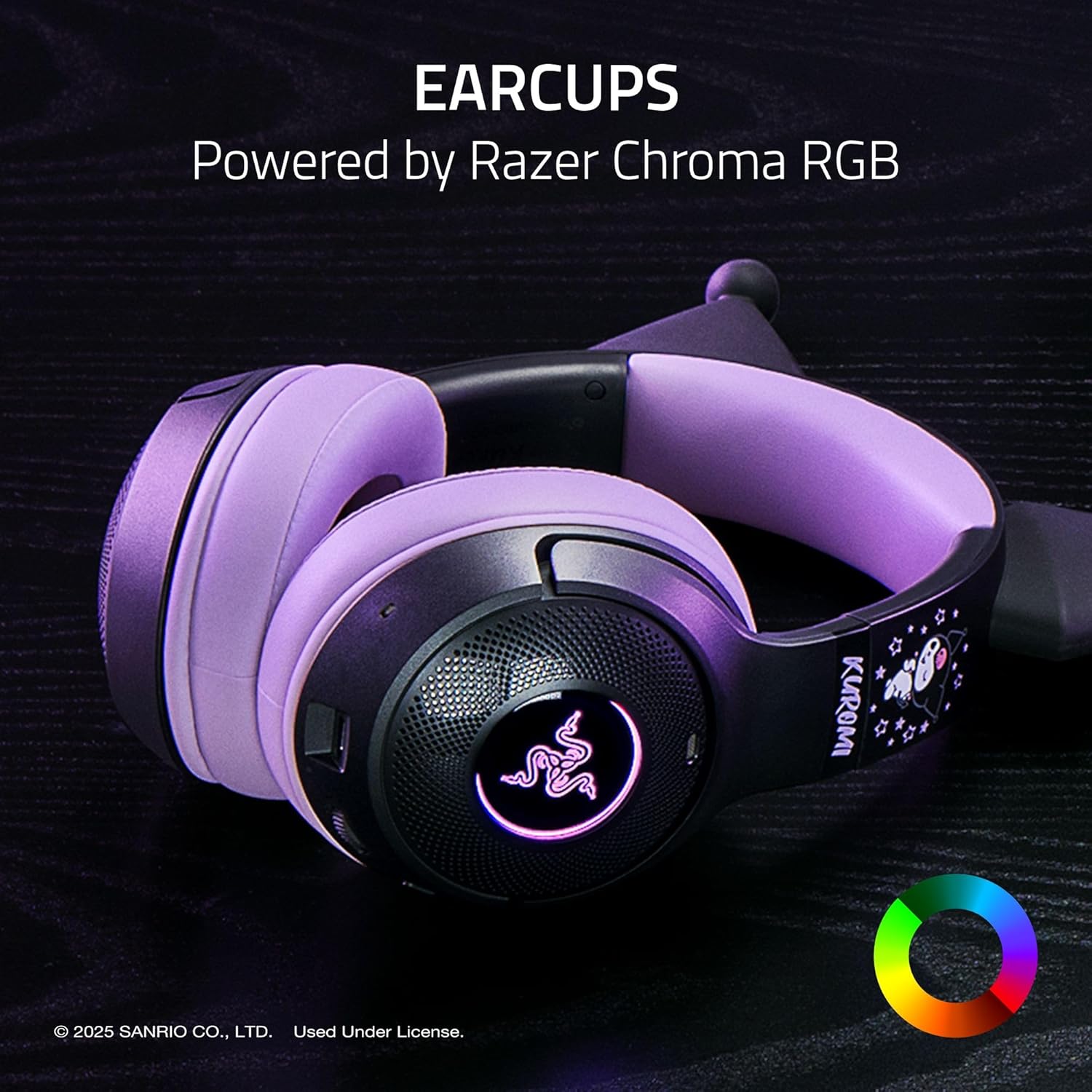
Image: The Razer Kraken Kitty V2 BT Wireless RGB Headset, Kuromi Edition, showcasing its distinctive design and RGB lighting capabilities.
Beth Sydd yn y Bocs
- Clustffon Razer Kraken Kitty V2 BT
- Cebl Codi Tâl USB Math-C
- Llawlyfr Defnyddiwr
Gosod
1. Codi Tâl y Headset
Before initial use, fully charge your headset. Connect the provided USB Type-C charging cable to the headset's charging port and to a powered USB port. The LED indicator will show charging status and turn off when fully charged. A full charge provides up to 40 hours of battery life.

Image: The Razer Kraken Kitty V2 BT Headset connected to a USB-C charging cable, illustrating the charging process.
2. Pâr Bluetooth
- Sicrhewch fod y headset wedi'i bweru i ffwrdd.
- Press and hold the Power button until the LED indicator blinks blue, indicating pairing mode.
- On your device (smartphone, PC, etc.), enable Bluetooth and search for available devices.
- Dewiswch "Razer Kraken Kitty V2 BT" o'r rhestr o ddyfeisiau a ddarganfuwyd.
- Ar ôl ei gysylltu, bydd y dangosydd LED yn troi'n las solet.

Image: Illustration highlighting Bluetooth 5.2 connectivity and Gaming Mode for seamless, low-latency performance.
3. Gosod Meddalwedd (Razer Synapse)
For advanced customization of RGB lighting and audio settings, download and install Razer Synapse software from the official Razer website. This software allows you to personalize Chroma RGB effects, adjust equalizer settings, and configure microphone sensitivity.
Gweithredu'r Headset
Pŵer Ymlaen / Diffodd
- I droi ymlaen: Pwyswch a daliwch y botwm Pŵer nes bod y dangosydd LED yn goleuo.
- I ddiffodd y pŵer: Pwyswch a daliwch y botwm Pŵer nes bod y dangosydd LED yn diffodd.
Rheoli Cyfaint
Use the volume wheel located on the earcup to adjust the audio output level. Rotate upwards to increase volume and downwards to decrease volume.
Defnydd Meicroffon
The headset features integrated beamforming noise-cancelling microphones for clear voice capture. These microphones are built into the earcups and do not require a boom arm. Ensure the microphone is enabled in your device's audio settings for communication.

Delwedd: Llun agos view of the integrated beamforming noise-cancelling microphone on the earcup, designed for crystal-clear voice pickup.
Goleuadau Razer Chroma RGB
Customize the RGB lighting on the kitty ears and earcups using Razer Synapse software. Choose from 16.8 million colors and various lighting effects to match your personal style or react to in-game events.

Image: The headset earcups illuminated by Razer Chroma RGB, demonstrating customizable lighting options.
Modd Hapchwarae
Activate Gaming Mode for reduced audio latency, providing a more synchronized experience during competitive gaming. Refer to the Razer Synapse software for instructions on enabling and configuring Gaming Mode.
Cynnal a chadw
Glanhau'r Headset
- Clustogau Clust: Gently wipe the fabric and leatherette ear cushions with a soft, damp brethyn. Ceisiwch osgoi defnyddio cemegau llym neu ddeunyddiau sgraffiniol.
- Headset Body: Use a dry, soft cloth to wipe down the headset's surface. For stubborn dirt, a slightly damp gellir defnyddio brethyn, ac yna sychu ar unwaith.
- Porth Codi Tâl: Ensure the USB Type-C port is free of dust and debris. Use a soft brush or compressed air if necessary.
Storio
Store the headset in a cool, dry place away from direct sunlight and extreme temperatures. Avoid placing heavy objects on the headset to prevent damage. When traveling, consider using a protective case.
Datrys problemau
Materion Cysylltedd Bluetooth
- Clustffonau heb eu paru: Ensure the headset is in pairing mode (blinking blue LED). Turn off and on your device's Bluetooth.
- Datgysylltiadau mynych: Ensure the headset is within the Bluetooth range (up to 10.1 meters). Reduce interference from other wireless devices.
- Dim sain ar ôl cysylltu: Check your device's audio output settings to ensure the Razer Kraken Kitty V2 BT is selected. Adjust headset volume.
Materion Ansawdd Sain
- Distorted or low volume: Check volume levels on both the headset and your connected device. Ensure the headset is fully charged.
- Dim sain: Verify Bluetooth connection. Restart both the headset and the connected device.
Materion Meicroffon
- Meicroffon ddim yn gweithio: Ensure the microphone is enabled in your device's audio input settings. Check for any mute functions on the headset or software.
- Poor microphone clarity: Ensure the integrated microphones are not obstructed. Adjust microphone sensitivity in Razer Synapse.
Goleuadau RGB Ddim yn Gweithio
- Ensure Razer Synapse software is installed and running.
- Check lighting settings within Razer Synapse for enabled effects.
- Verify the headset has sufficient battery charge.
Manylebau
The following table outlines the key technical specifications for the Razer Kraken Kitty V2 BT Wireless RGB Headset (Kuromi Edition):
| Nodwedd | Manyleb |
|---|---|
| Brand | Razer |
| Enw Model | KRAKEN KITTY V2 BT |
| Rhif Model | RZ04-04860300-R3M1 |
| Lliw | Kuromi Edition |
| Technoleg Cysylltedd | Bluetooth 5.2 |
| Amrediad Bluetooth | 10.1 o Fesurau |
| Lleoliad Clust | Dros Glust |
| Math Gyrrwr Sain | Dynamic Driver (Razer TriForce) |
| Maint Gyrrwr Sain | 40 Milimetrau |
| Ymateb Amlder | 20 Hz - 20,000 Hz |
| rhwystriant | 32 Ohms |
| Sensitifrwydd | 92.5 dB |
| Rheoli Sŵn | Environmental Noise Cancellation (Integrated Beamforming Mics) |
| Bywyd Cyfartalog Batri | 40 Awr |
| Codi tâl | USB Math-C |
| Pwysau | 1.7 pwys (tua 771g) |
| Deunydd | Fabric and Leatherette (ear cushions) |
| Nodweddion Ychwanegol | Kraken Kitty Ears with Chroma RGB |

Image: Diagram illustrating the Razer TriForce 40 mm Drivers, designed for clear and powerful sound across highs, mids, and lows.
Gwybodaeth Gwarant
The Razer Kraken Kitty V2 BT Wireless RGB Headset (Kuromi Edition) is covered by a Gwarant Gwneuthurwr 2 Flwyddyn. This warranty covers defects in materials and workmanship under normal use. For detailed terms and conditions, please refer to the warranty card included with your product or visit the official Razer support websafle.
Cefnogaeth
For further assistance, technical support, or to register your product, please visit the official Razer Support websafle:
You can also find FAQs, driver downloads, and community forums on the support portal.
Cynnyrch Drosview Fideo
Video: An official product trailer showcasing the Razer Kuromi Edition Collection, including the Kraken Kitty V2 BT Headset and other themed accessories.


