Rhagymadrodd
Thank you for choosing the GOBOULT Crown Smart Watch. This manual provides essential information for the proper setup, operation, and maintenance of your device. Please read it thoroughly to ensure optimal performance and longevity of your smartwatch.
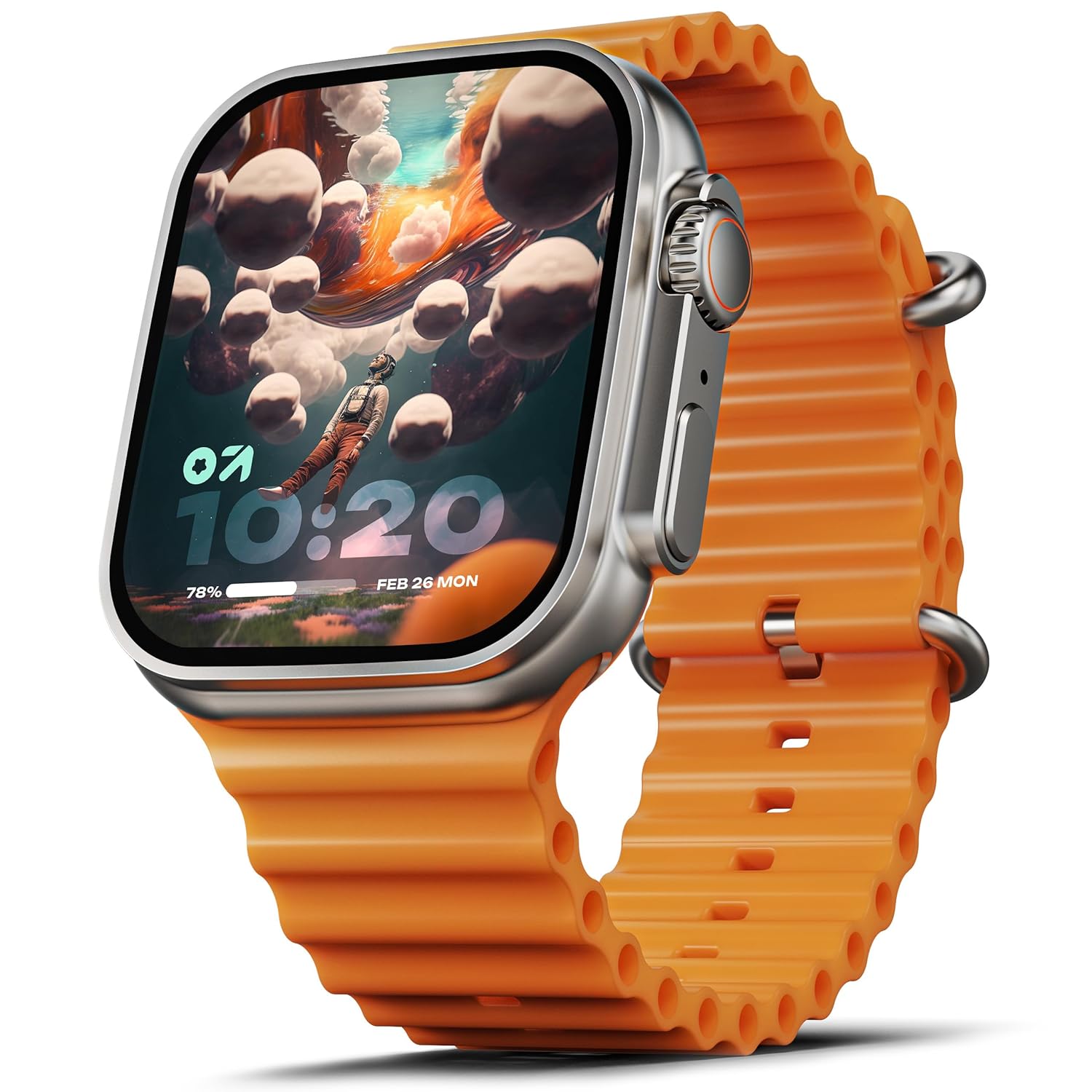
Image: The GOBOULT Crown Smart Watch, featuring a large display and an orange silicone strap.
Beth Sydd yn y Bocs
Wrth ddadbocsio, gwiriwch fod yr holl eitemau canlynol wedi'u cynnwys:
- GOBOULT Crown Smart Watch
- Cebl Codi Tâl
- Llawlyfr Defnyddiwr
- Cerdyn Gwarant
Cychwyn Arni
1. Gwefru'r Oriawr Clyfar
Before initial use, fully charge your GOBOULT Crown Smart Watch. Connect the provided charging cable to the charging port on the back of the watch and to a standard USB power adapter. The watch display will indicate charging status.
2. Pweru Ymlaen / I ffwrdd
To power on, press and hold the side button until the GOBOULT logo appears. To power off, navigate to the settings menu on the watch, select 'Power Off', and confirm.
3. Paru â'ch Ffôn Clyfar
- Download the official GOBOULT companion app from your smartphone's app store (available for Android and iOS).
- Sicrhewch fod Bluetooth wedi'i alluogi ar eich ffôn clyfar.
- Open the GOBOULT app and follow the on-screen instructions to search for and pair with your Crown Smart Watch.
- Cadarnhewch y cais paru ar eich ffôn a'r oriawr.
Cyfarwyddiadau Gweithredu
Arddangos a Mordwyo

Image: Close-up of the smartwatch display, highlighting its 1.95-inch size and 900 Nits brightness for clear visibility.
- 1.95" HD Display: The large, high-definition screen provides clear visuals and responsive touch interaction.
- Disgleirdeb 900 Nits: Ensures excellent visibility even in bright outdoor conditions.
- Working Rotating Crown: Use the functional rotating crown on the side of the watch to scroll through menus, zoom in/out, and switch watch faces.
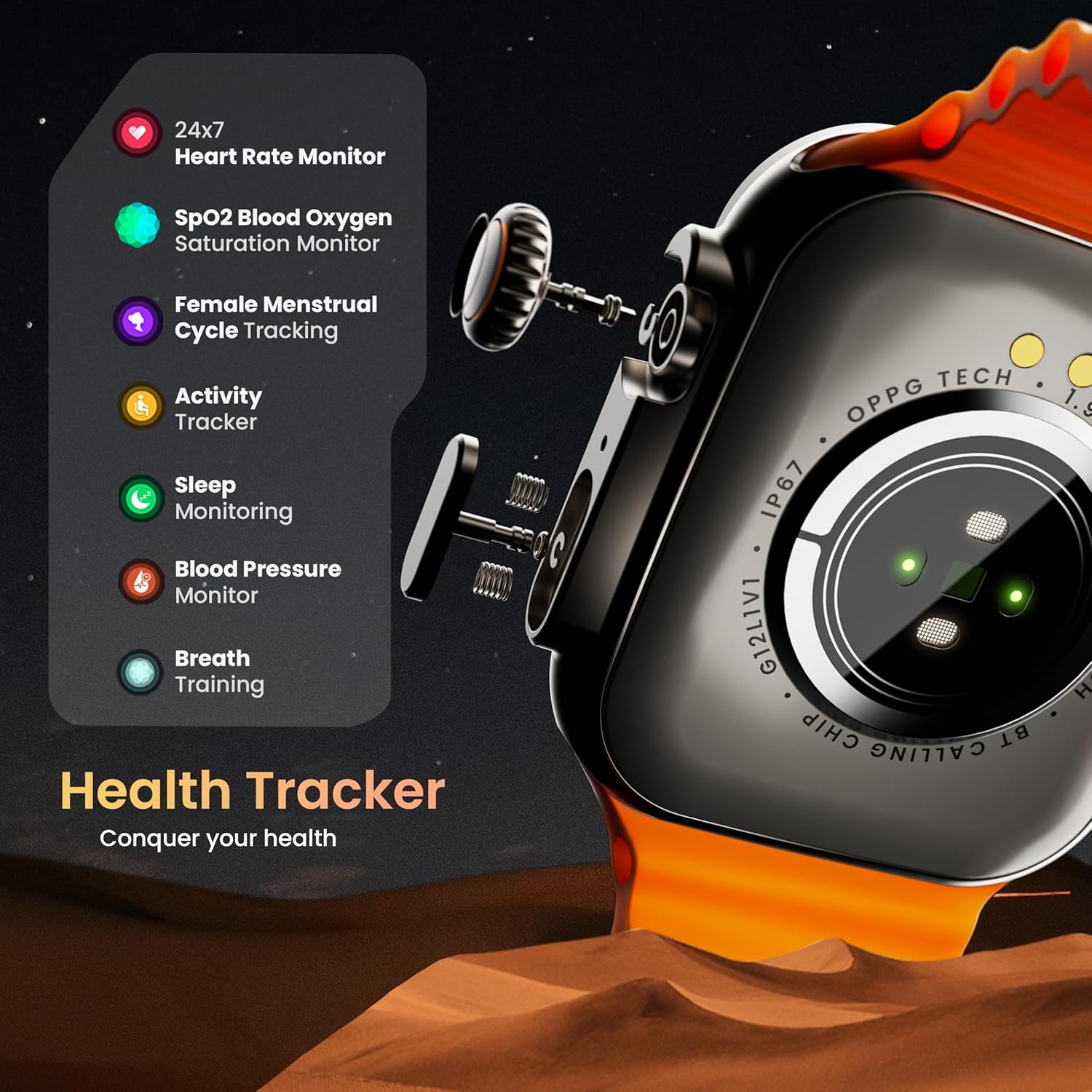
Delwedd: Ffrwydrad view illustrating the internal mechanism of the working rotating crown, used for navigation and control.
Galw Bluetooth

Image: The smartwatch screen showing an incoming call, alongside diagrams explaining Bluetooth 5.2 calling features like call answer/reject, dial pad, and contact sync.
The GOBOULT Crown Smart Watch supports Bluetooth Calling 5.2, allowing you to make and receive calls directly from your wrist. It features a built-in speaker and microphone for clear communication.
- Ateb/Gwrthod Galwadau: Tap the green icon to answer or the red icon to reject an incoming call.
- Pad Deialu: Access the dial pad on the watch to make outgoing calls.
- Sync Contacts: Sync your phone's contacts to the watch via the companion app.
Monitro Iechyd
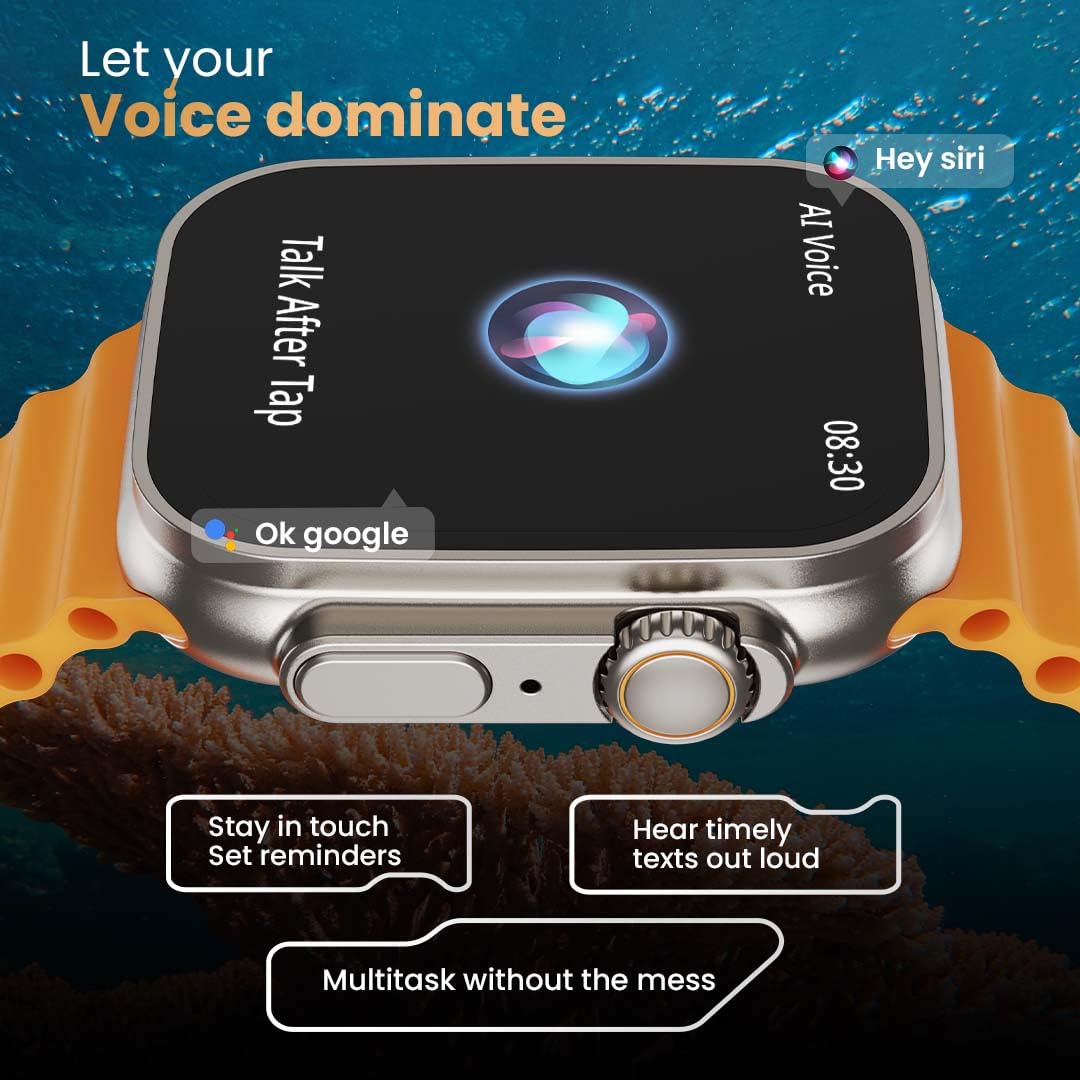
Image: The rear of the smartwatch showing its health sensors, accompanied by a list of health metrics it tracks, including heart rate, SpO2, and sleep.
The watch is equipped with an advanced health suite to help you monitor your well-being:
- Monitor Cyfradd y Galon 24/7: Yn olrhain cyfradd eich calon yn barhaus drwy gydol y dydd.
- SpO2 Blood Oxygen Saturation Monitor: Yn mesur lefelau ocsigen eich gwaed.
- Monitro Cwsg: Yn dadansoddi eich patrymau cysgu ac ansawdd.
- Traciwr Gweithgaredd: Yn cofnodi camau, pellter, a chalorïau a losgwyd.
- Olrhain Cylchred Mislif Benywaidd: Yn darparu mewnwelediadau a rhagfynegiadau ar gyfer cylchoedd mislif.
- Hyfforddiant anadl: Ymarferion anadlu dan arweiniad ar gyfer ymlacio.
Moddau Chwaraeon
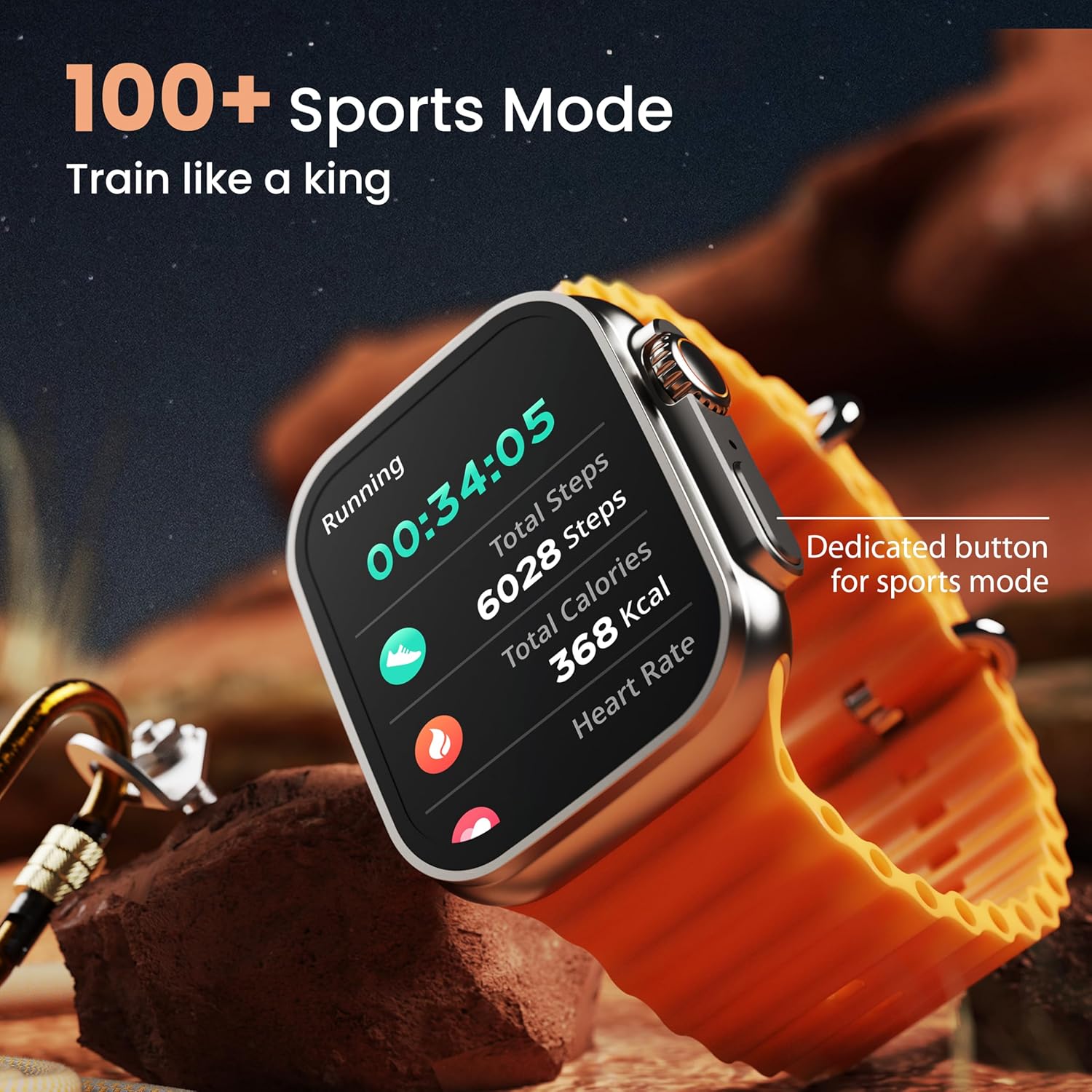
Image: The smartwatch screen showing a 'Running' sports mode with real-time metrics like duration, total steps, calories, and heart rate. A dedicated button for sports mode is also visible.
With over 120 sports modes, the GOBOULT Crown Smart Watch can track a wide range of physical activities. Select your desired sport from the watch menu to record real-time metrics, performance insights, and track your progress.
Addasu

Delwedd: Sioe collageasing various watch faces, including custom and animated options, along with different UI styles available for personalization on the smartwatch.
Personoli eich profiad oriawr smart:
- 100+ Cloud-Based Watch Faces: Choose from a wide selection of watch faces available through the companion app.
- Opsiynau Addasu: Customize your screen with widgets, backgrounds, and layouts to match your style.
- 8 UI Styles: Select from different user interface styles for menu navigation.
Swyddogaethau Ychwanegol
- Cynorthwyydd Llais AI: Interact with your watch using voice commands (e.g., "Hey Siri" or "Ok Google") for tasks like setting reminders or hearing texts aloud.
- Dod o Hyd i Fy Ffôn: If your paired phone is misplaced, use this feature on your watch to make it ring/vibrate.
- Gemau Mini: Enjoy pre-installed mini-games directly on your watch.
- Hysbysiadau ac Atgofion: Receive SMS, WhatsApp, social media, and mail notifications. Set goal achievement reminders.
- Cyfrifiannell: A basic calculator function is available on the watch.
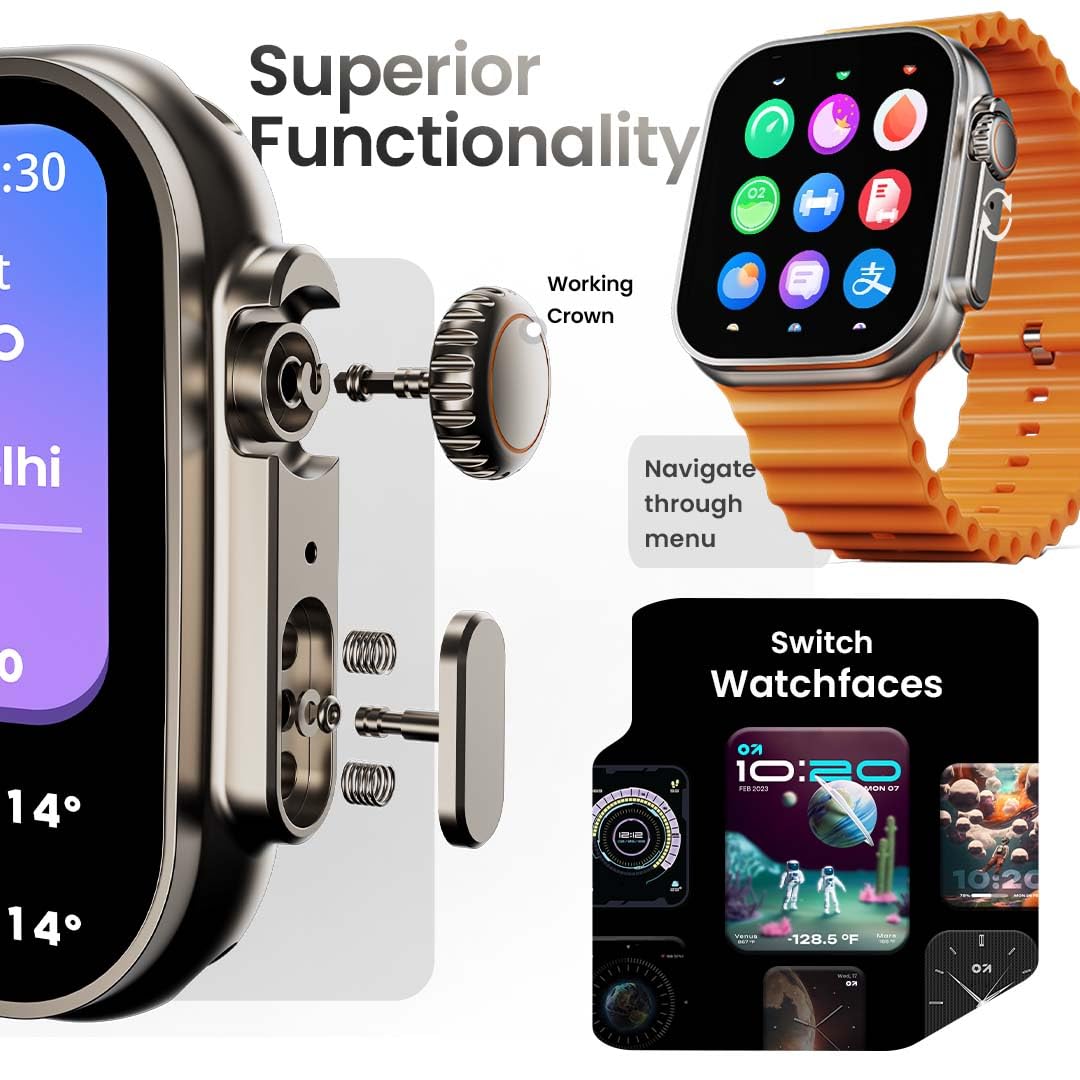
Image: The smartwatch screen showing the AI Voice Assistant interface, indicating support for voice commands like "Hey Siri" and "Ok Google".
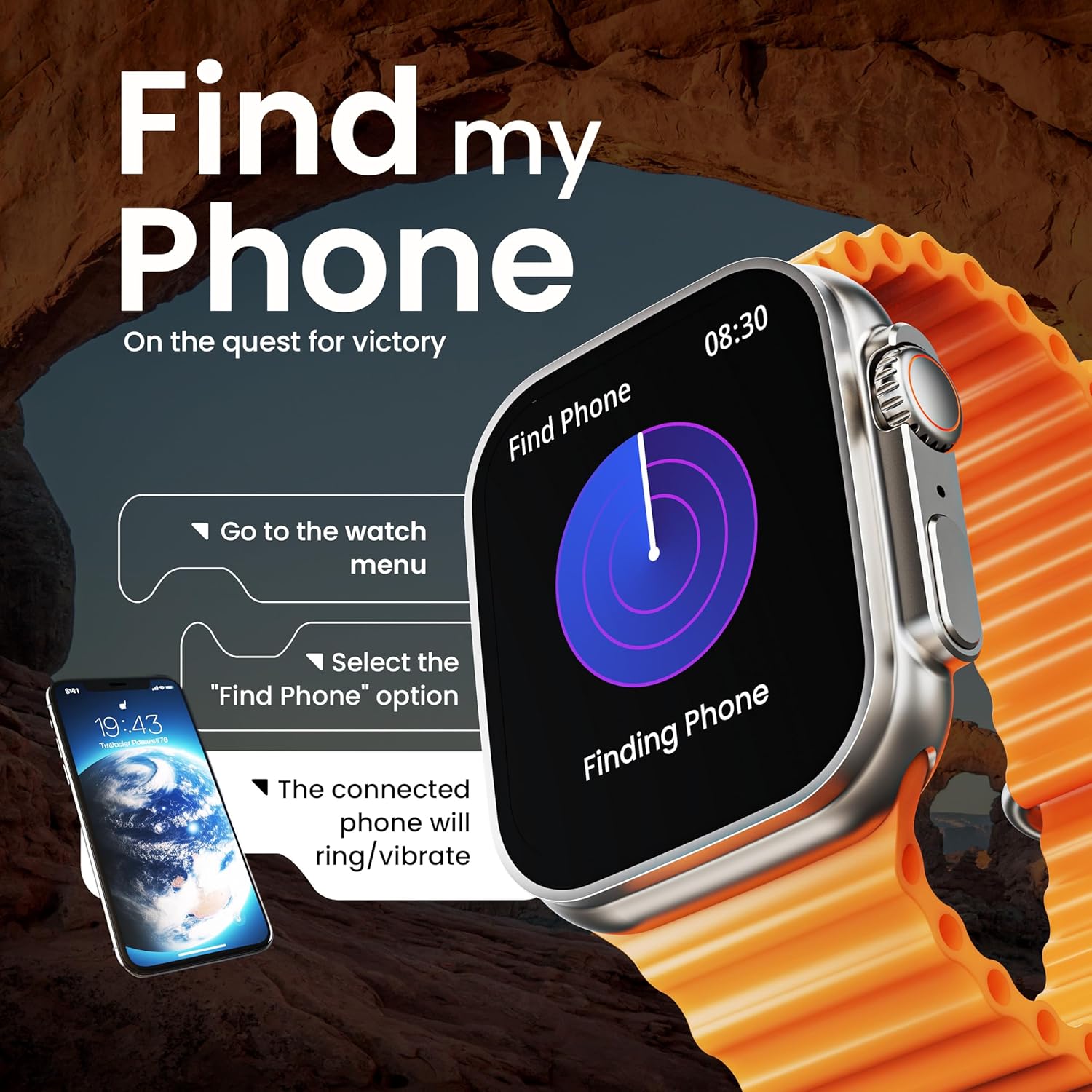
Image: The smartwatch screen illustrating the 'Find Phone' feature, with instructions on how to activate it to locate a connected smartphone.
Image: The smartwatch screen showcasing a selection of mini-games available on the device, such as 'Young Bird', 'Hamster', and 'Battleships'.

Image: The smartwatch screen showing a calculator interface, along with a pop-up notification and a list of reliable and robust features like sync notifications and reminders.
Cynnal a chadw
Glanhau
Regularly clean your smartwatch and strap to prevent skin irritation and maintain device hygiene. Use a soft, lint-free cloth. If necessary, slightly dampgolchwch y brethyn gyda dŵr. Osgowch gemegau llym neu ddeunyddiau sgraffiniol.
Gwrthiant Dŵr
The GOBOULT Crown Smart Watch is IP67 water resistant. This means it is protected against dust and can withstand immersion in water up to 1 meter for up to 30 minutes. It is suitable for daily use and light splashes but not recommended for swimming, showering, or diving.
Gofal Strap
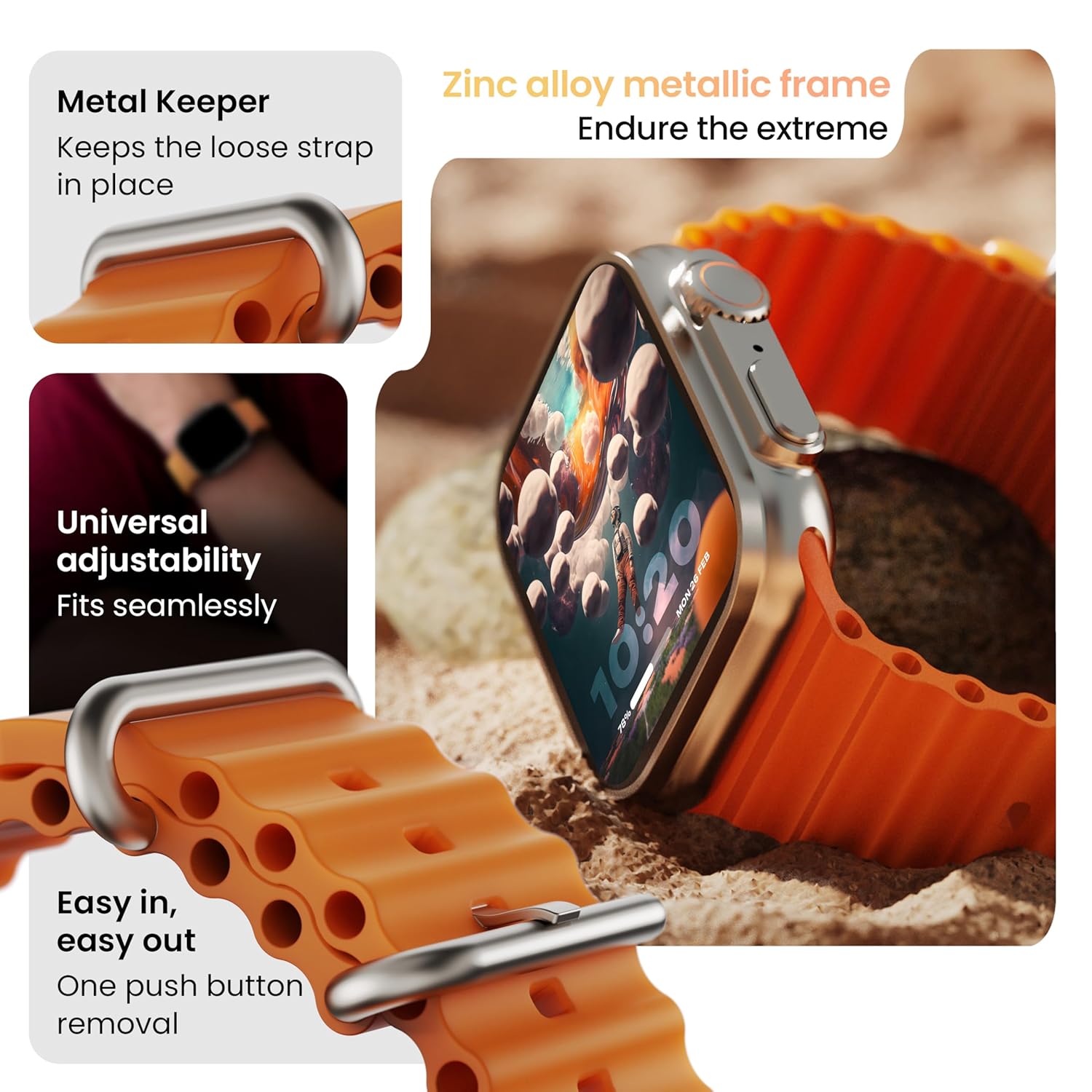
Delwedd: Manwl view of the smartwatch strap, highlighting features such as the metal keeper for securing the loose end, universal adjustability for a seamless fit, and a push-button mechanism for easy removal.
The skin-friendly silicone strap is designed for comfort. Ensure it is not too tight or too loose for accurate health tracking. Clean the strap regularly, especially after workouts, to remove sweat and dirt.
Datrys problemau
Oriawr Ddim yn Troi Ymlaen
- Gwnewch yn siŵr bod yr oriawr wedi'i gwefru'n llawn. Cysylltwch hi â'r gwefrydd am o leiaf 30 munud.
- Pwyswch a daliwch y botwm ochr am 10-15 eiliad i geisio ailgychwyn gorfodol.
Materion Paru
- Gwnewch yn siŵr bod Bluetooth wedi'i alluogi ar eich ffôn a'r oriawr.
- Ensure the watch is within the Bluetooth range (approximately 10 meters).
- Ailgychwynwch eich ffôn a'r oriawr.
- Clear the Bluetooth cache on your phone or forget the device and try pairing again.
Data Iechyd Anghywir
- Gwnewch yn siŵr bod yr oriawr yn cael ei gwisgo'n glyd ar eich arddwrn, ond nid yn rhy dynn.
- Glanhewch y synwyryddion ar gefn yr oriawr.
- Avoid excessive movement during measurements for better accuracy.
Hysbysiadau Ddim yn Ymddangos
- Check if the watch is properly connected to your phone via Bluetooth.
- Verify notification permissions for the GOBOULT app in your phone's settings.
- Ensure 'Do Not Disturb' mode is not active on either your phone or watch.
Manylebau
| Nodwedd | Manylyn |
|---|---|
| Brand | GOBOULT |
| Model | Oriawr Clyfar y Goron |
| Maint Arddangos | 1.95 modfedd |
| Arddangos Disgleirdeb | 900 o Nits |
| Cysylltedd | Bluetooth 5.2 |
| System Weithredu | Android Wear 1.0, iOS compatible |
| Bywyd Batri (Cyfartaledd) | 7 Dydd |
| Amser Codi Batri | 150 Munud |
| Gallu Batri | 300 Miliamp Oriau |
| Gwrthiant Dŵr | IP67 |
| Pwysau Eitem | 40 g |
| Cydrannau wedi'u Cynnwys | Smartwatch, Charging Cable, User Manual, Warranty Card |
Gwarant a Chefnogaeth
Your GOBOULT Crown Smart Watch comes with a Warranty Card included in the box. Please refer to this card for detailed information regarding warranty coverage and terms. For technical support or further assistance, please contact GOBOULT customer service through the contact information provided on the warranty card or the official GOBOULT websafle.


