1. Rhagymadrodd
This manual provides essential information for the safe and effective installation, operation, and maintenance of your Blaupunkt CALI 900 9-inch Touchscreen Single DIN Receiver and the accompanying BPS-E653 6-inch 3-Way Car Speakers. Please read this manual thoroughly before use and retain it for future reference.
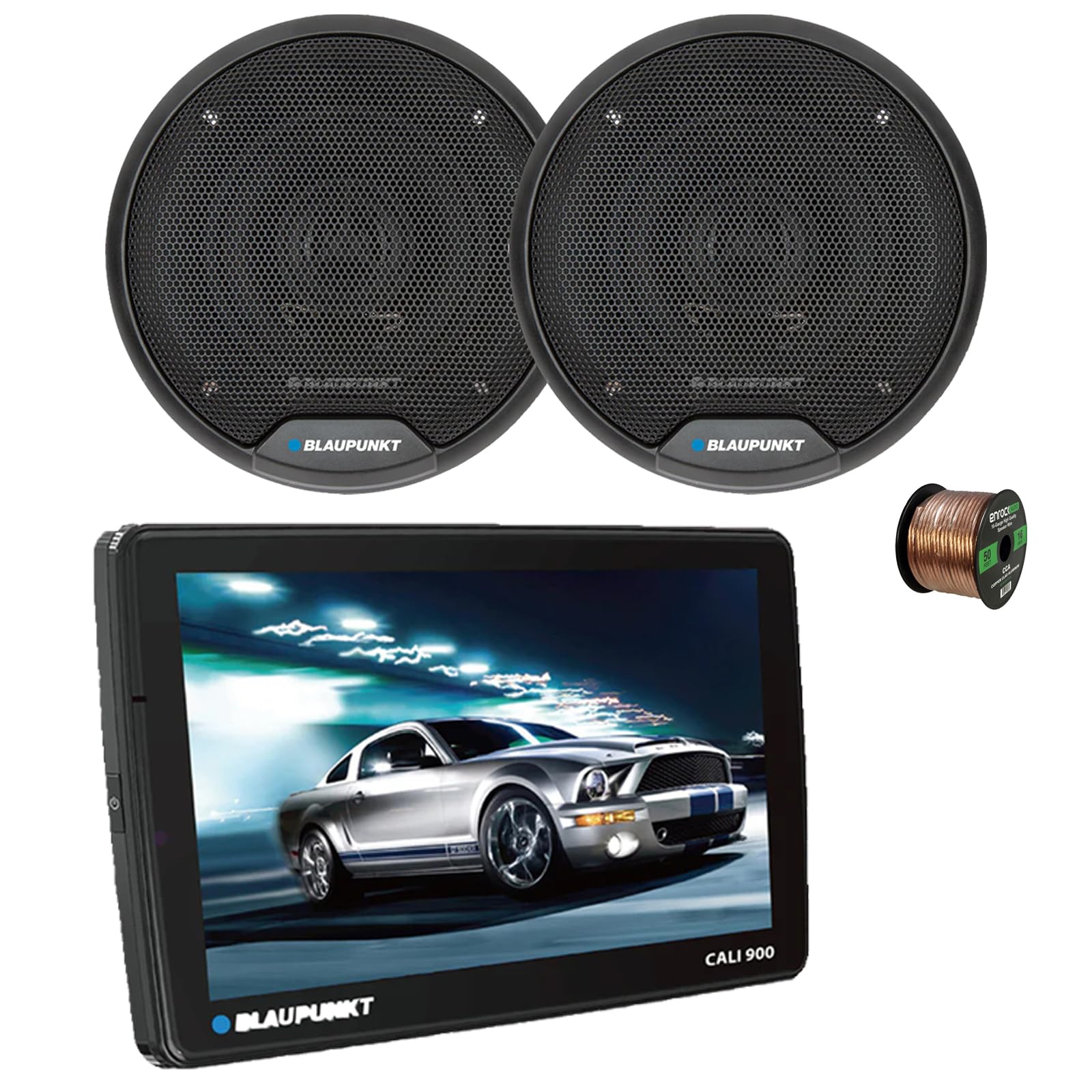
Image 1.1: Blaupunkt CALI 900 Receiver. This image shows the front view of the CALI 900 receiver with its 9-inch QLED touchscreen display, featuring a car image on the screen.
2. Gwybodaeth Diogelwch
- Gosodiad Proffesiynol a Argymhellir: Due to the complexity of car audio systems, professional installation is highly recommended. Incorrect installation can lead to damage to the product, vehicle, or personal injury.
- Ffynhonnell Pwer: Cysylltwch yr uned â chyflenwad pŵer 12V DC gyda thir negyddol yn unig.
- Gwifrau: Ensure all wiring is correctly connected according to the wiring diagram. Incorrect wiring can cause malfunctions or damage. Avoid short circuits.
- Awyru: Sicrhewch awyru digonol o amgylch yr uned i atal gorboethi.
- Diogelwch Gyrru: Peidiwch â gweithredu'r uned mewn ffordd sy'n tynnu eich sylw oddi wrth yrru. Rhowch flaenoriaeth i ddiogelwch ar y ffyrdd bob amser.
- Lefelau cyfaint: Avoid excessively high volume levels that may impair your ability to hear traffic sounds or emergency vehicles.
3. Cynnwys Pecyn
The Blaupunkt CALI 900 bundle includes the following components:
- Blaupunkt CALI 900 9" Touchscreen Single DIN Receiver
- 2x Blaupunkt BPS-E653 6" 3-Way Car Speakers
- 50 Feet of 16-gauge Speaker Wire
- Mounting Hardware and Wiring Harness (for receiver)
- Speaker Grilles and Mounting Screws (for speakers)
4. Cynnyrch Drosview
4.1 CALI 900 Receiver Features
The CALI 900 is a versatile single DIN digital multimedia receiver designed for modern vehicle integration.
- Arddangos: 9-inch QLED Touchscreen (1280x720 resolution) with capacitive touch panel.
- System Weithredu: Android 10.0 OS with A53 quad-core processor (2.0GHz) and 2+32G memory.
- Cysylltedd: Built-in WiFi (5G), Bluetooth (4.1 version), Wireless Apple CarPlay & Android Auto.
- Llywio: GPS adeiledig.
- Sain: DSP audio processing, 32-band equalizer, RCA 4.1 Channel Output (FL/FR/RL/RR/SUB).
- Mewnbynnau: Two rear USB ports.
- Ychwanegol: Support for 720P and 1080P AHD camera, Seven Colors Illumination.

Delwedd 4.1: Blaen view of the Blaupunkt CALI 900 Receiver. This image displays the sleek design of the receiver's front panel and large touchscreen.

Image 4.2: CALI 900 Floating Panel and Connectivity. This image illustrates the floating panel design, showing how the screen can be adjusted, and highlights compatibility with Apple CarPlay and Android Auto.
4.2 BPS-E653 Speaker Features
The BPS-E653 speakers are designed to deliver clear and dynamic audio performance.
- Math: 6-inch 3-Way Coaxial Speaker.
- Woofer: Polypropylene cone with rubber surround.
- Trydarwr: PET balanced dome tweeter with neodymium magnet, ceramic w/PET diaphragm super tweeter.
- Trin pŵer: 40 Watt Max (20 Watt RMS) per speaker.
- Dyluniad: Steel basket, zero tweeter protrusion, includes grilles for flush fit.

Image 4.3: Blaupunkt BPS-E653 6-inch Car Speakers. This image shows a pair of the BPS-E653 speakers with their protective grilles.
5. Gosod a Gosod
5.1 Canllawiau Gosod Cyffredinol
- Datgysylltwch derfynell batri negyddol y cerbyd cyn dechrau unrhyw waith trydanol.
- Gwnewch yn siŵr bod yr holl wifrau wedi'u llwybro i ffwrdd o rannau symudol, ffynonellau gwres ac ymylon miniog.
- Use appropriate tools and protective gear.
- Consult your vehicle's service manual for specific dashboard and panel removal instructions.
5.2 Receiver Installation (CALI 900)
The CALI 900 is a single DIN unit with a floating 9-inch display. Install the main chassis into your vehicle's single DIN opening. The display can then be adjusted for optimal viewongl ing.
- Secure the single DIN chassis into the vehicle's dashboard using the provided mounting hardware.
- Connect the wiring harness to the receiver and then to the vehicle's corresponding wires (power, ground, accessory, speaker outputs, etc.).
- Connect any additional accessories such as GPS antenna, USB cables, or camera inputs.
- Attach the 9-inch display panel to the main chassis and adjust its position.
5.3 Speaker Installation (BPS-E653)
The BPS-E653 speakers are designed for standard 6-inch openings. Ensure the mounting location is clear and provides adequate depth.
- Remove existing speakers or prepare the mounting location.
- Connect the provided 16-gauge speaker wire to the speaker terminals, ensuring correct polarity (+ to + and - to -).
- Gosodwch y siaradwyr yn ddiogel gan ddefnyddio'r sgriwiau a ddarperir.
- Install the speaker grilles if desired.

Image 5.1: 16-Gauge Speaker Wire. This image shows the spool of 16-gauge speaker wire included for connecting your speakers.
5.4 Gwifro Cysylltiadau
Refer to the wiring diagram included with your receiver for specific connections. General connections include:
- Gwifren Felen: 12V Cyson (Batri)
- Gwifren Goch: 12V wedi'i switsio (Affeiriwr)
- Gwifren Ddu: Daear
- Gwifren Las: Troi Ymlaen o Bell (ar gyfer amplifier/antenna)
- Gwifrau Llefarydd: Connect to the BPS-E653 speakers, ensuring correct polarity for each channel (Front Left, Front Right, Rear Left, Rear Right).
Ar ôl gwneud yr holl gysylltiadau, ailgysylltwch derfynell batri negyddol y cerbyd.
6. Cyfarwyddiadau Gweithredu
6.1 Pŵer Ymlaen/Diffodd
- Pŵer Ymlaen: Turn your vehicle's ignition to the ACC or ON position. The receiver should power on automatically. If not, press the power button on the unit.
- Pwer i ffwrdd: Turn your vehicle's ignition to the OFF position. The receiver will power off.
6.2 Rhyngwyneb Sgrin Gyffwrdd
The 9-inch QLED touchscreen provides intuitive control. Tap icons to select functions, swipe to navigate menus, and use pinch-to-zoom gestures where applicable.
6.3 Apple CarPlay Di-wifr ac Android Auto
- Gwnewch yn siŵr bod Bluetooth a Wi-Fi eich ffôn clyfar wedi'u galluogi.
- On the receiver, select the CarPlay or Android Auto icon.
- Dilynwch yr awgrymiadau ar y sgrin i baru'ch ffôn drwy Bluetooth. Ar ôl ei baru, bydd y system yn sefydlu cysylltiad Wi-Fi ar gyfer CarPlay/Android Auto diwifr.
- For wired connection, connect your smartphone to one of the receiver's USB ports.
6.4 Pâr Bluetooth
- On the receiver, select the Bluetooth icon.
- Galluogi Bluetooth ar eich dyfais symudol a chwilio am y dyfeisiau sydd ar gael.
- Select "Blaupunkt CALI 900" from the list on your device.
- Cadarnhewch y cod paru os gofynnir amdano.
- Ar ôl paru, gallwch wneud galwadau di-ddwylo a ffrydio sain.
Radio 6.5 AM/FM
- Select the Radio icon from the main menu.
- Use the on-screen controls to scan for stations, manually tune, or select preset stations.
Chwarae USB 6.6
- Insert a USB drive into one of the rear USB ports.
- The receiver will automatically detect the USB device and display its contents.
- Navigate through folders and select audio or video files ar gyfer chwarae.
6.7 Llywio GPS
The built-in GPS allows for navigation. Ensure the GPS antenna is properly installed and has a clear view of the sky. Access navigation through the dedicated icon on the main menu.
6.8 Gosodiadau Sain
Access the audio settings menu to adjust sound parameters:
- Equalizer: Use the 32-band equalizer to fine-tune frequency response.
- DSP: Digital Sound Processing offers various sound enhancements and sound stage addasiadau.
- Balans / Pylu: Adjust sound distribution between left/right and front/rear speakers.
- Rheolaeth subwoofer: Adjust subwoofer output level and crossover frequency if a subwoofer is connected to the RCA output.
7. cynnal
7.1 Glanhau
- Sgrin: Defnyddiwch frethyn meddal, di-flwff i sychu'r sgrin gyffwrdd yn ysgafn. Ar gyfer staeniau ystyfnig, sychwch ychydigampgolchwch y lliain gyda dŵr neu lanhawr sy'n ddiogel i sgriniau. Peidiwch â defnyddio glanhawyr sgraffiniol na thoddyddion.
- Uned: Wipe the main unit and speaker grilles with a dry, soft cloth. Avoid getting liquids inside the unit.
7.2 Diweddariadau Meddalwedd
Periodically check the official Blaupunkt website for any available software or firmware updates for your CALI 900 receiver. Updates can improve performance, add features, or fix bugs. Follow the instructions provided with the update files ofalus.
8. Datrys Problemau
| Problem | Achos Posibl | Ateb |
|---|---|---|
| Dim pŵer i dderbynnydd | Blown fuse; incorrect wiring (power/ground); ignition off. | Check vehicle fuses and receiver fuse. Verify power and ground connections. Ensure ignition is on. |
| Dim sain gan siaradwyr | Speaker wires disconnected or shorted; volume too low; mute activated; incorrect audio source. | Check all speaker connections for proper polarity and shorts. Increase volume. Deactivate mute. Select correct audio source. |
| Problemau cysylltiad Bluetooth | Device not in pairing mode; receiver not discoverable; interference. | Ensure both devices are in pairing mode. Delete previous pairings and try again. Move closer to the receiver. |
| Sgrin gyffwrdd yn anymatebol | System freeze; temporary software glitch. | Perform a soft reset (refer to receiver manual for specific button combination or small reset hole). If issue persists, disconnect battery for 5 minutes. |
| CarPlay/Android Auto ddim yn cysylltu | Phone settings; cable issue (for wired); Wi-Fi/Bluetooth off. | Ensure phone is compatible and has the latest OS. Check phone settings for CarPlay/Android Auto permissions. Try a different USB cable. Verify Wi-Fi and Bluetooth are active. |
9. manylebau
9.1 CALI 900 Receiver Specifications
| Nodwedd | Manyleb |
|---|---|
| Arddangos | 9-inch QLED Touchscreen (1280x720) |
| System Weithredu | Android 10.0 |
| Prosesydd | A53 Quad-core, 2.0GHz |
| Cof | 2GB RAM + 32GB ROM |
| Cysylltedd | WiFi (5G), Bluetooth 4.1, Wireless Apple CarPlay & Android Auto |
| Mordwyo | GPS adeiledig |
| Prosesu Sain | DSP, 32-band Equalizer |
| Porthladdoedd USB | 2x Rear USB |
| Dimensiynau | Single DIN chassis with floating panel |
| Pwysau Eitem | 15 ounces (Receiver only) |
| UPC | 840440916147 |
9.2 BPS-E653 Speaker Specifications
| Nodwedd | Manyleb |
|---|---|
| Math | 6-inch 3-Way Coaxial Speaker |
| Trin Pŵer | 20W RMS / 40W Max (per speaker) |
| rhwystriant | 4 Ohm |
| Ymateb Amlder | 65Hz - 20KHz |
| Sensitifrwydd | 84.5dB |
| Deunydd Woofer | PP Cone with Rubber Surround |
| Deunydd Trydar | Neodymium Tweeter Magnet, PET Balanced Dome Tweeter, Ceramic w/PET Diaphragm Super Tweeter |
| Deunydd Basged | Dur |

Image 9.1: BPS-E653 Speaker Diagram. This image provides a detailed view of the BPS-E653 speaker components and lists its key specifications.
10. Gwarant a Chefnogaeth
10.1 Gwybodaeth Gwarant
Blaupunkt products are manufactured to high-quality standards. For specific warranty terms and conditions, please refer to the warranty card included with your product or visit the official Blaupunkt websafle. Cadwch eich prawf prynu ar gyfer hawliadau gwarant.
10.2 Cefnogaeth i Gwsmeriaid
If you encounter any issues or have questions not covered in this manual, please contact Blaupunkt customer support. You can typically find contact information (phone, email, or support portal) on the official Blaupunkt websafle:
When contacting support, please have your product model (CALI 900, BPS-E653) and proof of purchase ready.


