1. Rhagymadrodd
This manual provides essential information for the proper use and maintenance of your Picun F5 Active Noise Cancelling Headphones. Please read it thoroughly before operating the device.
2. Cynnwys Pecyn
Gwiriwch fod yr holl eitemau yn bresennol yn eich pecyn:
- 1 x Picun F5 Headphone
- Cebl Sain 1 x 3.5mm
- 1 x Cebl Codi Tâl USB
- 1 x Llawlyfr Defnyddiwr

3. Nodweddion Cynnyrch
- Canslo Sŵn Gweithredol (ANC): Advanced technology to reduce ambient noise for an immersive audio experience.
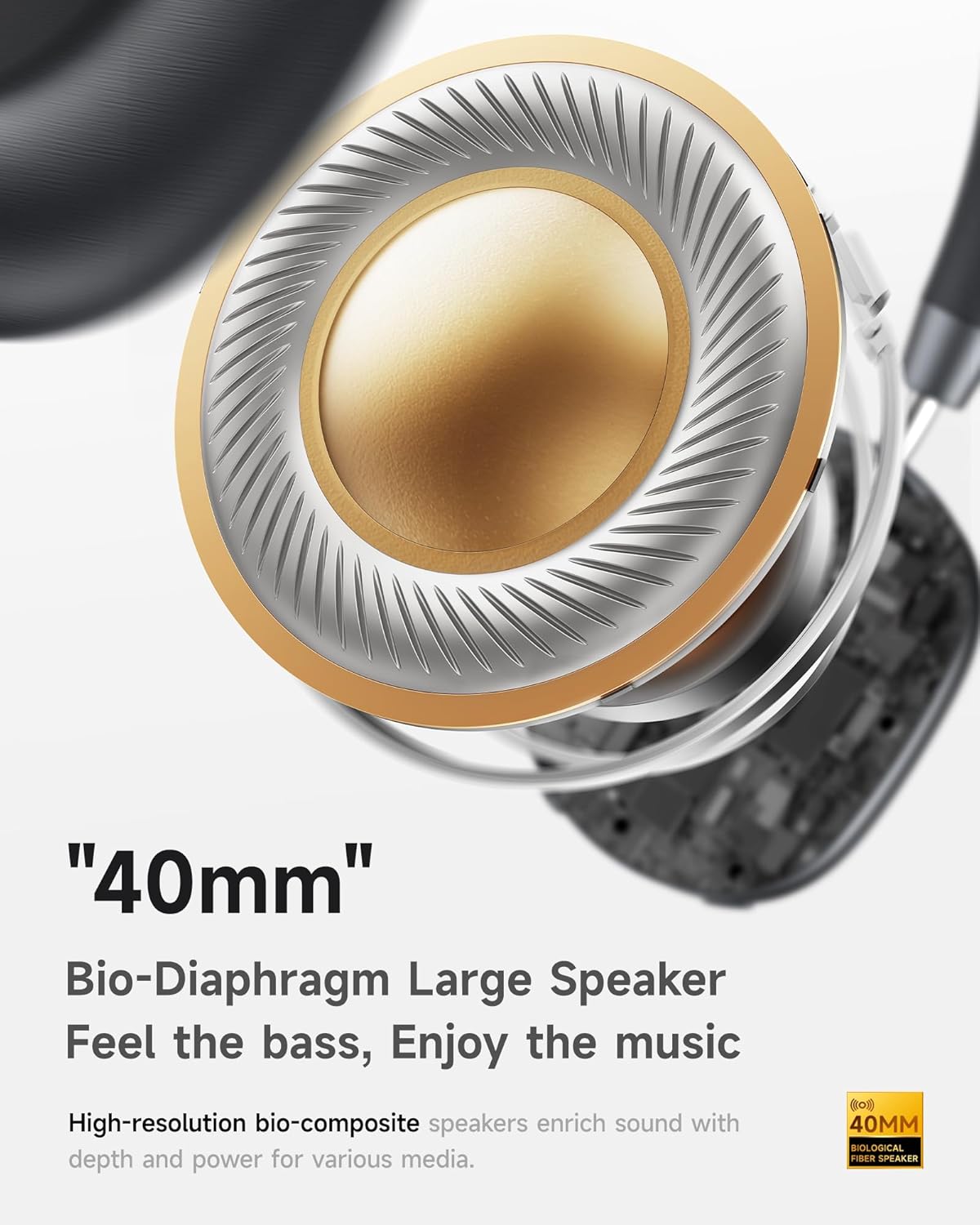
- Sain Hi-Fi gyda Bas Dwfn: Delivers clear sound with enhanced bass.
- App-Controlled EQ: Customize audio settings via a dedicated companion application.
- Meicroffon adeiledig: Ensures clear voice calls.
- Cysylltiad aml-bwynt: Allows seamless switching between two connected Bluetooth devices.
- Dyluniad ergonomig: Lightweight build with soft memory-foam earcups for extended comfort.
- Long Playtime & Fast Charging: Up to 30 hours of playback on a single charge, with quick recharge capabilities.



4. Gosod
4.1 Gwefru'r Clustffonau
Before first use, fully charge your Picun F5 headphones. Connect the provided USB charging cable to the headphone's charging port and a compatible USB power source. The charging indicator light will show the charging status.
4.2 Pâr Bluetooth
- Sicrhewch fod y clustffonau wedi'u pweru i ffwrdd.
- Pwyswch a daliwch y botwm Pŵer nes bod y golau dangosydd yn fflachio, gan nodi modd paru.
- Ar eich dyfais (ffôn clyfar, tabled, cyfrifiadur), galluogwch Bluetooth a chwiliwch am ddyfeisiau sydd ar gael.
- Select "Picun F5" from the list of devices to connect.
- Ar ôl cysylltu, bydd y golau dangosydd yn newid i las cyson neu'n diffodd, yn dibynnu ar y model.
4.3 Cysylltiad Aml-bwynt
The Picun F5 supports connecting to two Bluetooth devices simultaneously. After pairing with the first device, disable Bluetooth on that device. Pair the headphones with the second device. Then, re-enable Bluetooth on the first device. The headphones should now be connected to both devices, allowing seamless audio switching.

5. Gweithrediad
5.1 Rheolaeth Sylfaenol
The headphones feature intuitive controls for managing audio and calls:
- Pŵer ymlaen / i ffwrdd: Pwyswch a dal y botwm Power.
- Addasiad Cyfaint: Use the dedicated volume knob/buttons on the earcup.
- Chwarae/Seibiant: Pwyswch y botwm Aml-swyddogaethol unwaith.
- Trac Nesaf: Pwyswch ddwywaith y botwm Aml-swyddogaeth.
- Trac Blaenorol: Pwyswch y botwm Aml-swyddogaeth dair gwaith.
- Ateb / Diwedd Galwad: Single press the Multi-function button during an incoming call.
- Gwrthod Galwad: Pwyswch a daliwch y botwm Aml-swyddogaeth yn ystod galwad sy'n dod i mewn.
5.2 Moddau Canslo Sŵn Gweithredol (ANC)
The ANC feature can be toggled or adjusted using a dedicated button on the headphones. Refer to the specific button layout on your device for exact functionality. Some models may offer different ANC levels or transparency modes.
5.3 App Control and Custom EQ
Download the companion app for your Picun F5 headphones to unlock personalized features. The app allows you to:
- Customize Equalizer (EQ) settings to match your audio preferences.
- Adjust ANC levels or switch between different noise control modes.
- Access additional smart features and settings.


6. cynnal
To ensure the longevity and optimal performance of your Picun F5 headphones, follow these maintenance guidelines:
- Glanhau: Defnyddiwch frethyn meddal, sych i lanhau'r clustffonau a'r band pen. Osgowch ddefnyddio cemegau llym neu ddeunyddiau sgraffiniol.
- Storio: Store the headphones in a cool, dry place, away from direct sunlight and extreme temperatures. When not in use, consider storing them in a protective case.
- Osgoi Lleithder: Peidiwch ag amlygu'r clustffonau i ddŵr na lleithder gormodol.
- Ymdrin â Gofal: Osgowch ollwng y clustffonau neu eu rhoi dan effeithiau cryf.

7. Datrys Problemau
If you encounter issues with your Picun F5 headphones, refer to the following common solutions:
- Dim pŵer: Gwnewch yn siŵr bod y clustffonau wedi'u gwefru'n llawn. Cysylltwch nhw â ffynhonnell bŵer a gwiriwch y dangosydd gwefru.
- Methu paru: Make sure the headphones are in pairing mode (indicator flashing). Disable and re-enable Bluetooth on your device, then try pairing again. Ensure the headphones are not already connected to another device.
- Dim Sain: Check the volume levels on both the headphones and your connected device. Ensure the headphones are properly paired. If using a wired connection, ensure the 3.5mm audio cable is securely plugged in.
- Ansawdd sain gwael: Move closer to your connected device to avoid interference. Check for any obstructions between the headphones and the device. Ensure the audio source is of good quality.
- ANC Ddim yn Gweithio: Ensure the ANC feature is activated. Check for any physical obstructions around the microphones.
If the issue persists, try resetting the headphones (refer to the full user manual for specific reset instructions) or contact customer support.
8. manylebau
| Brand | Picun |
| Enw Model | F5 |
| Technoleg Cysylltedd | Di-wifr (Bluetooth 4.0) |
| Rheoli Sŵn | Sound Isolation (Active Noise Cancelling) |
| Ymateb Amlder | 20 KHz |
| Sensitifrwydd | 42 dB |
| Clustffonau Jack | 3.5 mm Jack |
| Bywyd Batri | 30 Awr |
| Math Gyrrwr Sain | Gyrrwr Dynamig |
| Siâp clustffon | Rownd |
| rhwystriant | 32 Ohm |
| Pwysau Eitem | 14 owns (0.4 cilogram) |
| Deunydd | Styren Biwtadïen Acrylonitrile (ABS) |
9. Gwarant a Chefnogaeth
Picun products are designed for reliability and performance. For warranty information, product support, or technical assistance, please refer to the warranty card included in your package or visit the official Picun websafle. Cadwch eich derbynneb prynu ar gyfer hawliadau gwarant.


