1. Rhagymadrodd
This manual provides essential instructions for setting up, operating, and maintaining your Truely ONEMYTH S25 Pro Mini Smartphone. Please read this manual thoroughly before using your device to ensure proper function and longevity. The ONEMYTH S25 Pro is a compact 4.0-inch smartphone designed for portability and ease of use, featuring Android 10.0, 2GB RAM, 16GB ROM, and 3G network connectivity.
2. Cynnwys Pecyn
Gwiriwch fod yr holl eitemau yn bresennol yn y pecyn:
- 1 x ONEMYTH S25 Pro Mini Smartphone
- 1 x Cebl Codi Tâl Math-C USB
- 1 x Llawlyfr Defnyddiwr (y ddogfen hon)
- 1 x Achos Ffôn
- 1 x Phone Screen Protector
- 1 x Card Removal Pin
3. Dyfais Drosoddview
The Truely ONEMYTH S25 Pro is designed for compact functionality. Familiarize yourself with the device's physical features.

Delwedd 3.1: Blaen ac yn ôl view of the ONEMYTH S25 Pro Mini Smartphone. The front features the 4.0-inch display and front camera, while the back shows the main camera module and device branding.
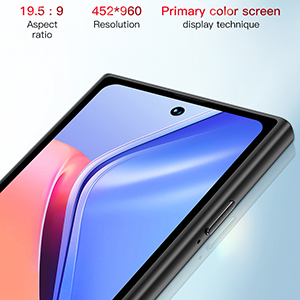
Delwedd 3.2: The ONEMYTH S25 Pro Mini Smartphone held in a hand, illustrating its compact size and suitability for one-handed operation. The device measures approximately 100mm (3.94 inches) in length and 52mm (2.05 inches) in width.
4. Gosod
4.1. Mewnosod Cardiau SIM a TF
The ONEMYTH S25 Pro supports dual SIM cards and one TF (microSD) card for expandable storage.
- Lleolwch y hambwrdd cerdyn SIM ar ochr y ddyfais.
- Insert the provided card removal pin into the small hole on the SIM tray to eject it.
- Carefully place your Nano-SIM cards and/or TF card into the designated slots on the tray. Ensure the metal contacts face downwards.
- Gwthiwch yr hambwrdd yn ôl i'r ffôn yn ysgafn nes iddo clicio i'w le.

Delwedd 4.1: Illustration of the SIM card tray, showing slots for two SIM cards and one TF card. The tray is designed for easy insertion and removal using the provided pin.
4.2. Troi ymlaen yn gychwynnol a chyfluniad sylfaenol
- Press and hold the Power button (located on the right side) until the screen lights up.
- Dilynwch yr awgrymiadau ar y sgrin i ddewis eich iaith, rhanbarth, a chysylltu â rhwydwaith Wi-Fi.
- Set up your Google account or skip for later.
- Configure screen lock options (pattern, PIN, password, or face unlock).
5. Cyfarwyddiadau Gweithredu
5.1. Mordwyo Sylfaenol
The ONEMYTH S25 Pro uses a capacitive touchscreen. Navigate by tapping, swiping, pinching, and spreading fingers on the display.
- Tap: Dewiswch eitem neu agorwch raglen.
- Swipe: Sgroliwch drwy restrau neu newidiwch rhwng sgriniau cartref.
- Pinsiad/Taenu: Chwyddo i mewn neu allan ar luniau a web tudalennau.
5.2. Galwadau a Negeseuon
To make a call, open the Phone app and dial the number or select a contact. To send a message, open the Messages app, tap 'Start chat', and enter the recipient and message.
5.3. Defnydd Camera
Mae'r ddyfais yn cynnwys camera cefn 5MP a chamera blaen 2MP.
- Agorwch yr ap Camera o'r sgrin gartref neu'r drôr apiau.
- Tapiwch y botwm caead i dynnu llun.
- Newidiwch rhwng moddau llun a fideo yn ôl yr angen.
- Use the rear camera's flashlight as a torch in low-light conditions.

Delwedd 5.1: Detail of the 5MP HD camera module on the rear of the ONEMYTH S25 Pro, designed for clear image capture.
5.4. Nodweddion Diogelwch
The ONEMYTH S25 Pro offers multiple security options to protect your data.
- Cydnabod Wyneb: Set up face unlock in the Security settings. This allows you to unlock your phone by simply looking at the front camera.
- Pattern/PIN/Password: Configure a traditional screen lock method for additional security.

Delwedd 5.2: A user demonstrating the face recognition security feature on the ONEMYTH S25 Pro, which intelligently matches facial features for quick unlocking.
5.5. Rheoli Batri
The device is equipped with a 2000mAh polymer battery.
- Codi tâl: Use the provided USB Type-C cable and a compatible charger to charge the device.
- Bywyd batri: Expect 24-48 hours standby time, 8 hours of continuous call, and 3-4 hours of video playback.
- Optimeiddio: To extend battery life, reduce screen brightness, close unused apps, and disable unnecessary connectivity features.
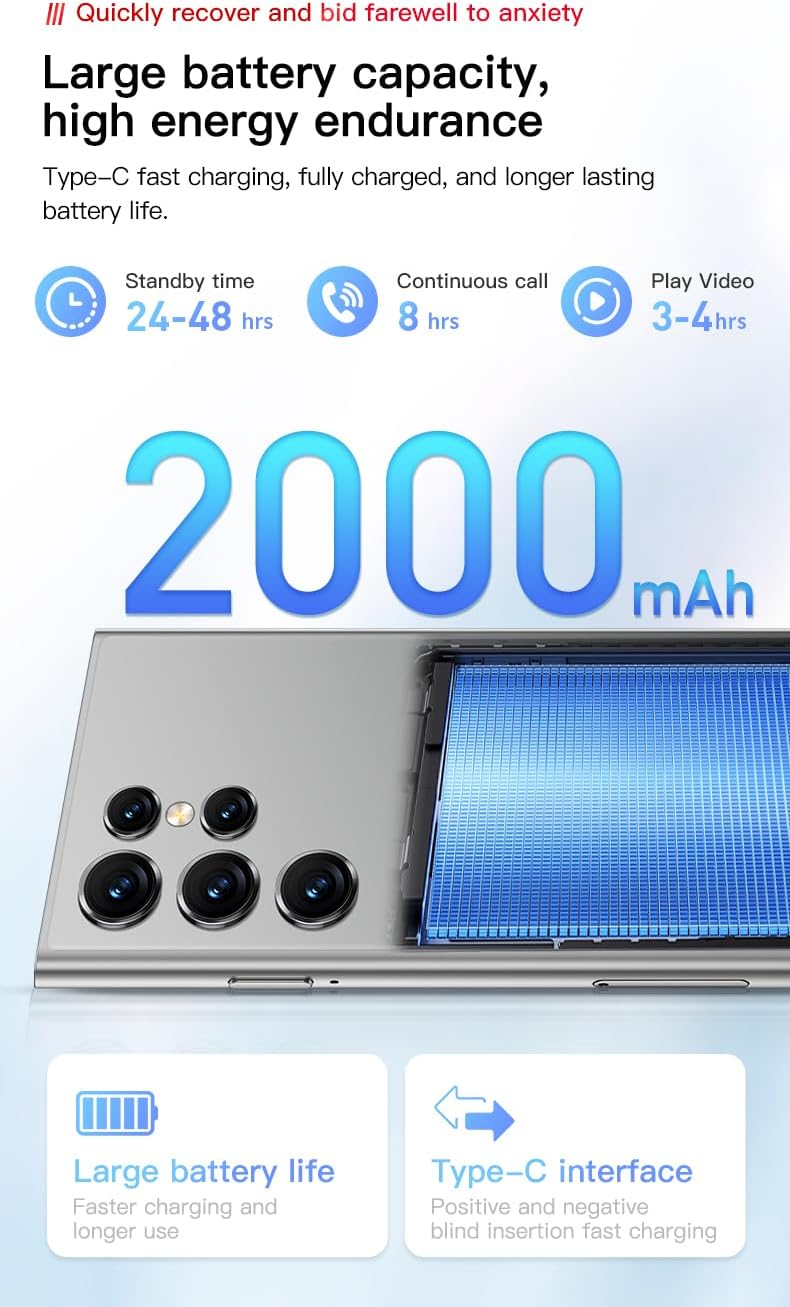
Delwedd 5.3: Visual representation of the 2000mAh battery capacity and estimated usage times for standby, calls, and video playback.
5.6. Cysylltedd
The ONEMYTH S25 Pro supports 3G cellular networks and Wi-Fi.
- Wi-Fi: Ewch i Gosodiadau > Rhwydwaith a'r rhyngrwyd > Wi-Fi i gysylltu â rhwydweithiau sydd ar gael.
- Rhwydwaith 3G: Ensure your SIM card is active and has a data plan. The device supports WCDMA (B1/B2/B4/B5/B8) and GSM (850/900/1800/1900) bands.
6. cynnal
- Glanhau: Defnyddiwch frethyn meddal, di-flwff i lanhau'r sgrin a'r corff. Osgowch ddeunyddiau sgraffiniol neu gemegau llym.
- Diweddariadau Meddalwedd: Gwiriwch yn rheolaidd am ddiweddariadau system yn Gosodiadau > System > Diweddariad system i sicrhau perfformiad a diogelwch gorau posibl.
- Rheoli Storio: Clirio'r storfa o bryd i'w gilydd, dileu diangen files, and uninstall unused apps to free up storage space.
7. Datrys Problemau
- Dyfais ddim yn pweru ar: Gwnewch yn siŵr bod y batri wedi'i wefru. Cysylltwch y gwefrydd a rhoi cynnig arall arni.
- Sgrin yn anymatebol: Restart the device by holding the Power button for approximately 10 seconds.
- Methu cysylltu â Wi-Fi: Check if Wi-Fi is enabled. Restart your router and the phone.
- Signal rhwydwaith gwael: Ensure your SIM card is properly inserted. Move to an area with better network coverage.
- Apiau'n chwalu: Clear the app's cache in Settings > Apps & notifications > [App Name] > Storage & cache. If the issue persists, reinstall the app.
8. manylebau
| Nodwedd | Manyleb |
|---|---|
| Enw Model | S25 Pro |
| System Weithredu | Android 10.0 |
| Maint Arddangos | 4.0 modfedd |
| Datrysiad | 452 x 960 |
| Prosesydd | MTK6580M Quad-core 1.3GHz |
| HWRDD | 2 GB |
| Storio Mewnol | 16 GB |
| Storfa Ehangadwy | Up to 128GB (TF card not included) |
| Camera Cefn | 5 AS |
| Camera blaen | 2 AS |
| Gallu Batri | 2000 mAh |
| Cysylltedd | 3G (WCDMA B1/B2/B4/B5/B8, GSM 850/900/1800/1900), Wi-Fi |
| Cefnogaeth SIM | SIM deuol |
| Nodweddion Diogelwch | Pattern, Face, Password Unlock |
| Dimensiynau (tua) | 100mm x 52mm |
9. Gwarant a Chefnogaeth
Am wybodaeth am y warant a chymorth technegol, cyfeiriwch at y ddogfennaeth a ddarparwyd ar adeg y pryniant neu cysylltwch â'ch manwerthwr. Cadwch eich prawf prynu ar gyfer hawliadau gwarant.


