Rhagymadrodd
Thank you for choosing the Vieta Pro Way 4 Headband Headphones. These headphones are designed to provide a superior audio experience with advanced features such as Bluetooth 5.4 connectivity, an integrated microphone, a dedicated gaming mode, and dual pairing capabilities. This manual will guide you through the setup, operation, and maintenance of your new headphones.
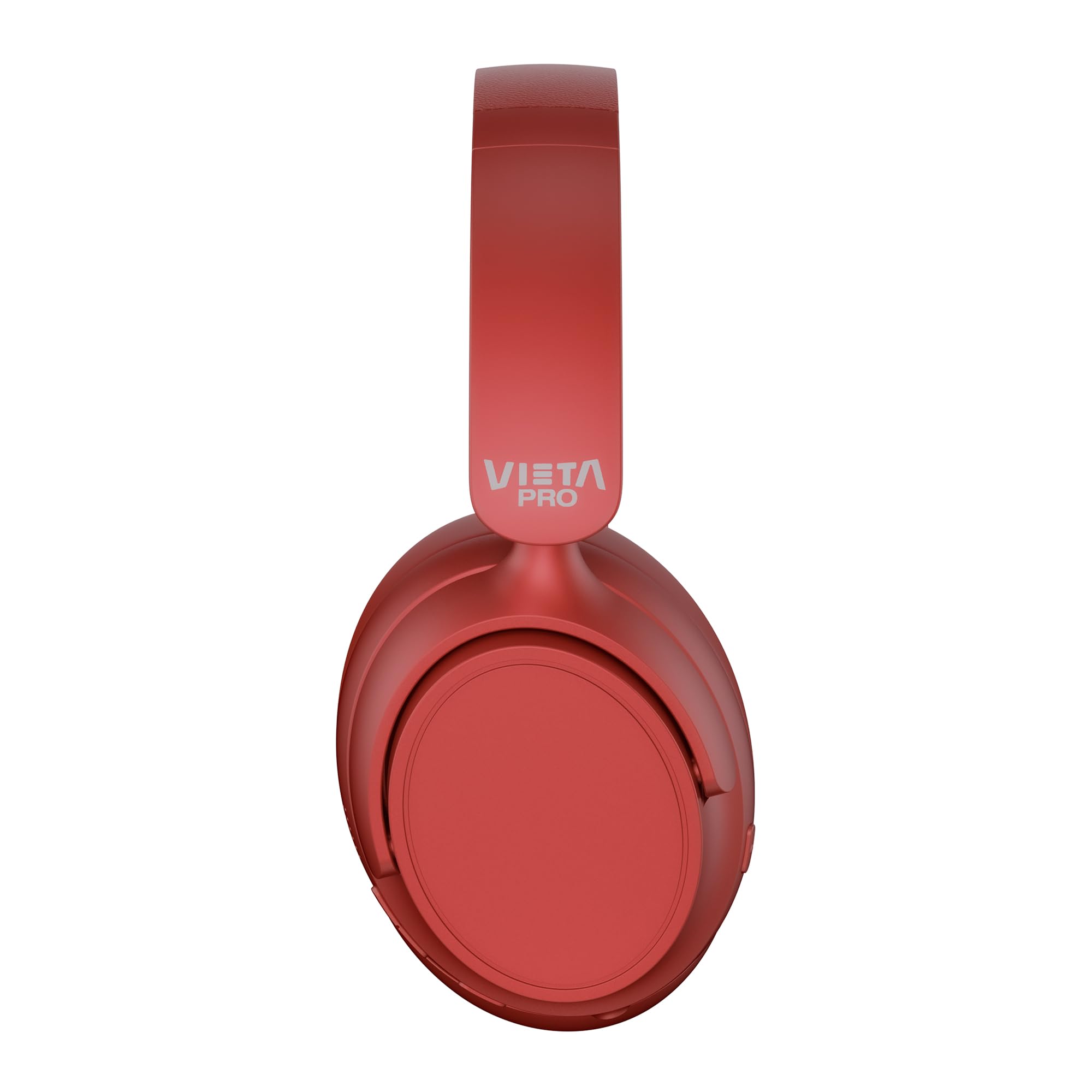
Delwedd: Blaen view of the Vieta Pro Way 4 Headband Headphones in red.
Cynnwys Pecyn
Gwiriwch fod yr holl eitemau yn bresennol yn y pecyn:
- Vieta Pro Way 4 Headband Headphones
- Cebl Codi Tâl USB
- 3.5mm Audio Cable with integrated microphone
- Llawlyfr Defnyddiwr (y ddogfen hon)
Cynnyrch Drosview
Ymgyfarwyddwch â gwahanol rannau a rheolyddion eich clustffonau.

Image: Right earcup with power button, volume controls, USB-C charging port, and 3.5mm audio jack.
- Botwm Pŵer: Fe'i defnyddir i droi ymlaen/diffodd a chychwyn paru Bluetooth.
- Botwm Cyfaint i Fyny/Trac Nesaf: Press briefly to increase volume, press and hold for next track.
- Botwm Cyfaint i Lawr/Trac Blaenorol: Press briefly to decrease volume, press and hold for previous track.
- Botwm Aml-swyddogaeth: For play/pause, answer/end calls, activate voice assistant.
- Porthladd codi tâl USB-C: Ar gyfer gwefru'r clustffonau.
- Jac Sain 3.5mm: For wired connection using the included audio cable.
- Meicroffon Integredig: For calls and voice assistant commands.

Image: Left earcup and adjustable headband of the Vieta Pro Way 4 headphones.
Gosod
1. Codi Tâl y Clustffonau
Cyn eu defnyddio gyntaf, gwefrwch eich clustffonau'n llawn.
- Cysylltwch y cebl gwefru USB â'r porthladd USB-C ar y clustffonau.
- Cysylltwch ben arall y cebl ag addasydd pŵer USB (heb ei gynnwys) neu borthladd USB cyfrifiadur.
- The LED indicator will show charging status (e.g., red for charging, blue/off for fully charged).
- Mae gwefr lawn yn darparu hyd at 50 awr o chwarae.
2. Pweru Ymlaen / I ffwrdd
- I Bweru Ymlaen: Pwyswch a daliwch y botwm Pŵer am tua 3 eiliad nes bod y dangosydd LED yn fflachio.
- I Bweru i ffwrdd: Pwyswch a daliwch y botwm Pŵer am tua 3 eiliad nes bod y dangosydd LED yn diffodd.
3. Pâr Bluetooth
Parwch eich clustffonau â'ch dyfais ar gyfer sain ddi-wifr.
- Sicrhewch fod y clustffonau wedi'u pweru i ffwrdd.
- Pwyswch a daliwch y botwm Pŵer am tua 5-7 eiliad nes bod y dangosydd LED yn fflachio'n goch a glas yn ail, gan nodi modd paru.
- Ar eich dyfais (ffôn clyfar, tabled, cyfrifiadur), galluogwch Bluetooth a chwiliwch am ddyfeisiau sydd ar gael.
- Select "Vieta Pro Way 4" from the list of found devices.
- Once connected, the LED indicator will flash blue slowly or turn solid blue.
4. Dual Pairing
The Vieta Pro Way 4 headphones support dual pairing, allowing simultaneous connection to two devices (e.g., phone and computer).
- Pair the headphones with the first device as described in "Bluetooth Pairing".
- Analluogwch Bluetooth ar y ddyfais gyntaf. Bydd y clustffonau'n ail-fynd i'r modd paru.
- Pârwch y clustffonau gyda'r ail ddyfais.
- Ail-alluogi Bluetooth ar y ddyfais gyntaf. Dylai'r clustffonau gysylltu'n awtomatig â'r ddwy ddyfais.
- Bydd sain yn chwarae o'r ddyfais sy'n trosglwyddo'n weithredol.
5. Wired Connection (Aux-in)
Use the included 3.5mm audio cable for a wired connection. This is useful when the battery is low or for devices without Bluetooth.
- Connect one end of the 3.5mm audio cable to the Aux-in port on the headphones.
- Cysylltwch y pen arall â jac sain 3.5mm eich dyfais.
- The headphones will automatically switch to wired mode. The integrated microphone on the cable can be used for calls in this mode.
Cyfarwyddiadau Gweithredu
Chwarae Cerdd
- Chwarae/Seibiant: Pwyswch y botwm Aml-swyddogaeth unwaith.
- Cyfrol i Fyny: Pwyswch y botwm Cyfrol Up unwaith.
- Cyfrol i Lawr: Pwyswch y botwm Cyfrol Down unwaith.
- Trac Nesaf: Pwyswch a daliwch y botwm Cyfrol i Fyny.
- Trac Blaenorol: Pwyswch a dal y botwm Cyfrol Down.
Rheoli Galwadau
- Ateb / Diwedd Galwad: Pwyswch y botwm Aml-swyddogaeth unwaith.
- Gwrthod Galwad: Pwyswch a dal y botwm Aml-swyddogaeth am 2 eiliad.
- Ail-redeg Rhif Diwethaf: Dwbl-wasgu'r botwm Aml-swyddogaeth.
Cynorthwyydd Llais
- Galluogi Cynorthwyydd Llais (Siri, Cynorthwyydd Google, ac ati): Triphlyg-wasgu'r botwm Aml-swyddogaeth.
Modd Hapchwarae
Activate Gaming Mode to reduce Bluetooth latency for an optimized gaming experience.
- Actifadu/Dadactifadu Modd Hapchwarae: Press the Power button twice quickly. The headphones will provide an audio cue.
Cynnal a chadw
- Glanhau: Sychwch y clustffonau gyda lliain meddal, sych. Peidiwch â defnyddio glanhawyr sgraffiniol na thoddyddion.
- Storio: Store the headphones in a cool, dry place. The foldable design allows for compact storage.
- Gofal Batri: Er mwyn ymestyn oes y batri, osgoi rhyddhau'r clustffonau'n llwyr yn aml. Gwefrwch nhw'n rheolaidd.
- Gwrthiant Dŵr: Nid yw'r clustffonau hyn yn dal dŵr. Osgowch amlygiad i ddŵr neu leithder gormodol.

Image: The Vieta Pro Way 4 headphones in their foldable configuration, demonstrating portability.
Datrys problemau
| Problem | Achos Posibl | Ateb |
|---|---|---|
| Nid yw clustffonau'n troi ymlaen. | Batri isel. | Gwefrwch y clustffonau'n llawn. |
| Methu paru drwy Bluetooth. | Nid yw'r clustffonau yn y modd paru; Bluetooth wedi'i analluogi ar y ddyfais; yn rhy bell o'r ddyfais. | Ensure headphones are in pairing mode (flashing red/blue). Enable Bluetooth on your device. Move headphones closer to the device (within 10 meters). |
| Dim sain na chyfaint isel. | Cyfaint yn rhy isel ar glustffonau neu ddyfais; ffynhonnell sain anghywir wedi'i dewis; clustffonau heb eu cysylltu. | Increase volume on both headphones and device. Check Bluetooth connection or 3.5mm cable connection. Ensure the correct audio output is selected on your device. |
| Meicroffon ddim yn gweithio. | Microphone muted on device; incorrect input device selected; issue with 3.5mm cable microphone. | Check device settings to ensure microphone is not muted and "Vieta Pro Way 4" is selected as input. If using wired connection, ensure the cable's microphone is enabled/functional. |
| Audio delay in games. | Gaming Mode is not activated. | Activate Gaming Mode by double-pressing the Power button. |
Manylebau
| Enw Model | Vieta Pro Way 4 |
| Rhif Model | Distawrwydd 3 |
| Cysylltedd | Bluetooth 5.4, 3.5mm Aux-in |
| Bywyd Batri | Hyd at 50 awr |
| Meicroffon | Integrated (for Bluetooth), In-line (for 3.5mm cable) |
| Nodweddion Arbennig | Gaming Mode, Dual Pairing, Foldable Design, Passive Noise Reduction |
| rhwystriant | 32 Ohms |
| Lleoliad Clust | Over-ear (Circumaural) |
| Deunydd | Plastig |
| Gwrthiant Dŵr | Ddim yn dal dŵr |
| Dyfeisiau Cydnaws | Mobile devices, computers, game consoles |
Gwarant a Chefnogaeth
For warranty information and technical support, please refer to the warranty card included in your product packaging or visit the official Vieta Pro websafle.
Cadwch eich prawf prynu ar gyfer unrhyw hawliadau gwarant.


