1. Rhagymadrodd
Welcome to the user manual for your Jooeniok L81 Smart Watch. This guide provides detailed instructions on how to set up, operate, and maintain your device, ensuring you get the most out of its features. The Jooeniok L81 is designed to enhance your daily life with its communication, fitness tracking, and health monitoring capabilities.
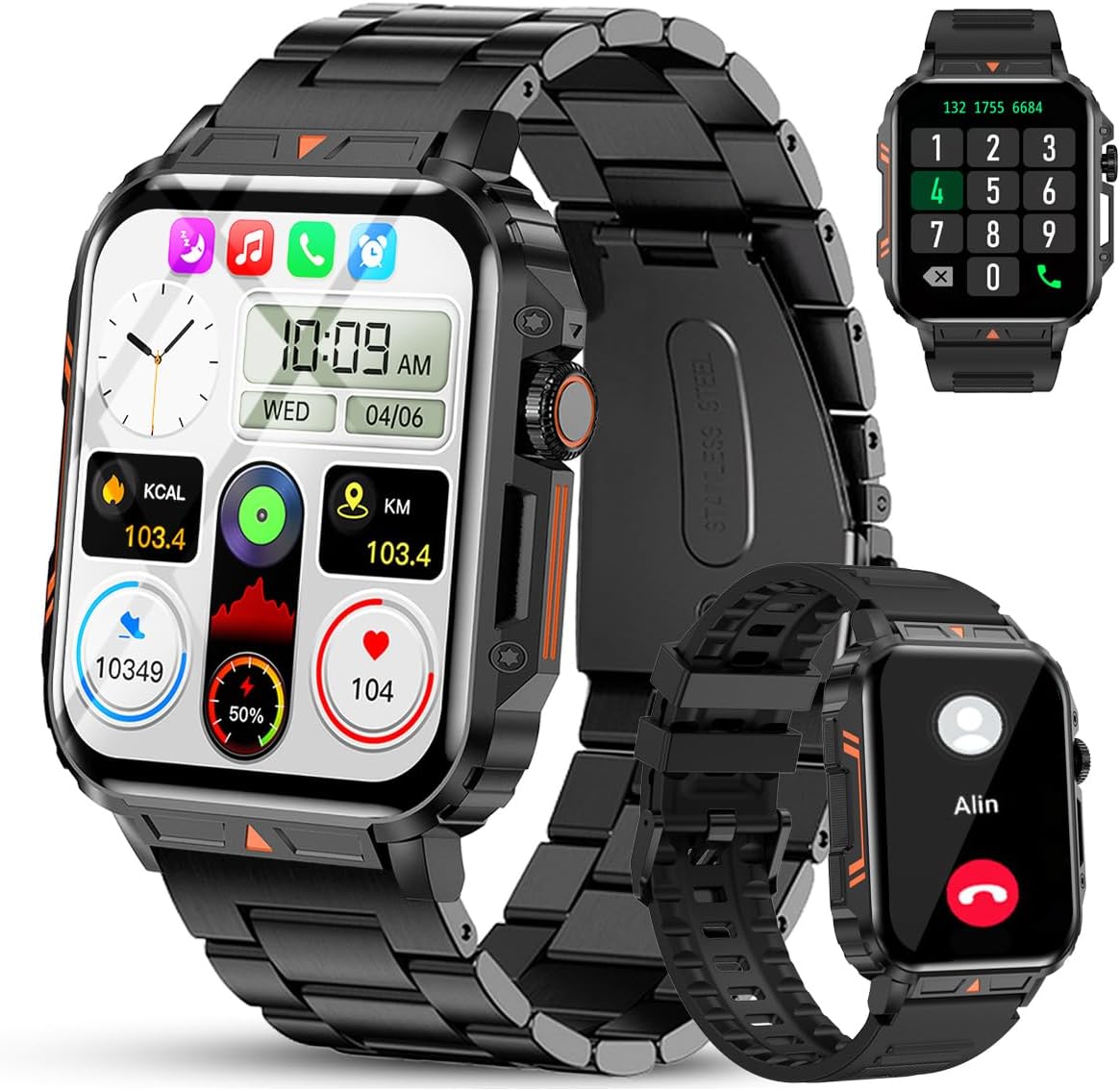
Image 1.1: The Jooeniok L81 Smart Watch, showcasing its main display and interchangeable straps.
2. Nodweddion Allweddol
- Bluetooth Calling & Message Alerts: Make and receive calls, read messages, and receive notifications from various apps directly on your watch.
- 1.95'' HD Touch Screen & DIY Dial: Enjoy a clear display and personalize your watch face.
- Mwy na 112 o ddulliau chwaraeon: Track a wide range of activities including running, cycling, badminton, and hiking.
- IP68 dal dŵr: Suitable for daily use, hand washing, and outdoor activities in rain. (Note: Not recommended for diving, showering, or sauna.)
- Monitro Iechyd: Monitor heart rate, blood oxygen (SpO2), blood pressure, and sleep patterns.
- Batri Parhaol: Wedi'i gyfarparu â batri 340mAh ar gyfer defnydd estynedig.
- Amlswyddogaethol: Includes features like timer, alarm, stopwatch, weather, calendar, water reminder, sedentary reminder, and remote photo control.
3. Canllaw Gosod
3.1. Gwefru'r Oriawr Clyfar
Before initial use, fully charge your Jooeniok L81 Smart Watch. Connect the magnetic charging cable to the charging contacts on the back of the watch and plug the USB end into a standard USB power adapter (not included) or a computer's USB port. The watch display will indicate charging status.

Image 3.1: Illustration of the watch dimensions and the location of the charging contacts.
3.2. Gosod a Pharu Apiau
- Lawrlwythwch yr Ap: Scan the QR code provided in the watch's quick start guide or search for the official companion app (e.g., "FitCloudPro" or similar, check packaging for exact name) in the Apple App Store (for iOS) or Google Play Store (for Android).
- Galluogi Bluetooth: Sicrhewch fod Bluetooth wedi'i alluogi ar eich ffôn clyfar.
- Agorwch yr Ap: Launch the installed app and follow the on-screen instructions to create an account or log in.
- Ychwanegu Dyfais: Within the app, navigate to the "Device" or "Add Device" section. The app will search for available Bluetooth devices. Select "L81" or the corresponding device name when it appears.
- Cadarnhau Paru: A pairing request may appear on your watch and phone. Confirm the pairing on both devices.
- Caniatâd Grant: Allow necessary permissions (e.g., notifications, location, contacts) for the app to function correctly.
The watch is compatible with Android 5.1 and above, and iOS 10.0 and above.
3.3. Initial Settings and Language
After successful pairing, the watch should automatically synchronize time and language settings with your phone. If the watch displays an incorrect language, navigate to the watch's settings menu (usually by swiping down from the main screen or pressing the side button to access the app list, then finding the 'Settings' icon). Look for 'Language' or 'System' settings to change it to English or your preferred language.
4. Cyfarwyddiadau Gweithredu
4.1. Mordwyo Sylfaenol
- Sgrin Gyffwrdd: Sweipiwch i'r chwith/dde, i fyny/i lawr i lywio drwy'r ddewislenni a'r nodweddion. Tapiwch i ddewis.
- Botwm Ochr: Press to return to the main screen or access the app list. Long press for power options.
- Crown Button (if present): Rotate to scroll through lists or adjust settings, press to select.
4.2. Galwadau a Hysbysiadau Bluetooth
Once paired, your watch can handle calls and display notifications. Ensure Bluetooth is connected and the companion app has the necessary permissions.
- Gwneud Galwadau: Mynediad i'r pad deialu neu'r rhestr gyswllt ar eich oriawr i gychwyn galwadau.
- Derbyn Galwadau: Pan ddaw galwad i mewn, gallwch ei hateb neu ei gwrthod yn uniongyrchol o'r oriawr.
- Hysbysiadau: Swipe down from the main screen or access the notification center to view incoming messages from SMS, WhatsApp, Facebook, and other apps.
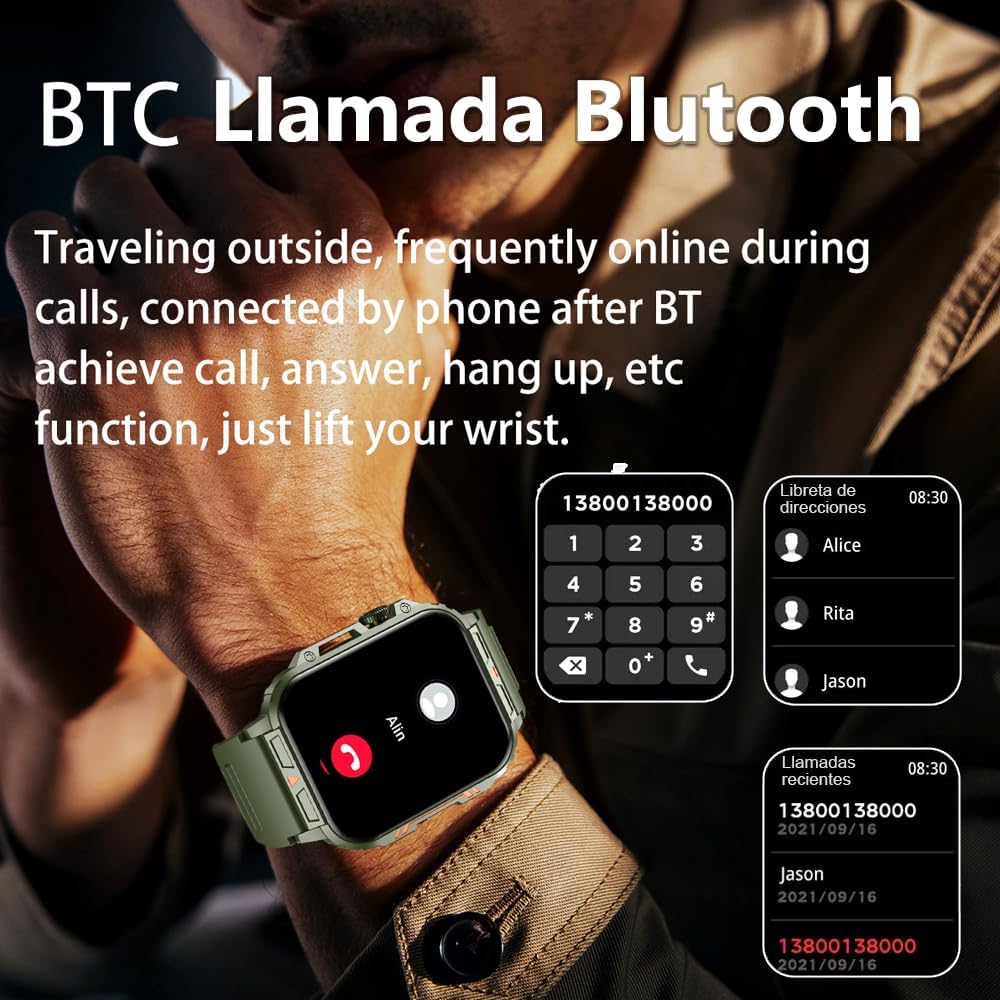
Image 4.1: The watch screen showing an incoming call and the dial pad for making calls.

Image 4.2: The watch displaying notifications from various social media and messaging applications.
4.3. Moddau Chwaraeon
The watch supports over 112 sports modes. To access them, navigate to the 'Sports' or 'Workout' section on your watch. Select your desired activity to start tracking. The watch will record steps, distance, and calories.

Image 4.3: Icons representing various sports modes available on the watch.
4.4. Monitro Iechyd
The Jooeniok L81 provides continuous monitoring of several health metrics. Access these features through the watch's menu or the companion app.
- Cyfradd y galon: The watch uses an optical sensor to monitor your heart rate. View data amser real ar yr oriawr neu dueddiadau manwl yn yr ap.
- Blood Oxygen (SpO2) & Blood Pressure: Initiate a measurement from the watch. Results are displayed on the screen and recorded in the app for historical analysis.
- Monitro Cwsg: Wear the watch to bed for automatic sleep tracking. It analyzes deep sleep, light sleep, and awake times, providing a comprehensive sleep quality report in the app.
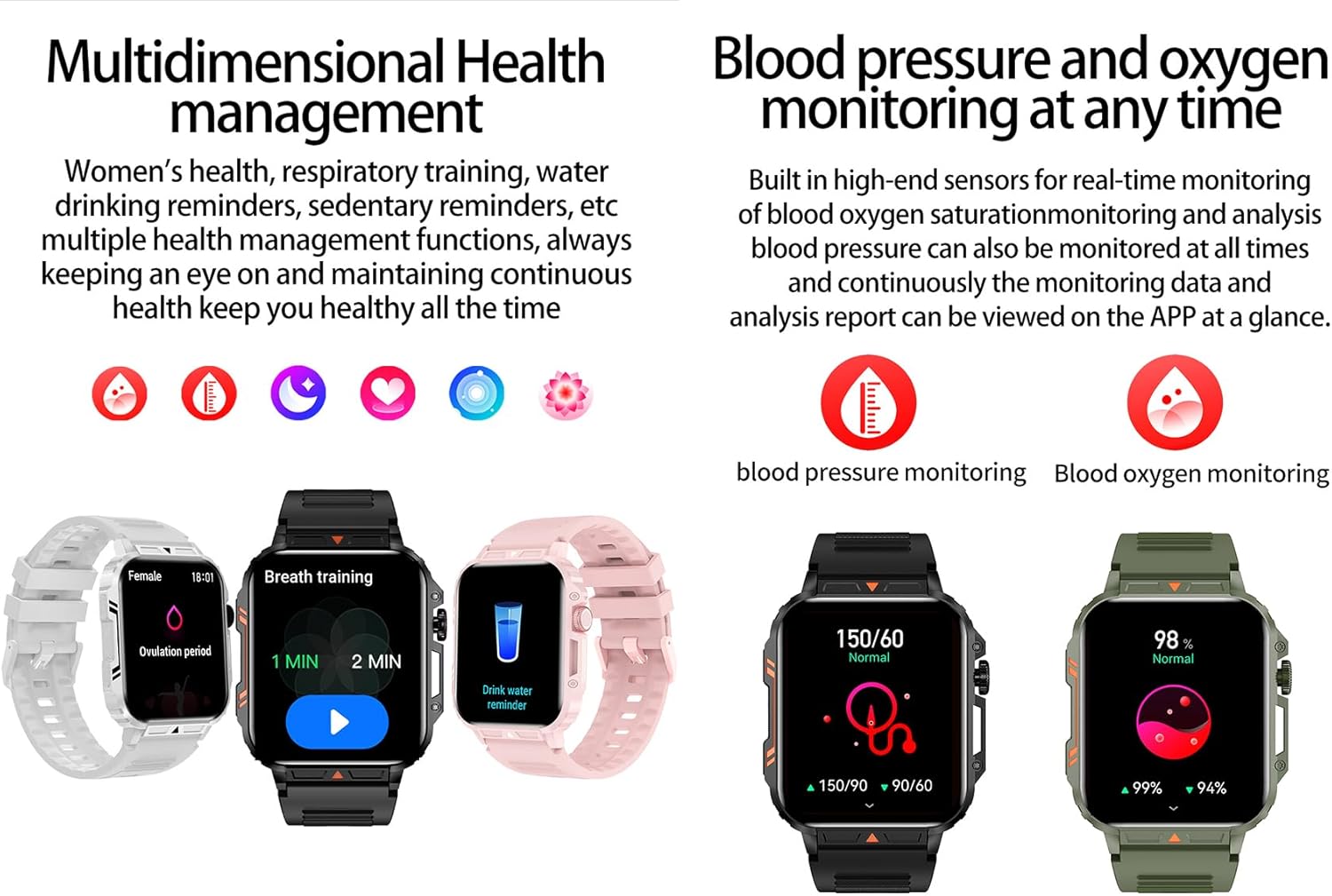
Image 4.4: Watch screens showing blood pressure and blood oxygen monitoring results.

Image 4.5: Watch screens showing real-time heart rate and a summary of sleep data.
4.5. AI Intelligent Voice Function
After connecting the watch to your phone via Bluetooth, activate the voice function on the watch. This allows you to use voice commands to open applications, check weather, make calls, or navigate, offering a hands-free experience.
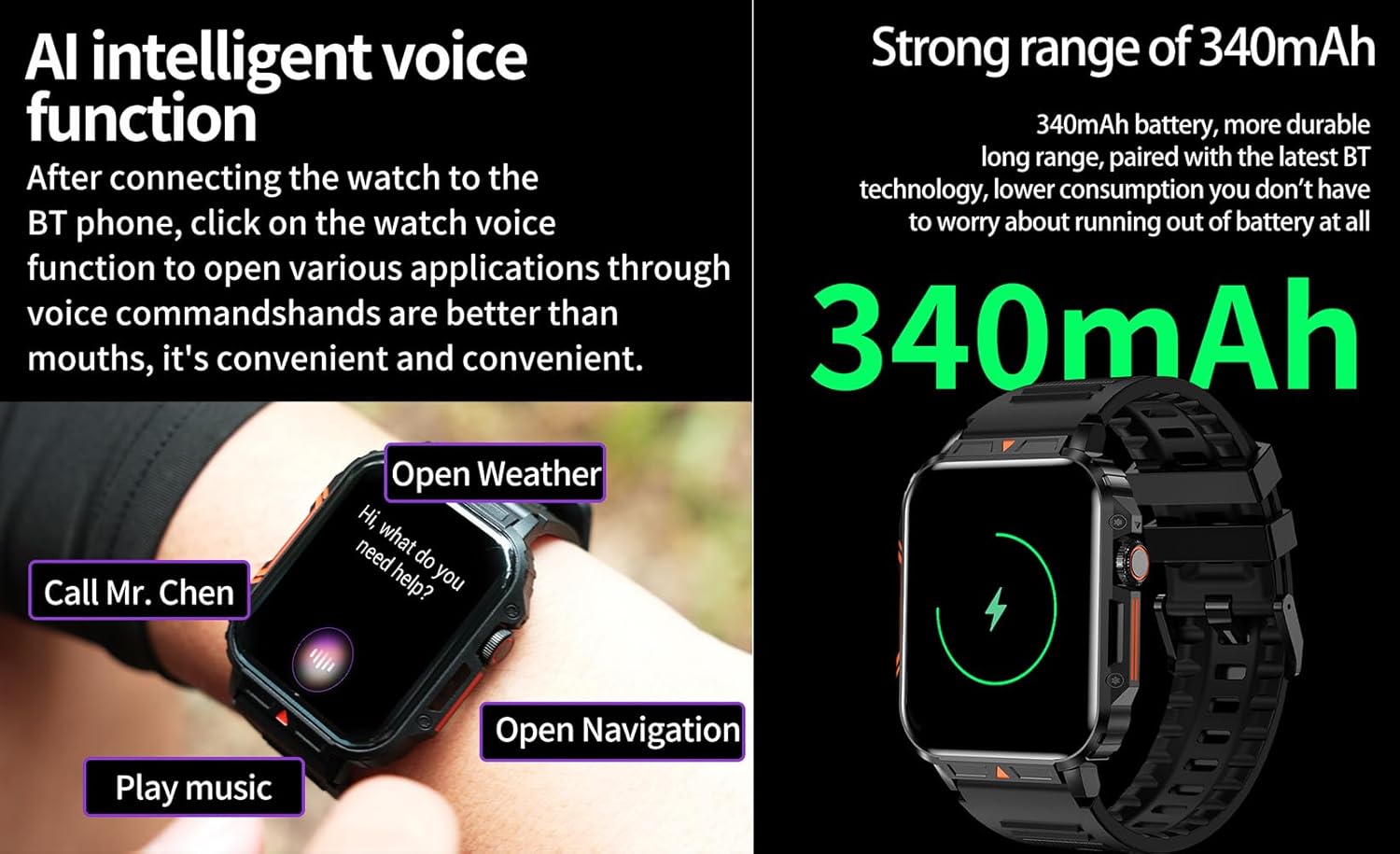
Image 4.6: The watch screen illustrating the AI voice assistant interface with exampy gorchmynion.
4.6. DIY Dial
Personalize your watch face by using the DIY dial feature within the companion app. You can often upload custom images or choose from a variety of pre-designed watch faces.
5. cynnal
5.1. Gwrthiant Dŵr
The Jooeniok L81 Smart Watch is IP68 waterproof and dustproof. This means it is resistant to dust and can withstand immersion in water up to 1.5 meters for up to 30 minutes. It is suitable for daily use, hand washing, and light rain.
Pwysig: Mae'r oriawr yn ddim recommended for diving, hot showers, or saunas, as steam and high water pressure can compromise the seals and cause damage.

Image 5.1: The watch shown with water splashes, indicating its water resistance.
5.2. Glanhau
Glanhewch eich oriawr a'ch strap yn rheolaidd i atal llid y croen a chynnal ymarferoldeb. Defnyddiwch feddal, damp cloth to wipe the screen and body. For the strap, follow the manufacturer's recommendations for the specific material (e.g., silicone, metal).
- Ceisiwch osgoi defnyddio cemegau llym neu ddeunyddiau sgraffiniol.
- Gwnewch yn siŵr bod yr oriawr yn hollol sych cyn gwefru neu ei defnyddio am gyfnod hir.
5.3. Gofal Batri
I ymestyn oes y batri:
- Osgoi tymereddau eithafol.
- Peidiwch â gadael i'r batri ddraenio'n llwyr yn aml.
- Gwefrwch yr oriawr gan ddefnyddio'r cebl a ddarperir.
Image 5.2: The watch screen highlighting its 340mAh battery capacity.
6. Datrys Problemau
| Problem | Ateb Posibl |
|---|---|
| Nid yw'r oriawr yn troi ymlaen. | Gwnewch yn siŵr bod yr oriawr wedi'i gwefru'n llawn. Cysylltwch hi â'r gwefrydd am o leiaf 30 munud. |
| Methu paru â ffôn clyfar. |
|
| Incorrect language displayed. | Navigate to the watch's settings menu, find 'Language' or 'System' settings, and select your preferred language. If paired, the app might also have a language setting. |
| Touch screen unresponsive or intermittent. |
|
| Ni dderbyniwyd hysbysiadau. |
|
| Health monitoring data seems inaccurate. |
|
7. manylebau
| Nodwedd | Manylyn |
|---|---|
| Enw Model | L81 |
| Brand | Jooeniok |
| Maint Sgrin | 1.95 modfedd |
| Technoleg Cysylltedd | Bluetooth |
| Safon Cyfathrebu Di-wifr | Bluetooth |
| System Weithredu | Android (compatible with Android 5.1+ and iOS 10.0+) |
| Cynhwysedd Storio Cof | 128 MB |
| Batri | 1 batri Lithiwm Polymer (340mAh, wedi'i gynnwys) |
| Gwrthiant Dŵr | IP68 |
| Nodweddion Arbennig | Activity Tracker, Notifications, Phone Call, Time Display, Heart Rate Monitor, Blood Oxygen Monitor, Sleep Monitor, 112+ Sports Modes, AI Voice Function |
| Dimensiynau (tua) | Watch face: 44mm (width) x 52mm (height); Thickness: 12mm; Strap length: 260mm |
8. Gwarant a Chefnogaeth
The Jooeniok L81 Smart Watch is backed by a gwarant 365 diwrnod o ddyddiad y pryniant. Mae'r warant hon yn cwmpasu diffygion gweithgynhyrchu a chamweithrediadau o dan ddefnydd arferol.
For technical support, warranty claims, or any questions regarding your product, please contact Jooeniok customer service through the retailer's platform or the contact information provided on the product packaging or official websafle.
Cadwch eich prawf prynu i ddilysu'r warant.


