1. Rhagymadrodd
Welcome to the user manual for your new SENTRY BT Pro Sq Headset with Active Noise Canceling. This manual provides essential information on setting up, operating, maintaining, and troubleshooting your headset to ensure optimal performance and longevity. Please read this manual thoroughly before using the product.
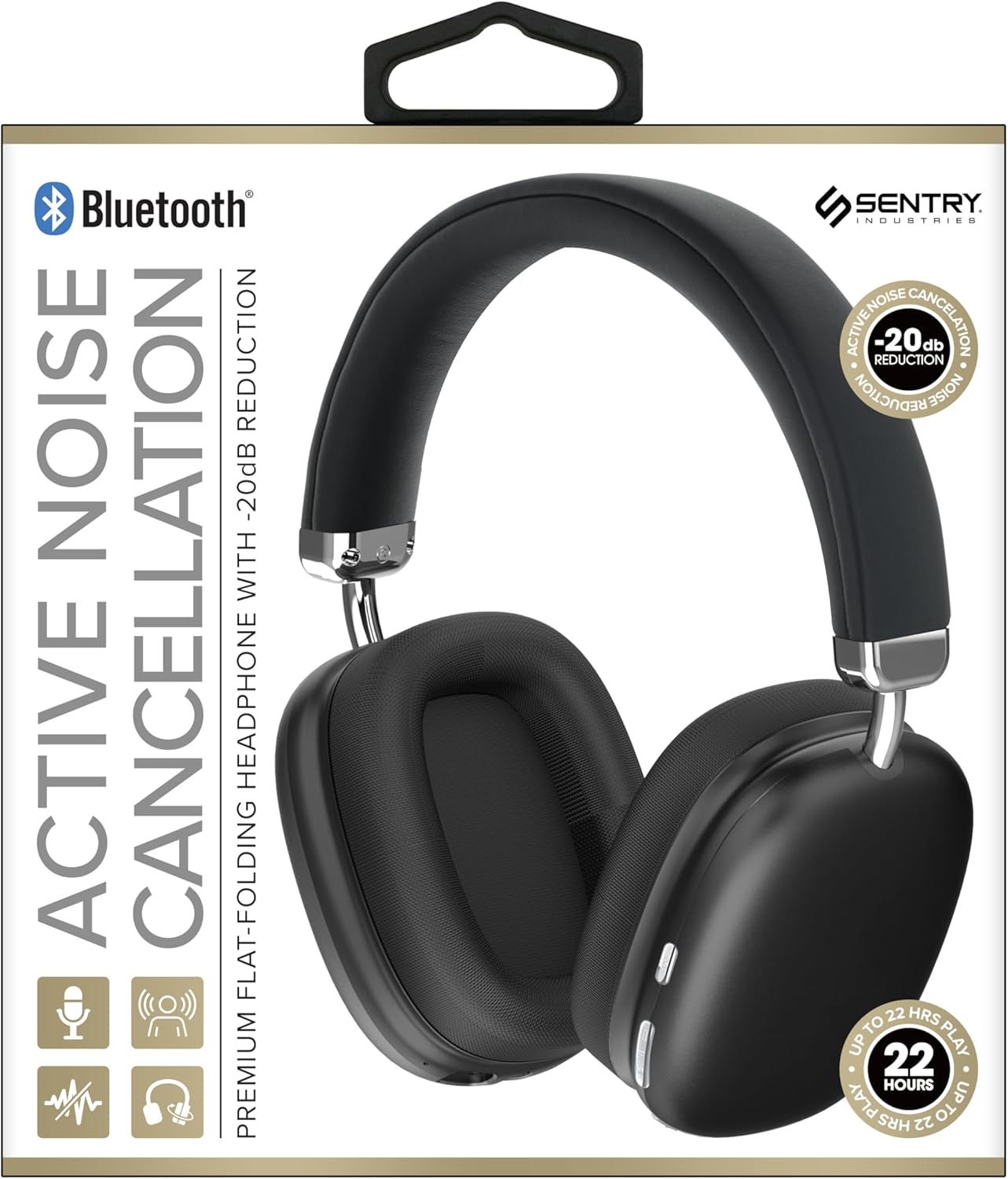
This image displays the SENTRY BT Pro Sq Headset in black, highlighting its over-ear design, adjustable headband, and the control buttons located on the earcups. The packaging indicates features such as Bluetooth connectivity, Active Noise Cancellation with -20dB reduction, and up to 22 hours of play time.
2. Gwybodaeth Bwysig am Ddiogelwch
To ensure safe and proper operation, please observe the following guidelines:
- Peidiwch ag amlygu'r clustffon i dymheredd eithafol, lleithder na sylweddau cyrydol.
- Osgowch ollwng y clustffon neu roi effaith gref iddo.
- Peidiwch â dadosod na cheisio atgyweirio'r clustffon eich hun. Bydd hyn yn gwneud y warant yn ddi-rym.
- Clean the headset with a soft, dry cloth only. Do not use liquid cleaners.
- Gall gwrando ar lefelau sain uchel am gyfnod hir achosi niwed i'r clyw. Addaswch y sain i lefel ddiogel.
- Do not use the headset in situations where inability to hear ambient sounds could be dangerous (e.g., driving, cycling, walking in traffic).
3. Cynnwys Pecyn
Gwiriwch y pecyn am yr eitemau canlynol:
- SENTRY BT Pro Sq Headset
- Cebl Codi Tâl USB
- Llawlyfr Defnyddiwr
4. Cynnyrch Drosview
The SENTRY BT Pro Sq Headset features an over-ear design with soft ear pads for comfort and noise isolation. It includes an adjustable folding headband for portability. Key components include:
- Cwpanau clust: House the audio drivers and provide passive noise isolation.
- Band pen: Adjustable for a comfortable fit, designed to fold for compact storage.
- Botymau Rheoli: Located on the earcups for power, volume, track control, and Active Noise Cancellation (ANC).
- Meicroffon: Wedi'i gynnwys ar gyfer galwadau di-dwylo.
- Porth Codi Tâl: Ar gyfer cysylltu'r cebl gwefru USB.
Refer to the product image in the Introduction section for visual identification of these components.
5. Gosod
5.1 Gwefru'r Clustffon
- Connect the small end of the USB charging cable to the charging port on the headset.
- Cysylltwch ben mwy y cebl gwefru USB ag addasydd pŵer USB (heb ei gynnwys) neu borthladd USB cyfrifiadur.
- The LED indicator on the headset will illuminate to show charging status. It will change color or turn off when fully charged.
- Mae gwefr lawn fel arfer yn cymryd tua 2-3 awr.
5.2 Paru â Dyfeisiau Bluetooth
Before using the headset wirelessly, you must pair it with your Bluetooth-enabled device (smartphone, laptop, tablet, smart speaker, gaming console).
- Sicrhewch fod y clustffon wedi'i wefru'n llawn.
- With the headset powered off, press and hold the Power button for approximately 5-7 seconds until the LED indicator flashes rapidly, indicating pairing mode.
- Ar eich dyfais Bluetooth, galluogwch Bluetooth a chwiliwch am ddyfeisiau newydd.
- Select "SENTRY BT Pro Sq" (or similar name) from the list of available devices.
- Once paired, the LED indicator on the headset will stop flashing and may turn solid blue or off, depending on the model.
- The headset will automatically attempt to reconnect to the last paired device when powered on.
6. Cyfarwyddiadau Gweithredu
6.1 Pŵer Ymlaen/Diffodd
- Pŵer Ymlaen: Press and hold the Power button for 2-3 seconds. The LED indicator will light up.
- Pwer i ffwrdd: Press and hold the Power button for 3-4 seconds. The LED indicator will turn off.
6.2 Canslo Sŵn Gweithredol (ANC)
The headset features Active Noise Cancellation to reduce ambient noise.
- Ysgogi ANC: Locate the ANC button (if separate) or press the designated control. The ANC indicator light will turn on.
- Analluogi ANC: Pwyswch y botwm ANC eto. Bydd y golau dangosydd ANC yn diffodd.
6.3 Media Control (Touch Control)
Control your audio playback directly from the headset:
- Chwarae/Seibiant: Single tap the multi-function button.
- Cyfrol i Fyny: Tap the Volume Up button.
- Cyfrol i Lawr: Tap the Volume Down button.
- Trac Nesaf: Double tap the multi-function button.
- Trac Blaenorol: Triple tap the multi-function button.
6.4 Rheoli Galwadau
Manage phone calls with the built-in microphone:
- Ateb Galwad: Single tap the multi-function button when a call comes in.
- Galwad Diwedd: Single tap the multi-function button during a call.
- Gwrthod Galwad: Pwyswch a daliwch y botwm amlswyddogaeth am 2 eiliad pan ddaw galwad i mewn.
7. Cynnal a Chadw a Gofal
- Glanhau: Wipe the headset with a soft, dry, lint-free cloth. Do not use abrasive cleaners, alcohol, or chemical solvents.
- Storio: When not in use, store the headset in a cool, dry place, away from direct sunlight and extreme temperatures. Utilize the folding headband feature for compact storage.
- Gofal Batri: To preserve battery life, charge the headset regularly, even if not used for extended periods. Avoid fully discharging the battery frequently.
- Osgoi Dŵr: The headset is not waterproof. Keep it away from water and moisture.
8. Datrys Problemau
If you encounter issues with your headset, please refer to the following common problems and solutions:
| Problem | Ateb Posibl |
|---|---|
| Nid yw'r clustffon yn troi ymlaen. | Ensure the headset is fully charged. Connect to a power source and allow it to charge for at least 30 minutes before attempting to power on again. |
| Methu paru gyda dyfais Bluetooth. | Ensure the headset is in pairing mode (LED flashing rapidly). Make sure Bluetooth is enabled on your device and it is within range (10 meters). Try restarting both the headset and your device. |
| Dim sain o'r clustffonau. | Check the volume level on both the headset and your connected device. Ensure the headset is properly paired and connected. Try playing audio from a different application or device. |
| Active Noise Cancellation (ANC) is not effective. | Ensure ANC is activated. Make sure the earcups are properly sealed around your ears. ANC is most effective against low-frequency, constant noise. |
| Meicroffon ddim yn gweithio. | Ensure the headset is connected and selected as the input device on your computer or smartphone. Check privacy settings on your device that might restrict microphone access. |
9. manylebau
| Nodwedd | Manylyn |
|---|---|
| Enw Model | HPXBTA1000 |
| Technoleg Cysylltedd | Diwifr (Bluetooth) |
| Rheoli Sŵn | Canslo Sŵn Gweithredol |
| Lleoliad Clust | Dros Glust |
| Ffactor Ffurf | Dros Glust |
| Math o Reoli | Rheoli Cyfryngau, Cyffwrdd |
| Amrediad Amrediad | 20 Hz i 20,000 Hz |
| Math Gyrrwr Sain | Gyrrwr Dynamig |
| Dyfeisiau Cydnaws | Smartphones, Laptops, Tablets, Smart Speakers, Gaming Consoles |
| Lliw | Du |
| Pwysau Eitem | 1.2 pwys |
| UPC | 080068501503 |
| Gwneuthurwr | SENTRY |
10. Gwarant a Chefnogaeth
SENTRY products are designed and manufactured to the highest quality standards. For information regarding warranty coverage, technical support, or service inquiries, please refer to the warranty card included with your product or visit the official SENTRY websafle. Cadwch eich prawf prynu ar gyfer hawliadau gwarant.


