Rhagymadrodd
Thank you for choosing the Final ZE3000 True Wireless Earbuds. This manual provides essential information for the proper setup, operation, and maintenance of your earbuds to ensure an optimal audio experience. Please read this manual thoroughly before use.
Beth Sydd yn y Bocs
- Final ZE3000 True Wireless Earbuds (Left and Right)
- Achos Codi Tâl
- Cebl Codi Tâl USB-C
- Llawlyfr Defnyddiwr (y ddogfen hon)
- Clustffonau (amrywiol feintiau)

Image: Final ZE3000 True Wireless Earbuds and their charging case, displayed in black.
Cynnyrch Drosview
The Final ZE3000 earbuds are designed for high-fidelity sound reproduction with a focus on comfort and stable wireless connectivity. Each earbud features a touch control panel and an LED indicator.

Delwedd: Llun agos view of the Final ZE3000 earbuds, highlighting their unique geometric design and audiophile-level quality.

Image: The Final ZE3000 charging case, showcasing its premium SHIBO textured finish.
Gosod
1. Gwefru'r Clustffonau a'r Cas
Before first use, fully charge the earbuds and charging case. Connect the supplied USB-C cable to the charging port on the case and a USB power source. The LED indicator on the case will show charging status. A full charge takes approximately 1.5 hours.

Image: Final ZE3000 earbuds placed inside their charging case.
2. Paru â Dyfais
- Open the charging case. The earbuds will automatically enter pairing mode, and the LED indicators on the earbuds will flash.
- Ar eich dyfais (ffôn clyfar, tabled, ac ati), galluogwch Bluetooth.
- Chwiliwch am available Bluetooth devices and select "ZE3000" from the list.
- Once connected, the LED indicators on the earbuds will stop flashing.
The ZE3000 uses Bluetooth 5.2 for a stable connection up to 10 meters.

Image: A smartphone screen showing the 'ZE3000' listed as an available Bluetooth device for pairing.
3. Gosod y Clustffonau
Proper fit is crucial for sound quality and comfort. Choose the eartips that provide the best seal and comfort for your ears. Gently insert the earbuds into your ear canals and twist slightly until they feel secure.
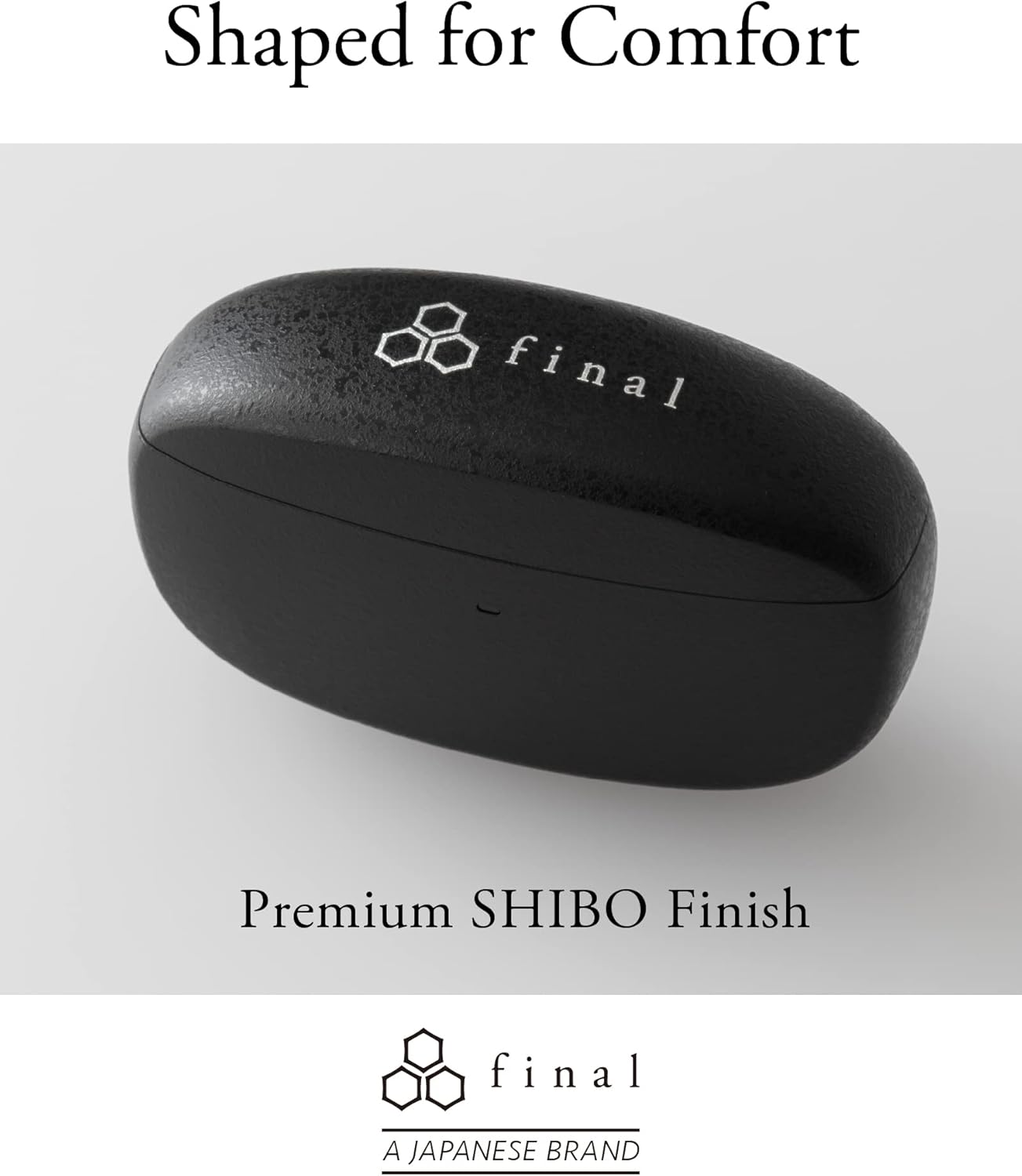
Image: A person demonstrating the correct way to wear the Final ZE3000 earbuds for a secure and comfortable fit.
Cyfarwyddiadau Gweithredu
Rheolaethau Cyffwrdd
The ZE3000 earbuds feature intuitive touch controls on the outer surface of each earbud.

Image: Diagram illustrating the location of the touch control panel, microphone, and LED indicator on the earbud.
| Gweithred | Swyddogaeth |
|---|---|
| Tap Sengl (Chwith/Dde) | Chwarae / Saib cerddoriaeth, Ateb / Diwedd galwad |
| Tap Dwbl (Dde) | Trac nesaf |
| Tap Dwbl (Chwith) | Trac blaenorol |
| Tap Triphlyg (Dde) | Cyfrol i Fyny |
| Tap Triphlyg (Chwith) | Cyfrol Lawr |
| Pwyswch Hir (Chwith/Dde) | Ysgogi cynorthwyydd llais |
Pŵer Ymlaen / Diffodd
- Pŵer Ymlaen: Agorwch y cas gwefru, a bydd y clustffonau'n troi ymlaen yn awtomatig ac yn cysylltu â'r ddyfais a barwyd ddiwethaf.
- Pwer i ffwrdd: Rhowch y clustffonau yn ôl yn y cas gwefru a chau'r caead. Byddant yn diffodd yn awtomatig ac yn dechrau gwefru.
Cynnal a chadw
Glanhau
Glanhewch eich clustffonau a'ch cas gwefru yn rheolaidd i gynnal perfformiad a hylendid.
- Defnyddiwch frethyn meddal, sych, heb lint i sychu'r clustffonau a'r cas gwefru.
- Tynnwch flaenau’r clustffonau a’u glanhau gyda sebon ysgafn a dŵr, yna sychwch yn drylwyr cyn eu hailgysylltu.
- Glanhewch y cysylltiadau gwefru ar y clustffonau a'r cas yn ysgafn gyda swab cotwm sych.
Storio
Pan nad ydynt yn cael eu defnyddio, storiwch y clustffonau yn eu cas gwefru i'w hamddiffyn a sicrhau eu bod yn parhau i fod wedi'u gwefru.
Gwrthiant Dŵr (IPX4)
The Final ZE3000 earbuds are IPX4 water-resistant, meaning they are protected against splashing water from any direction. They are not designed for submersion in water. Avoid exposing them to heavy rain, showering, or swimming.
Datrys problemau
- Dim Problemau Sain/Cysylltiad:
- Gwnewch yn siŵr bod y clustffonau wedi'u gwefru.
- Verify Bluetooth is enabled on your device and the earbuds are selected.
- Rhowch gynnig ar ddad-baru ac ail-baru'r clustffonau â'ch dyfais.
- Gwnewch yn siŵr nad oes unrhyw ddyfeisiau eraill wedi'u cysylltu'n weithredol â'r clustffonau.
- Un Earbud Ddim yn Gweithio:
- Place both earbuds back in the case, close the lid, wait a few seconds, then open again.
- Check charging contacts for debris.
- Rheolyddion Cyffwrdd yn Anymatebol:
- Gwnewch yn siŵr bod eich bysedd yn lân ac yn sych.
- Try restarting the earbuds by placing them in the case and closing the lid.
Manylebau
| Nodwedd | Manylyn |
|---|---|
| Rhif Model | ZE3000 |
| Technoleg Cysylltedd | Bluetooth 5.2 |
| Cyfathrebu Di-wifr | Bluetooth |
| Math Gyrrwr Sain | Gyrrwr Dynamig |
| Amrediad Amrediad | 20 Hz - 20,000 Hz |
| Bywyd Batri (Clustffonau) | Hyd at 7 awr |
| Cyfanswm Amser Chwarae (gyda Chas) | Hyd at 35 awr |
| Amser Codi Tâl | Tua. 1.5 awr |
| Math o Reoli | Rheoli Cyffwrdd |
| Lefel Gwrthsefyll Dŵr | IPX4 (gwrth-ddŵr) |
| Amrediad Bluetooth | 10 o Fesurau |
| Pwysau Eitem | 42 Gram (cyfanswm) |
| Dimensiynau Cynnyrch | 1.38 x 2.76 x 0.98 modfedd |
Cefnogaeth
For further assistance or inquiries, please visit the official Final store or contact customer support.


