Rhagymadrodd
Thank you for choosing the BISOFICE Corded Phone. This manual provides detailed instructions for the proper setup, operation, and maintenance of your new landline telephone. Designed for simplicity and reliability, this phone requires no external power source or batteries, operating solely via your telephone line. It is suitable for various environments including homes, offices, hotels, and call centers.
Cynnyrch Drosview
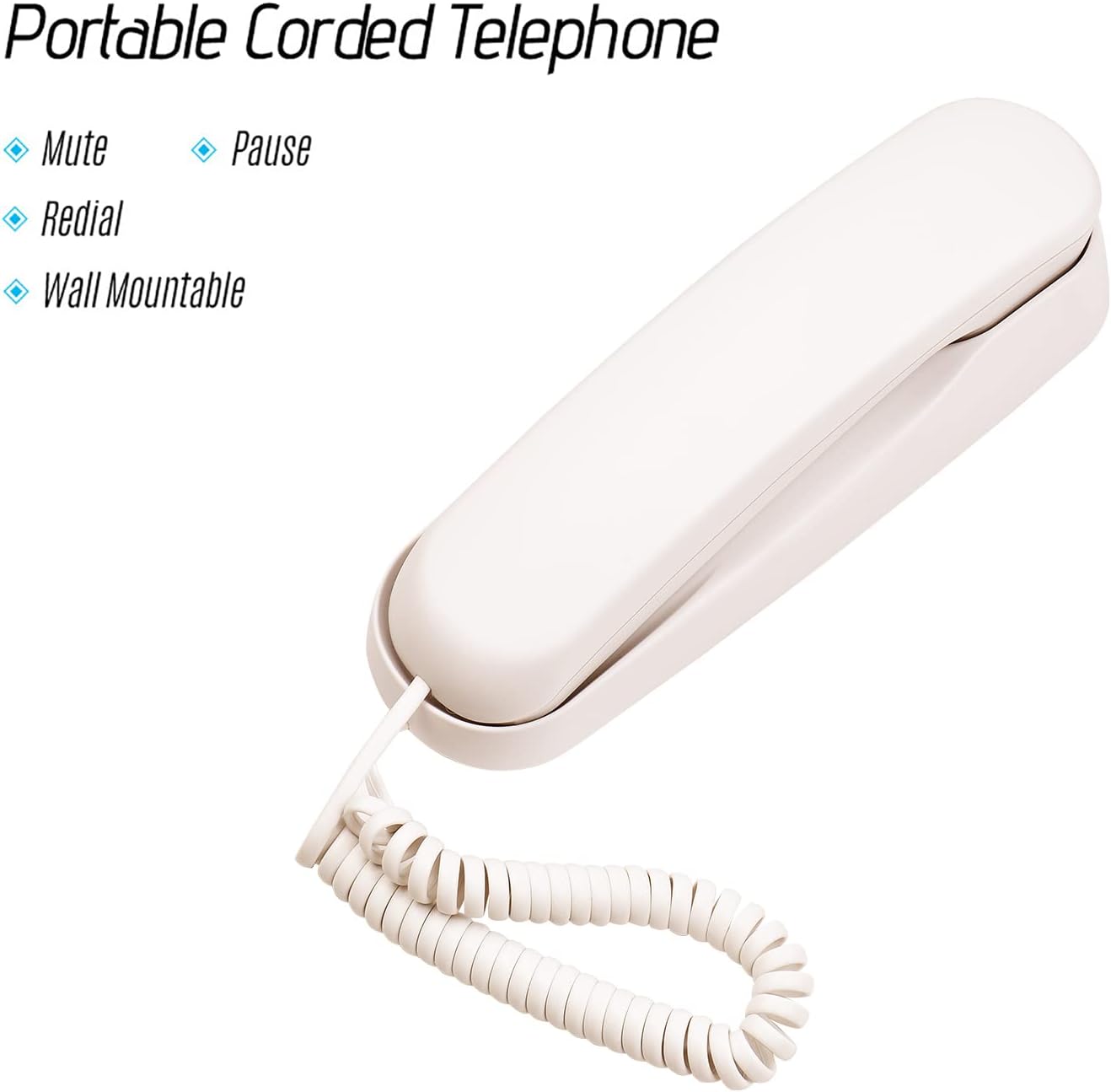
The BISOFICE Corded Phone is a compact and lightweight landline telephone featuring essential functions for clear communication. Its design allows for both desktop placement and wall mounting, offering flexible installation options.

Figure 1: BISOFICE Corded Phone (Beige)

Figure 2: Handset and Base Unit

Figure 3: Product Dimensions (Approximate: 21cm length, 6cm height, 7cm cord width)

Figure 4: Key Components (Bottom, Speaker, RJ11 Port, Keypad)
Gosod a Gosod
The BISOFICE Corded Phone is designed for easy installation. No external power adapter or batteries are required as the phone is powered directly by the telephone line.
Cynnwys y Pecyn:
- 1 x BISOFICE Corded Phone Unit
- 1 x Cord Llinell Ffôn (RJ11)

Figure 5: Phone Unit and Included Line Cord
Camau Gosod:
- Connect the Telephone Line: Locate the RJ11 port on the back or bottom of the phone unit. Insert one end of the provided telephone line cord into this port.
- Cysylltu â Jac Wal: Insert the other end of the telephone line cord into your standard telephone wall jack.
- Lleoliad:
- Lleoliad Penbwrdd: Place the phone on a flat, stable surface. The unit has anti-slip mats on the bottom for stability.
- Mowntio Wal: For wall mounting, use the integrated holes on the backside of the phone. Secure the phone to the wall using appropriate screws (not included) that fit the mounting holes. Ensure the phone is securely fastened before use.

Figure 6: Flexible Usage - Desktop and Wall Mountable

Figure 7: Wall-Mounted Installation Example
Cyfarwyddiadau Gweithredu
Your BISOFICE Corded Phone offers essential calling features for convenient communication.
Basic Calling:
- Gwneud galwad: Pick up the handset, wait for a dial tone, and then dial the desired phone number using the keypad.
- Ateb Galwad: Pan fydd y ffôn yn canu, codwch y ffôn i ateb yr alwad.
- Dod â galwad i ben: Place the handset back onto the base unit to end the call.
Swyddogaethau arbennig:
- Tewi swyddogaeth: Gwasgwch y MUTE botwm yn ystod galwad i analluogi eich meicroffon dros dro. Ni fydd y parti arall yn eich clywed. Pwyswch MUTE eto i ailddechrau'r sgwrs.
- Swyddogaeth Saib: Mae'r OEDIAD button is typically used when dialing numbers that require a pause, such as accessing an extension or a calling card service. Press OEDIAD at the point where a delay is needed in the dialing sequence.
- Swyddogaeth Ail-ddeialu: Gwasgwch y GOSTYNGOL botwm i ddeialu'r rhif olaf a alwyd yn awtomatig.
- Dal Swyddogaeth: When on a call, press the DALWCH button to put the current call on hold. This sends music to the other party, allowing you to speak privately or attend to something else. To resume the call, pick up the handset again.
Ffigur 8: Swyddogaethau Bysellbad
Note on Volume: The volume of the handset and ringer is fixed and not adjustable on this model.
Cynnal a Chadw a Gofal
To ensure the longevity and optimal performance of your BISOFICE Corded Phone, follow these simple maintenance guidelines:
- Glanhau: Sychwch wyneb y ffôn gyda lliain meddal, damp cloth. Avoid using abrasive cleaners, solvents, or strong chemicals, as these can damage the plastic finish.
- Amgylchedd: Cadwch y ffôn mewn amgylchedd sych, i ffwrdd o olau haul uniongyrchol, gwres gormodol a lleithder.
- Trin: Handle the phone with care. Avoid dropping it or subjecting it to strong impacts, which can cause internal or external damage.
- Rheoli Cord: Ensure the telephone line cord and handset cord are not tangled or stretched excessively, which can lead to wear and tear.
Datrys problemau
If you encounter issues with your BISOFICE Corded Phone, please refer to the following common problems and their solutions:
| Problem | Achos Posibl | Ateb |
|---|---|---|
| Dim tôn deialu neu ni all wneud/derbyn galwadau. |
|
|
| Phone does not work during a power outage. |
|
|
| Cannot hear the other party clearly / Low volume. |
|
|
| Ringer is too loud/quiet. |
|
|
Manylebau
| Nodwedd | Manylyn |
|---|---|
| Brand | Biswyddfa |
| Model | B09CQDBRPR |
| Lliw | llwydfelyn |
| Math Ffôn | Corded |
| Deunydd | Plastig |
| Ffynhonnell Pwer | Trydan â Llinell (Pweredig) |
| Dimensiynau Cynnyrch (L x W x H) | 8.27 x 2.76 x 2.36 modfedd (21 x 7 x 6 cm) |
| Pwysau Eitem | 9.9 owns (282 gram) |
| Dyfeisiau Cydnaws | Standard Telephone Line |
| Opsiynau Mowntio | Penbwrdd neu Wal Gosodadwy |
| Swyddogaethau | Mute, Pause, Redial, Hold |
Gwarant a Chefnogaeth
BISOFICE products are manufactured to high-quality standards. For any questions, technical support, or warranty inquiries, please contact your retailer or the manufacturer directly. Please retain your proof of purchase for warranty claims.
For further assistance, you may visit the official Bisofice store on Amazon: Bisofice Store