1. Rhagymadrodd
Diolch am brynuasing the BYTECH BYMCLB116BK Projector Decor Light-Rainbow. This device is designed to project vibrant rainbow light effects, enhancing room ambiance and providing unique lighting for creative photography. Please read this manual thoroughly before use to ensure proper operation and maintenance.

Image 1.1: The BYTECH BYMCLB116BK Projector Decor Light-Rainbow packaging, highlighting its key features including rainbow glow, secure stabilization, 360-degree rotation and tilt, and USB connectivity.
2. Gwybodaeth Diogelwch
- Cadwch y ddyfais i ffwrdd o ddŵr a lleithder.
- Peidiwch â gwneud y ddyfais yn agored i dymheredd eithafol neu olau haul uniongyrchol.
- Osgoi gollwng neu orfodi'r ddyfais i effeithiau cryf.
- Peidiwch â cheisio dadosod na thrwsio'r ddyfais eich hun. Cyfeiriwch yr holl waith cynnal a chadw at bersonél cymwys.
- Use only the provided USB cable or a certified equivalent for power.
- Ensure the device is placed on a stable, flat surface to prevent tipping.
- Cadwch allan o gyrraedd plant ac anifeiliaid anwes.
3. Cynnwys Pecyn
Gwiriwch gynnwys y pecyn yn ofalus. Os oes unrhyw eitemau ar goll neu wedi'u difrodi, cysylltwch â'ch manwerthwr.
- 1 x BYTECH BYMCLB116BK Projector Decor Light-Rainbow
- 1 x USB Power Cable (with wired remote control)
- 1 x Llawlyfr Defnyddiwr
4. Gosod
- Dadbacio: Carefully remove the Projector Decor Light from its packaging.
- Lleoliad: Place the projector on a stable, flat surface. Consider the desired projection area and distance from the wall or ceiling for optimal effect. The device features 360-degree rotation and tilt for flexible positioning.
- Pwer Cysylltu: Insert the small end of the USB power cable into the USB port on the projector. Connect the larger end of the USB cable to a standard USB power adapter (not included) or a powered USB port (e.g., on a computer or power bank).
- Secure Stabilization: Ensure the base is firmly placed to prevent accidental movement, utilizing its secure stabilization feature.
5. Cyfarwyddiadau Gweithredu
The BYTECH Projector Decor Light is designed for simple operation.
- Pŵer ymlaen / i ffwrdd: Once connected to a power source, locate the wired remote control on the USB cable. Press the power button on the remote to turn the light on or off.
- Adjust Brightness/Mode: Use the other buttons on the wired remote control to cycle through different brightness levels or projection modes, if available. Refer to the remote's markings for specific functions.
- Addasu Ongl Tafluniad: Addaswch y lamp head to rotate and tilt 360 degrees to direct the rainbow light projection to your desired area.
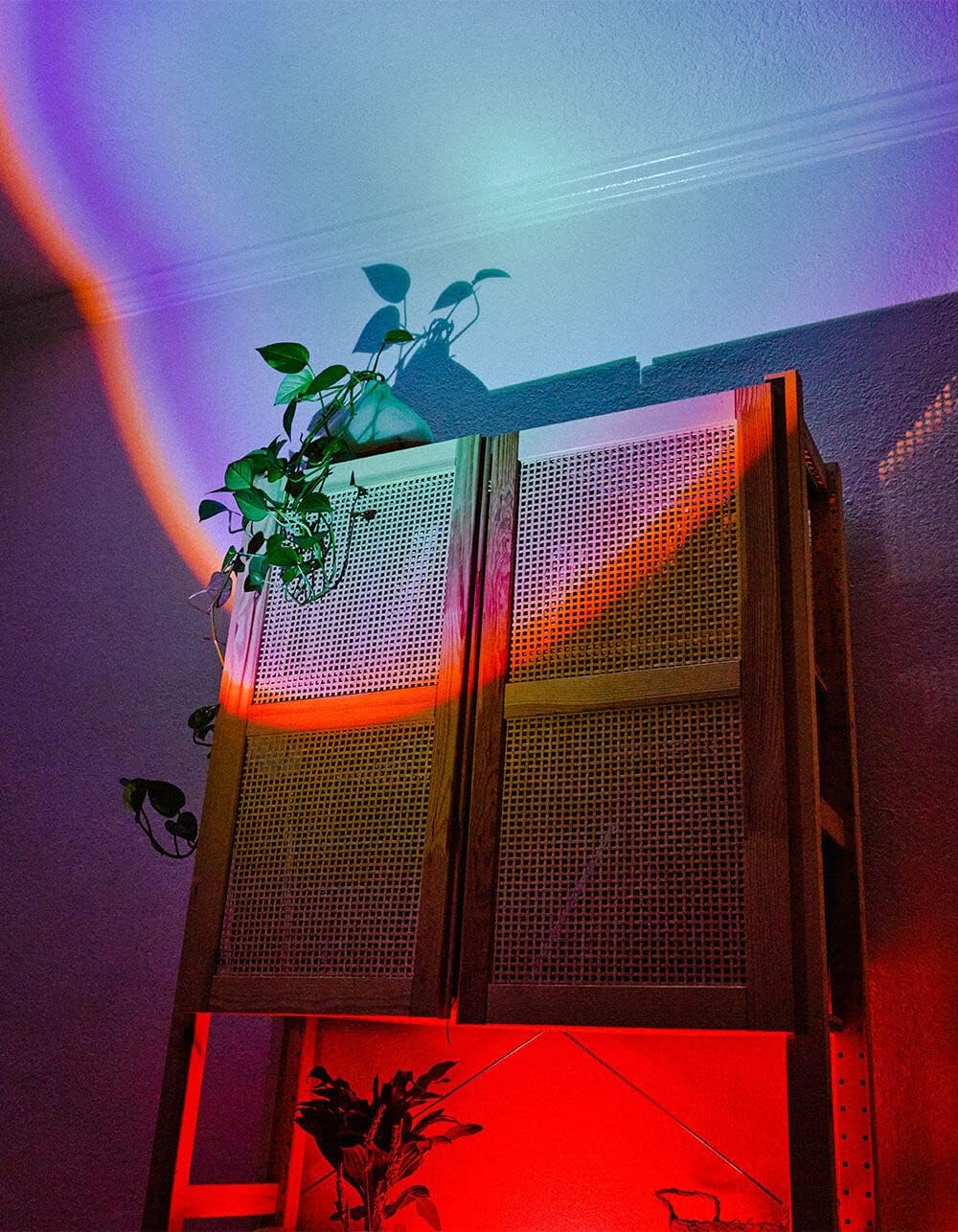
Image 5.1: The BYTECH Projector Decor Light-Rainbow in operation, casting vibrant rainbow light patterns onto a room's wall and furniture, demonstrating its ambient effect.
6. cynnal
- Glanhau: Disconnect the power before cleaning. Use a soft, dry cloth to wipe the surface of the projector. Do not use abrasive cleaners or solvents.
- Storio: When not in use for extended periods, store the device in a cool, dry place, away from direct sunlight and moisture.
- Trin: Handle the device with care to avoid damage to the lens or internal components.
7. Datrys Problemau
| Problem | Achos Posibl | Ateb |
|---|---|---|
| Nid yw dyfais yn troi ymlaen. | Dim cysylltiad pŵer na chebl diffygiol. | Ensure the USB cable is securely connected to both the projector and a powered USB port/adapter. Try a different USB port or adapter. |
| Mae golau yn bylu neu'n fflachio. | Insufficient power supply or dirty lens. | Ensure the power source provides adequate power. Clean the projector lens gently with a soft, dry cloth. |
| Mae'r tafluniad yn aneglur. | Mae lens yn fudr. | Gently clean the projector lens with a soft, dry cloth. |
8. manylebau
- Model: BYMCLB116BK
- Brand: Bytech
- Mewnbwn pŵer: USB Powered (5V DC, current not specified, typical for USB)
- Ffynhonnell Golau: LED
- Math o amcanestyniad: Rainbow Glow
- Addasrwydd: 360° Rotation & Tilt
- Dimensiynau Pecyn: 5 x 5 x 5 modfedd
- Pwysau Eitem: 1 pwys
- Gwneuthurwr: BYTECH
9. Gwarant a Chefnogaeth
This product is covered by a limited warranty provided by BYTECH. For specific warranty terms and conditions, please refer to the warranty card included with your purchase or visit the official BYTECH website. For technical support, troubleshooting assistance, or to inquire about replacement parts, please contact BYTECH customer service through their official channels.
Cadwch eich prawf prynu ar gyfer hawliadau gwarant.


