Rhagymadrodd
Thank you for choosing the Bytech BYMSWR104BK 3 Button Gaming Mouse. This manual provides essential information for setting up, operating, and maintaining your new gaming mouse. Please read this manual thoroughly before use to ensure optimal performance and longevity of your device.
Nodweddion
- Precision Mouse: Designed for accurate tracking and responsive control.
- DPI addasadwy: Customize sensitivity for various gaming and productivity needs.
- Three Responsive Buttons: Includes left-click, right-click, and scroll wheel/middle-click for efficient operation.
- Goleuadau Cefn Lliwgar: Features multi-color LED lighting with 7 distinct color modes for an enhanced aesthetic experience.
- Dyluniad ergonomig: Shaped to fit comfortably in your palm, reducing fatigue during extended use.
Manylebau
| Brand | Bytech |
| Rhif Model | BYMSWR104BK |
| Nifer y Botymau | 3 |
| Datrysiad Symudiad | 1,000 DPI |
| Moddau Lliw | 7 Colors (Multi-color Backlight) |
| Hyd Cebl | 5 troedfedd |
| Sgôr Newid | 1 miliwn o gliciau |
| Pwysau Eitem | 4.9 owns |
| Dimensiynau Pecyn | 7.17 x 4.06 x 2.68 modfedd |
| Lliw | Du |
| Ffynhonnell Pwer | Trydan Cordio (USB) |
| Llwyfan Caledwedd | PC |
Cynnwys Pecyn
- 1 x Bytech BYMSWR104BK Wired Gaming Mouse
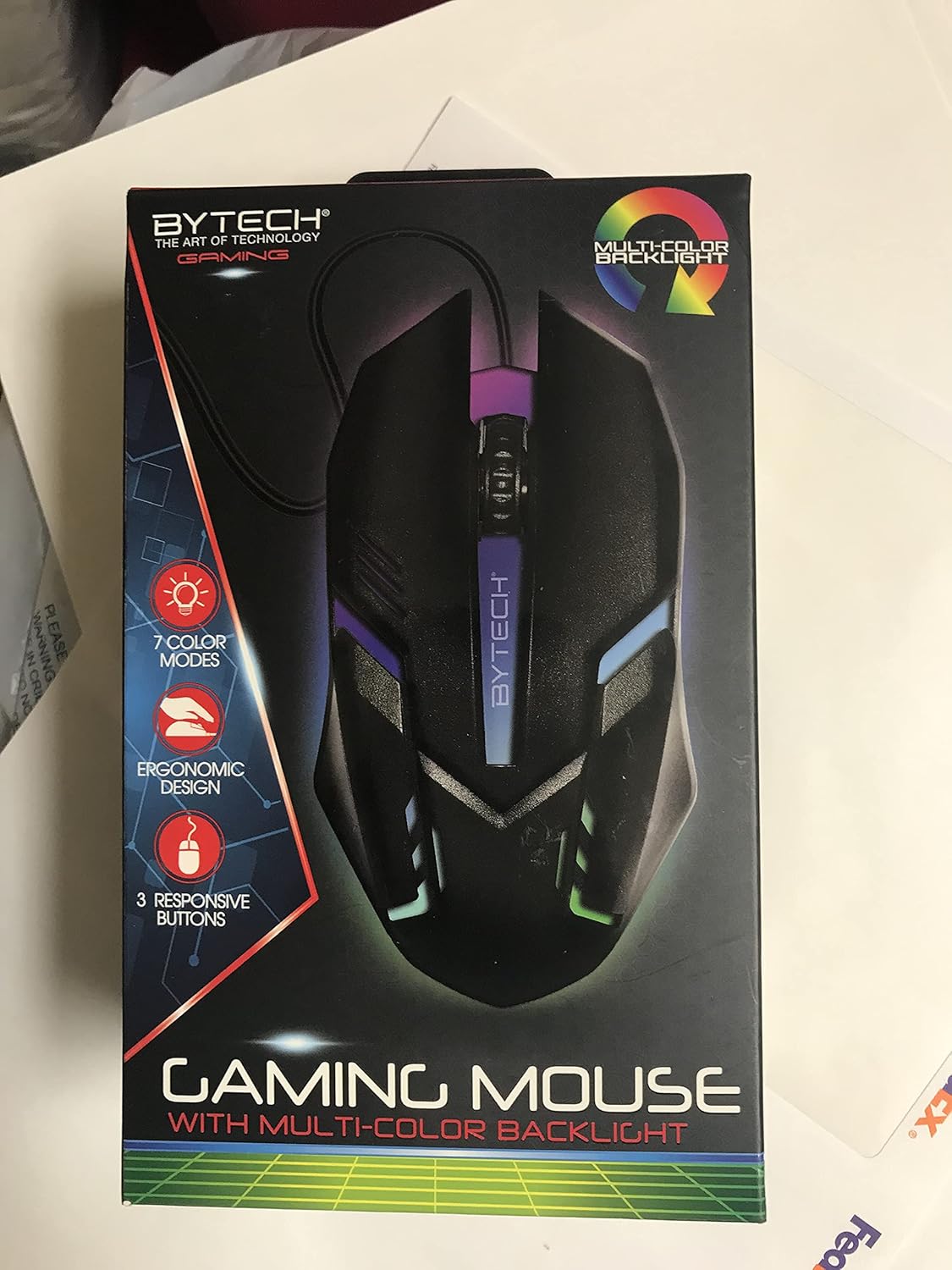
Delwedd: Blaen view of the Bytech BYMSWR104BK Gaming Mouse in its retail packaging, highlighting its multi-color backlight and ergonomic design.
Gosod
- Dadbacio: Carefully remove the gaming mouse from its packaging.
- Cysylltu: Locate an available USB port on your computer (PC, laptop, etc.). Insert the USB connector of the Bytech BYMSWR104BK Gaming Mouse firmly into the USB port.
- Gosod Gyrrwr: The mouse is plug-and-play. Your operating system should automatically detect and install the necessary drivers. This process may take a few moments.
- Yn barod i'w Ddefnyddio: Once the drivers are installed, the mouse will be ready for immediate use. The multi-color backlight will illuminate.

Delwedd: Cefn view of the Bytech BYMSWR104BK Gaming Mouse retail packaging, detailing features, specifications, and universal compatibility.
Cyfarwyddiadau Gweithredu
Gweithrediad Sylfaenol
- Botwm Chwith: Primary click function, typically used for selecting items, opening files, or interacting with software.
- Botwm De: Secondary click function, usually opens context menus or provides additional options.
- Olwyn Sgrolio (Botwm Canol): Scroll up or down to navigate documents and web pages. Pressing the scroll wheel acts as a middle-click button, often used for opening links in new tabs or auto-scrolling.
Addasiad DPI
The Bytech BYMSWR104BK Gaming Mouse features adjustable DPI settings. While specific buttons for DPI adjustment are not explicitly listed on the packaging, many gaming mice allow DPI changes through a dedicated button (often located near the scroll wheel) or through software. Refer to your computer's mouse settings or Bytech's official website for advanced customization options if available.
Backlight LED
The mouse features a dynamic multi-color LED backlight with 7 different color modes. These lights will automatically cycle through the modes once the mouse is connected and powered on. There is no manual control for changing modes on the mouse itself.
Cynnal a chadw
- Glanhau: Defnyddiwch frethyn meddal, sych i sychu wyneb y llygoden. Ar gyfer baw ystyfnig, sychwch ychydigampgolchwch y brethyn gyda dŵr neu doddiant glanhau ysgafn. Osgowch ddefnyddio cemegau llym neu ddeunyddiau sgraffiniol.
- Gofal Synhwyrydd: Cadwch y synhwyrydd optegol ar waelod y llygoden yn lân ac yn rhydd o lwch neu falurion i sicrhau olrhain cywir.
- Rheoli Ceblau: Osgowch blygiadau miniog neu dynnu gormodol ar y cebl USB i atal difrod.
- Storio: Pan nad yw'n cael ei ddefnyddio, storiwch y llygoden mewn amgylchedd glân, sych i ffwrdd o dymheredd eithafol.

Delwedd: Ochr view of the Bytech BYMSWR104BK Gaming Mouse retail packaging, showcasing the multi-color backlight effect.
Datrys problemau
| Problem | Ateb Posibl |
|---|---|
| Llygoden ddim yn ymateb |
|
| Cyrchwr yn afreolaidd neu ddim yn symud yn esmwyth |
|
| Nid yw cefn golau LED yn gweithio |
|
Gwarant a Chefnogaeth
Gwarant: This Bytech product comes with a 12-month warranty from the date of purchase. Please retain your proof of purchase for warranty claims.
Gwybodaeth Gyswllt:
- Cyfeiriad: 2585 West 13th Street, Brooklyn, NY 11223, USA
- Websafle: www.bytechintl.com
⚠ RHYBUDD: Gall y cynnyrch hwn eich gwneud yn agored i gemegau, gan gynnwys DEHP, y gwyddys i dalaith California ei fod yn achosi canser, namau geni neu niwed atgenhedlol arall. Am fwy o wybodaeth ewch i www.P65Warnings.ca.gov.

Delwedd: Gwaelod view of the Bytech BYMSWR104BK Gaming Mouse retail packaging, showing contact information, warranty details, and California Proposition 65 warning.


