1. Rhagymadrodd
This manual provides detailed instructions for the setup, operation, and maintenance of your Bytech BYMCWC101BLK PC Web Camera. Please read this manual thoroughly before using the product to ensure proper functionality and longevity.
2. Cynnwys Pecyn
Gwiriwch fod yr holl eitemau a restrir isod wedi'u cynnwys yn eich pecyn cynnyrch:
- Cyfrifiadur Bytech BYMCWC101BLK Web Camera
- Llawlyfr Defnyddiwr (y ddogfen hon)
- Cebl USB integredig
3. Gosod
Follow these steps to set up your Bytech BYMCWC101BLK PC Web Camera:
- Lleoliad: Swydd y webcam on top of your computer monitor, laptop screen, or a flat surface. The adjustable clip allows for secure attachment.
- Cysylltu â Chyfrifiadur: Plygiwch y cebl USB integredig o'r webcam i mewn i borth USB sydd ar gael ar eich cyfrifiadur.
- Gosod Gyrrwr: Mae'r webcam is typically plug-and-play. Your operating system (Windows, macOS, Linux) should automatically detect and install the necessary drivers. Wait for the installation to complete.
- Dilysu: Open a video conferencing application (e.g., Zoom, Skype, Microsoft Teams) or your computer's camera application to confirm the webcam is recognized and displaying video.
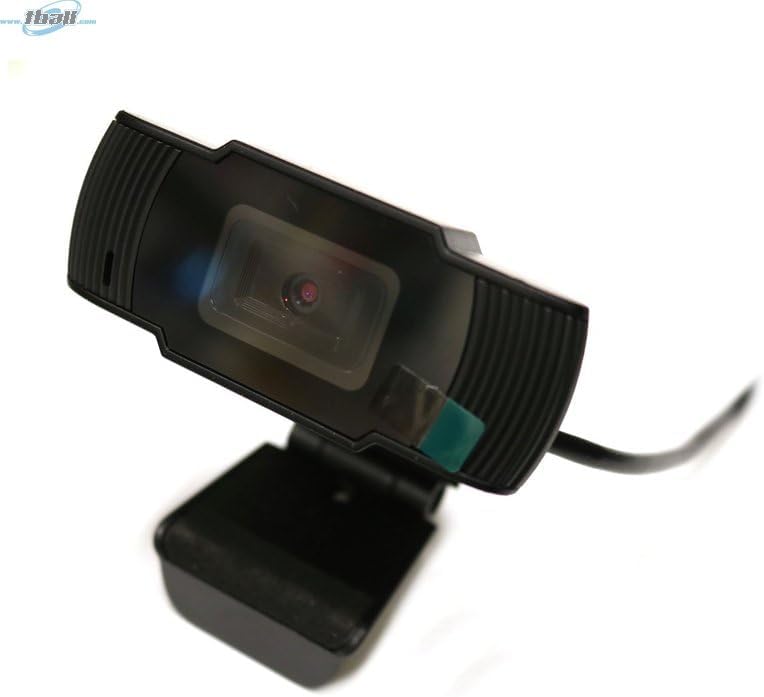
Image: The Bytech BYMCWC101BLK PC Web Camera securely mounted on top of a computer monitor, demonstrating its adjustable clip design.
4. Cyfarwyddiadau Gweithredu
Once installed, the Bytech BYMCWC101BLK PC Web Camera can be used with various applications:
- Fideo-gynadledda: Select the Bytech webcam as your video input device within your preferred video conferencing software (e.g., Zoom, Skype, Google Meet).
- Ffrydio: For live streaming platforms, configure the webcam as your primary video source in your streaming software (e.g., OBS Studio).
- Recordio: Use your computer's built-in camera application or third-party software to record video.
- Perfformiad Golau Isel: Mae'r webcam features BSI CMOS photo sensor technology and is designed to perform effectively in low-light conditions, providing clear video even with limited ambient lighting.
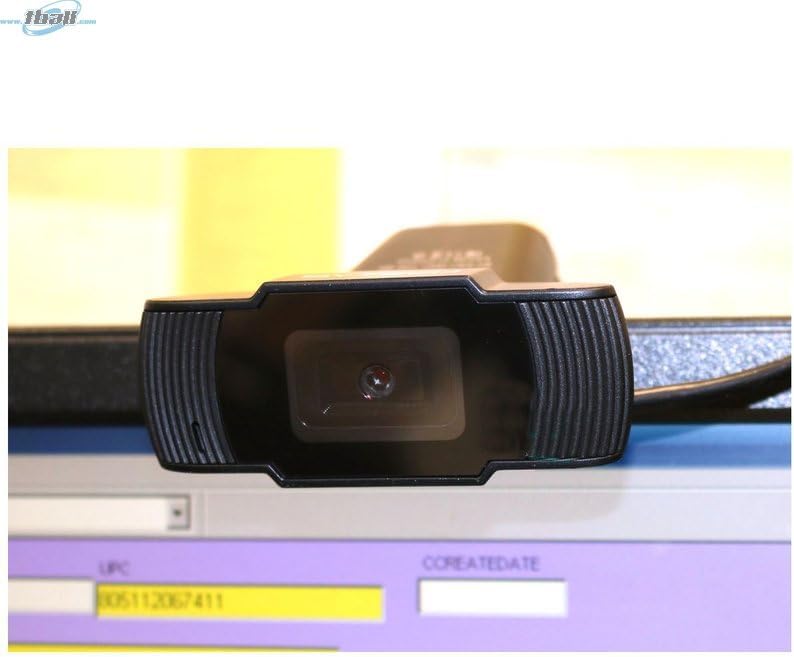
Delwedd: Llun agos view of the Bytech BYMCWC101BLK PC Web Camera's lens, highlighting its design and integrated privacy cover (if applicable, otherwise just lens).
5. cynnal
To ensure optimal performance and extend the lifespan of your webcam:
- Glanhau: Sychwch y lens yn ysgafn gyda lliain meddal, di-flwff. Osgowch ddefnyddio cemegau llym neu ddeunyddiau sgraffiniol.
- Storio: Pan nad yw'n cael ei ddefnyddio, storiwch y webcam in a clean, dry environment away from direct sunlight and extreme temperatures.
- Gofal Cebl: Do not bend or crimp the USB cable excessively.
6. Datrys Problemau
Os byddwch chi'n dod ar draws problemau gyda'ch webcam, cyfeiriwch at y problemau a'r atebion cyffredin canlynol:
- Dim Delwedd/Fideo:
- Gwnewch yn siŵr bod y cebl USB wedi'i gysylltu'n ddiogel â'r ddau webcamera a'ch cyfrifiadur.
- Rhowch gynnig ar blygio'r webcam i mewn i borthladd USB gwahanol.
- Ailgychwyn eich cyfrifiadur.
- Check your application settings to ensure the Bytech webcam is selected as the video input device.
- Ansawdd Fideo Gwael:
- Sicrhewch fod digon o oleuadau yn eich amgylchedd.
- Glanhewch y weblens y cam gyda lliain meddal.
- Check your application's video settings for resolution and frame rate.
- Microphone Not Working (if applicable):
- Gwiriwch fod y webcam's microphone is selected as the audio input device in your computer's sound settings and within your application.
- Ensure the microphone is not muted in your system or application.
7. manylebau
| Nodwedd | Manylyn |
|---|---|
| Enw Model | BYMCWC101BLK |
| Brand | Bytech |
| Technoleg Cysylltedd | USB |
| Technoleg Synhwyrydd Ffotograffau | BSI CMOS |
| Fformat Dal Fideo | MP4 |
| Nodwedd Arbennig | Golau Isel |
| Lliw | Du |
| Pwysau Eitem | 4.9 owns |
| Dimensiynau Pecyn | 7.76 x 4.65 x 2.44 modfedd |
8. Gwarant a Chefnogaeth
For warranty information or technical support, please refer to the documentation included with your purchase or contact your retailer. Keep your proof of purchase for warranty claims.


