Rhagymadrodd
Diolch am brynuasing the BIGFUN 61-Key Multifunction Electric Piano Keyboard. This educational instrument toy is designed for children aged 3-12 years, offering a fun and engaging way to learn music. With 61 keys, multiple tones, rhythms, and recording functions, it provides a comprehensive musical experience. Please read this manual carefully before use to ensure proper operation and maintenance.
Cyfarwyddiadau Diogelwch
- Peidiwch ag amlygu'r bysellfwrdd i ddŵr na lleithder.
- Osgowch ollwng y bysellfwrdd neu ei roi dan effeithiau cryf.
- Defnyddiwch yr addasydd pŵer neu'r batris penodedig yn unig.
- Keep out of reach of very young children to prevent choking hazards from small parts.
- Do not attempt to disassemble or repair the keyboard yourself. Contact customer support if issues arise.
- Ensure proper ventilation when in use.
Cynnwys Pecyn
Gwiriwch y pecyn i sicrhau bod yr holl eitemau yn bresennol:
- 1 x BIGFUN 61-Key Electric Piano Keyboard
- 1 x Meicroffon
- Cebl Pwer 1 x USB
- 1 x Audio Cable (3.5mm Jack)
- 1 x Small Screwdriver (for battery compartment, if applicable)
- 1 x Llawlyfr Defnyddiwr (y ddogfen hon)

Image: The BIGFUN 61-Key Electric Piano Keyboard shown with its packaging and included accessories: a microphone, USB power cable, audio cable, and a small screwdriver.
Cynnyrch Drosview
Familiarize yourself with the different parts of your BIGFUN keyboard:

Delwedd: O'r brig i lawr view of the BIGFUN 61-Key Electric Piano Keyboard, highlighting the 61 keys, control panel, and integrated speakers.
- Botwm Pŵer: Yn troi'r bysellfwrdd ymlaen/i ffwrdd.
- Rheoli cyfaint: Yn addasu'r allbwn sain cyffredinol.
- Tone Selection Buttons: Allows selection of various instrument sounds (e.g., Piano, Organ, Violin). The keyboard features 16 tones.
- Rhythm Selection Buttons: Allows selection of various rhythm patterns (e.g., Disco, March, Waltz). The keyboard features 5 rhythms.
- Arddangosfa LED: Shows the currently selected tone, rhythm, or other settings.
- Record/Play Buttons: For recording and playing back your melodies.
- Botwm Demo: Plays pre-programmed demonstration songs.
- Mewnbwn meicroffon: Jack for connecting the included microphone.
- Porthladd pŵer USB: Ar gyfer cysylltu'r cebl pŵer USB.
- Siaradwyr: Integrated stereo speakers for sound output.
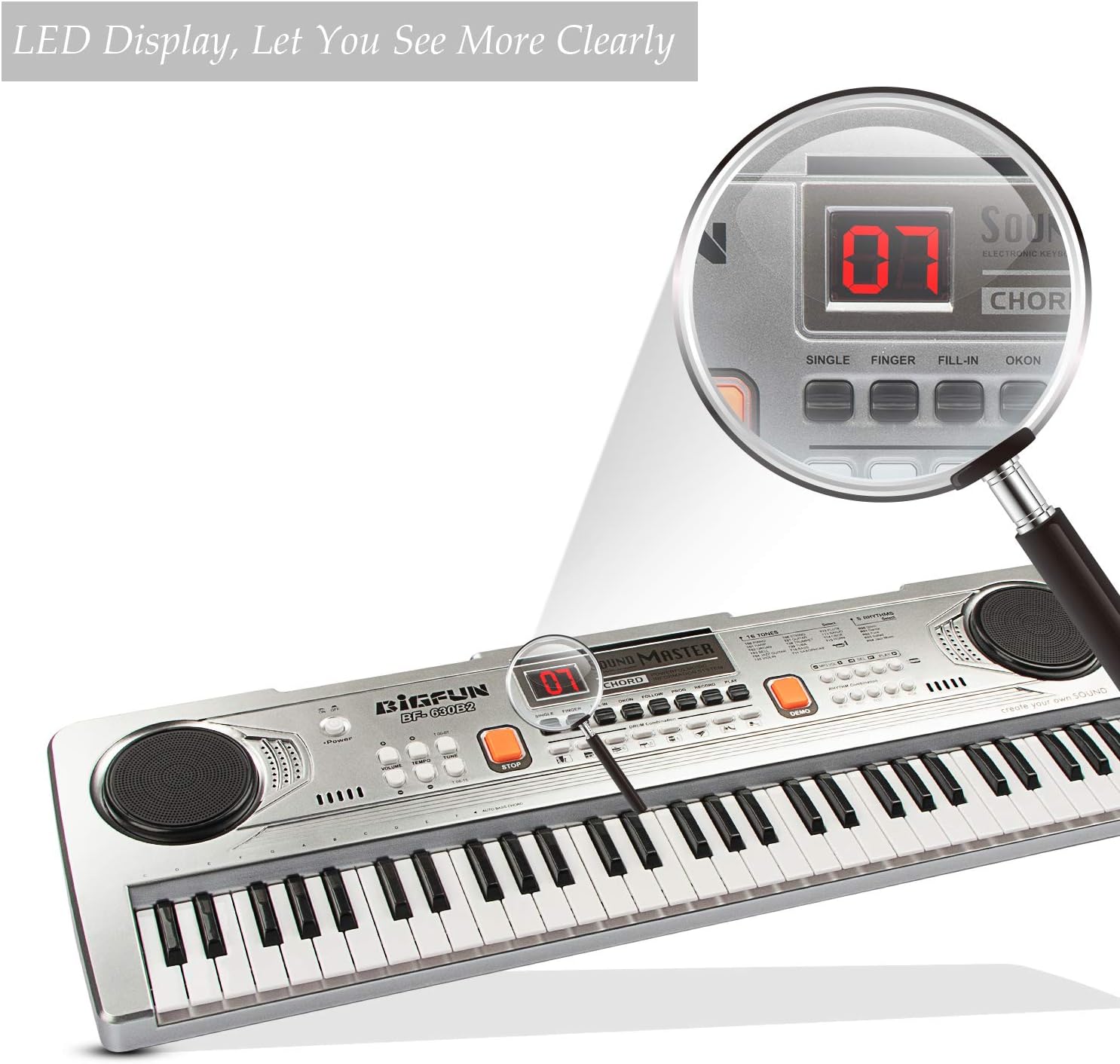
Delwedd: Wedi'i chwyddo view of the LED display on the keyboard's control panel, showing a clear digital readout for selected functions.

Image: A child enthusiastically playing the BIGFUN keyboard, with a graphic overlay emphasizing the "HI-FI SPEAKERS DESIGN" and its ability to produce amazing sound and clearer scales.

Image: A visual comparison illustrating the "Large piano keys" feature of the BIGFUN keyboard (2.7x0.63in key size) compared to a keyboard with smaller keys, indicating a more comfortable playing experience.
Gosod
Pweru'r Bysellfwrdd
The keyboard can be powered in two ways:
- Pŵer USB: Connect the provided USB power cable to the USB port on the keyboard and plug the other end into a compatible USB power adapter (not included) or a computer USB port.
- Pŵer Batri: (If applicable, check battery compartment) Insert 4 x AA batteries (not included) into the battery compartment located on the underside of the keyboard. Ensure correct polarity.
Cysylltu'r Meicroffon
Plug the microphone's 3.5mm jack into the microphone input port on the keyboard. The microphone allows you to sing along while playing.
Cyfarwyddiadau Gweithredu
Troi Ymlaen/Diffodd ac Addasu Cyfaint
- Gwasgwch y Grym button to turn the keyboard on.
- Cylchdroi y Cyfrol botwm i addasu lefel y sain.
- Gwasgwch y Grym button again to turn the keyboard off.
Selecting Tones (Instrument Sounds)
- Gwasgwch y Tone Select buttons to cycle through the 16 available instrument sounds. The selected tone number will be displayed on the LED screen.
- Experiment with different tones to find your favorite sounds.
Selecting Rhythms
- Gwasgwch y Rhythm Select buttons to choose from the 5 built-in rhythm patterns. The selected rhythm number will appear on the LED screen.
- Defnyddiwch y Tempo control (if available) to adjust the speed of the rhythm.
Recordio a Chwarae
- Gwasgwch y Cofnod button to start recording your performance. The keyboard will record the notes you play.
- Gwasgwch y Chwarae button to listen to your recorded melody.
- To record a new melody, simply press Cofnod again. The previous recording will be overwritten.
Caneuon Arddangos
- Gwasgwch y Demo button to play through the pre-programmed demonstration songs.
- Gwasgwch Demo again to stop playback or cycle to the next song.
Cynnal a chadw
- Glanhau: Wipe the keyboard with a soft, dry cloth. Do not use abrasive cleaners or solvents.
- Storio: Storiwch y bysellfwrdd mewn lle oer, sych i ffwrdd o olau haul uniongyrchol a thymheredd eithafol.
- Gofal Batri: If not using the keyboard for an extended period, remove the batteries to prevent leakage.
Datrys problemau
| Problem | Achos Posibl | Ateb |
|---|---|---|
| Nid yw'r bysellfwrdd yn troi ymlaen. | No power, low batteries, or faulty connection. | Ensure USB cable is securely connected or replace batteries. |
| Dim sain gan siaradwyr. | Volume too low, mute function active, or speaker issue. | Increase volume. Check if any mute button is pressed (if applicable). |
| Meicroffon ddim yn gweithio. | Microphone not plugged in correctly or faulty microphone. | Ensure microphone is fully inserted into the jack. Test with another microphone if possible. |
| Nid yw'r allweddi'n ymatebol. | Internal malfunction or debris under keys. | Turn off and on again. If problem persists, contact customer support. |
Manylebau
- Brand: MAWRHYDI
- Model: BF-630B2
- Nifer o Allweddi: 61
- Math o ddeunydd: Styrene Biwtadïen Acrylonitrile, Plastig
- Ffynhonnell Pwer: Electric (USB)
- Technoleg Cysylltedd: Auxiliary (for microphone)
- Pwysau Eitem: 2.29 pwys
- Dimensiynau Pecyn: 25 x 8 x 2.75 modfedd
- Lefel Sgiliau: Dechreuwr
- Ystod Oedran (Disgrifiad): Kid (3-12 Years Old)
- Nodwedd arbennig: Cludadwy
Gwarant a Chefnogaeth
BIGFUN products are manufactured with high quality standards. For any questions, technical support, or warranty claims, please contact our customer service team. Please have your product model and purchase date ready when contacting support.
For more information, visit the official BIGFUN store: BIGFUN Store on Amazon


