1. Cynnyrch Drosview
The Bytech 6FT LED Back Light Strip is designed to illuminate your hardware, providing vibrant multi-color lighting. This versatile LED strip is USB powered and controlled via a 24-key remote, offering 16 distinct colors and various lighting modes to enhance your viewing or gaming experience.
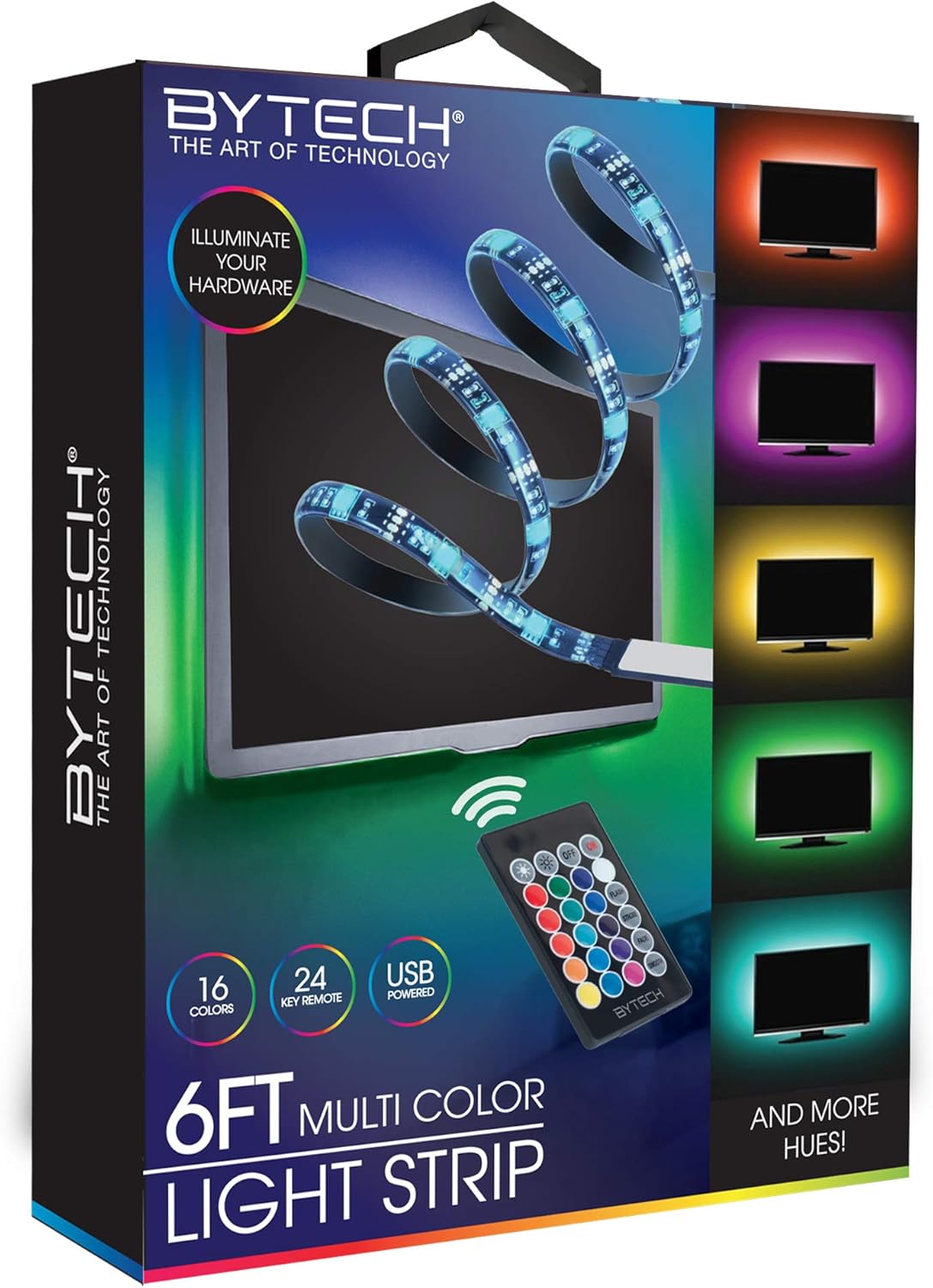
Image 1.1: Bytech 6FT LED Back Light Strip product and packaging.
2. Gwybodaeth Diogelwch
- Ensure the power source is compatible with the USB power requirements of the LED strip.
- Do not expose the LED strip to water or excessive moisture as it is not water resistant. This product is intended for indoor use only.
- Avoid bending the LED strip sharply or applying excessive force, which may damage the internal circuitry.
- Cadwch allan o gyrraedd plant.
- Do not attempt to disassemble or modify the product. This will void any potential warranty.
- Unplug the LED strip from the power source before cleaning or when not in use for extended periods.
3. Cynnwys Pecyn
Gwiriwch y pecyn am yr eitemau canlynol:
- 1 x Bytech 6FT LED Back Light Strip
- 1 x 24-Rheolaeth Anghysbell Allweddol
4. Gosod a Gosod
- Paratoi'r Arwyneb: Ensure the surface where you intend to install the LED strip is clean, dry, and smooth. Dust, dirt, or moisture can affect the adhesive's effectiveness.
- Mesur a Chynllunio: Before removing the adhesive backing, unroll the LED strip and temporarily position it to determine the best placement. The strip is 6 feet long.
- Pliciwch a Glynwch: Carefully peel off the protective backing from the adhesive tape on the back of the LED strip. Begin sticking the strip to your desired surface, pressing firmly along its length to ensure good adhesion.
- Cysylltu â Power: Locate the USB connector on the LED strip. Plug the USB connector into a compatible USB power source (e.g., a TV's USB port, a USB wall adapter, or a power bank).
- Ymarferoldeb Prawf: Once connected, the LED strip should light up. Use the remote control to test different colors and modes.
5. Cyfarwyddiadau Gweithredu
The Bytech 6FT LED Back Light Strip is controlled using the included 24-key remote control. Ensure the remote has a clear line of sight to the LED strip's receiver.
Swyddogaethau rheoli o bell:
| Botwm | Swyddogaeth |
|---|---|
| YMLAEN / I FFWRDD | Turns the LED strip on or off. |
| Disgleirdeb i fyny / i lawr | Adjusts the brightness level of the lights. |
| Color Selection Buttons | Directly select from 16 static colors (e.g., Red, Green, Blue, White, various shades). |
| FFLACH | Activates a rapid flashing mode. |
| STRYD | Activates a slow strobe effect. |
| PYGU | Cycles through colors with a smooth fading transition. |
| llyfn | Provides a gradual transition between colors. |
Nodyn: The remote control requires a CR2025 button cell battery (not included). Please ensure the battery is inserted with the correct polarity.
6. Cynnal a Chadw a Gofal
- Glanhau: To clean the LED strip, first unplug it from the power source. Use a soft, dry cloth to gently wipe away dust or dirt. Do not use liquid cleaners or abrasive materials.
- Storio: If storing the LED strip for an extended period, ensure it is clean and dry. Coil it loosely to prevent damage to the strip or wiring. Store in a cool, dry place.
- Gludydd: Mae'r glud wedi'i gynllunio ar gyfer ei roi unwaith. Gall ail-roi'r stribed sawl gwaith leihau ei gludiogrwydd.
7. Datrys Problemau
| Problem | Achos Posibl | Ateb |
|---|---|---|
| Nid yw'r stribed LED yn goleuo. | No power, loose connection, remote battery dead/incorrectly inserted. | Ensure USB is securely plugged into a working power source. Check remote battery and polarity. |
| Rheoli o bell ddim yn gweithio. | Remote battery dead, no line of sight to receiver, remote too far. | Replace remote battery. Ensure remote is pointed directly at the strip's receiver. Move closer to the strip. |
| Lights are flickering or inconsistent. | Insufficient power, damaged strip. | Try a different USB power source with sufficient output. Inspect the strip for visible damage. |
| Glud ddim yn glynu. | Surface is dirty, oily, or textured; adhesive backing not fully removed. | Clean and dry the surface thoroughly before application. Ensure the protective film is completely removed. |
8. manylebau
- Model: BYOPCA217BK
- Brand: Bytech
- Hyd: 6 Troedfedd (tua 1.83 metr)
- Math o ffynhonnell golau: LED
- Ffynhonnell Pwer: USB (Trydan â Llinyn)
- Dull Rheoli: 24-Key IR Remote Control
- Lliwiau: 16 static colors + various dynamic modes
- Defnydd Dan Do / Awyr Agored: Dan do
- Lefel ymwrthedd dŵr: Ddim yn Wrthsefyll Dŵr
- Deunydd: Plastig
- Pwysau Eitem: 2.89 owns (tua 82 gram)
- UPC: 805112051533
9. Gwarant a Chefnogaeth
Warranty information for the Bytech 6FT LED Back Light Strip is not explicitly provided in the product specifications. For detailed warranty terms, technical support, or customer service inquiries, please contact the manufacturer, DEEJAYLED, or your point of purchase.
You may find contact information on the product packaging or the manufacturer's official websafle.


