1. Rhagymadrodd
This manual provides essential information for the setup, operation, and maintenance of your COROS APEX Premium Multisport GPS Watch. Please read this guide thoroughly to ensure optimal performance and longevity of your device.
2. Beth sydd yn y Bocs
Upon unboxing your COROS APEX watch, verify that all the following components are present:
- COROS APEX Premium Multisport GPS Watch (42mm Black/Grey)
- Gwylio Strap
- Cebl Codi Tâl
- Llyfryn Canllaw Defnyddiwr
3. Cynnyrch Drosview
The COROS APEX watch is designed for durability and performance, featuring a robust build and intuitive controls.
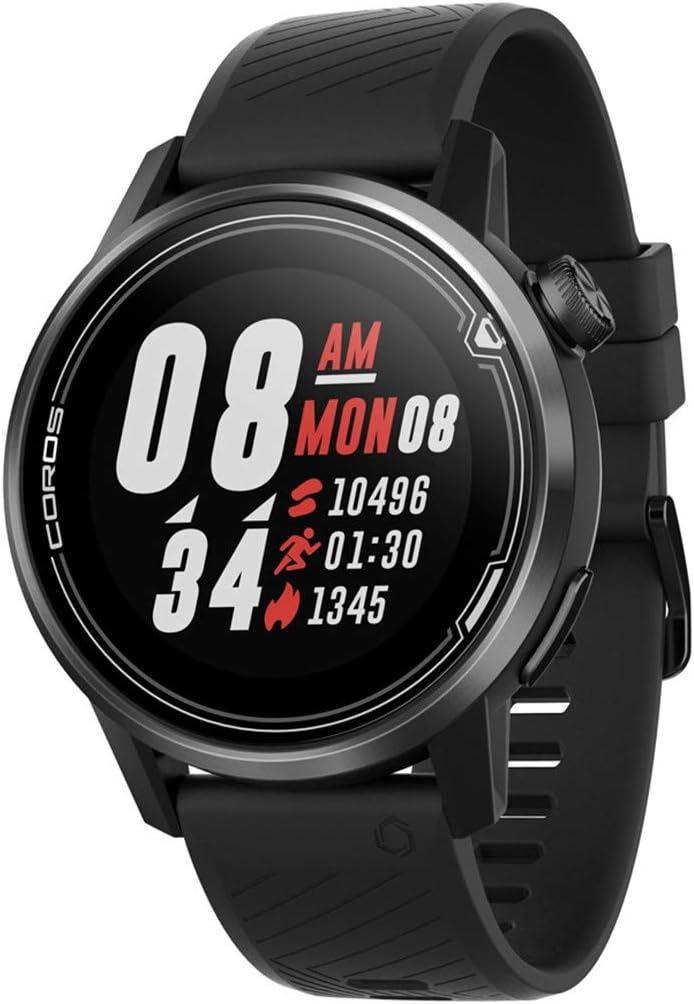
Ffigur 3.1: Blaen view of the COROS APEX watch.
3.1. Cydrannau'r Oriawr
- Digital Dial: Used for navigation through menus and data screens.
- Botwm Cefn: Returns to the previous screen or marks a lap during workouts.
- Sapphire Glass Screen: Highly scratch-resistant display for clear visibility.
- Stainless Steel Bezel: Provides enhanced durability and protection.

Ffigur 3.2: Ochr view highlighting the digital dial and back button.
3.2. Synwyryddion
The COROS APEX is equipped with multiple sensors for comprehensive data tracking:
- Optical Heart Rate Monitor: Located on the back of the watch for continuous heart rate tracking.
- Barometric Altimeter: Measures altitude changes for accurate elevation data.
- Cyflymydd: Detects motion and orientation.
- Cwmpawd: Yn darparu gwybodaeth gyfeiriadol.
- Gyrosgop: Measures angular velocity and rotation.
- Thermomedr: Yn mesur tymheredd amgylchynol.

Ffigur 3.3: Yn ôl view showing the optical heart rate sensor.
4. Gosod
4.1. Gwefru Eich Oriawr
Before first use, fully charge your COROS APEX watch. Connect the provided charging cable to the charging port on the back of the watch and plug the USB end into a power source (e.g., computer USB port or wall adapter). A full charge typically takes approximately 2 hours.
4.2. Initial Pairing with the COROS App
- Download the COROS app from your smartphone's app store (iOS or Android).
- Open the COROS app and create an account or log in.
- Turn on your COROS APEX watch by pressing and holding the digital dial.
- In the COROS app, navigate to the 'Device' tab and select 'Add New Device'.
- Follow the on-screen prompts in the app to pair your watch. This typically involves confirming a code displayed on both the watch and the phone.
- Once paired, the watch will synchronize settings and data with the app.
5. Gweithredu Eich Oriawr
5.1. Mordwyo Sylfaenol
- Digital Dial: Rotate to scroll through menus and data screens. Press to select an option or confirm an action.
- Botwm Cefn: Press to return to the previous screen. Hold to access the toolbox menu or to exit a workout.
5.2. Moddau Chwaraeon
The COROS APEX supports a variety of sport modes to accurately track your activities:
- Running (Indoor Run, Trail Run)
- Beicio
- Nofio
- Cardio
- Nerth
- Chwaraeon Dwr
To start a workout, rotate the digital dial to select your desired sport mode and press the dial to confirm.
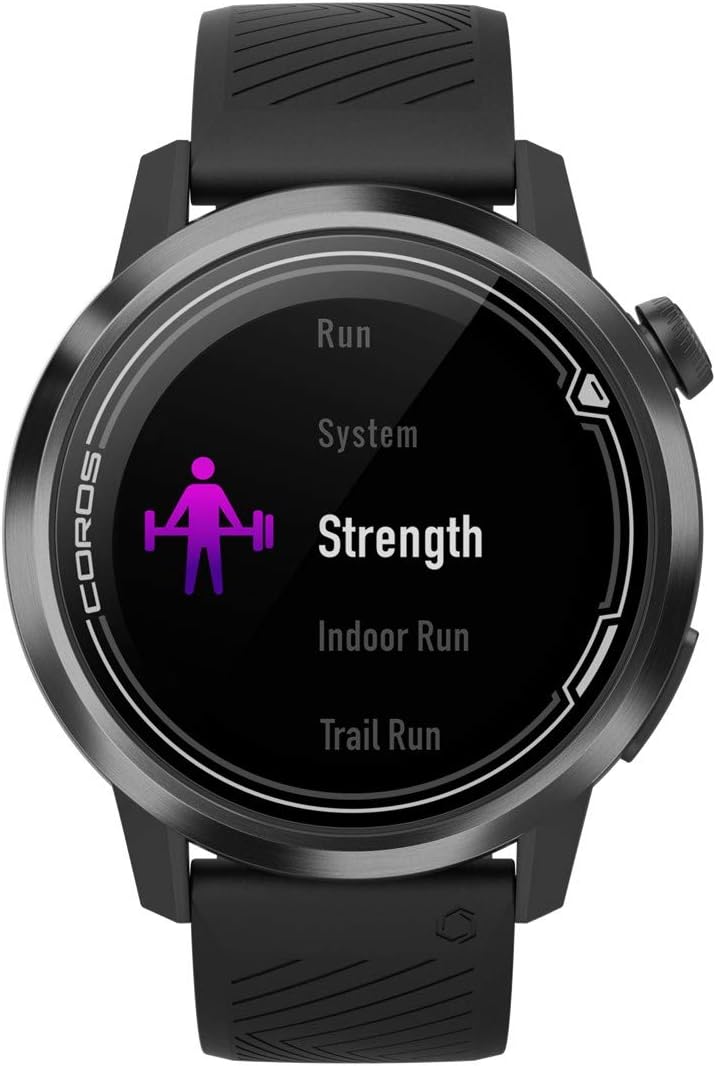
Figure 5.1: Selecting a sport mode on the COROS APEX.
5.3. GPS Functionality and Navigation
The watch utilizes GPS for accurate tracking of outdoor activities and offers route navigation features. Ensure you have a clear view of the sky for optimal GPS signal acquisition.

Figure 5.2: Route navigation display on the COROS APEX.
5.4. Monitro Cyfradd y Galon
The optical heart rate monitor continuously tracks your heart rate throughout the day and during workouts. For accurate readings, ensure the watch is snug on your wrist.
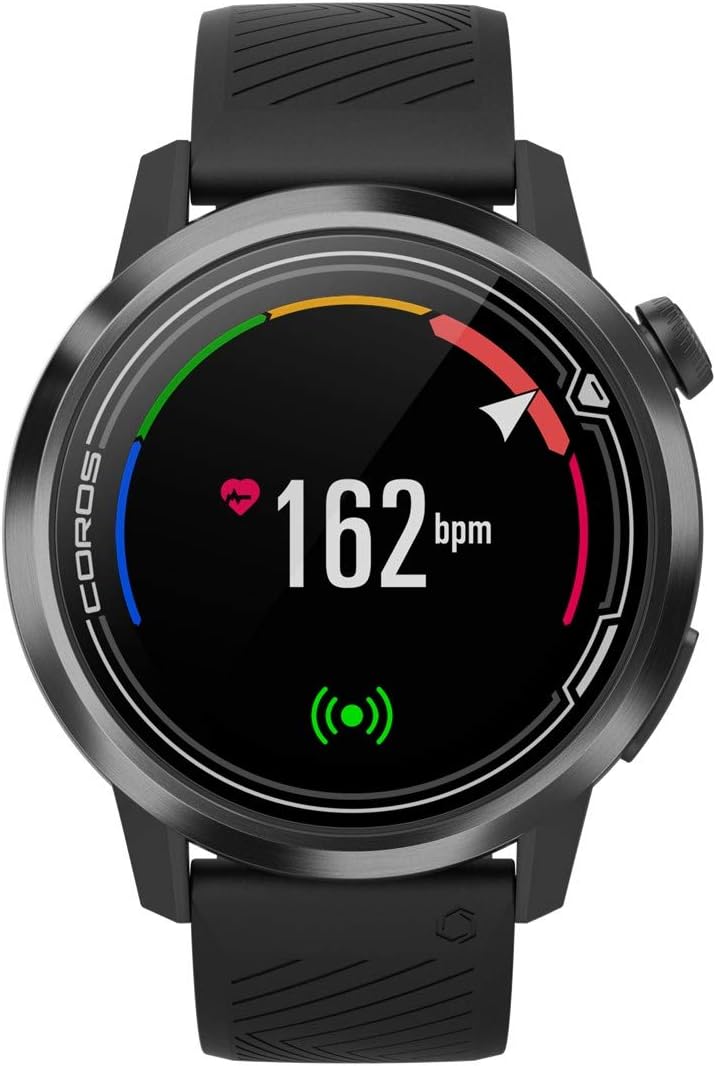
Figure 5.3: Heart rate monitoring display.
5.5. Daily Tracking
The COROS APEX automatically tracks daily metrics including steps, calories burned, and sleep patterns. This data can be viewed on the watch and in detail within the COROS app.
5.6. rhybuddion
The watch can provide various alerts, such as nutrition alerts during long workouts, to help you maintain performance.

Figure 5.4: Nutrition alert example.
6. cynnal
6.1. Glanhau Eich Oriawr
Glanhewch eich oriawr a'ch strap yn rheolaidd gyda lliain meddal, damp cloth to prevent skin irritation and maintain device hygiene. Avoid using harsh chemicals or abrasive materials.
6.2. Gofal Batri
The COROS APEX is known for its extended battery life. To maximize battery longevity:
- Osgowch dymheredd eithafol yn ystod gwefru a storio.
- Peidiwch â gwagio'r batri'n llwyr yn aml.
- Charge the watch using only the provided cable.

Figure 6.1: Battery usage display.
7. Datrys Problemau
If you encounter issues with your COROS APEX watch, refer to the following common solutions:
- Watch Not Pairing: Ensure Bluetooth is enabled on your phone and the watch is within range. Restart both the watch and the phone. Verify the COROS app is updated to the latest version.
- GPS Not Connecting: Symudwch i ardal agored gyda lle clir view of the sky. Wait a few minutes for the watch to acquire a signal. Ensure GPS is enabled for your activity.
- Inaccurate Altimeter Readings: Ensure the altimeter port is clean and free of debris. Perform a manual calibration if available in the watch settings.
- Watch Unresponsive: Perform a soft reset by holding down the digital dial and back button simultaneously until the COROS logo appears.
For persistent issues, consult the COROS support websafle neu cysylltwch â gwasanaeth cwsmeriaid.
8. manylebau
| Nodwedd | Manylyn |
|---|---|
| Dimensiynau Cynnyrch | 1.77 x 1.77 x 0.57 modfedd |
| Pwysau Eitem | 1.76 owns |
| Rhif Model | WAPXs-BLK-2 |
| Batris | Angen 1 batris lithiwm polymer (wedi'u cynnwys) |
| Technolegau Cysylltedd | GPS, Bluetooth |
| Maint Sgrin | 4 Centimedr |
| Gwrthiant Dŵr | 100m (Waterproof) |
| Battery Life (Full GPS Mode) | 25 Awr |
| Battery Life (Regular Use) | Hyd at 24 diwrnod |
| Math Mowntio | Mynydd yr arddwrn |
9. Gwarant a Chefnogaeth
The COROS APEX Premium Multisport GPS Watch typically comes with a 2-year manufacturer's warranty, covering defects in materials and workmanship under normal use. For specific warranty terms and conditions, please refer to the official COROS websafle neu'r wybodaeth warant sydd wedi'i chynnwys gyda'ch cynnyrch.
For technical support, product inquiries, or warranty claims, please visit the official COROS support page or contact their customer service directly. Keep your proof of purchase for warranty validation.
Official COROS Websafle: www.coros.com


