1. Rhagymadrodd
The JBL LIVE 400BT are on-ear wireless headphones designed to deliver JBL Signature Sound. These headphones feature Bluetooth connectivity, a built-in microphone for hands-free calls, and integrated voice assistant support (Amazon Alexa). They also include Ambient Aware and TalkThru technologies for enhanced situational awareness and convenient conversations without removing the headphones. The headphones offer up to 24 hours of battery life and can be used with an audio cable when the battery is depleted.
2. Beth sydd yn y Bocs
Wrth agor y pecyn, gwnewch yn siŵr bod yr holl eitemau yn bresennol:
- JBL LIVE 400BT Headphones
- Cebl Codi Tâl
- Aux Cable (3.5 mm)
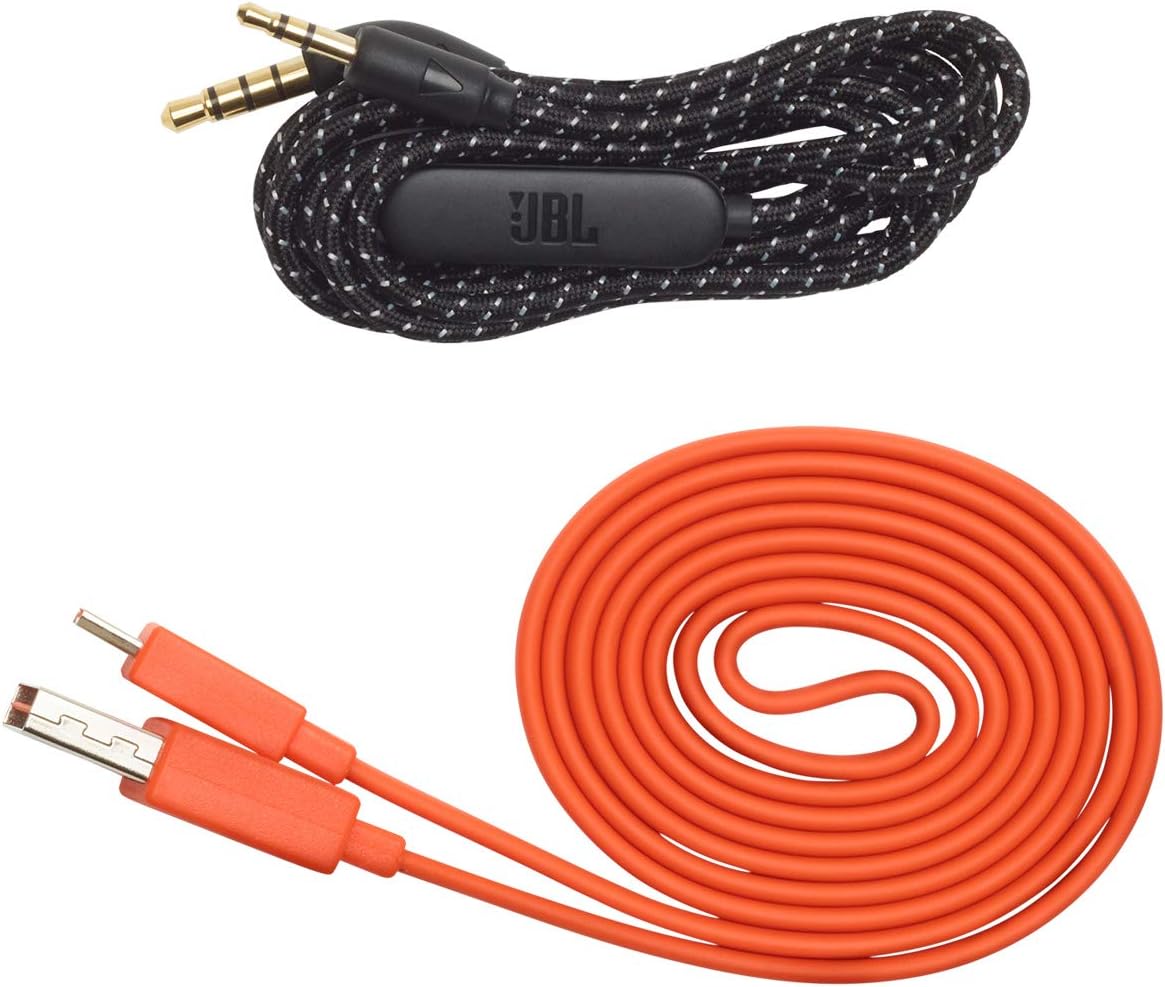
Image: JBL LIVE 400BT headphones shown with the included charging cable and 3.5mm aux cable.
3. Gosod
3.1. Codi Tâl y Clustffonau
Before first use, fully charge your JBL LIVE 400BT headphones. A full charge provides up to 24 hours of playback. A quick 15-minute charge can provide an additional 2 hours of listening time.
- Connect the provided charging cable to the charging port on the headphones.
- Cysylltwch ben arall y cebl gwefru â ffynhonnell pŵer USB (e.e., addasydd wal, porthladd USB cyfrifiadur).
- The LED indicator on the headphones will show charging status. It typically turns off or changes color when fully charged.
3.2. Pweru Ymlaen / I ffwrdd
- To power on, slide the power switch located on the right earcup.
- To power off, slide the power switch back to the off position.
3.3. Pâr Bluetooth
The JBL LIVE 400BT headphones use Bluetooth 4.0 for wireless connectivity with a range of up to 10 meters.
- Sicrhewch fod y clustffonau wedi'u pweru i ffwrdd.
- Slide the power switch to the "on" position and hold it for approximately 3-5 seconds until the LED indicator flashes blue, indicating pairing mode.
- Ar eich dyfais (ffôn clyfar, tabled, cyfrifiadur), galluogwch Bluetooth a chwiliwch am ddyfeisiau sydd ar gael.
- Select "JBL LIVE 400BT" from the list of available devices.
- Ar ôl ei gysylltu, bydd y dangosydd LED yn troi'n las solet.

Image: The right earcup of the JBL LIVE 400BT headphones, highlighting the power switch and LED indicator for Bluetooth pairing.
4. Gweithredu'r Clustffonau
4.1. Rheolyddion Sylfaenol
The headphones feature intuitive controls on the earcups for managing audio and calls.
- Chwarae/Seibiant: Pwyswch y botwm aml-swyddogaeth unwaith.
- Trac Nesaf: Pwyswch y botwm amlswyddogaeth ddwywaith.
- Trac Blaenorol: Pwyswch y botwm amlswyddogaeth dair gwaith.
- Cyfrol i fyny/i lawr: Defnyddiwch y botymau cyfaint pwrpasol.
- Ateb / Diwedd Galwad: Pwyswch y botwm amlswyddogaethol unwaith yn ystod galwad sy'n dod i mewn neu alwad weithredol.
- Gwrthod Galwad: Pwyswch a daliwch y botwm amlswyddogaeth am 2 eiliad yn ystod galwad sy'n dod i mewn.
4.2. Voice Assistant (Amazon Alexa)
Access Amazon Alexa directly from your headphones. Use the JBL App to set up your voice assistant preference.
- Ensure your headphones are connected to your smartphone via Bluetooth.
- Download and open the JBL Headphones App.
- Follow the in-app instructions to select and configure Amazon Alexa as your voice assistant.
- Once configured, tap the left earcup to activate Alexa and issue commands (e.g., "Play my favorite playlist," "Check the weather").
4.3. Ambient Aware and TalkThru Technology
These features allow you to stay connected to your surroundings or have conversations without removing your headphones.
- Ymwybodol amgylchynol: A touch of the Ambient Aware button (located on the left earcup) increases ambient sound, allowing you to hear what's happening around you while music continues at a lower volume.
- SgwrsThru: Activate TalkThru mode by pressing the TalkThru button (located on the left earcup). This significantly drops the music volume, enabling clear conversations with others without removing the headphones.
Video: Official JBL demonstration of the LIVE 400BT headphones, highlighting features like JBL Signature Sound, Ambient Aware, TalkThru technology, and voice assistant integration.
4.4. Cysylltiad Wired
If the battery runs out or you prefer a wired connection, use the provided 3.5mm audio cable.
- Plygiwch un pen o'r cebl sain 3.5mm i'r jac sain ar y clustffonau.
- Plug the other end into your audio source's 3.5mm output.
- The headphones will function passively, without requiring battery power.
5. cynnal
Proper care ensures the longevity of your JBL LIVE 400BT headphones.
- Glanhau: Defnyddiwch frethyn meddal, sych i lanhau'r clustffonau a'r band pen. Osgowch ddefnyddio cemegau llym neu ddeunyddiau sgraffiniol.
- Storio: When not in use, store the headphones in a cool, dry place. Avoid extreme temperatures. The headphones are foldable for compact storage.
- Gofal Batri: Er mwyn cynnal bywyd y batri, osgoi rhyddhau'r clustffonau'n llwyr yn aml. Gwefrwch nhw'n rheolaidd, hyd yn oed os nad ydyn nhw'n cael eu defnyddio'n gyson.
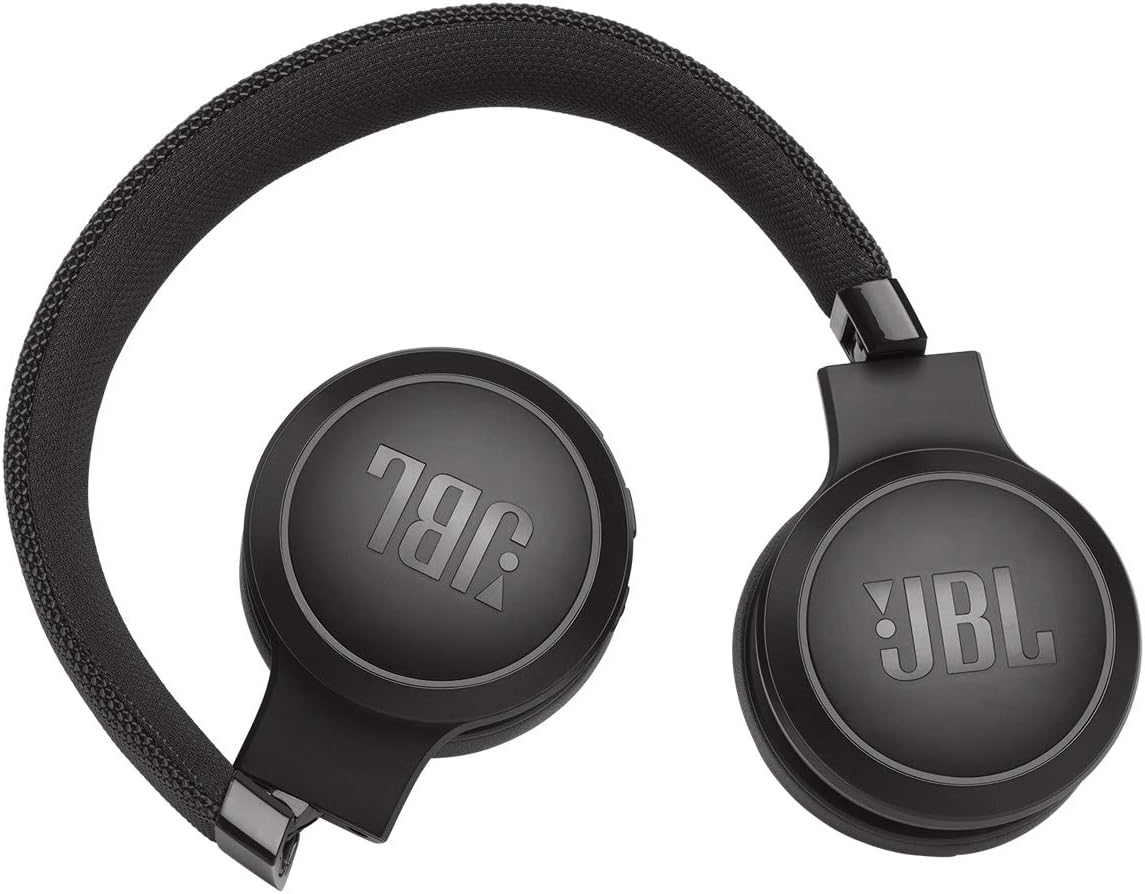
Image: JBL LIVE 400BT headphones shown in a folded position, demonstrating their portability and ease of storage.
6. Datrys Problemau
If you encounter issues with your JBL LIVE 400BT headphones, refer to the following common solutions.
6.1. No Power / Cannot Turn Off
- Batri gwefr: Ensure the headphones are fully charged. A low battery can cause unexpected behavior.
- Cylchred Pwer: If the headphones are stuck on or cannot be turned off, try connecting them to a charger for a few minutes, then attempt to power off again.
- Ailosod Ffatri: If the issue persists, a factory reset may resolve it. Consult the JBL support website or the full user manual for specific factory reset instructions for your model, as this often involves a combination of button presses.
6.2. Problemau Cysylltedd Bluetooth
- Ensure Pairing Mode: Verify the headphones are in pairing mode (flashing blue LED).
- Agosrwydd Dyfais: Make sure the headphones are within 10 meters of your Bluetooth device.
- Anghofiwch Ddychymyg: On your device, "forget" or "unpair" the JBL LIVE 400BT from your Bluetooth settings, then attempt to pair again.
- Ailgychwyn Dyfeisiau: Restart both your headphones and the Bluetooth device.
6.3. Dim Sŵn neu Gyfaint Isel
- Check Volume Levels: Ensure volume is turned up on both the headphones and your connected device.
- Correct Output: Verify that your device is sending audio to the JBL LIVE 400BT.
- Cysylltiad â gwifrau: If using the aux cable, ensure it is fully inserted into both the headphones and the audio source.
7. manylebau
| Nodwedd | Manyleb |
|---|---|
| Enw Model | JBL LIVE 400 - Black (JBLLIVE400BTBLKAM) |
| Brand | JBL |
| Technoleg Cysylltedd | Bluetooth |
| Technoleg Cyfathrebu Di-wifr | Bluetooth |
| Fersiwn Bluetooth | 4.0 |
| Amrediad Bluetooth | 10 o Fesurau |
| Maint Gyrrwr Sain | 40 Milimetrau |
| Math Gyrrwr Sain | Gyrrwr Dynamig |
| Ymateb Amlder | 20 KHz |
| Sensitifrwydd | 106 dB |
| rhwystriant | 32 Ohms |
| Bywyd Batri | 24 Awr |
| Amser Codi Tâl | 2 Awr |
| Clustffonau Jack | 3.5 mm Jack |
| Math o Reoli | Alexa, Touch, Voice Assistant |
| Dull Rheoli | Cyffwrdd, Llais |
| Rheoli Sŵn | Active Noise Cancellation (basic_noise_control) |
| Deunydd | Lledr ffug |
| Pwysau Eitem | 6.6 owns (185.8 gram) |
| Dimensiynau Cynnyrch | 8.07 x 2.17 x 8.78 modfedd |
| Dyddiad Ar Gael Cyntaf | Ionawr 7, 2019 |
8. Gwarant a Chefnogaeth
Am wybodaeth am warant, cymorth technegol, neu gymorth pellach, ewch i wefan gymorth swyddogol JBL websafle neu cysylltwch â'u gwasanaeth cwsmeriaid. Cadwch eich prawf prynu ar gyfer hawliadau gwarant.
Gallwch ddod o hyd i adnoddau ychwanegol a gwybodaeth gyswllt ar y Siop JBL ar Amazon.