BYTECH Wireless Optical Mouse User Manual
Model: BYTECH Wireless Optical Mouse
Rhagymadrodd
This manual provides detailed instructions for the setup, operation, maintenance, and troubleshooting of your BYTECH Wireless Optical Mouse. Please read this manual thoroughly before using the device to ensure optimal performance and longevity.
Cynnyrch Drosview
The BYTECH Wireless Optical Mouse is designed for comfortable and efficient navigation. It features a precise optical sensor, a scroll wheel, and a DPI adjustment button for customizable sensitivity. Its ergonomic design and wireless connectivity provide a clutter-free workspace.

Ffigur 1: O'r brig i lawr view of the BYTECH Wireless Optical Mouse. The mouse is black with a silver stripe along its sides. A scroll wheel and a DPI button are visible on the top surface.
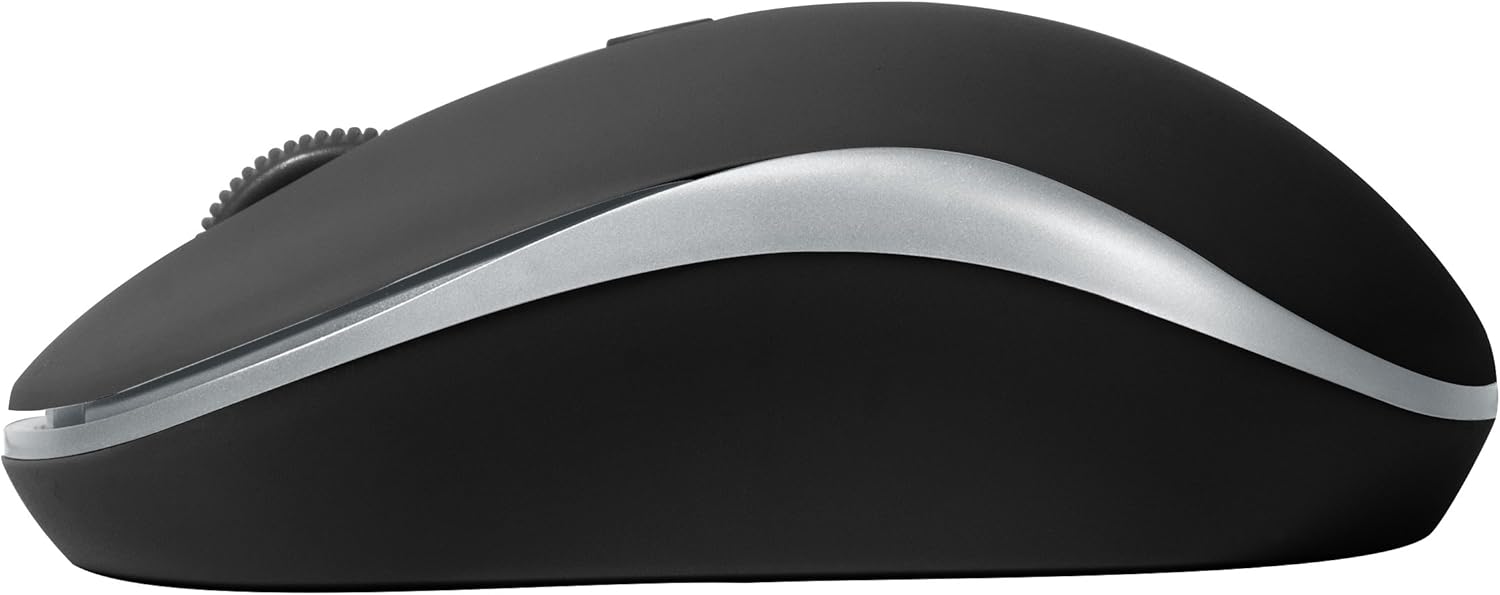
Ffigur 2: Ochr view of the BYTECH Wireless Optical Mouse. This angle highlights the ergonomic curve and the silver accent line that runs along the side of the mouse.
Gosod
1. Gosod Batri
- Lleolwch y compartment batri ar ochr isaf y llygoden.
- Agorwch y clawr adran batri.
- Insert one AA battery (not included) into the compartment, ensuring the correct polarity (+/-) as indicated inside.
- Caewch y clawr adran batri yn ddiogel.
2. Cysylltiad Derbynnydd USB
- Tynnwch y derbynnydd USB o'i slot storio, sydd fel arfer wedi'i leoli y tu mewn i'r adran batri neu gerllaw.
- Plygiwch y derbynnydd USB i mewn i borth USB sydd ar gael ar eich cyfrifiadur neu liniadur.
- Your operating system should automatically detect and install the necessary drivers. This may take a few moments.
3. Pweru Ymlaen
- Locate the On/Off switch on the underside of the mouse.
- Slide the switch to the "On" position. The mouse should now be ready for use.
Cyfarwyddiadau Gweithredu
Swyddogaethau Sylfaenol
- Cliciwch ar y chwith: Pwyswch y botwm chwith i ddewis eitemau, agor dolenni, neu actifadu swyddogaethau.
- Cliciwch ar y dde: Pwyswch y botwm dde i agor dewislenni cyd-destun neu gael mynediad at opsiynau ychwanegol.
- Olwyn Sgroliwch: Rholiwch yr olwyn i fyny neu i lawr i sgrolio drwy ddogfennau neu web tudalennau. Pwyswch yr olwyn sgrolio i gael y clic canol (e.e., agor dolenni mewn tabiau newydd).
Addasiad DPI
The mouse features a DPI (Dots Per Inch) button, typically located behind the scroll wheel. Press this button to cycle through different sensitivity settings. Each press will change the cursor speed, allowing you to find the optimal setting for your task.
- Gwasgwch y DPI botwm once to switch to the next sensitivity level.
- Repeat until you find your preferred cursor speed.
Modd Arbed Pwer
To conserve battery life, the BYTECH Wireless Optical Mouse is designed to automatically enter a sleep mode after a period of inactivity. To wake the mouse, simply move it or click any button.
Cynnal a chadw
Glanhau
- Ensure the mouse is turned off before cleaning.
- Defnyddiwch frethyn meddal, di-lint ychydig dampgyda dŵr neu doddiant glanhau ysgafn.
- Wipe the surface of the mouse gently. Avoid excessive moisture.
- Ar gyfer y synhwyrydd optegol, defnyddiwch swab cotwm sych i gael gwared ar unrhyw lwch neu falurion yn ofalus.
- Peidiwch â defnyddio glanhawyr sgraffiniol, alcohol na thoddyddion, gan y gall y rhain niweidio'r wyneb.
Amnewid Batri
When the mouse performance degrades or the cursor becomes erratic, it may be time to replace the battery. Follow the battery installation steps outlined in the "Setup" section.
Storio
When not in use for an extended period, it is recommended to turn off the mouse to conserve battery life. The USB receiver can be stored in its dedicated slot on the mouse's underside to prevent loss.
Datrys problemau
- Llygoden ddim yn ymateb:
- Sicrhewch fod y llygoden wedi'i throi ymlaen.
- Gwiriwch lefel y batri a'i ddisodli os oes angen.
- Gwiriwch fod y derbynnydd USB wedi'i blygio'n ddiogel i borthladd USB sy'n gweithio. Rhowch gynnig ar borthladd USB gwahanol.
- Ailgychwyn eich cyfrifiadur.
- Cursor erratic or jumping:
- Glanhewch y synhwyrydd optegol ar ochr isaf y llygoden.
- Gwnewch yn siŵr eich bod yn defnyddio'r llygoden ar arwyneb addas (heb fod yn adlewyrchol, heb fod yn dryloyw). Argymhellir pad llygoden.
- Check for strong electromagnetic interference from other devices.
- Problemau cysylltedd:
- Lleihewch y pellter rhwng y llygoden a'r derbynnydd USB.
- Remove any large metal objects or electronic devices that might be obstructing the wireless signal.
- If using a USB hub, try connecting the receiver directly to the computer.
Manylebau
| Nodwedd | Manylyn |
|---|---|
| Brand | Bytech |
| Model | BYTECH Wireless Optical Mouse |
| Technoleg Cysylltedd | Di-wifr (Derbynnydd USB) |
| Technoleg Canfod Symudiad | Optegol |
| Lliw | Du |
| Ffynhonnell Pwer | Wedi'i bweru gan fatri (1x AA, heb ei gynnwys) |
| Cydweddoldeb System Weithredu | macOS, Android (and generally Windows) |
| Pwysau Eitem | 3.56 owns |
| Dimensiynau Cynnyrch (LxWxH) | 1 x 1 x 1 modfedd (Bra) |
Nodyn: Gall manylebau newid heb rybudd.
Gwarant a Chefnogaeth
Bytech products are manufactured to the highest quality standards. For information regarding warranty coverage, technical support, or service, please refer to the warranty card included with your product or visit the official Bytech websafle. Cadwch eich derbynneb prynu fel prawf o brynu ar gyfer hawliadau gwarant.
For further assistance, please contact Bytech customer support through their official channels.


