1. Rhagymadrodd
The Avantree Torpedo Plus is a versatile portable Bluetooth speaker designed to deliver high-quality audio with minimal latency. Featuring aptX Low Latency technology, it ensures audio-visual synchronization when paired with compatible transmitters. This manual provides detailed instructions for setting up, operating, and maintaining your speaker.

Figure 1: Avantree Torpedo Plus Portable Bluetooth Speaker
2. Beth sydd yn y Bocs
- Avantree Torpedo Plus Speaker
- Type C USB Charging Cable (100CM / 3FT)
- Audio Cable (120CM / 4FT)
- Canllaw Defnyddiwr Cyflym
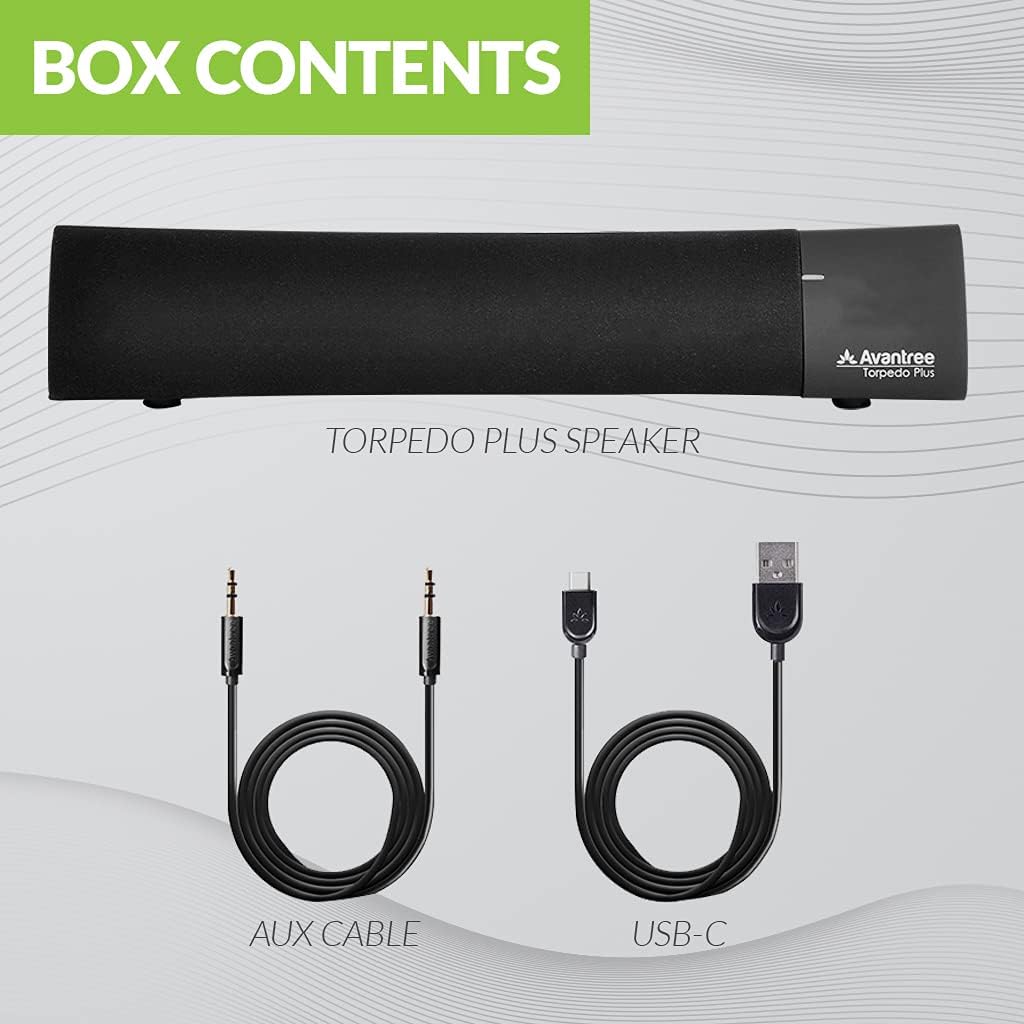
Figure 2: Included accessories with the Torpedo Plus speaker.
3. Cynnyrch Drosview
The Torpedo Plus features a compact design with intuitive controls. It includes dual 5W speakers for clear sound output and supports multiple sound modes for a customized listening experience.

Ffigur 3: Mewnol view highlighting the dual 5W power drivers.
The speaker is lightweight and portable, making it suitable for various environments, from a desktop setup to on-the-go use.
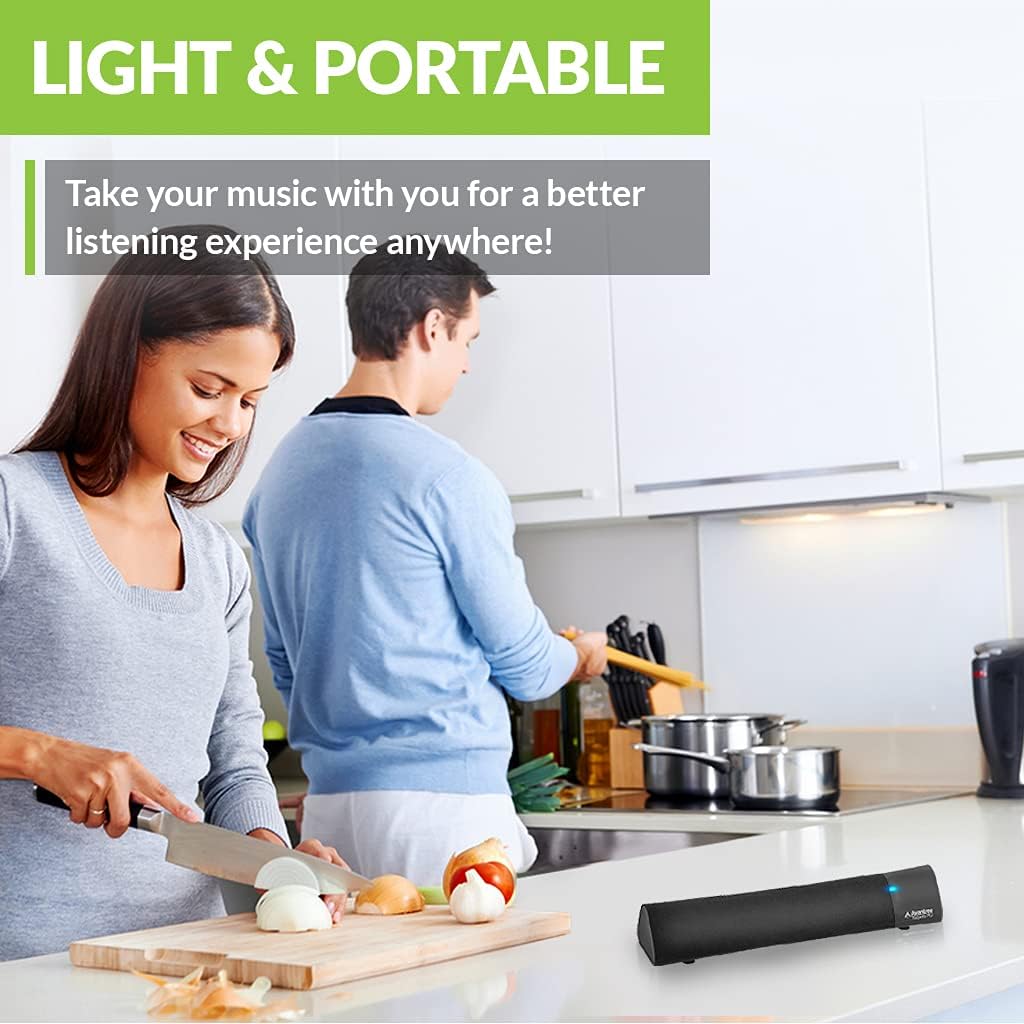
Figure 4: Portability of the Torpedo Plus speaker in a kitchen setting.
4. Gosod
4.1 Pweru Ymlaen
- Connect the provided Type C USB charging cable to the speaker's charging port.
- Plug the other end of the USB cable into a DC 5V/1A power source (e.g., computer USB port, USB wall adapter).
- The speaker will indicate its power status via an LED indicator.
4.2 Initial Pairing (Bluetooth)
- Gwnewch yn siŵr bod y siaradwr wedi'i bweru ymlaen ac yn y modd paru Bluetooth (fel arfer wedi'i nodi gan LED sy'n fflachio).
- On your device (laptop, phone, tablet), enable Bluetooth and search for "Avantree Torpedo Plus".
- Select the speaker to pair. Once connected, the LED indicator will show a solid light.

Figure 5: Easy setup and Bluetooth pairing with a laptop.
5. Cyfarwyddiadau Gweithredu
5.1 Cysylltiad Bluetooth
After initial pairing, the speaker should automatically reconnect to your last paired device when powered on and within range.
5.2 Cysylltiad â Gwifrau (AUX)
- Connect one end of the provided 3.5mm audio cable to the AUX input port on the speaker.
- Connect the other end to the audio output jack of your device (e.g., TV, computer).
- The speaker will automatically switch to AUX mode or you may need to select it using the mode button/control.
5.3 Modd Sain
The Torpedo Plus features Digital Signal Processing (DSP) with three distinct sound modes:
- Sain Amgylchynol 3D: Enhances spatial audio for an immersive experience.
- Modd Bas: Boosts low frequencies for richer bass.
- Balanced Audio Mode: Provides a neutral sound profile suitable for various content.
Refer to the quick user guide for specific instructions on how to switch between these modes.

Figure 6: Available sound modes for personalized audio.
5.4 Low Latency Audio
When used with an aptX Low Latency enabled Bluetooth transmitter, the Torpedo Plus delivers audio in perfect synchronization with video, eliminating noticeable delays.

Figure 7: Enjoying low latency audio with the speaker while watching TV.
5.5 Fideo Cynnyrch Swyddogol
Watch this official video from AvantreeDirect USA for a visual overview of the Avantree aptX Low Latency Portable Bluetooth 5.0 Speaker.
Video 1: Avantree aptX Low Latency Portable Bluetooth 5.0 Speaker overview.
6. cynnal
- Cadwch y siaradwr i ffwrdd o ddŵr a lleithder gormodol.
- Glanhewch yr wyneb gyda lliain meddal, sych. Peidiwch â defnyddio glanhawyr sgraffiniol.
- Ceisiwch osgoi amlygu'r siaradwr i dymheredd eithafol.
- Storio mewn lle oer, sych pan nad yw'n cael ei ddefnyddio am gyfnodau estynedig.
7. Datrys Problemau
7.1 Dim Pŵer
- Ensure the USB charging cable is securely connected to both the speaker and a working power source.
- Gwiriwch fod y ffynhonnell bŵer yn weithredol.
7.2 Dim Sain
- Bluetooth: Check if the speaker is successfully paired and connected to your device. Ensure the volume on both the speaker and your device is turned up.
- AUX: Confirm the 3.5mm audio cable is fully inserted into both the speaker and your device. Ensure your device's audio output is set to the correct port.
- Check if the speaker is in the correct input mode (Bluetooth or AUX).
7.3 Audio Delay (Latency)
- For optimal low latency performance, ensure your Bluetooth audio source (e.g., TV, PC) is connected via an aptX Low Latency compatible Bluetooth transmitter.
- Ensure the speaker is operating in aptX Low Latency mode if applicable (refer to quick user guide for LED indicators).
8. manylebau
| Nodwedd | Manylyn |
|---|---|
| Fersiwn Bluetooth | v5.0 |
| Codec Sain | aptX LL, aptX, SBC |
| Cefnogi Profiles | A2DP V1.3, AVRCP V1.5 |
| Porthladd Codi Tâl | Math C |
| Amser Codi Tâl | 3 Awr |
| Tâl Voltage | DC 5V/1A |
| Batri adeiledig | 2200 mA / 3.7 V. |
| Amser Chwarae | 7 Awr |
| Pŵer Allbwn | 5W × 2 |
| Ymateb Amlder | 50 Hz ~ 20 KHz |
| Maint | 275 mm x 60mm x 50 mm (10.83" x 2.36" x 1.97") |
| Pwysau Cynnyrch | 480g (0.026 owns) |
| Technoleg Cyfathrebu Di-wifr | Bluetooth |
| Technoleg Cysylltedd | Cynorthwyol, Bluetooth |
| Amrediad Bluetooth | 30 metr (100 troedfedd) |
| Latency Sain | 40 o filieiliadau |
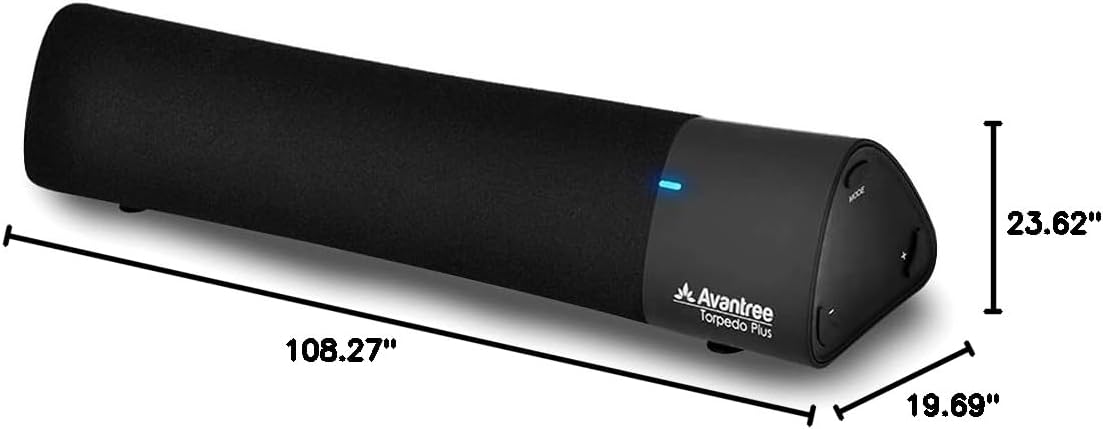
Ffigur 8: Dimensiynau'r cynnyrch.
9. Gwarant a Chefnogaeth
The Avantree Torpedo Plus comes with a full 24-month warranty. For support, please visit the official Avantree websafle neu cysylltwch â'u gwasanaeth cwsmeriaid.
Ymwelwch â'r Avantree Store am ragor o wybodaeth a chynhyrchion.


