Biconic Bluetooth Tough Weatherproof Portable Wireless Speaker User Manual
Model: ABC-AU-BS-103-BK
Brand: Bytech
1. Cynnyrch Drosview
The Biconic Bluetooth Tough Weatherproof Portable Wireless Speaker is designed for robust outdoor and indoor use, providing enhanced bass and clear audio. Its wireless capabilities allow for easy connection to various devices, and its durable, weatherproof construction ensures reliable performance in diverse environments.

Ffigur 1.1: Blaen view of the Biconic Bluetooth Speaker, showcasing its robust design and speaker grille.
Nodweddion Allweddol:
- Cysylltedd Di-wifr: Seamless Bluetooth pairing with smartphones, tablets, and other compatible devices.
- Dyluniad gwrth-dywydd: IPX6 water resistance protects against strong jets of water, making it suitable for outdoor use.
- Bas Gwell: Delivers rich, deep bass for a superior audio experience.
- Cludadwy: Compact design with a durable strap for easy transport.
- Amser Chwarae Hir: Hyd at 4 awr o chwarae sain parhaus ar un gwefr.
2. Gwybodaeth Diogelwch
Please read all safety warnings and instructions carefully before using this product to ensure safe operation and prevent damage.
- Peidiwch ag amlygu'r siaradwr i dymheredd eithafol (poeth neu oer).
- Do not immerse the speaker in water. While it is IPX6 water resistant, it is not designed for submersion.
- Keep the speaker away from direct heat sources, open flames, and flammable liquids.
- Use only the provided charging cable and a compatible power adapter (5V/1A recommended) to charge the device.
- Do not attempt to disassemble, repair, or modify the speaker. This will void the warranty and may cause harm.
- Cadwch allan o gyrraedd plant.
- Glanhewch y siaradwr gyda lliain meddal, sych. Peidiwch â defnyddio glanhawyr sgraffiniol na thoddyddion.
3. Cynnwys Pecyn
Gwiriwch fod yr holl eitemau yn bresennol yn y pecyn wrth ddadbocsio:
- Biconic Bluetooth Tough Weatherproof Portable Wireless Speaker
- Cebl Codi Tâl USB
- Llawlyfr Defnyddiwr (y ddogfen hon)
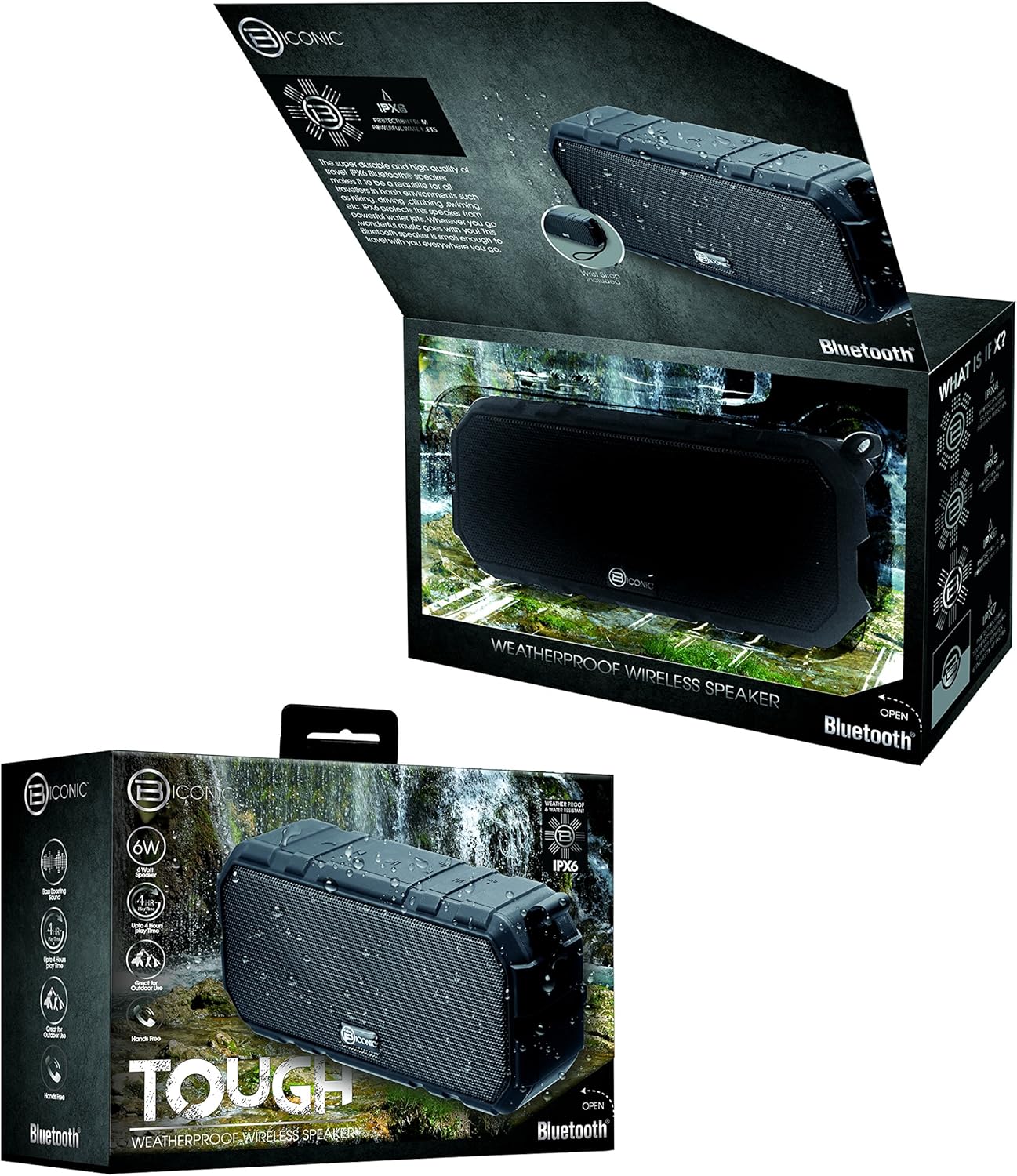
Figure 3.1: The Biconic Bluetooth Speaker shown with its retail packaging, indicating typical package contents.
4. Gosod
4.1 Gwefru'r Siaradwr
- Locate the charging port on the side of the speaker. This port is typically protected by a rubber flap to maintain water resistance.
- Agorwch y fflap rwber.
- Cysylltwch ben bach y cebl gwefru USB a ddarperir â phorthladd gwefru'r siaradwr.
- Cysylltwch ben mwy y cebl USB â ffynhonnell pŵer USB (e.e., porthladd USB cyfrifiadur, addasydd wal USB).
- The charging indicator light will illuminate, typically red, to show that the speaker is charging.
- Once fully charged (approximately 2-3 hours), the indicator light will change color (e.g., turn off or turn blue/green). Disconnect the charging cable and close the rubber flap securely to maintain water resistance.
4.2 Pweru Ymlaen/Diffodd
- I Bweru Ymlaen: Press and hold the Power button (usually marked with a power symbol) for a few seconds until you hear an audible tone or see an indicator light illuminate.
- I Bweru i ffwrdd: Press and hold the Power button again for a few seconds until you hear an audible tone or the indicator light turns off.
5. Cyfarwyddiadau Gweithredu
5.1 Pâr Bluetooth
Before first use, you need to pair the speaker with your Bluetooth-enabled device.
- Ensure the speaker is fully charged and powered on. It will automatically enter pairing mode, indicated by a flashing blue LED light.
- On your smartphone, tablet, or other Bluetooth device, go to the Bluetooth settings menu.
- Galluogi Bluetooth os nad yw eisoes wedi'i alluogi.
- Scan for available devices. You should see "Biconic Speaker" or a similar name appear in the list.
- Select "Biconic Speaker" to connect. Once successfully paired, you will hear a confirmation tone, and the blue LED light on the speaker will stop flashing and remain solid.
- Os gofynnir am gyfrinair, nodwch "0000".
- Bydd y siaradwr yn ailgysylltu'n awtomatig â'r ddyfais a barwyd ddiwethaf pan gaiff ei throi ymlaen, os yw'r ddyfais o fewn cyrraedd a bod Bluetooth wedi'i alluogi.
5.2 Chwarae Cerdd
Once paired, you can control music playback directly from your connected device or using the speaker's controls.
- Chwarae/Seibiant: Press the Play/Pause button (often marked with a triangle or || symbol) once to play or pause music.
- Cyfrol i Fyny: Press the Volume Up button (+) to increase the volume.
- Cyfrol i Lawr: Press the Volume Down button (-) to decrease the volume.
- Trac Nesaf: Press and hold the Volume Up button (+) for a few seconds to skip to the next track.
- Trac Blaenorol: Press and hold the Volume Down button (-) for a few seconds to go to the previous track.

Ffigur 5.1: Uchaf view of the Biconic Bluetooth Speaker, highlighting the control buttons for power, volume, and playback.
5.3 Answering Calls (Hands-Free Function)
The speaker supports hands-free calling when connected to a smartphone.
- Ateb Galwad: When a call comes in, press the Play/Pause button once to answer.
- Galwad Diwedd: During a call, press the Play/Pause button once to end the call.
- Gwrthod Galwad: Press and hold the Play/Pause button for a few seconds to reject an incoming call.
6. cynnal
Mae cynnal a chadw priodol yn sicrhau hirhoedledd a pherfformiad gorau posibl eich siaradwr.
- Glanhau: Sychwch y siaradwr â meddal, champ cloth. Do not use harsh chemicals, solvents, or abrasive cleaners. Ensure the charging port flap is closed before cleaning with a damp brethyn.
- Storio: Storiwch y siaradwr mewn lle oer, sych i ffwrdd o olau haul uniongyrchol a thymheredd eithafol pan nad yw'n cael ei ddefnyddio am gyfnodau hir.
- Gofal Batri: To preserve battery life, fully charge the speaker before storing it for long periods. Recharge every 3-6 months if not used regularly.
- Gwrthiant Dŵr: Always ensure the rubber flap covering the charging port is securely closed to maintain the IPX6 water resistance rating.

Figure 6.1: The Biconic Bluetooth Speaker demonstrating its water-resistant capabilities, highlighting the importance of proper sealing for maintenance.
7. Datrys Problemau
| Problem | Achos Posibl | Ateb |
|---|---|---|
| Nid yw'r siaradwr yn troi ymlaen. | Mae batri wedi'i ddisbyddu. | Gwefrwch y siaradwr yn llawn. |
| Methu paru gyda dyfais Bluetooth. | Bluetooth is off on your device; speaker is not in pairing mode; device is too far. | Ensure Bluetooth is enabled on your device. Power off and on the speaker to re-enter pairing mode. Move device closer to the speaker (within 10 meters). Forget the device on your phone and try pairing again. |
| Dim sain na chyfaint isel. | Cyfaint yn rhy isel ar y siaradwr neu'r ddyfais; y siaradwr heb ei gysylltu. | Increase volume on both the speaker and your connected device. Ensure the speaker is properly paired and connected. |
| Afluniad sain. | Volume too high; interference; low battery. | Reduce volume. Move speaker away from other electronic devices. Charge the speaker. |
8. manylebau
| Nodwedd | Manylyn |
|---|---|
| Rhif Model | ABC-AU-BS-103-BK |
| Brand | Bytech |
| Technoleg Cysylltedd | Bluetooth |
| Llefarydd Uchafswm Pŵer Allbwn | 3 Wat |
| Modd Allbwn Sain | Stereo |
| Graddfa Gwrthiant Dŵr | IPX6 (Water resistant, not submersible) |
| Math Batri | 1 batri ïon lithiwm (angenrheidiol) |
| Amser Chwarae | Hyd at 4 awr |
| Dimensiynau Cynnyrch | 2.54 x 2.54 x 2.54 cm |
| Pwysau Eitem | 522 g |
| Math Mowntio | Pen bwrdd |
9. Gwarant a Chefnogaeth
For warranty information and technical support, please contact Bytech customer service. Details are typically provided on the product packaging or the official Bytech websafle.
Cadwch eich prawf prynu ar gyfer unrhyw hawliadau gwarant.
Note: Warranty terms may vary by region.


