
Rhagymadrodd
This manual provides comprehensive instructions for the setup, operation, and maintenance of your BLAUPUNKT 24WGC5501S 24-inch HD Ready Smart TV. This compact television features Google TV with integrated Chromecast, a clear 1366x768 LED display, Dolby Audio, Wi-Fi, Bluetooth 5.0, and various connectivity options. Please read this manual thoroughly before using your TV to ensure proper functionality and safety.
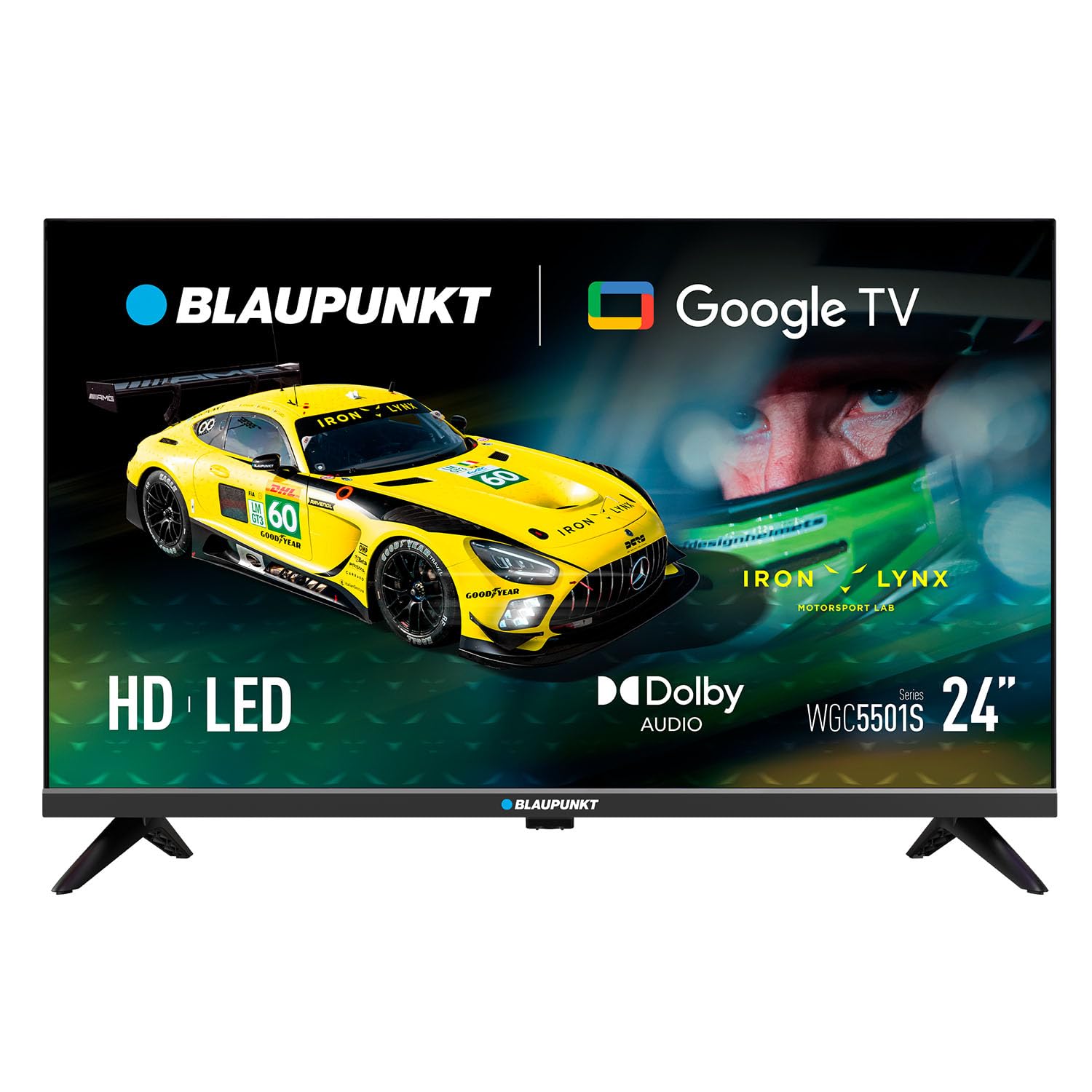
Delwedd: Blaen view of the BLAUPUNKT 24WGC5501S 24-inch Smart TV, showcasinei ddyluniad a'i arddangosfa cain.
Gwybodaeth Diogelwch
Always follow basic safety precautions when using this television to reduce the risk of fire, electric shock, and injury. Keep the TV away from water and moisture. Do not block ventilation openings. Use only attachments/accessories specified by the manufacturer. Unplug the TV during lightning storms or when unused for long periods. Refer to the full safety guidelines in the included printed manual.
Nodweddion Allweddol
The BLAUPUNKT 24WGC5501S Smart TV offers a range of features designed for a comprehensive entertainment experience:
- HD Ready Display: 24-inch LED LCD screen with 1366 x 768 pixel resolution for clear visuals.
- Google TV 5.0: Intuitive smart TV platform with access to a wide array of streaming applications.
- Chromecast wedi'i ymgorffori: Easily cast content from your mobile devices directly to the TV.
- Sain Dolby: Enhanced sound quality with 8W (2x4W) stereo speakers.
- Cysylltedd Amlbwrpas: Includes Wi-Fi, Bluetooth 5.0, 2 HDMI ports, 1 USB port, Ethernet, AV Mini, and SPDIF Optical Out.
- Tiwniwr Integredig: Supports DVB-T/T2/C/S/S2 for various digital broadcasting standards.
- Practical Functions: Features like EPG, Teletext, PVR recording, HDMI-ARC, and HDMI-CEC for convenience.
- Dyluniad Compact: Lightweight and VESA compatible (200 x 100 mm) for flexible placement.
Beth Sydd yn y Bocs
Gwiriwch fod yr holl gydrannau yn bresennol wrth ddadbacio:
- BLAUPUNKT 24WGC5501S Smart TV
- Rheolaeth bell
- Cebl pŵer
- User manual (printed version)
- Stand (2 ddarn)
Gosod
1. Cysylltu'r Stand
- Rhowch y teledu wyneb i lawr yn ofalus ar arwyneb meddal, gwastad i atal difrod i'r sgrin.
- Aliniwch bob darn stondin â'r slotiau cyfatebol ar waelod y teledu.
- Secure the stands using the screws provided (typically included with the stand pieces).

Delwedd: Cefn view of the TV, illustrating the VESA mounting points and the areas where the stand legs attach.
2. Gosod Wal (Dewisol)
This TV supports VESA standard 200 x 100 mm wall mounts. Ensure you use a compatible wall mount bracket and follow the instructions provided with the mount. Disconnect the stand before wall mounting.
3. Cysylltu Dyfeisiau Allanol
Mae'r teledu yn cynnig amryw o borthladdoedd ar gyfer cysylltu dyfeisiau allanol:
- HDMI (x2): Cysylltwch chwaraewyr Blu-ray, consolau gemau, neu flychau pen set.
- USB 2.0 (x1): Ar gyfer chwarae cyfryngau o yriannau USB.
- LAN (RJ45): Ar gyfer cysylltiad rhyngrwyd gwifrau.
- AV Mini: Ar gyfer dyfeisiau analog hŷn.
- SPDIF Optical Out: Ar gyfer allbwn sain digidol i fariau sain neu systemau theatr gartref.
- Slot CI+: Ar gyfer modiwlau mynediad amodol (CAM) ar gyfer sianeli wedi'u hamgryptio.
- Mewnbwn Antena/Lloeren: For DVB-T/T2/C/S/S2 tuner connection.

Delwedd: Ochr chwith view of the TV, detailing the HDMI, USB, and CI+ ports for various connections.

Delwedd: Ochr dde view of the TV, showing the power input connection.
4. Cysylltiad Pwer
Connect the power cable to the TV's AC input and then plug it into a suitable wall outlet (100–240 V AC).
5. Gosodiad Cychwynnol
Ar ôl ei droi ymlaen am y tro cyntaf, bydd y teledu yn eich tywys trwy'r broses sefydlu gychwynnol:
- Dewis Iaith: Dewiswch eich dewis iaith.
- Cysylltiad Rhwydwaith: Connect to your Wi-Fi network or use an Ethernet cable.
- Mewngofnodi i Gyfrif Google: Mewngofnodwch gyda'ch cyfrif Google i gael mynediad at nodweddion ac apiau Google TV.
- Sgan Sianel: The TV will scan for available digital channels via the connected antenna or satellite.
Cyfarwyddiadau Gweithredu
1. Rheolaeth Anghysbell
Use the provided remote control to navigate the TV's functions. Insert two AAA batteries (not included) into the remote control, observing polarity.
- Botwm Pŵer: Yn troi'r teledu ymlaen neu i ffwrdd.
- Cyfrol +/-: Yn addasu lefel y sain.
- Sianel +/-: Yn newid sianeli teledu.
- Botymau Llywio: Fe'i defnyddir i symud trwy ddewislenni a dewis opsiynau.
- Botwm Cartref: Yn cyrchu sgrin gartref Google TV.
- Botymau Ap: Direct access to popular streaming services like Netflix, YouTube, Prime Video, Disney Plus.
2. Rhyngwyneb Google TV
The Google TV interface provides a personalized experience with recommendations based on your viewing habits. From the home screen, you can access:
- Apiau: Download and manage your favorite streaming applications.
- Teledu byw: Access broadcast channels.
- Llyfrgell: Your purchased or rented content.
- I Chi: Personalized content recommendations.

Image: The Google TV 5.0 interface, showing various streaming app icons and content recommendations.
3. Chromecast Mewnol
With Chromecast built-in, you can cast content from your compatible smartphone, tablet, or computer directly to your TV. Look for the Cast icon (a rectangle with three curved lines in the bottom-left corner) within supported apps on your mobile device.
4. Tuner Functions
- DVB-T/T2/C/S/S2: Supports various digital terrestrial, cable, and satellite broadcasting standards.
- EPG (Canllaw Rhaglen Electronig): View upcoming program schedules.
- Teletestun: Access text-based information services.
- PVR (Cofiadur Fideo Personol): Recordiwch raglenni teledu i ddyfais storio USB gysylltiedig.
5. Audio and Video Features
The TV features Dolby Audio for enhanced sound quality. The integrated stereo speakers provide 2 x 4 W (8 W total) output. It also supports HDR for improved contrast and color depth.

Image: Visual representation of Dolby Audio, emphasizing balanced and harmonious sound.

Image: Visual representation of HDR technology, highlighting enhanced detail in both bright and dark scenes.
Cynnal a chadw
1. Glanhau
- Sgrin: Sychwch y sgrin yn ysgafn gyda lliain meddal, di-flwff. Ar gyfer marciau ystyfnig, defnyddiwch doddiant glanhau penodol i'r sgrin wedi'i roi ar y lliain, nid yn uniongyrchol ar y sgrin.
- Corff y Teledu: Wipe with a soft, dry cloth. Avoid using abrasive cleaners or solvents.
- Datgysylltwch y teledu bob amser cyn glanhau.
2. Diweddariadau Meddalwedd
The TV may receive software updates to improve performance and add new features. Ensure your TV is connected to the internet to receive these updates. You can usually check for updates in the TV's settings menu. Guaranteed software updates are not specified beyond the initial purchase.
Datrys problemau
Os byddwch chi'n dod ar draws problemau gyda'ch teledu, cyfeiriwch at yr atebion cyffredin canlynol:
- Dim pŵer: Check if the power cable is securely connected to both the TV and the wall outlet. Try a different outlet.
- Dim Llun/Sain: Sicrhewch fod y ffynhonnell fewnbwn gywir wedi'i dewis. Gwiriwch yr holl gysylltiadau cebl â dyfeisiau allanol.
- Dim Cysylltiad Rhyngrwyd: Verify your Wi-Fi password. Restart your router and the TV. If using Ethernet, check the cable connection.
- Rheolaeth Anghysbell Ddim yn Gweithio: Amnewidiwch y batris. Gwnewch yn siŵr nad oes unrhyw rwystrau rhwng y teclyn rheoli o bell a synhwyrydd IR y teledu.
- Materion Ap: Try restarting the app or clearing its cache in the TV's settings.
For more detailed troubleshooting, consult the full user manual (PDF) or contact customer support.
Manylebau
| Nodwedd | Manylyn |
|---|---|
| Enw Model | 24WGC5501S |
| Technoleg Sgrin | LED LCD HD Ready |
| Datrysiad | 1366 x 768 px |
| Maint Sgrin | 24" (59.9 cm) |
| Cymhareb Agwedd | 16:9 |
| Typical Contrast | 2250:1 |
| Disgleirdeb | 150–180 nits |
| Cyfradd Adnewyddu | 60 Hz |
| Viewongl ing | 178° (H) / 178° (V) |
| Amser Ymateb | 9.5 ms |
| Lliwiau | 16.7 filiwn |
| Pwer Sain | 2 × 4 W (8 W total) |
| Technoleg Sain | Sain Dolby |
| Tuner Support | DVB-T/T2/C/S/S2 |
| Slot CI+ | 1 |
| System Weithredu Teledu Clyfar | Google TV 5.0 |
| CPU | ARM Cortex-A55 Quad Core 1.45 GHz |
| GPU | G31MP2 Dual Core |
| HWRDD | 1 GB |
| Cof Fflach | 8 GB |
| Chromecast | Integredig |
| Wi-Fi | 2T2R Integrated |
| Bluetooth | Fersiwn 5.0 |
| Porthladdoedd HDMI | 2 |
| Porth USB 2.0 | 1 |
| LAN (RJ45) | 1 |
| AV Mini Input | 1 |
| SPDIF Optical Out | 1 |
| Cyflenwad Pŵer | 100–240 V AC |
| Defnydd Gweithredu | 17 Gw |
| Defnydd Wrth Gefn | ≤ 0.5C |
| Defnydd Wrth Gefn Rhwydwaith | 2 Gw |
| Energy Class SDR/HDR | E |
| Dimensions with Stand (L×W×H) | 536 × 156 × 360 mm |
| Dimensions without Stand (L×W×H) | 536 × 77 × 330 mm |
| Pwysau Net gyda Stand | 2.25 kg |
| Mowntio VESA | 200 × 100 mm |
| EAN | 8594213441658 |
| Gwlad Tarddiad | Gweriniaeth Tsiec |

Image: The energy efficiency label for the 24WGC5501S model, showing its Class E rating and power consumption.
For more details on energy efficiency, scan the QR code or visit: https://eprel.ec.europa.eu/qr/2522775
Gwarant
This BLAUPUNKT television comes with a two-year manufacturer's warranty. Please retain your proof of purchase for warranty claims. The warranty covers manufacturing defects under normal use. It does not cover damage caused by misuse, accidents, unauthorized modifications, or normal wear and tear. For specific terms and conditions, refer to the warranty documentation included with your product or contact BLAUPUNKT customer service.
Cefnogaeth
For technical assistance, product inquiries, or warranty support, please contact BLAUPUNKT customer service. Contact information can typically be found on the manufacturer's official website or in the printed user manual. Ensure you have your model number (24WGC5501S) and serial number ready when contacting support.


