
1. Rhagymadrodd
Thank you for choosing the CHIVALZ A10a Thermal Printer. This compact and inkless portable printer is designed for convenient printing from your phone or laptop, supporting both 8.5'' x 11'' and A4 thermal paper. This manual provides essential information for the safe and efficient operation of your device. Please read it thoroughly before use and retain it for future reference.
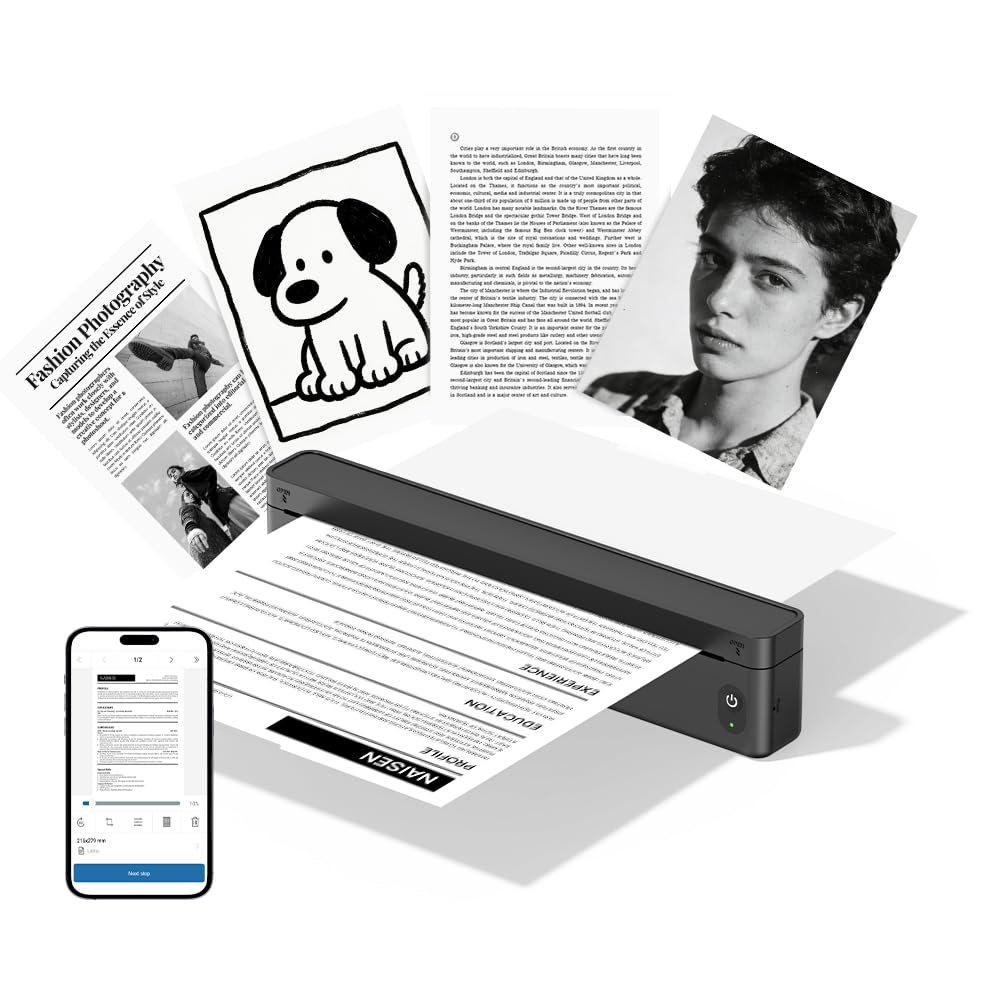
Ffigur 1.1: The CHIVALZ A10a Thermal Printer. This image displays the compact, black thermal printer, highlighting its portable design suitable for various environments.
2. Cynnwys Pecyn
Please check the package contents upon unpacking. If any items are missing or damaged, contact customer support immediately.
- CHIVALZ A10a Thermal Printer
- Cebl Codi Tâl USB
- Starter Roll of Thermal Paper
- Llawlyfr Defnyddiwr (y ddogfen hon)
3. Gwybodaeth Diogelwch
To ensure safe operation and prevent damage to the printer, please observe the following safety precautions:
- Do not expose the printer to water, moisture, or extreme temperatures.
- Osgowch ollwng yr argraffydd neu ei roi dan effeithiau cryf.
- Use only the provided or recommended charging cable.
- Peidiwch â cheisio dadosod na thrwsio'r argraffydd eich hun. Cysylltwch â phersonél gwasanaeth cymwys.
- Cadwch yr argraffydd i ffwrdd oddi wrth blant.
- Use only approved thermal paper to prevent damage to the print head.
4. Canllaw Gosod
4.1. Codi Tâl ar yr Argraffydd
- Connect the USB charging cable to the printer's charging port.
- Plygiwch ben arall y cebl USB i mewn i addasydd pŵer USB cydnaws (heb ei gynnwys) neu borthladd USB cyfrifiadur.
- The indicator light will show charging status (e.g., red for charging, green for fully charged). Allow approximately 2-3 hours for a full charge.
4.2. Llwytho Papur Thermol
- Gently open the paper compartment cover.
- Insert the thermal paper roll with the printing side facing up. Ensure the paper is aligned correctly and smoothly.
- Pull a small amount of paper out beyond the cutting edge.
- Caewch glawr yr adran bapur yn gadarn nes ei fod yn clicio i'w le.
4.3. Installing the Printing Application
For optimal performance and features, download the dedicated printing application for your CHIVALZ A10a printer. Refer to the packaging or a quick start guide for the specific app name and download instructions (usually available on app stores for iOS/Android or a website for Windows/macOS).
4.4. Cysylltu trwy Bluetooth
- Ensure the printer is charged and powered on. The Bluetooth indicator light should be blinking, indicating it's ready for pairing.
- On your phone or laptop, enable Bluetooth.
- Chwiliwch am available devices. The printer should appear as "CHIVALZ A10a" or a similar name.
- Select the printer to pair. If prompted for a PIN, enter "0000" or "1234".
- Once paired, the Bluetooth indicator light on the printer will become solid.
5. Cyfarwyddiadau Gweithredu
5.1. Pweru Ymlaen / I ffwrdd
- Pŵer Ymlaen: Press and hold the power button for approximately 3 seconds until the indicator lights illuminate.
- Pwer i ffwrdd: Press and hold the power button for approximately 3 seconds until the indicator lights turn off.
5.2. Printing from Your Device
- Ensure the printer is powered on and successfully connected via Bluetooth to your phone or laptop.
- Open the document, image, or content you wish to print in your dedicated printing application or standard print dialogue.
- Dewiswch yr opsiwn argraffu.
- Choose "CHIVALZ A10a" from the list of available printers.
- Adjust print settings (e.g., paper size, orientation) as needed within the application.
- Confirm and initiate the print job.
6. cynnal
6.1. Glanhau'r Pen Argraffu
Regular cleaning of the print head ensures optimal print quality. Clean the print head if print quality deteriorates or after every few paper roll changes.
- Diffoddwch yr argraffydd a'i ddatgysylltu o'r pŵer.
- Agorwch y clawr adran papur.
- Gently wipe the print head (the dark strip inside the compartment) with a soft, lint-free cloth lightly dampyn cynnwys alcohol isopropyl.
- Gadewch i'r pen print sychu'n llwyr cyn cau'r clawr a throi'r argraffydd ymlaen.
6.2. Paper Handling and Storage
- Use only high-quality thermal paper recommended for your printer.
- Store thermal paper in a cool, dry place away from direct sunlight and heat to preserve its printability.
- Avoid touching the thermal paper's surface excessively, as oils from your skin can affect print quality.
7. Datrys Problemau
If you encounter issues with your CHIVALZ A10a printer, refer to the following common problems and solutions:
| Problem | Achos Posibl | Ateb |
|---|---|---|
| Nid yw'r argraffydd yn troi ymlaen. | Batri isel neu ddim pŵer. | Charge the printer fully. Ensure the charging cable is securely connected. |
| Poor print quality (faint, blank lines). | Dirty print head; incorrect paper loading; old/damaged thermal paper. | Clean the print head (see Section 6.1). Ensure thermal paper is loaded correctly with the printing side up. Try a new roll of thermal paper. |
| Methu cysylltu drwy Bluetooth. | Printer not in pairing mode; Bluetooth off on device; interference. | Ensure printer is on and Bluetooth indicator is blinking. Turn Bluetooth off and on again on your device. Move closer to the printer. Forget and re-pair the device. |
| Jam papur. | Improper paper loading; foreign object. | Turn off the printer. Open the paper compartment and carefully remove any jammed paper or obstructions. Reload paper correctly. |
| Printer stops printing mid-job. | Out of paper; low battery; connection lost. | Check paper supply and reload if necessary. Charge the printer. Verify Bluetooth connection. |
8. manylebau
Below are the technical specifications for the CHIVALZ A10a Thermal Printer:
| Nodwedd | Manylyn |
|---|---|
| Enw Model | A10a |
| Brand | CHIVALZ |
| Dimensiynau Cynnyrch (D x W x H) | 27.5D x 7.6W x 6.4H Centimetrau |
| Technoleg Cysylltedd | Bluetooth |
| Technoleg Argraffu | Thermol |
| Lliw | Du |
| Allbwn Argraffydd | Unlliw |
| Max Print Speed (B&W Pages per Minute) | 203 |
| Maint Cyfryngau Uchaf | A4, 8.5'' X 11'' |
| Cydrannau wedi'u Cynnwys | Argraffydd |
9. Gwarant a Chefnogaeth
9.1. Gwarant Cynnyrch
The CHIVALZ A10a Thermal Printer comes with a Gwarant cyfyngedig 1 mlynedd from the date of purchase. This warranty covers manufacturing defects and workmanship under normal use. It does not cover damage caused by misuse, accidents, unauthorized modifications, or failure to follow the instructions in this manual.
9.2. Cefnogaeth i Gwsmeriaid
For technical assistance, warranty claims, or any questions regarding your CHIVALZ A10a printer, please contact our customer support team:
- E-bost: support@chivalz.net
- Please provide your model number (A10a) and a detailed description of your issue when contacting support.