
1. Cyfarwyddiadau Gosod
Carefully unpack all components from the packaging. Ensure all parts listed in the packing list are present and undamaged before proceeding with assembly.
1.1 Agor y Felin Draed
The CURSOR FITNESS SF20 treadmill arrives largely pre-assembled. To unfold it for use:
- Rhowch y felin draed ar arwyneb gwastad, sefydlog.
- Gently lift the console and handrail assembly until it locks into an upright position.
- Gwnewch yn siŵr bod yr holl fecanweithiau cloi wedi'u cysylltu'n ddiogel cyn eu defnyddio.

Image: The CURSOR FITNESS SF20 treadmill in its fully unfolded position, ready for operation. Note the upright console and handrails.
1.2 Addasu'r Llethr
This treadmill features a 3-level manual incline system (0%, 10%, 16%). To adjust the incline:
- Power off and unplug the treadmill.
- Locate the orange incline adjustment blocks at the rear base of the treadmill.
- Lift the rear of the treadmill slightly and slide the desired incline block into position. Ensure both sides are set to the same level for stability.
- Lower the treadmill gently onto the blocks.
Delwedd: Manwl view of the orange incline adjustment blocks located at the rear of the treadmill, demonstrating how to manually set the incline level.
1.3 Pŵer Cychwynnol
Once assembled and placed, plug the power cord into a grounded electrical outlet. The display will illuminate, indicating the treadmill is ready for use.
Video: This video provides a full overview of the treadmill, including initial setup and benefits of its features. It demonstrates the product in a home environment.
2. Cyfarwyddiadau Gweithredu
Familiarize yourself with the control panel and safety features before beginning your workout.
2.1 Panel Rheoli Drosview

Delwedd: Manwl view of the treadmill's control panel, highlighting the three display screens and various function buttons for speed, programs, and pause/stop.
- Botwm Cychwyn / Stopio: Initiates and halts the running belt.
- Cyflymder +/- Botymau: Adjusts the belt speed in increments.
- Program/Mode (P/M) Button: Cycles through preset programs and manual modes.
- Swyddogaeth Saib: Allows you to temporarily stop your workout without losing progress.
- Quick Speed Buttons (3/6): Instantly sets the speed to 3 MPH or 6 MPH.
2.2 Allwedd Diogelwch
Always attach the safety key clip to your clothing before starting a workout. If the safety key is dislodged, the treadmill will immediately stop, preventing potential injury.
2.3 Dechrau Ymarfer Corff
- Atodwch yr allwedd diogelwch.
- Pwyswch y botwm 'Dechrau'. Bydd y gwregys yn dechrau symud ar gyflymder isel.
- Use the 'Speed +/-' buttons or quick speed buttons to reach your desired pace.
- To pause, press the 'Pause' button. To stop, press the 'Stop' button or pull the safety key.
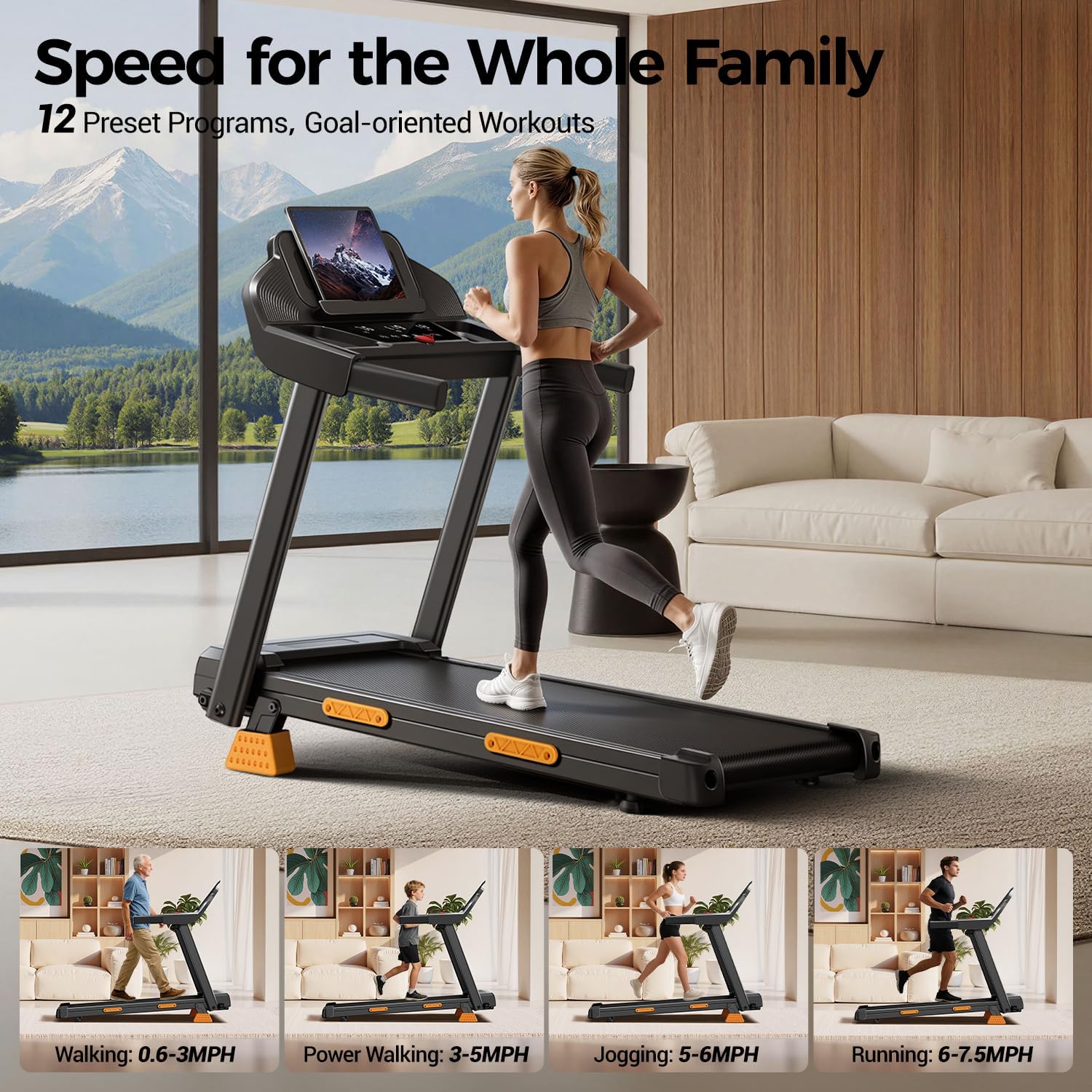
Image: A user walking on the treadmill, illustrating the versatility for different activities like walking, power walking, jogging, and running at speeds up to 7.5 MPH.
2.4 Defnyddio Rhaglenni Rhagosodedig
The treadmill includes 12 built-in training programs and 3 automatic modes. Press the 'P/M' button to cycle through these options. Each program offers varying speed and intensity profiles. Refer to the detailed program chart in the included physical user manual for specific program details.
2.5 Nodweddion Ychwanegol
- Extra-Wide Tablet Holder: Securely holds phones and tablets for entertainment or guided workouts.
- Extra-Large Double Cup Holder: Conveniently stores beverages during your workout.
- Side Safety Handrails: Provides additional stability and support.

Delwedd: Delwedd gyfansawdd yn cael ei dangosasing the treadmill's console features, including the extra-wide tablet holder, double cup holders, and side safety handrails.
Video: This video offers an up-close look at the treadmill in action and demonstrates its compact folding capability for storage.
3. cynnal
Mae cynnal a chadw rheolaidd yn sicrhau hirhoedledd a pherfformiad gorau posibl eich melin draed.
3.1 Glanhau
- Sychwch y consol a'r arwynebau allanol gyda hysbysebamp lliain ar ôl pob defnydd. Osgowch lanhawyr sgraffiniol.
- Hwfriwch o dan y felin draed o bryd i'w gilydd i atal llwch a malurion rhag cronni.
3.2 Iro Gwregys
The running belt requires periodic lubrication to reduce friction and extend its lifespan. Refer to the included physical user manual for specific lubrication instructions and recommended lubricant type. Typically, lubrication is needed every few months depending on usage.
3.3 Tensiwn a Chyfliniad y Gwregys
Check the running belt tension and alignment regularly. If the belt feels loose, slips, or drifts to one side, consult the physical user manual for adjustment procedures. Incorrect tension or alignment can affect performance and safety.
4. Datrys Problemau
If you encounter issues with your treadmill, refer to the following common problems and solutions. For more complex issues, contact customer support.
- Nid yw'r felin draed yn troi ymlaen: Ensure the power cord is securely plugged into a working outlet and the main power switch (if present) is in the 'ON' position. Check the circuit breaker.
- Running belt does not move: Verify the safety key is correctly inserted into the console. Ensure no objects are obstructing the belt.
- Sŵn anarferol: Check for loose parts or debris under the belt. If the noise persists, it may indicate a need for belt adjustment or professional inspection.
- Inaccurate display readings: Ensure all connections are secure. Recalibrate if an option is available in the physical manual.
5. manylebau
| Nodwedd | Manyleb |
|---|---|
| Brand | FFITRWYDD CWRS |
| Enw Model | SF20 |
| Dimensiynau Cynnyrch (D x W x H) | 44.3"D x 21.8"W x 4.1"H |
| Pwysau Eitem | 40.8 Bunt |
| Deunydd | Haearn |
| Cyflymder Uchaf | 7.5 Milltir yr Awr |
| Lefelau Llethr | 3-level (0%, 10%, 16%) |
| Uchafswm Horsepower | 3 marchnerth |
| Argymhelliad Pwysau Uchaf | 400 Bunt |
| Nodwedd Arbennig | Plygadwy |
| Metrigau a Fesurwyd | Distance, Time, Calories Burned, Speed |
| Cynulliad Angenrheidiol | Oes |
6. Gwarant
The CURSOR FITNESS SF20 Treadmill comes with a Gwarant 1 Flynedd. For details regarding warranty coverage, terms, and conditions, please refer to the warranty information provided in your product packaging or contact CURSOR FITNESS customer support.
7. Cefnogaeth i Gwsmeriaid
For any questions, technical assistance, or service requests, please refer to the contact information provided in your product's included user manual or visit the official CURSOR FITNESS website. When contacting support, please have your model number (SF20) and purchase date available.