
Rhagymadrodd
The Roku Hiro 32-inch 720p HD Smart TV offers an integrated Roku streaming experience. This television features an HD display for clear picture quality and speakers with enhanced audio. It supports Bluetooth for private listening with headphones and includes Wi-Fi for internet connectivity. The Roku operating system provides a customizable home screen, access to numerous streaming channels, and automatic updates, making it suitable for various living spaces.
Beth Sydd yn y Bocs
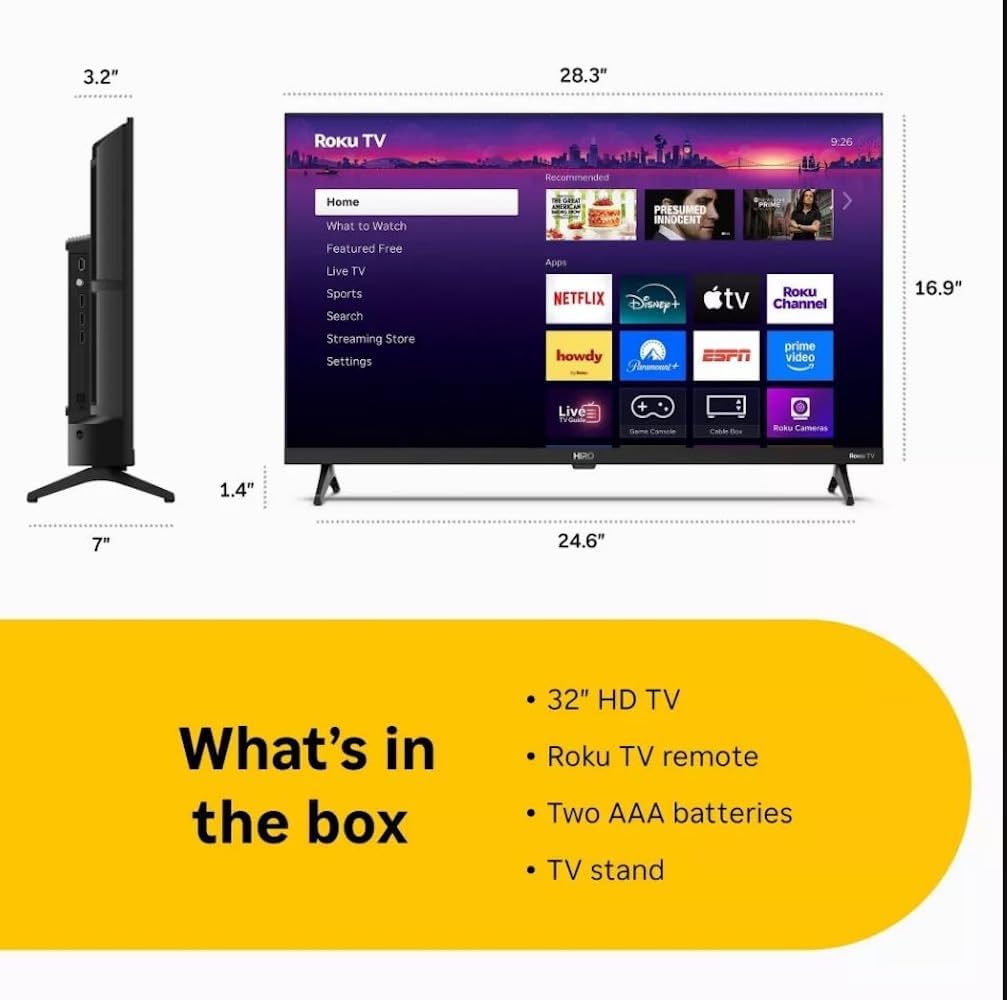
Diagram showing the dimensions of the Roku Hiro 32-inch TV and a list of included accessories: 32-inch HD TV, Roku TV remote, two AAA batteries, and TV stand.
- Hiro 32" 720p HD Smart TV Flat Screen LED Television with Roku TV
- Rheolaeth Anghysbell
- Stondin Deledu
- Cebl Pŵer
- Canllaw Defnyddiwr
Gosod
1. Gosod Stondin
Carefully place the TV screen-down on a soft, clean surface to prevent damage. Align the TV stand with the designated slots on the bottom of the TV. Secure the stand using the provided screws. Ensure the stand is firmly attached before proceeding.
2. Cysylltu Dyfeisiau

Cefn view of the Roku Hiro TV, showing the input/output ports including USB, HDMI, and antenna connections.
- Pwer: Cysylltwch y cebl pŵer â mewnbwn pŵer y teledu ac yna ag allfa wal.
- HDMI: Connect external devices such as Blu-ray players, game consoles, or cable boxes to the HDMI ports. This TV features 3 HDMI ports.
- USB: Use the USB port for media playback from a USB drive.
- Sain Optegol: Connect an external sound system using an optical audio cable for enhanced sound.
- Antena/Cable: Connect an antenna or cable TV feed to the RF input for over-the-air or cable channels.
3. Gosodiad Cychwynnol
After connecting all necessary cables, power on the TV. Follow the on-screen instructions to:
- Dewiswch eich iaith.
- Cysylltwch â'ch rhwydwaith Wi-Fi.
- Actifadwch eich cyfrif Roku (neu crëwch un newydd).
- Scan for available channels if an antenna is connected.
Cyfarwyddiadau Gweithredu
Swyddogaethau Rheoli o Bell

Close-up of the Roku TV remote control, highlighting buttons for TV power, volume, mute, sleep timer, instant replay, options, and app shortcuts.
- Botwm Pŵer: Yn troi'r teledu ymlaen neu i ffwrdd.
- Pad Cyfeiriadol (D-Pad): Yn llywio bwydlenni ac yn dewis eitemau.
- Botwm Iawn: Yn cadarnhau dewisiadau.
- Botwm Cartref: Yn dychwelyd i sgrin gartref Roku.
- Botwm Cefn: Yn dychwelyd i'r sgrin flaenorol.
- Cyfrol i fyny/i lawr: Yn addasu cyfaint y teledu.
- Botwm Munud: Yn mudo neu'n dad-fud sain y teledu.
- Botymau Llwybrau Byr Ap: Direct access to popular streaming services (e.g., Netflix, Disney+, Apple TV+, Prime Video).
- Amserydd Cwsg: Sets a timer for the TV to turn off automatically.
- Ailchwarae ar unwaith: Jumps back a few seconds in supported content.
- Opsiynau: Accesses additional settings or information for the current content.
Navigating the Roku OS

The Roku TV home screen interface, showing recommended content and various streaming applications.
The Roku home screen provides access to all your streaming channels, inputs, and settings. Use the D-Pad on your remote to navigate through the menu options on the left and the app grid on the right. You can customize the order of your channels by highlighting an app, pressing the * (Options) button, and selecting 'Move channel'.
Ffrydio Cynnwys
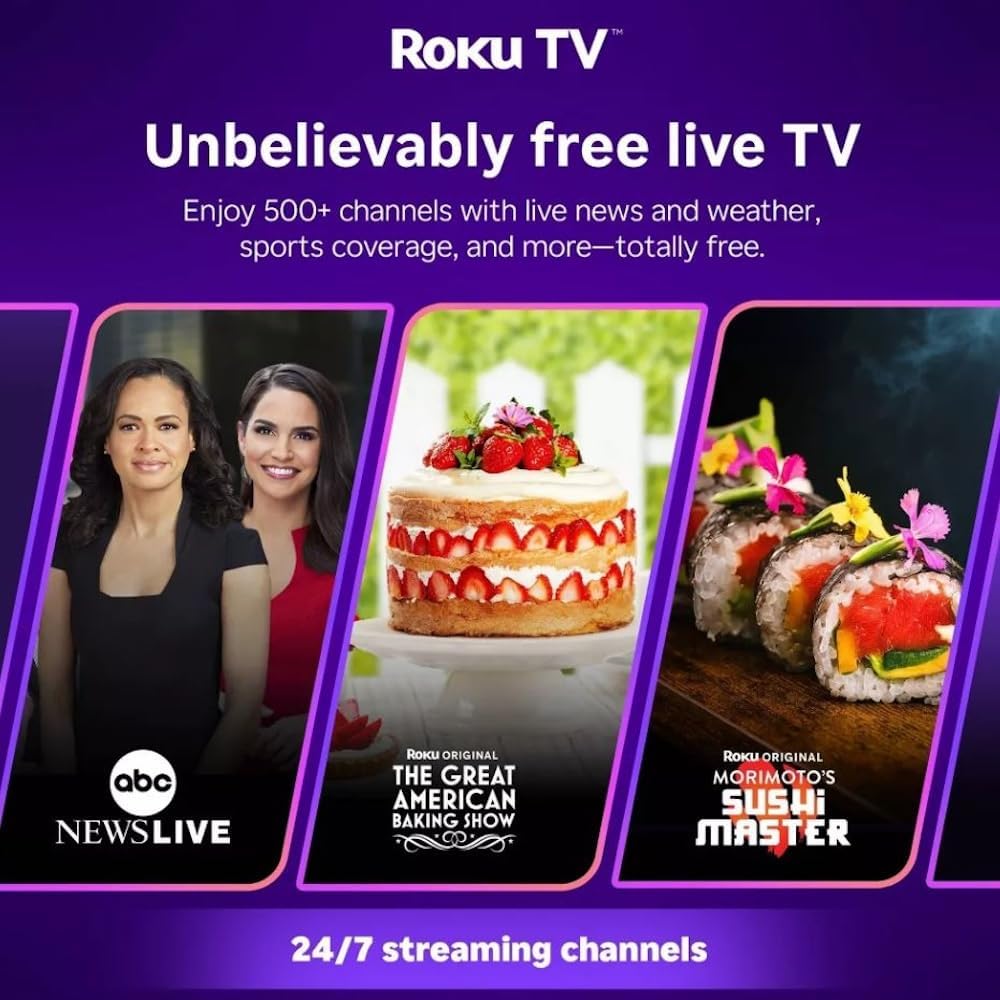
Roku TV interface promoting free live TV channels, featuring examples like ABC News Live, The Great American Baking Show, and Morimoto's Sushi Master.
Access a wide range of streaming services and free content through the Roku Channel Store. The Roku platform offers over 500 free channels, including live television, movies, and news. Use the 'Search' function on the home screen to find specific titles or channels.
Nodweddion Sain

Roku Hiro TV displaying the home screen with various streaming apps, emphasizing enhanced audio quality.
The TV features enhanced audio quality. For private listening, you can pair Bluetooth headphones directly with the TV. Navigate to Settings > Remotes & devices > Bluetooth devices > Pair new device to connect your headphones.
Cynnal a chadw
Glanhau'r teledu
- Datgysylltwch y teledu bob amser cyn glanhau.
- Defnyddiwch frethyn meddal, di-lint i sychu'r sgrin a'r cabinet yn ysgafn.
- Ar gyfer marciau ystyfnig, rhwbiwch yn ysgafnampgolchwch y lliain gyda dŵr neu lanhawr sgrin ysgafn, nad yw'n sgraffiniol. Peidiwch â chwistrellu glanhawr yn uniongyrchol ar y sgrin.
- Osgowch ddefnyddio cemegau llym, padiau sgraffiniol, neu doddyddion.
Diweddariadau Meddalwedd
The Roku TV automatically checks for and installs software updates when connected to the internet. To manually check for updates, go to Gosodiadau > System > Diweddariad Meddalwedd.
Datrys problemau
| Problem | Ateb |
|---|---|
| Dim pŵer | Gwnewch yn siŵr bod y cebl pŵer wedi'i gysylltu'n ddiogel â'r teledu ac allfa drydan sy'n gweithio. Rhowch gynnig ar allfa wahanol. |
| Dim llun, ond mae sain yn bresennol | Gwiriwch y ffynhonnell fewnbwn. Pwyswch y Cartref button on the remote and select the correct input. Ensure all HDMI cables are securely connected. |
| Dim sain, ond mae llun yn bresennol | Check the volume level and ensure the TV is not muted. If using external audio, verify connections and settings. |
| Methu cysylltu â Wi-Fi | Verify your Wi-Fi password. Restart your router and modem. Go to Gosodiadau > Rhwydwaith > Sefydlu cysylltiad to reconfigure. |
| Rheolaeth bell ddim yn gweithio | Amnewidiwch y batris yn y teclyn rheoli o bell. Gwnewch yn siŵr nad oes unrhyw rwystrau rhwng y teclyn rheoli o bell a synhwyrydd IR y teledu. |
Manylebau
| Enw Model | H32C2C4 |
| Maint Sgrin | 32 modfedd |
| Technoleg Arddangos | LED |
| Datrysiad | 720p |
| Cyfradd Adnewyddu | 60 Hz |
| System Weithredu | Roku OS |
| Technoleg Cysylltedd | Bluetooth, HDMI, Optical Audio, USB, Wi-Fi |
| Total Number of HDMI Ports | 3 |
| Cyfanswm Porthladdoedd USB | 1 |
| Dimensiynau Cynnyrch (D x W x H) | 3.2"D x 28.3"W x 16.9"H |
| Pwysau Eitem | 7.5 Bunt |
| Cyftage | 120 folt (AC) |
| Math Mowntio | Bwrdd Mount |
| Lliw | Du |
Gwybodaeth Gwarant
This Roku Hiro TV is covered by a 90-day Replacement Warranty. Please retain your proof of purchase for any warranty claims. For detailed terms and conditions, refer to the warranty documentation included with your product or visit the official Roku support websafle.
Cefnogaeth
For further assistance, troubleshooting guides, or to contact customer support, please visit the official Roku support website. You can find comprehensive FAQs and contact information there.