
Rhagymadrodd
Thank you for choosing the OneOdio Focus A1Pro Wireless On-Ear Headphones. This manual provides detailed instructions for setting up, operating, maintaining, and troubleshooting your new headphones. Please read this manual thoroughly before use to ensure optimal performance and longevity of your device.
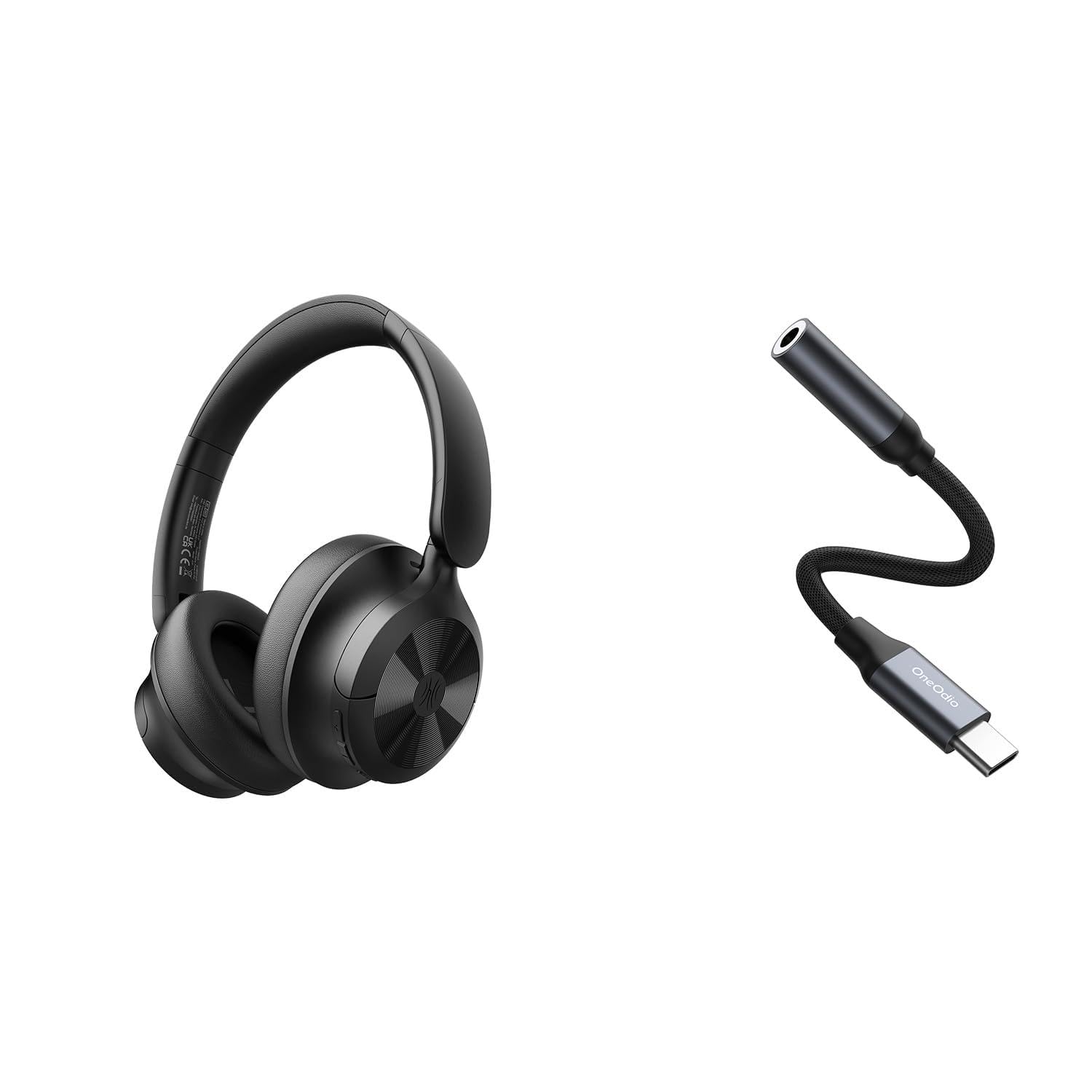
Image: OneOdio Focus A1Pro Wireless On-Ear Headphones. This image displays the headphones in their typical on-ear design, showcasing y clustffonau a'r band pen.
Cynnwys Pecyn
Gwiriwch y pecyn am yr eitemau canlynol:
- OneOdio Focus A1Pro Wireless On-Ear Headphones
- USB-C i 3.5mm Addasydd Sain
- Cebl Codi Tâl USB-C
- Cwdyn Cario
- Llawlyfr Defnyddiwr (y ddogfen hon)
Gosod
1. Codi Tâl y Clustffonau
Before first use, fully charge the headphones. Connect the USB-C charging cable to the charging port on the headphones and the other end to a USB power source (e.g., computer USB port, wall adapter). The LED indicator will show charging status and turn off or change color when fully charged.

Image: Close-up of the USB-C charging port on the OneOdio Focus A1Pro headphones, with a charging cable connected.
2. Pweru Ymlaen / I ffwrdd
- I Bweru Ymlaen: Press and hold the Multi-function button for approximately 3 seconds until the LED indicator flashes blue.
- I Bweru i ffwrdd: Press and hold the Multi-function button for approximately 3 seconds until the LED indicator flashes red and then turns off.
3. Pâr Bluetooth
- Sicrhewch fod y clustffonau wedi'u pweru i ffwrdd.
- Press and hold the Multi-function button for 5-7 seconds until the LED indicator flashes red and blue alternately. This indicates pairing mode.
- Ar eich dyfais (ffôn clyfar, tabled, cyfrifiadur), galluogwch Bluetooth a chwiliwch am ddyfeisiau sydd ar gael.
- Select "OneOdio A1Pro" from the list of found devices.
- Ar ôl ei gysylltu, bydd y dangosydd LED yn fflachio'n las yn araf.
- If a password is required, enter "0000".
Bydd y clustffonau'n ceisio ailgysylltu'n awtomatig â'r ddyfais a barwyd ddiwethaf pan gânt eu troi ymlaen.
4. Wired Connection (using USB-C to 3.5mm Audio Adapter)
For a wired connection, use the provided USB-C to 3.5mm audio adapter. This allows you to connect the headphones to devices with a standard 3.5mm audio jack.
- Plug the USB-C end of the adapter into the USB-C port on the headphones.
- Plug the 3.5mm end of the adapter into the 3.5mm audio jack of your audio source device.
- Ensure the headphones are powered off for wired mode to function correctly and conserve battery.

Image: The OneOdio Focus A1Pro headphones connected to an audio source via the USB-C to 3.5mm audio adapter.
Cyfarwyddiadau Gweithredu
Rheolaethau Drosview
The headphones feature intuitive controls located on the earcup. Familiarize yourself with these buttons for seamless operation.

Image: Diagram showing the location and function of control buttons on the OneOdio Focus A1Pro headphones, including volume, multi-function, and ANC buttons.
Chwarae Cerdd
- Chwarae/Seibiant: Pwyswch y botwm Aml-swyddogaeth unwaith.
- Trac Nesaf: Pwyswch a daliwch y botwm Cyfaint i Fyny am 2 eiliad.
- Trac Blaenorol: Pwyswch a daliwch y botwm Cyfaint i Lawr am 2 eiliad.
- Cyfrol i Fyny: Pwyswch y botwm Cyfaint i Fyny yn fyr.
- Cyfrol i Lawr: Pwyswch y botwm Cyfaint i Lawr yn fyr.
Trin Galwadau
- Ateb / Diwedd Galwad: Pwyswch y botwm Aml-swyddogaeth unwaith.
- Gwrthod Galwad: Pwyswch a dal y botwm Aml-swyddogaeth am 2 eiliad.
- Ail-redeg Rhif Diwethaf: Dwbl-wasgu'r botwm Aml-swyddogaeth.
Canslo Sŵn Gweithredol (ANC)
The Focus A1Pro headphones feature Active Noise Cancellation to reduce ambient noise.
- Ysgogi ANC: Press the ANC button once. The ANC indicator light will turn green.
- Analluogi ANC: Pwyswch y botwm ANC unwaith eto. Bydd y golau dangosydd ANC yn diffodd.
Gwisgo'r Clustffonau
Adjust the headband to fit comfortably over your head. The earcups should fully cover your ears for optimal sound quality and noise cancellation. The earcups are typically marked 'L' for left and 'R' for right.
Cynnal a chadw
Glanhau
- Sychwch y clustffonau gyda lliain meddal, sych, heb lint.
- Peidiwch â defnyddio glanhawyr sgraffiniol, alcohol na thoddyddion cemegol.
- Osgowch gael lleithder i mewn i unrhyw agoriadau.
- The earpads can be gently wiped with a slightly damp cloth and mild soap solution, then dried thoroughly.
Storio
When not in use, store the headphones in the provided carrying pouch to protect them from dust and scratches. Store in a cool, dry place away from extreme temperatures.
Gofal Batri
- Osgowch ollwng y batri'n llwyr yn aml.
- Gwefrwch y clustffonau'n rheolaidd, hyd yn oed os na chânt eu defnyddio am gyfnodau hir, i gynnal iechyd y batri.
- Do not expose the headphones to high temperatures, as this can degrade battery performance.
Datrys problemau
Dim Pwer
- Gwnewch yn siŵr bod y clustffonau wedi'u gwefru'n llawn.
- Press and hold the Multi-function button for 3 seconds to power on.
Dim Sain
- Bluetooth:
- Ensure the headphones are paired and connected to your device.
- Check the volume level on both the headphones and your device.
- Rhowch gynnig ar ddad-baru ac ail-baru'r clustffonau.
- Gwifrog:
- Ensure the USB-C to 3.5mm adapter is securely connected to both the headphones and the audio source.
- Verify the audio source is playing and its volume is up.
- Test with a different audio cable or device if possible.
Materion Cysylltiad Bluetooth
- Ensure the headphones are in pairing mode (red and blue flashing LED).
- Symudwch y clustffonau'n agosach at eich dyfais.
- Clear the Bluetooth list on your device and try pairing again.
- Osgowch ymyrraeth gan ddyfeisiau diwifr eraill.
Ailosod y Clustffonau
If you experience persistent issues, you can try resetting the headphones to their factory settings. (Note: Specific reset procedures vary by model. A common method is to press and hold the Multi-function and Volume Down buttons simultaneously for 5-10 seconds while powered on, or connect to power while holding a button. Refer to the manufacturer's official support for exact steps if this general method does not work.)
Manylebau
| Enw Model | Focus A1Pro |
| Fersiwn Bluetooth | 5.0 (Estimated, common for modern headphones) |
| Diamedr Gyrrwr | 40mm (Amcangyfrif) |
| Ymateb Amlder | 20Hz - 20kHz (Nodweddiadol) |
| Gallu Batri | 500mAh (Amcangyfrif) |
| Amser Codi Tâl | Tua. 2-3 awr |
| Amser Chwarae | Up to 30 hours (Varies with volume and ANC usage) |
| Pwysau | Approx. 250g (Amcangyfrif) |
Note: Specifications are subject to change without notice. Actual performance may vary.
Gwarant a Chefnogaeth
Gwybodaeth Gwarant
OneOdio products are covered by a limited warranty from the date of purchase. This warranty covers manufacturing defects in materials and workmanship. It does not cover damage caused by misuse, accidents, unauthorized modifications, or normal wear and tear. Please retain your proof of purchase for warranty claims.
Cefnogaeth i Gwsmeriaid
For technical support, warranty inquiries, or other assistance, please contact OneOdio customer service through their official websafle neu'r manwerthwr lle prynoch chi'r cynnyrch.
Swyddogol Websafle: www.oneodi.com
Cefnogaeth E-bost: support@oneodio.com