
Rhagymadrodd
Diolch am brynuasing the coioc S18-2 Portable Bluetooth Speaker. This speaker delivers 30W of powerful stereo sound with dual bass drivers, offering up to 30 hours of playtime. It features TWS pairing for an immersive audio experience, dynamic RGB lighting, and IPX7 waterproofing, making it suitable for various environments. This manual provides detailed instructions for setup, operation, maintenance, and troubleshooting to ensure optimal performance.

Image: The coioc S18-2 Portable Bluetooth Speaker, showcasing its sleek design and portable form factor.
Beth Sydd yn y Bocs
Gwiriwch gynnwys y pecyn wrth ddadbocsio:
- coioc S18-2 Bluetooth Speaker (x1)
- Cebl AUX (x1)
- Cebl Gwefru Math-C (x1)
- Llawlyfr Defnyddiwr (x1)

Image: The speaker, its packaging, and all included accessories: AUX cable, Type-C charging cable, and user manual.
Cynnyrch Drosview a Rheolaethau
Familiarize yourself with the speaker's buttons and ports for optimal use.

Image: A detailed diagram illustrating the smart button controls on the speaker, showing functions for power, lighting, volume, track control, EQ, and TWS pairing.
Swyddogaethau botwm:
- Botwm Pŵer: Press and hold for 2 seconds to Power ON/OFF.
- Botwm Golau: Press once to cycle through RGB lighting modes. Press three times to turn off lights.
- Cyfrol i Lawr: Press once to decrease volume. Press and hold for 2 seconds for previous track.
- Cyfrol i Fyny: Press once to increase volume. Press and hold for 2 seconds for next track.
- Botwm EQ: Press once to switch EQ modes (Normal/Vocal).
- Botwm TWS: Press twice to initiate TWS pairing.
- Botwm Chwarae/Seibiant: Pwyswch unwaith i Chwarae/Saibio cerddoriaeth.
- Botwm Galwad: Press once to Answer/End a call. Press and hold for 2 seconds to Reject a call.
Video Demonstration of Controls and Lights:
Video: A short demonstration showing how to operate the speaker's buttons, including changing RGB light modes and adjusting volume.
Gosod
1. Codi Tâl ar y Llefarydd
Before first use, fully charge the speaker. Connect the provided Type-C charging cable to the speaker's charging port and a USB power adapter (not included). The LED battery indicator will show the charging progress from 1% to 100%. A full charge provides up to 30 hours of playtime (at 30% volume with lights off).
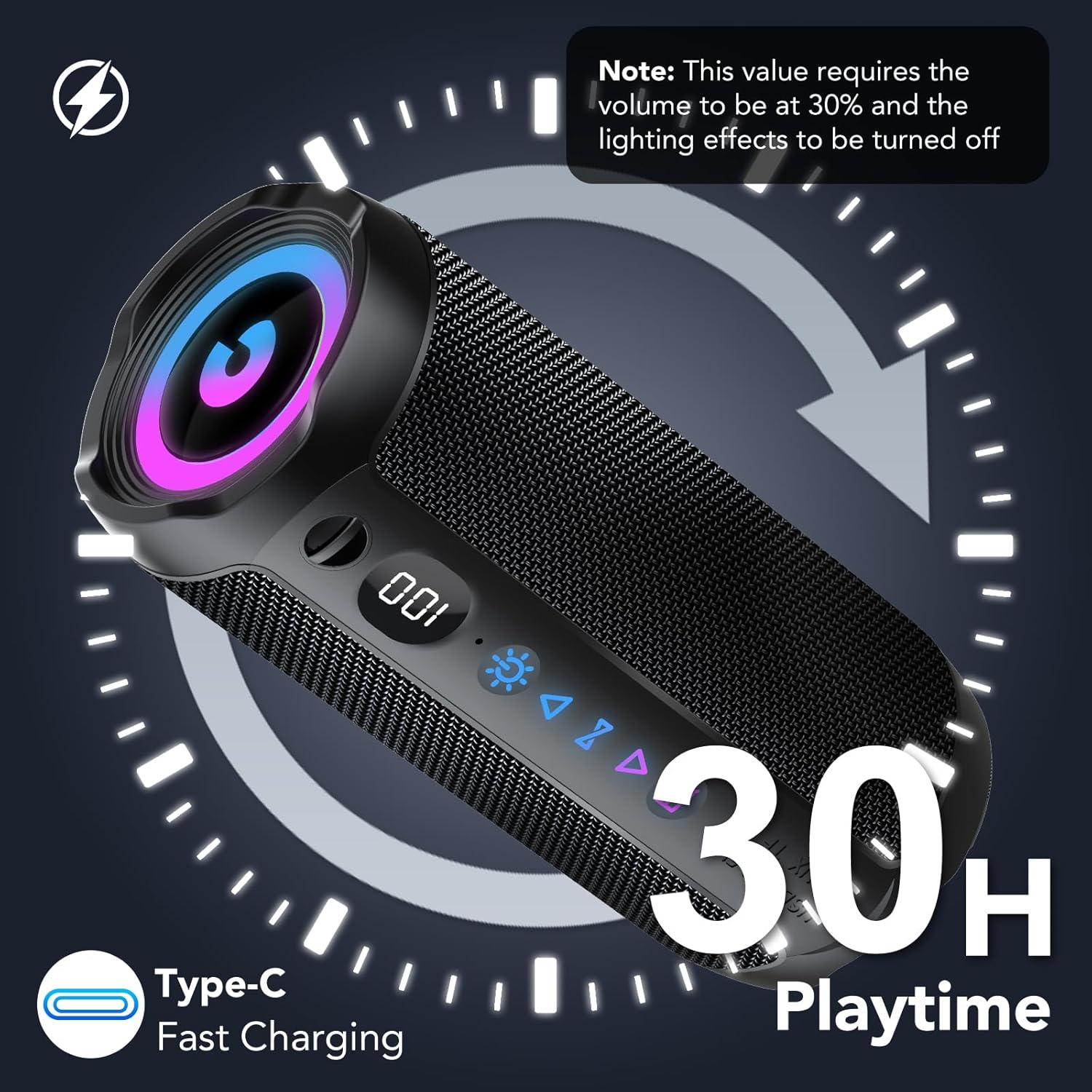
Image: The speaker displaying its battery level and indicating 30 hours of playtime with Type-C fast charging capability.
2. Pŵer Ymlaen / I ffwrdd
- To Power ON: Press and hold the Power button for 2 seconds.
- To Power OFF: Press and hold the Power button for 2 seconds.
3. Pâr Bluetooth
- Turn on the speaker. It will automatically enter Bluetooth pairing mode, indicated by a flashing Bluetooth icon.
- Ar eich dyfais (ffôn clyfar, tabled, cyfrifiadur), galluogwch Bluetooth a chwiliwch am ddyfeisiau sydd ar gael.
- Select "coioc S18-2" from the list.
- Once connected, the speaker will emit a confirmation sound, and the Bluetooth icon will stop flashing.
Cyfarwyddiadau Gweithredu
1. Dulliau Cysylltiad
The coioc S18-2 speaker supports multiple connection options:
- Bluetooth (BT): Ar gyfer ffrydio sain diwifr o ddyfeisiau cydnaws.
- AUX: Connect via the 3.5mm audio cable for wired playback.
- Cerdyn TF: Insert a MicroSD (TF) card with music files ar gyfer chwarae'n uniongyrchol.
- USB: Cysylltu gyriant USB â cherddoriaeth files ar gyfer chwarae'n uniongyrchol.

Image: The speaker highlighting its four versatile connection methods: Bluetooth, AUX, TF card, and USB.
2. Paru TWS (Stereo Di-wifr Gwirioneddol)
For an immersive stereo experience, you can pair two coioc S18-2 speakers together:
- Gwnewch yn siŵr bod y ddau siaradwr wedi'u troi ymlaen ac nad ydynt wedi'u cysylltu ag unrhyw ddyfais Bluetooth arall.
- On one speaker (this will be the primary speaker), press the TWS button twice. It will enter TWS pairing mode.
- Bydd y prif siaradwr yn chwilio am y siaradwr eilaidd ac yn cysylltu ag ef yn awtomatig.
- Once successfully paired, both speakers will emit a confirmation sound.
- Now, connect your device to the primary speaker via Bluetooth as described in the 'Bluetooth Pairing' section. Audio will play in stereo through both speakers.

Image: Two coioc S18-2 speakers wirelessly connected to a laptop via Bluetooth 5.4, illustrating the TWS pairing feature for enhanced stereo audio.
3. Moddau Goleuo RGB
The speaker features dynamic RGB lighting. To control the lighting:
- Press the Light button once to cycle through different RGB lighting effects.
- Press the Light button three times to turn off the lights.

Delwedd: Y sioe siaradwrasing its RGB multicolor breathing light effects, alongside an illustration of its IPX7 waterproof rating.
4. Moddau EQ
The speaker offers different Equalizer (EQ) modes to optimize your listening experience:
- Press the EQ button once to switch between available modes.
- Available modes include: Arferol a Lleisiol.

Image: A visual representation of the speaker's EQ modes, highlighting 'Normal' and 'Vocal' settings to suit different musical preferences.
Diddosi (IPX7)
The coioc S18-2 speaker is IPX7 waterproof, meaning it can be submerged in water up to 1 meter for 30 minutes. This makes it ideal for use by the pool, at the beach, or in rainy conditions. Ensure the charging port cover is securely closed before exposing the speaker to water.

Image: The coioc S18-2 speaker partially submerged in water, illustrating its IPX7 waterproof capability.
Cynnal a chadw
- Glanhewch y siaradwr gyda meddal, damp brethyn. Peidiwch â defnyddio cemegau llym na glanhawyr sgraffiniol.
- Storiwch y siaradwr mewn lle oer, sych pan nad yw'n cael ei ddefnyddio.
- Osgowch amlygu'r siaradwr i dymheredd eithafol neu olau haul uniongyrchol am gyfnodau hir.
- Ensure the port cover is sealed when not charging or using wired connections to maintain waterproofing.
Datrys problemau
| Problem | Achos Posibl | Ateb |
|---|---|---|
| Nid yw'r siaradwr yn troi ymlaen | Batri isel | Gwefrwch y siaradwr yn llawn. |
| Methu paru drwy Bluetooth | Speaker not in pairing mode / Device Bluetooth off / Too far from device | Ensure speaker is in pairing mode. Turn on Bluetooth on your device. Move speaker closer to device (within 10 meters). |
| Dim sain | Volume too low / Incorrect input source / Device not connected | Increase speaker and device volume. Check connection method (Bluetooth, AUX, TF, USB). Re-pair Bluetooth if necessary. |
| Mae paru TWS yn methu | Speakers too far apart / Already connected to another device | Ensure both speakers are close to each other. Disconnect speakers from other Bluetooth devices before TWS pairing. |
Manylebau
| Nodwedd | Manylyn |
|---|---|
| Enw Model | S18-2 |
| Brand | coioc |
| Lliw | Du |
| Pŵer Allbwn Siaradwr | 30 Wat |
| Technoleg Cysylltedd | Bluetooth 5.4 |
| Ystod Cyfathrebu Di-wifr | Hyd at 30 metr (100 troedfedd) |
| Modd Allbwn Sain | Stereo |
| Ffynhonnell Pwer | Wedi'i bweru gan fatri (4000 mAh) |
| Amser chwarae | Hyd at 30 awr |
| Graddfa dal dwr | IPX7 |
| Nodweddion Arbennig | Stereo Pairing (TWS), Bass Boost, Dustproof, Noise Cancellation, LED Battery Indicator, Lightweight, LED Light, Built-in Microphone, USB Port, AUX, TF Card Slot |
| Dimensiynau Cynnyrch | 5D x 5W x 5H cm (approximately 2D x 2W x 2H inches) |
| Dyfeisiau Cydnaws | Phone, Tablet, Computer, Television |
Gwarant a Chefnogaeth
The coioc S18-2 Portable Bluetooth Speaker comes with a limited warranty. For detailed warranty information or technical support, please refer to the warranty card included in your package or contact coioc customer service through the retailer where you purchased the product. Please retain your proof of purchase for warranty claims.


