
1. Cynnyrch Drosview
The Hunter ZenTech 52 Inch Smart Ceiling Fan (Model 53638) is designed for both indoor and covered outdoor spaces, offering quiet, efficient performance with advanced smart home integration. This 5-blade fan features a slim DC motor, adjustable LED lighting with TrueLight technology, and Wi-Fi connectivity for control via the HunterSMART app, Amazon Alexa, Google Assistant, and Apple HomeKit. It is ENERGY STAR certified and damp-rated for versatile use.
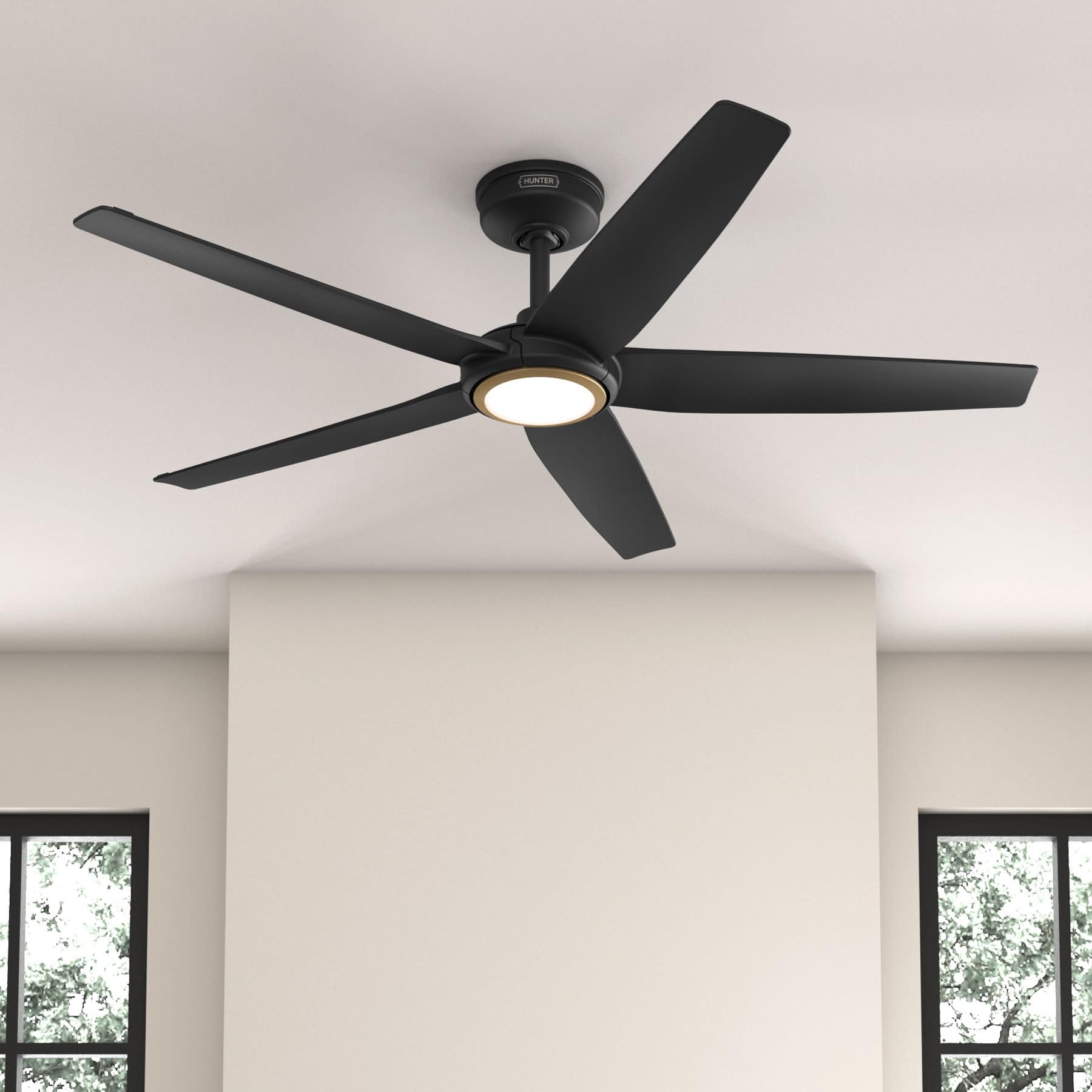
Figure 1: Hunter ZenTech 52 Inch Smart Ceiling Fan (Matte Black)
Nodweddion Allweddol:
- Dylunio Uwch: Ultra-slim DC motor for powerful, quiet airflow and a modern aesthetic.
- Integreiddio Cartref Clyfar: HunterSMART technology for app and voice control via Amazon Alexa, Google Assistant, and Apple HomeKit.
- Goleuadau LED Addasadwy: TrueLight LED offers 10 brightness levels and 10 color temperatures, protected by a durable Duralight lens.
- SureSpeed Guarantee: Delivers strong, consistent airflow with quiet, wobble-free performance.
- Ynni Effeithlon: ENERGY STAR certified reversible 6-speed DC motor.
- Damp Gradd: Suitable for indoor and covered outdoor areas.
2. Cyfarwyddiadau Diogelwch Pwysig
Darllenwch yr holl gyfarwyddiadau yn ofalus cyn dechrau'r gosodiad. Gall methu â dilyn y cyfarwyddiadau hyn arwain at sioc drydanol, tân neu anaf personol.
- Datgysylltwch y pŵer wrth y prif dorrwr cylched bob amser cyn ei osod neu ei wasanaethu.
- Gwnewch yn siŵr bod yr holl gysylltiadau trydanol yn cydymffurfio â chodau a rheoliadau lleol. Os nad ydych chi'n gyfarwydd â gwifrau trydanol, ymgynghorwch â thrydanwr cymwys.
- The mounting structure must be capable of supporting the fan's weight (approximately 14.11 lbs).
- Do not bend blade brackets during installation or cleaning.
- Cadwch ddwylo'n glir o lafnau'r ffan pan fydd y ffan yn gweithredu.
- Mae'r gefnogwr hwn yn damp-rated for use in covered outdoor areas but should not be exposed directly to water.
3. Cynnwys Pecyn
Gwiriwch fod yr holl gydrannau a restrir isod yn bresennol yn eich pecyn cyn dechrau'r gosodiad.
- Tai Modur Ffan Nenfwd
- 5 Llafnau Fan
- Light Kit with Duralight Lens
- Gwialen Lawr 6 modfedd
- Canopi a Braced Mowntio
- Rheolaeth Anghysbell Llaw
- Pecyn Caledwedd (sgriwiau, golchwyr, cnau gwifren)

Figure 2: ZenTech 52 Inch Fan Components
4. Canllaw Gosod
Professional installation is recommended. Ensure the power is OFF at the circuit breaker before starting.
4.1 Gosod y Ffan
- Secure the mounting bracket to the ceiling junction box. The junction box must be listed for fan support.
- Assemble the downrod (6-inch included, compatible with up to 24-inch downrods) to the fan motor housing.
- Hang the fan assembly from the mounting bracket.
- Complete electrical wiring connections as per the wiring diagram provided in the full manual.
- Attach the fan blades to the motor housing.
- Install the light kit and Duralight lens.

Figure 3: ZenTech Fan installed in a covered outdoor space
5. Cyfarwyddiadau Gweithredu
The ZenTech fan can be operated using the included handheld remote control or through the HunterSMART app.
5.1 Gweithrediad Rheoli o Bell
- Fan On / Off: Pwyswch y botwm ffan i droi'r ffan ymlaen neu i ffwrdd.
- Cyflymder Fan: Defnyddiwch y botymau cyflymder i gylchu trwy 6 chyflymder ffan.
- Golau Ymlaen / Diffodd: Pwyswch y botwm golau i droi'r golau ymlaen neu i ffwrdd.
- Pylu Golau: Hold the light button to dim or brighten the light.
- Tymheredd Lliw: Press the color temperature button to cycle through different color temperatures (warm to cool).
- Swyddogaeth Gwrthdroi: Press the reverse button to change the fan's direction for seasonal use.
5.2 LED Light Control (TrueLight Technology)
The TrueLight LED system allows for precise control over your lighting environment. You can select from 10 brightness levels and 10 color temperatures to match your preference.

Figure 4: TrueLight LED Technology for adjustable lighting
6. Integreiddio Cartref Clyfar
The ZenTech fan features HunterSMART technology, enabling seamless integration with popular smart home ecosystems.
6.1 Connecting to HunterSMART App
- Download the HunterSMART app from your device's app store.
- Follow the in-app instructions to create an account and add your ZenTech fan.
- Ensure your fan is powered on and your mobile device is connected to a 2.4 GHz Wi-Fi network during setup.
6.2 Cydnawsedd Rheoli Llais
Once connected to the HunterSMART app, you can link your fan to:
- Amazon Alexa
- Cynorthwyydd Google
- Apple HomeKit
Refer to the respective smart home platform's instructions for linking smart devices.

Figure 5: HunterSMART Control Options
7. Gofal a Chynnal a Chadw
Mae cynnal a chadw rheolaidd yn sicrhau perfformiad a hirhoedledd gorau posibl eich ffan nenfwd.
- Glanhau: Dust the fan blades and motor housing periodically with a soft, lint-free cloth. For damp-rated areas, wipe down with a slightly damp cloth, then dry thoroughly. Do not use abrasive cleaners or solvents.
- Gwiriad Tyndra: Annually, check all screws and connections for tightness. Vibrations can cause them to loosen over time.
- Pecyn Golau: The LED light source is designed for long life and is not user-serviceable.
8. Canllaw Datrys Problemau
If you encounter issues with your ZenTech ceiling fan, refer to the table below for common problems and solutions.
| Problem | Achos Posibl | Ateb |
|---|---|---|
| Nid yw ffan yn dechrau | Dim pŵer i'r ffan; Cysylltiadau gwifrau rhydd; Batri teclyn rheoli o bell yn isel. | Gwiriwch y torrwr cylched; Gwiriwch fod yr holl gysylltiadau gwifren yn ddiogel; Amnewidiwch fatri'r teclyn rheoli o bell. |
| Nid yw golau yn gweithio | No power to the light kit; Loose wire connection; Light kit malfunction. | Check circuit breaker; Verify light kit wiring; Contact customer support if LED is faulty. |
| Fan siglo | Loose blades or blade holders; Improperly balanced blades; Loose mounting bracket. | Ensure all blade screws are tight; Use a blade balancing kit (not included); Tighten mounting bracket screws. |
| Smart features not connecting | Incorrect Wi-Fi network (not 2.4 GHz); Incorrect app setup; Router issues. | Ensure connection to 2.4 GHz Wi-Fi; Re-attempt app setup; Restart router and fan. |
9. Manylebau Technegol
| Manyleb | Manylyn |
|---|---|
| Brand | Heliwr |
| Enw Model | ZenTech |
| Rhif Model | 53638 |
| Maint | 52 modfedd |
| Lliw | Matte Du |
| Dimensiynau Cynnyrch | 52"D x 52"W x 11.78"H |
| Pwysau Eitem | 14.11 Bunt |
| Nifer y Llafnau | 5 |
| Math Modur | DC |
| Nifer y Cyflymder | 6 |
| Cynhwysedd Llif Aer | 5443.94 Traed Ciwbig y Munud |
| Wattage | 17 wat |
| Cyftage | 120 folt |
| Defnydd Dan Do / Awyr Agored | Dan Do, Awyr Agored Dan Do (Damp Gradd) |
| Nodweddion Arbennig | LED Light, Quiet Operation, Water Resistant, Wi-Fi Enabled |
| Math o Reolwr | Rheoli Ap, Rheoli o Bell |
| Ardystiadau | ETL, Energy Star, FCC |
| Hyd Downrod | 6 Modfedd (wedi'i gynnwys) |
10. Gwybodaeth Gwarant
The Hunter ZenTech 52 Inch Smart Ceiling Fan is backed by Hunter's commitment to quality. It includes a limited lifetime motor warranty, ensuring long-term confidence in your product. For full warranty details and terms, please refer to the documentation included with your fan or visit the official Hunter Fan Company websafle.
11. Cefnogaeth i Gwsmeriaid
If you require further assistance, have questions about installation, operation, or troubleshooting that are not covered in this manual, please contact Hunter Fan Company customer support. You can typically find contact information on the official Hunter Fan Company websafle neu o fewn pecynnu'r cynnyrch.