
1. Rhagymadrodd
This manual provides essential information for setting up, operating, maintaining, and troubleshooting your FUNYET NY-14 Laptop. Please read this manual thoroughly before using your device to ensure proper function and longevity.
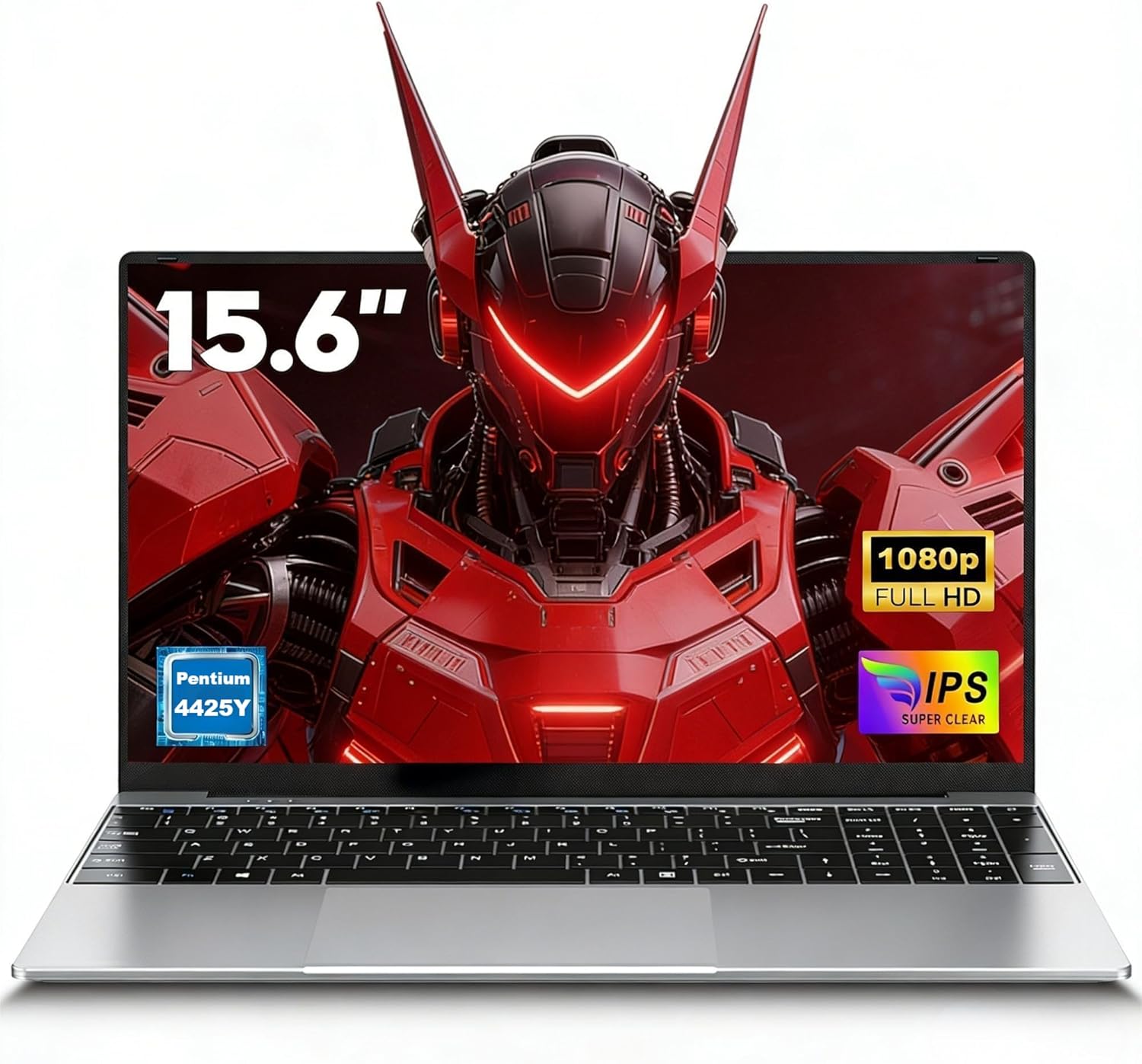
Image 1.1: The FUNYET NY-14 Laptop in a closed position, showcasing ei ddyluniad cain.
2. Cynnwys Pecyn
Gwiriwch fod yr holl eitemau yn bresennol yn y pecyn:
- 1 × FUNYET NY-14 Laptop (Intel 4425Y)
- 1 × 12V2A DC Adapter
- 1 × Instruction Manual (this document)
- Cerdyn Gwarant 1 ×
3. Gosod
3.1 Gwefru Cychwynnol a Throi Ymlaen
- Connect the provided 12V2A DC adapter to the laptop's DC power port and a power outlet.
- Allow the laptop to charge for at least 30 minutes before initial use.
- Press and hold the power button for a few seconds until the screen illuminates to power on the device.
3.2 Operating System Setup (Windows 11 Pro)
Upon first boot, you will be guided through the Windows 11 Pro setup process. Follow the on-screen instructions to configure:
- Iaith a Rhanbarth
- Network connection (Wi-Fi)
- Microsoft account login or local account creation
- Gosodiadau preifatrwydd
3.3 Keyboard Configuration
The laptop may come with a non-Italian keyboard layout. To adjust this:
- Go to Windows Settings > Time & Language > Language & Region.
- Add your preferred keyboard layout (e.g., Italian).
- Physical keyboard stickers may be provided to visually match the desired layout. Apply these carefully if needed.
4. Cyfarwyddiadau Gweithredu
4.1 Rheoli Pŵer
- Pŵer Ymlaen: Pwyswch a dal y botwm pŵer.
- Modd Cwsg: Briefly press the power button or close the lid.
- Cau i Lawr: Click Start > Power > Shut down in Windows.
- Ailgychwyn: Click Start > Power > Restart in Windows.
4.2 Arddangosfa a Delweddau
The FUNYET NY-14 features a 15.6-inch Full HD (1920x1080) IPS display, offering clear visuals and wide viewing angles. The 180° hinge allows for flexible screen positioning, useful for sharing content.

Image 4.1: Visual representation of the 15.6-inch Full HD IPS display with features like 1920P resolution, True HD View, IPS technology, and Eyes Protection.
4.3 Cysylltedd
- Wi-Fi: Supports Wi-Fi 5 (802.11ac) for stable and fast internet connection. Connect via Windows network settings.
- Bluetooth: Features Bluetooth 4.2 for connecting wireless peripherals like mice, keyboards, headphones, or speakers. Enable Bluetooth in Windows settings to pair devices.
4.4 Ports and External Devices
The laptop offers a variety of ports for connecting external devices:
- Porthladdoedd USB 3.0 (x2): For high-speed data transfer with USB drives, external hard drives, and other USB peripherals.
- Mini HDMI Port (x1): Connect to external monitors or projectors for extended display. An adapter may be required.
- TF Card Slot (MicroSD): Insert a TF (MicroSD) card for additional storage or data transfer.
- Jack clustffon 3.5mm: Ar gyfer cysylltu clustffonau neu siaradwyr allanol.
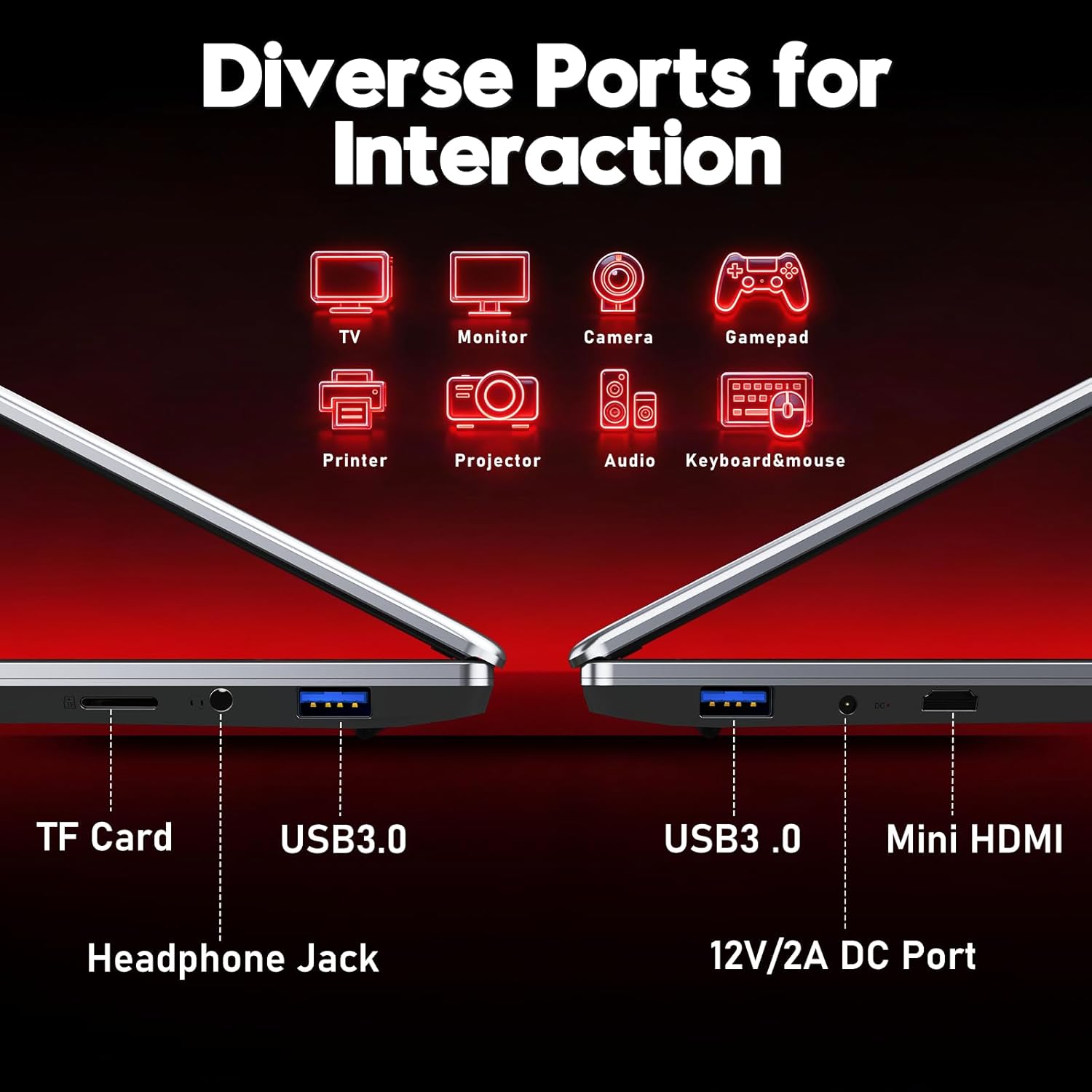
Delwedd 4.2: Drosoddview of the laptop's diverse ports, including TF Card slot, Headphone Jack, USB 3.0, Mini HDMI, and DC Power port.
4.5 Webcam a meicroffon
The integrated 1MP front camera and microphone are suitable for video calls and online meetings.
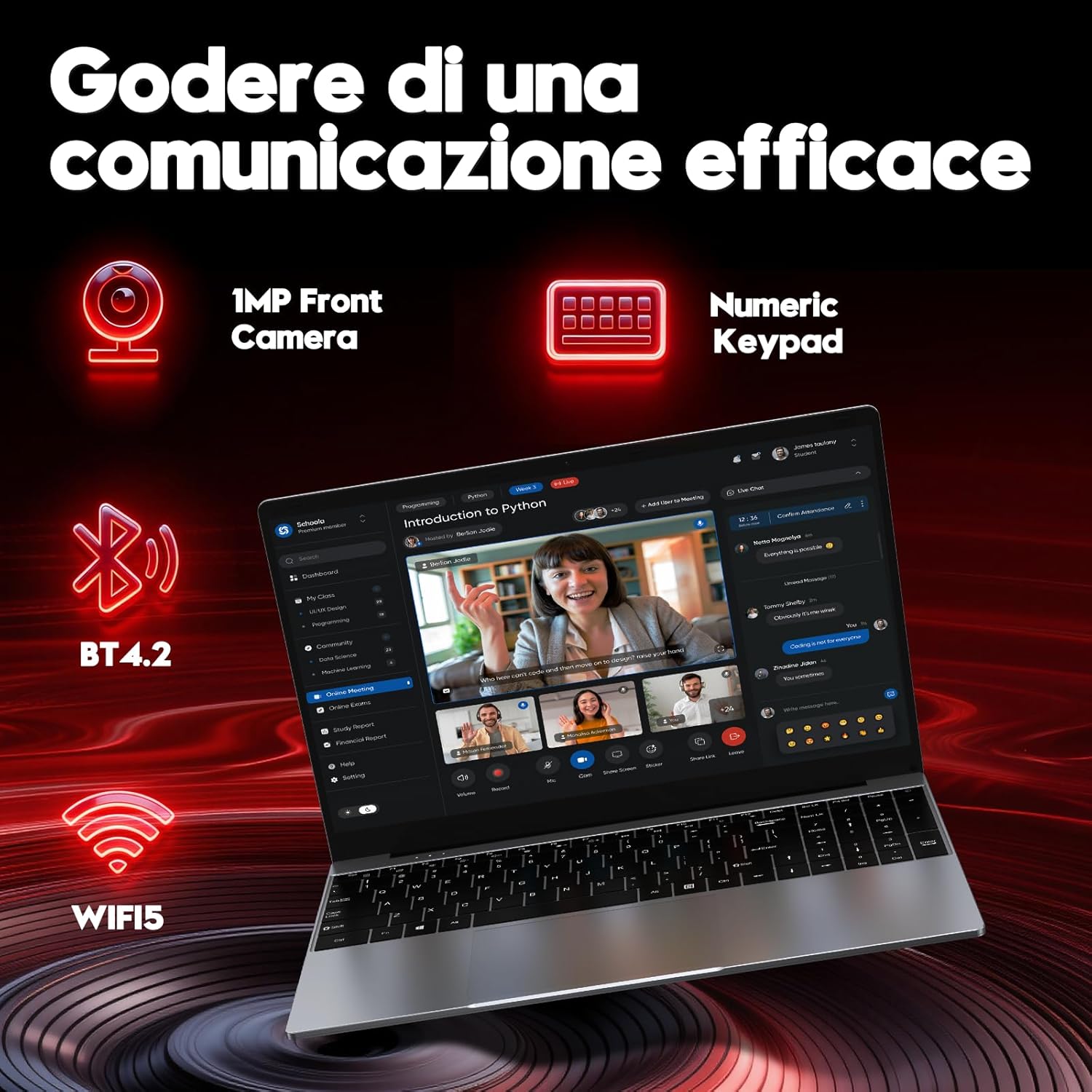
Image 4.3: Features for effective communication, highlighting the 1MP front camera, numeric keypad, Bluetooth 4.2, and Wi-Fi 5 connectivity.
4.6 Defnydd Batri
The laptop is equipped with a 5000mAh battery. For optimal battery life:
- Osgowch ollwng y batri'n llwyr yn aml.
- Storiwch y gliniadur mewn lle oer, sych pan nad yw'n cael ei ddefnyddio.
- Adjust power settings in Windows to optimize battery consumption.

Image 4.4: Illustration emphasizing the 5000mAh battery capacity designed for extended use.
4.7 Bysellfwrdd a Phad Cyffwrdd
The laptop features a full-size keyboard with a numeric keypad for efficient data entry. The touchpad supports multi-touch gestures for navigation.
5. cynnal
5.1 Glanhau
- Defnyddiwch frethyn meddal, di-lint i lanhau'r sgrin a'r arwynebau allanol.
- Ar gyfer marciau ystyfnig, dampgolchwch y brethyn ychydig gyda dŵr neu lanhawr sy'n ddiogel ar gyfer sgriniau.
- Osgowch gemegau llym, deunyddiau sgraffiniol, neu leithder gormodol.
5.2 Diweddariadau Meddalwedd
Regularly check for and install Windows updates to ensure system stability, security, and performance. Go to Settings > Windows Update.
5.3 Rheoli Storfa
The 256GB SSD provides fast performance. To maintain optimal speed:
- Avoid filling the SSD to full capacity. Leave some free space for system operations.
- Dileu diangen yn rheolaidd files a dadosod cymwysiadau nas defnyddir.
6. Datrys Problemau
Mae'r adran hon yn mynd i'r afael â phroblemau cyffredin y gallech ddod ar eu traws.
6.1 Problemau Pŵer
- Nid yw'r gliniadur yn troi ymlaen: Ensure the power adapter is securely connected and the battery has sufficient charge. Try holding the power button for 10-15 seconds for a hard reset.
- Mae'r batri'n draenio'n gyflym: Check power settings in Windows. Reduce screen brightness, close unnecessary applications, and disconnect unused peripherals.
6.2 Problemau Arddangos
- Dim arddangosfa: Connect an external monitor via Mini HDMI to check if the issue is with the laptop's screen or the system.
- Sgrin yn fflachio: Update graphics drivers or adjust display refresh rate in Windows settings.
6.3 Problemau Cysylltedd
- Wi-Fi ddim yn cysylltu: Ensure Wi-Fi is enabled in Windows settings. Restart your router and the laptop.
- Dyfais Bluetooth heb ei pharu: Ensure Bluetooth is enabled on both devices and they are in pairing mode. Remove and re-add the device in Windows settings.
6.4 System Errors
- Frequent crashes or blue screens: This can indicate software conflicts or hardware issues. Try reinstalling Windows if the problem persists after driver updates. If the issue continues, contact support.
7. manylebau
Detailed technical specifications for the FUNYET NY-14 Laptop (Intel 4425Y).

Delwedd 7.1: Drosoddview of key specifications including processor, ports, display, battery, and graphics.
| Nodwedd | Manyleb |
|---|---|
| Brand | FUNYET |
| Enw Model | NY-14 |
| Prosesydd | Intel Core 4425Y (1.7 GHz) |
| Processor Cores/Threads | 2 Craidd / 4 Edau |
| HWRDD | 8 GB DDR3 SDRAM |
| Storio | 256 GB SSD (eSATA Interface) |
| Maint Arddangos | 15.6 modfedd |
| Cydraniad Arddangos | 1920 x 1080 Pixels (Full HD IPS) |
| Graffeg | Graffeg integredig Intel UHD 615 |
| System Weithredu | Windows 11 Pro |
| Cysylltedd Di-wifr | Wi-Fi 5 (802.11ac), Bluetooth 4.2 |
| Porthladdoedd | 2x USB 3.0, 1x Mini HDMI, 1x DC Power, 1x 3.5mm Headphone Jack, 1x TF Card Slot |
| Gallu Batri | 5000 mAh |
| Pwysau | 1.6 Cilogram |
| Lliw | Arian |
| Nodweddion Arbennig | HD Audio, Lightweight, Memory card slot, Numeric keypad, 180° hinge |
8. Gwarant a Chefnogaeth
8.1 Gwybodaeth Gwarant
Your FUNYET NY-14 Laptop comes with a warranty. Please refer to the included Warranty Card for details on coverage, terms, and conditions. Keep your proof of purchase for warranty claims.
8.2 Cefnogaeth Dechnegol
For technical assistance or if you encounter issues not covered in this manual, please contact the seller, Caiyue Electronics, through the Amazon platform. They can provide support and guidance for your device.