
Rhagymadrodd
Thank you for choosing the AIOMEST AI-9000F Hot-Wire Anemometer. This device is designed for precise measurement of wind speed, air temperature, and air volume (CFM/CMM) in various industrial and HVAC applications. Its high-sensitivity hot-wire sensor and compact probe allow for accurate readings even in subtle air movements and confined spaces. Please read this manual thoroughly before operation to ensure proper use and to maximize the performance and lifespan of your instrument.
Cynnyrch Drosview
The AIOMEST AI-9000F is a professional-grade thermal anemometer featuring a high-sensitivity hot-wire wind sensor. It is equipped with a 3-inch backlit LCD for clear readings and a durable, retractable probe for accessing tight areas. The device supports multiple measurement modes and units, and includes a rechargeable battery for extended use.
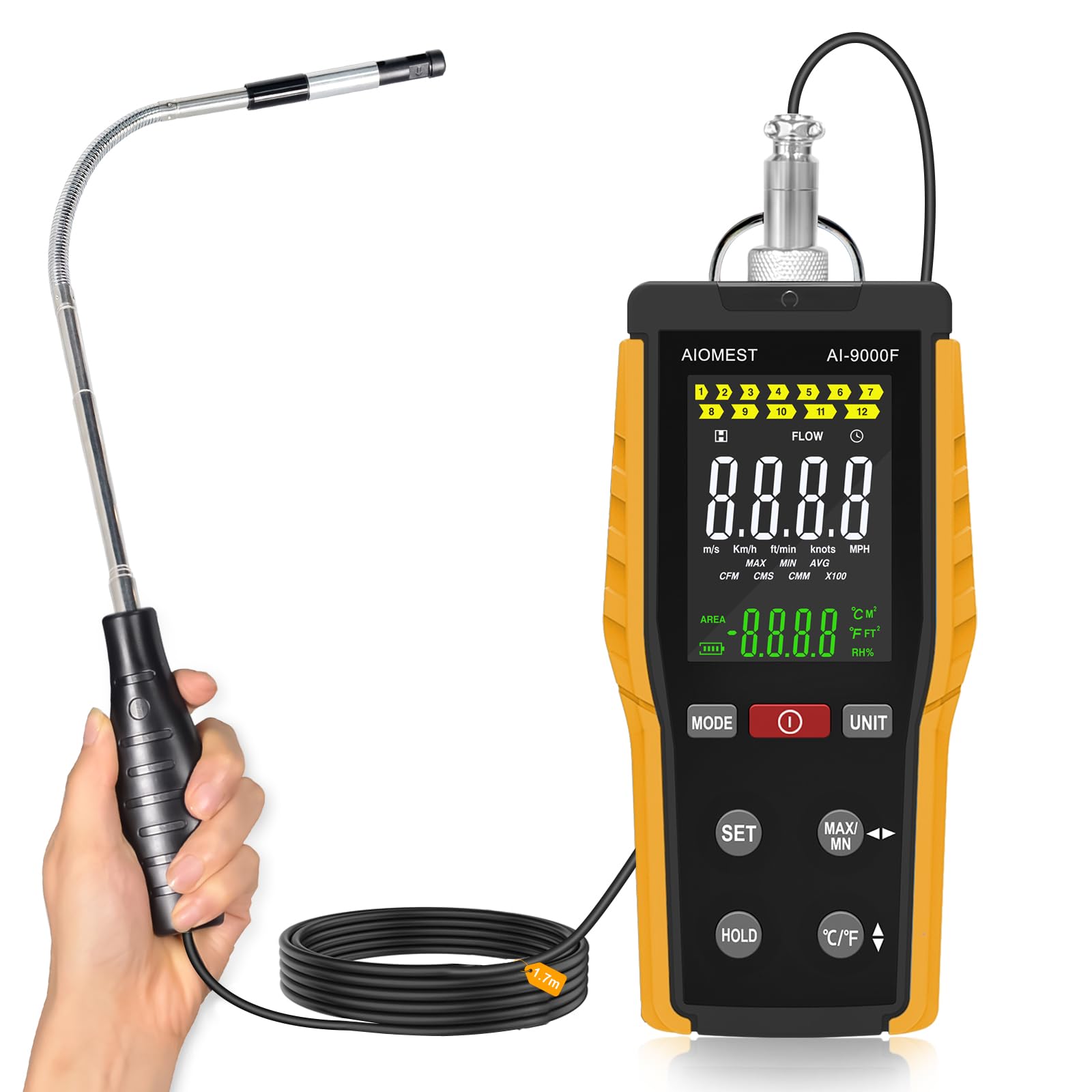
Figure 1: AIOMEST AI-9000F Hot-Wire Anemometer in use, measuring airflow from a ceiling vent.
Nodweddion Allweddol:
- High-sensitivity Hot-Wire wind sensor for precise measurements.
- Measures wind speed, air temperature, and calculates air volume (CFM/CMM).
- Compact, retractable 10mm probe for access into tight spaces.
- Max/Min/Real-time measurement modes.
- Swyddogaeth dal data i rewi darlleniadau.
- Switchable wind speed units: m/s, km/h, ft/min, knots, MPH.
- Switchable air volume units: CFM, CMM.
- 3-inch backlit LCD for clear visibility.
- 1000mAh rechargeable lithium battery providing up to 10 hours of continuous operation.
- 7 responsive silicone buttons for user-friendly control.
- Built-in metal belt clip for portability.
Gwybodaeth Diogelwch
Always observe the following safety precautions to prevent injury and damage to the instrument:
- Peidiwch â cheisio dadosod neu addasu'r offeryn.
- Cadwch y ddyfais i ffwrdd o ddŵr a lleithder uchel.
- Osgoi amlygu'r ddyfais i dymereddau eithafol neu olau haul uniongyrchol am gyfnodau hir.
- Handle the probe with care to prevent damage to the sensitive hot-wire sensor.
- Use only the provided USB charging cable or a compatible charger.
- Storiwch y ddyfais mewn amgylchedd glân a sych pan nad yw'n cael ei defnyddio.
Gosod
Dadbacio ac Arolygu:
Upon receiving your AIOMEST AI-9000F, carefully unpack all components. Verify that the following items are included:
- AIOMEST AI-9000F Hot-Wire Anemometer unit
- Retractable Hot-Wire Probe
- Cebl Codi Tâl USB
- Llawlyfr Defnyddiwr (y ddogfen hon)
Inspect the device for any signs of damage. If any components are missing or damaged, contact customer support immediately.

Figure 2: Packing list for AIOMEST AI-9000F Thermal Anemometer.
Codi'r Batri:
The AI-9000F is equipped with a built-in 1000mAh rechargeable lithium battery. Before first use, fully charge the device.
- Connect the small end of the USB charging cable to the charging port on the anemometer.
- Connect the larger end of the USB cable to a standard USB power adapter (not included) or a computer USB port.
- The charging indicator on the device will show the charging status. Once fully charged, the indicator will change (refer to device display for specific indication).
A full charge provides up to 10 hours of continuous operation.

Figure 3: Charging the AIOMEST AI-9000F Anemometer.
Attaching the Probe:
Gently connect the probe cable to the designated port on the top of the main unit. Ensure a secure connection. The probe is retractable and bendable for flexible positioning.
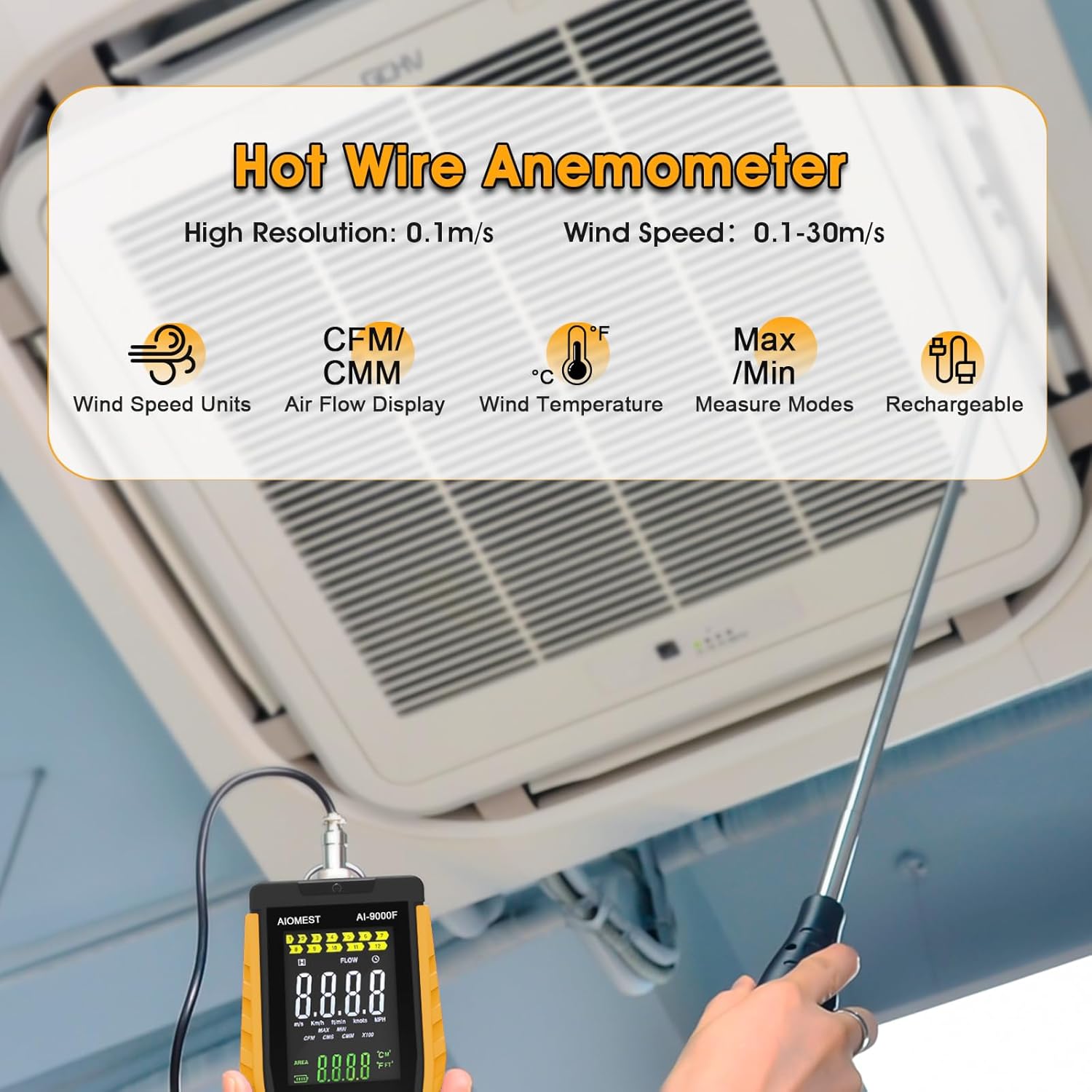
Figure 4: AIOMEST AI-9000F with probe extended into ductwork.
Cyfarwyddiadau Gweithredu
Pŵer ymlaen / i ffwrdd:
- I bweru ymlaen, pwyswch a dal y GRYM botwm.
- I bweru i ffwrdd, pwyswch a dal y GRYM button again. The device features an auto-power-off function to conserve battery.
Mesur Sylfaenol:
Once powered on, the device will automatically begin measuring wind speed and air temperature. Extend the probe into the airflow you wish to measure. Ensure the hot-wire sensor at the tip of the probe is fully exposed to the airflow.
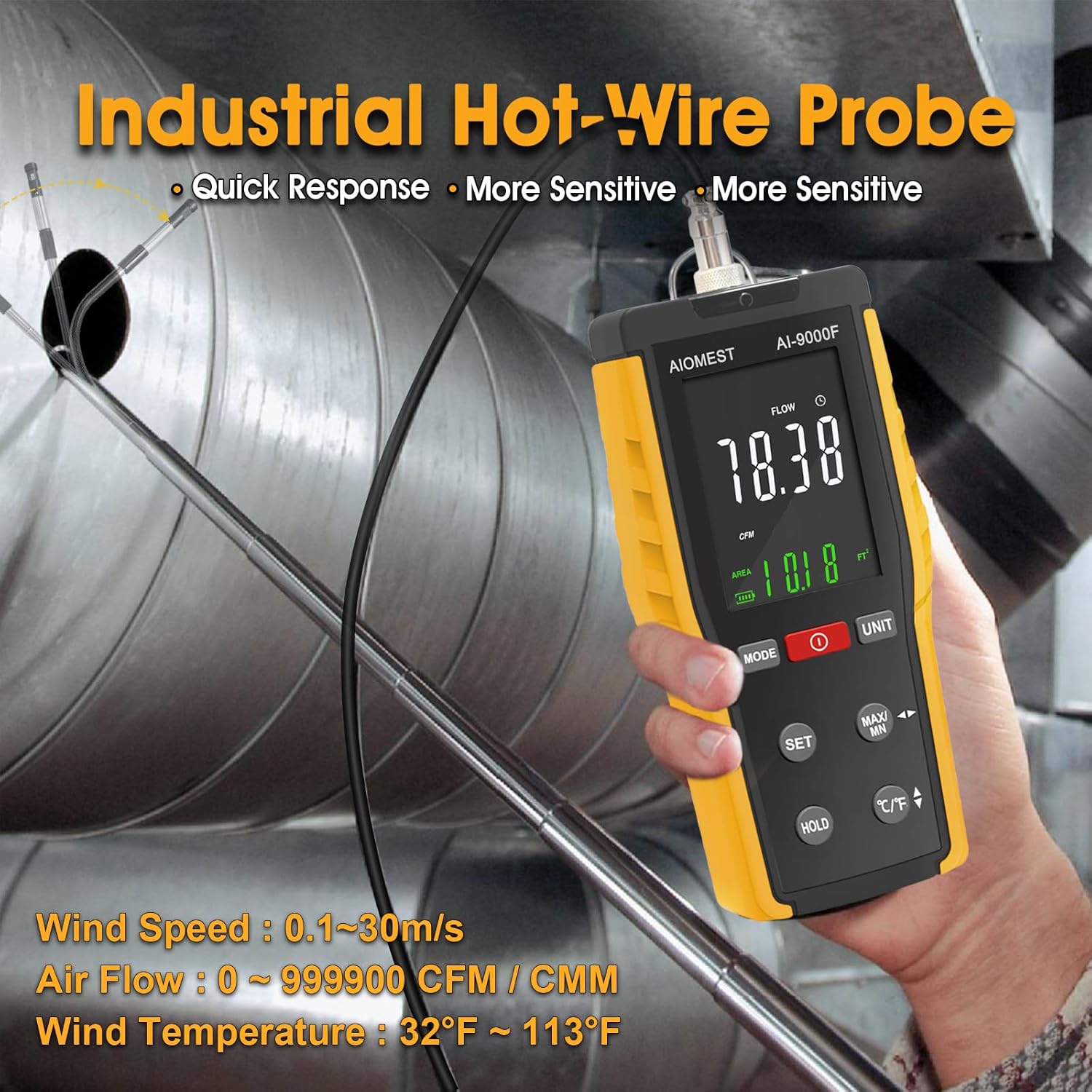
Figure 5: Measuring airflow in an HVAC vent.
Unedau Newid:
Gwasgwch y UNED button to cycle through available wind speed units (m/s, km/h, ft/min, knots, MPH) and air temperature units (°C, °F).
Measurement Modes (Max/Min/Real-time):
Gwasgwch y MAX/MIN button to switch between different measurement modes:
- Real-time Mode: Displays current live readings.
- Modd MAX: Displays the maximum recorded value since the mode was activated or reset.
- Modd MIN: Displays the minimum recorded value since the mode was activated or reset.
Swyddogaeth Dal Data:
Gwasgwch y DALWCH button to freeze the current readings on the display. Press it again to release the hold and resume live measurements.
Air Volume (CFM/CMM) Measurement
To measure air volume, you must first input the area of the duct or pipe you are measuring.
- Gwasgwch y MODD button until the display shows the air volume measurement screen (CFM or CMM).
- Gwasgwch y GOSOD button to enter the area input mode.
- Use the arrow buttons (often combined with MAX/MIN or UNIT buttons) to adjust the area value. Refer to the on-screen prompts for specific button functions during area input.
- Once the correct area is set, press GOSOD again to confirm and exit area input mode.
- The device will now display the calculated air volume based on the measured wind speed and the entered area.
Ensure the area unit (e.g., ft² for CFM, m² for CMM) matches the selected air volume unit.

Figure 6: Air Volume Measurement details.
Cynnal a chadw
Glanhau:
Wipe the device casing with a soft, dry cloth. Do not use abrasive cleaners or solvents. Keep the hot-wire sensor clean and free from dust or debris. Use a soft brush or compressed air if necessary, but avoid touching the sensor directly.
Storio:
When not in use for extended periods, store the anemometer in a cool, dry place. Ensure the probe is retracted and protected. Charge the battery periodically to maintain its health.
Datrys problemau
| Problem | Achos Posibl | Ateb |
|---|---|---|
| Nid yw'r ddyfais yn pweru ymlaen. | Batri isel. | Codwch y batri gan ddefnyddio'r cebl USB a ddarperir. |
| Darlleniadau anghywir. | Sensor dirty or damaged; incorrect probe positioning. | Clean the hot-wire sensor carefully. Ensure the probe is fully extended and positioned correctly in the airflow. |
| Air volume (CFM/CMM) reading is incorrect. | Incorrect area input. | Re-enter the correct duct or pipe area in the settings. |
| Mae'r arddangosfa'n dywyll neu'n anarllenadwy. | Backlight off or low battery. | Check battery level and recharge if necessary. Adjust backlight settings if available. |
Manylebau
| Paramedr | Gwerth |
|---|---|
| Brand | AIOMEST |
| Model | AI-9000F |
| Ystod Cyflymder y Gwynt | 0.1 m/s to 30 m/s (0.2 mph to 67 mph) |
| Cywirdeb Cyflymder Gwynt | ±5% |
| Ystod Tymheredd Aer | 0.1 ~ 45 ° C (32 ° F ~ 113 ° F) |
| Cywirdeb Tymheredd Aer | ±1.0°C (±1.8°F) |
| Air Volume (CFM/CMM) Range | 0-999900 CFM/CMM |
| Math o Brawf | Hot-Wire, retractable, 10mm diameter |
| Arddangos | LCD 3 modfedd â goleuadau cefn |
| Batri | Batri Lithiwm y gellir ei ailwefru 1000mAh |
| Bywyd Batri | Hyd at 10 awr o ddefnydd parhaus |
| Pwysau | 290g |
| Deunydd | Metel, Plastig |
| Cydrannau wedi'u Cynnwys | Anemometer, USB Charge Cable |

Figure 7: Wind Speed and Air Temperature Measurement Specifications.
Gwarant a Chefnogaeth
Specific warranty details for the AIOMEST AI-9000F Hot-Wire Anemometer are not provided in this manual. For warranty information, technical support, or service inquiries, please refer to the product packaging or contact AIOMEST customer service directly through their official websafle neu'r manwerthwr lle prynwyd y cynnyrch.