
1. Rhagymadrodd
This manual provides essential information for the proper setup, operation, and maintenance of your MESWAO 15.6-inch Android 14 Tablet (Model MES-B3). Please read this manual thoroughly before using the device to ensure optimal performance and longevity. Keep this manual for future reference.
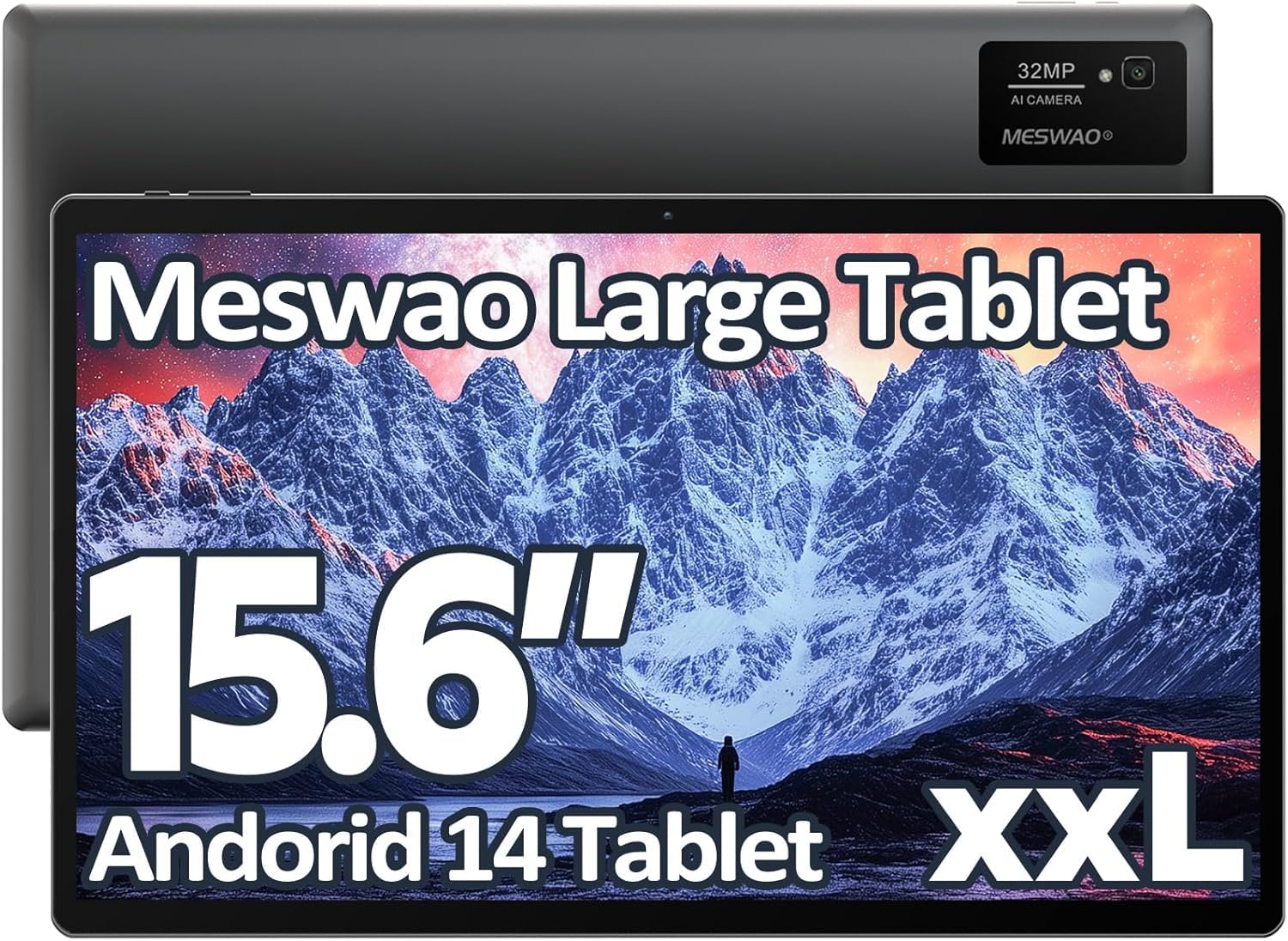
Image: The MESWAO 15.6-inch Android 14 Tablet, showcasing its large display and sleek design.
2. Gosod
2.1 Dadbocsio ac Archwiliad Cychwynnol
Tynnwch yr holl gydrannau o'r pecynnu yn ofalus. Gwiriwch fod yr holl eitemau a restrir yng nghynnwys y pecyn yn bresennol ac yn ddi-ddifrod. Os oes unrhyw eitemau ar goll neu wedi'u difrodi, cysylltwch â chymorth cwsmeriaid ar unwaith.
2.2 Gwefru'r Tabled
Before first use, fully charge the tablet. Connect the provided USB-C cable to the tablet's charging port and the other end to the power adapter. Plug the power adapter into a wall outlet. The charging indicator will illuminate. A full charge typically takes approximately 3 hours with the 30W fast charging capability.
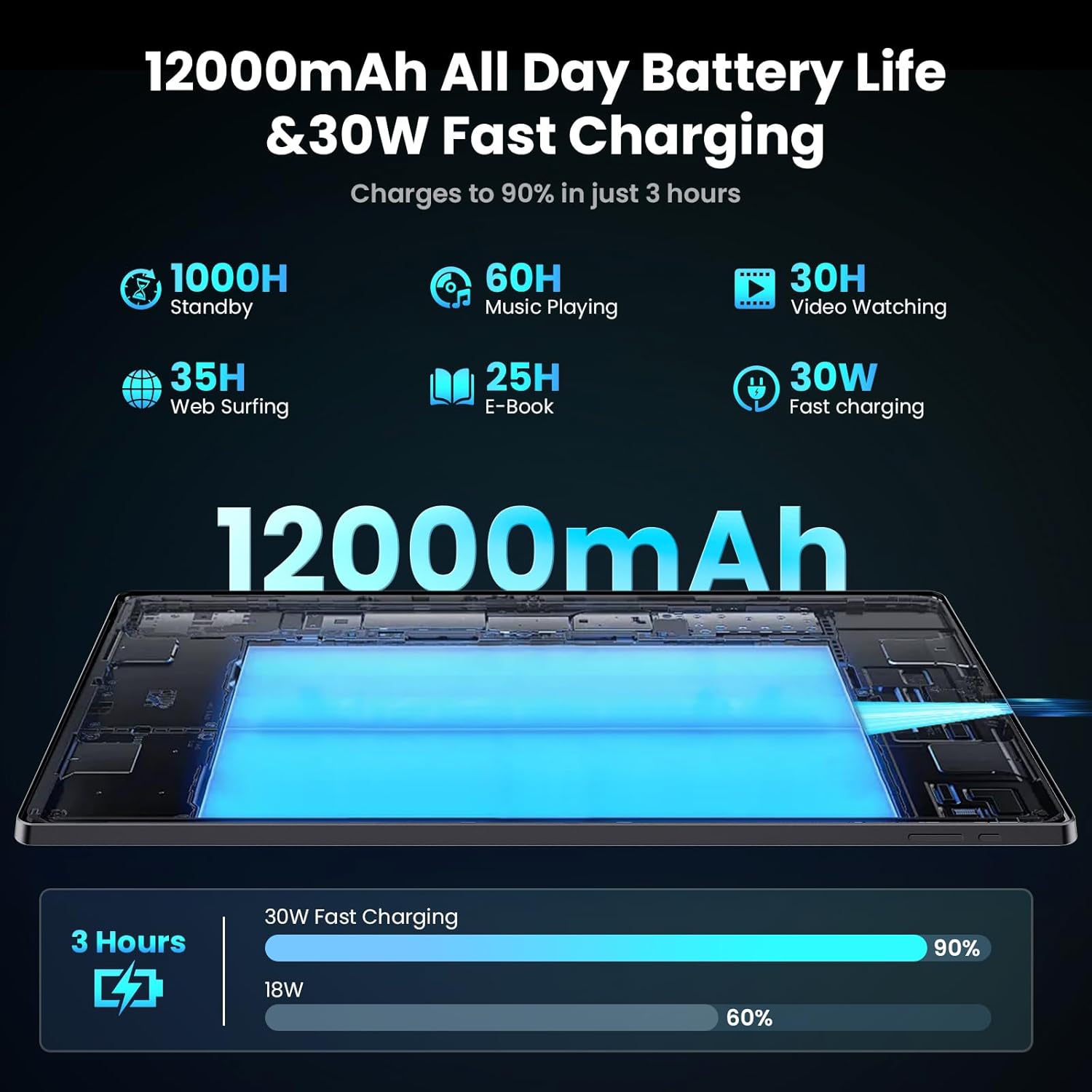
Image: Diagram illustrating the 12000mAh battery capacity and 30W fast charging feature, showing a charge to 90% in 3 hours.
2.3 Troi Ymlaen a Chyflunio Cychwynnol
- Press and hold the Power button until the MESWAO logo appears.
- Dilynwch yr awgrymiadau ar y sgrin i ddewis eich iaith, rhanbarth, a chysylltu â rhwydwaith Wi-Fi.
- Mewngofnodwch gyda'ch cyfrif Google neu crëwch un newydd i gael mynediad i'r Google Play Store a gwasanaethau eraill.
- Complete any remaining setup steps, such as setting up a screen lock (PIN, pattern, or password) and reviewing privacy settings.
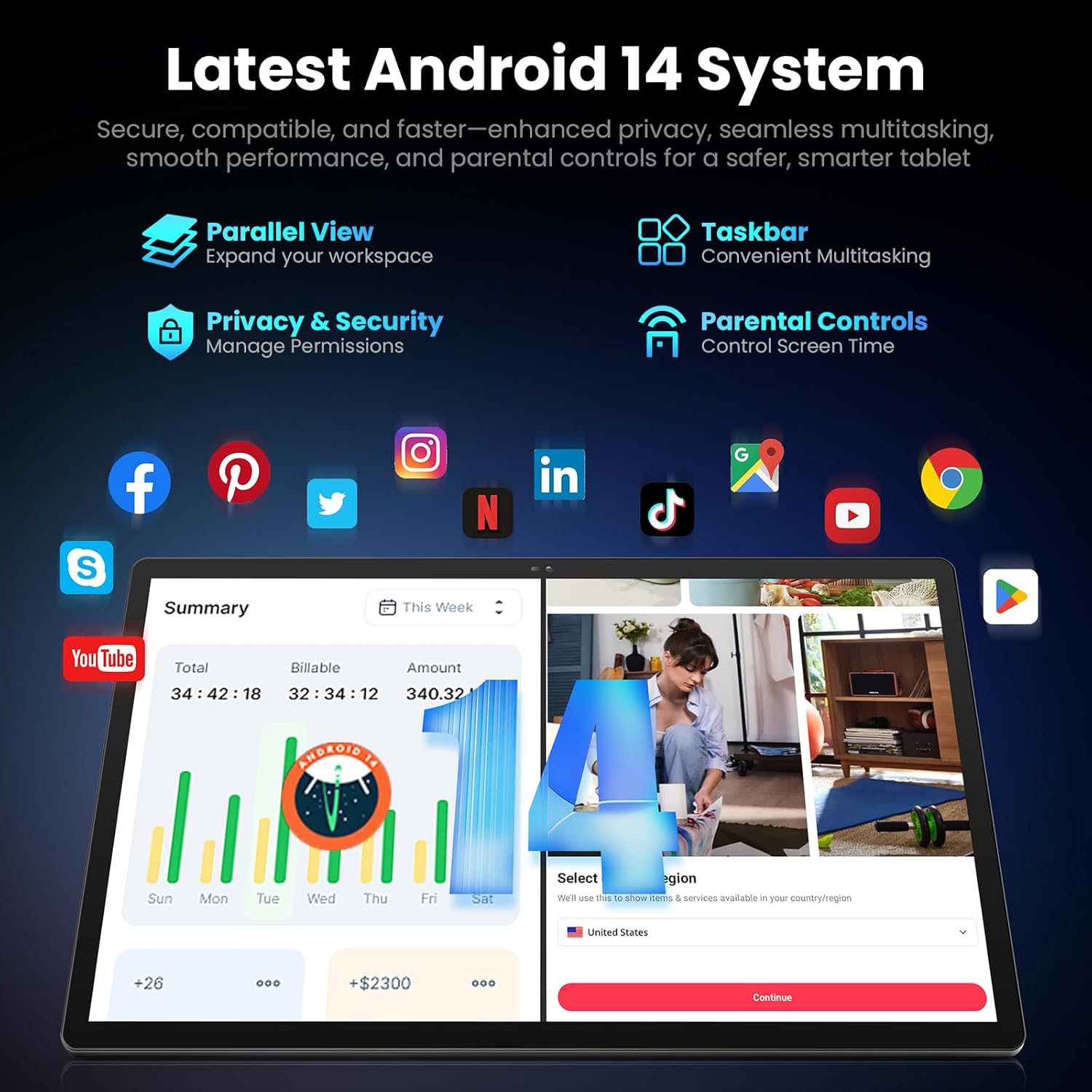
Image: Screenshot of the Android 14 system interface on the MESWAO tablet, highlighting features like Parallel View, Taskbar, Privacy & Security, and Parental Controls.
3. Cyfarwyddiadau Gweithredu
3.1 Mordwyo Sylfaenol
- Ystumiau Cyffwrdd: Tapiwch i ddewis, swipeiwch i sgrolio, pinsiwch i chwyddo.
- Sgrin Cartref: Mynediad i apiau, teclynnau a hysbysiadau.
- Panel Hysbysu: Sychwch i lawr o frig y sgrin i view hysbysiadau a gosodiadau cyflym.
- Drôr Ap: Sweipiwch i fyny o waelod y sgrin i gael mynediad at yr holl gymwysiadau sydd wedi'u gosod.
3.2 Arddangosfa a Phrofiad Gweledol
The 15.6-inch Full HD (1920x1080) IPS display offers vivid colors and wide viewing angles. Adjust brightness and display settings in the Settings menu under "Display" for optimal viewing comfort. The large screen is ideal for multitasking and immersive media consumption.

Image: The MESWAO tablet displaying a high-definition image, emphasizing the 1920x1080P Full HD IPS display with eye protection features.
3.3 Perfformiad a Storio
Equipped with an Octa-Core Helio G99 processor and Android 14, the tablet provides smooth performance for various applications. It includes 8GB RAM and 256GB internal storage, expandable up to 1TB via a TF (microSD) card. To insert a TF card, locate the card slot on the side of the tablet, open the tray, and carefully place the card into the designated slot before reinserting the tray.
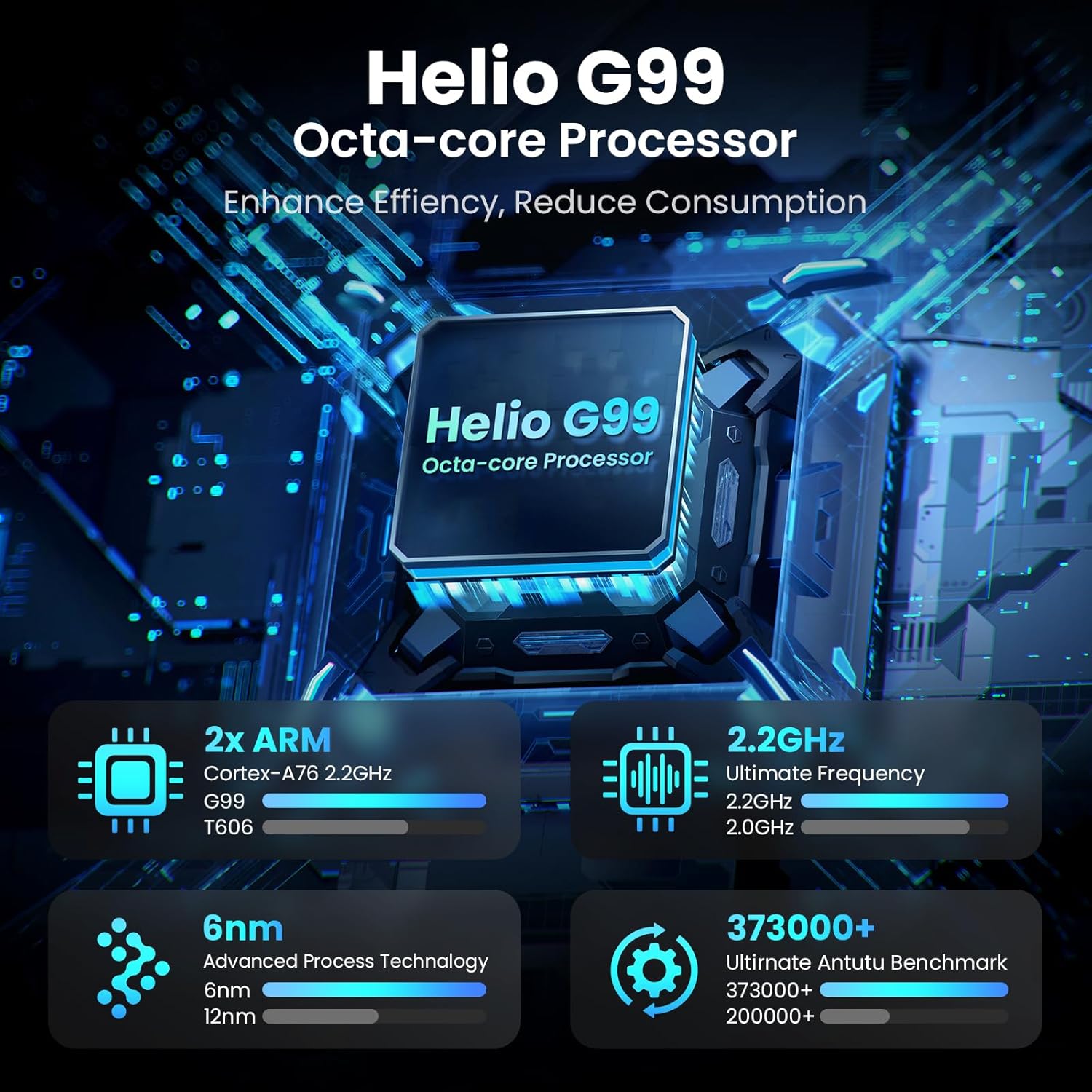
Image: Visual representation of the Helio G99 Octa-core Processor, detailing its architecture and performance metrics like 2.2GHz frequency and 6nm process technology.

Image: The MESWAO tablet screen showing multiple open applications and storage capacity details: 8GB RAM, 256GB ROM, and support for up to 1TB external storage.
3.4 Defnyddio'r Camera
The tablet features a 32MP rear camera with flash and a 5MP front camera. Open the Camera application to capture photos, record videos, or engage in video calls. Ensure good lighting for best results.

Image: A visual demonstrating the MESWAO tablet's 5MP front camera and 32MP rear camera, showing a family photo being taken and a video call in progress.
3.5 Cysylltedd
The tablet supports dual-band Wi-Fi (2.4GHz & 5GHz) for stable internet connectivity. Bluetooth is also available for connecting wireless accessories. Access these settings via the Notification Panel or the main Settings app.
4. cynnal
4.1 Glanhau'r Tabled
Defnyddiwch frethyn meddal, di-flwff i lanhau'r sgrin a chorff y dabled. Ar gyfer staeniau ystyfnig, sychwch ychydigampgolchwch y lliain gyda dŵr neu doddiant glanhau sy'n ddiogel i'r sgrin. Osgowch ddefnyddio cemegau llym neu ddeunyddiau sgraffiniol.
4.2 Diweddariadau Meddalwedd
Chwiliwch am ddiweddariadau system a'u gosod yn rheolaidd i sicrhau bod gan eich tabled y nodweddion, y clytiau diogelwch a'r gwelliannau perfformiad diweddaraf. Ewch i Gosodiadau > System > Diweddariad system i wirio am ddiweddariadau.
4.3 Gofal Batri
- Osgowch dymheredd eithafol, gan y gallant ddirywio oes y batri.
- Peidiwch â gadael i'r batri ddraenio'n llwyr yn aml.
- Defnyddiwch y gwefrydd a ddarperir neu wefrydd cydnaws ardystiedig yn unig.
5. Datrys Problemau
5.1 Tablet Not Powering On
- Ensure the tablet is sufficiently charged. Connect it to the charger for at least 30 minutes before attempting to power on again.
- Pwyswch a daliwch y botwm Pŵer am 10-15 eiliad i gyflawni ailgychwyn gorfodol.
5.2 Problemau Cysylltedd Wi-Fi
- Check if Wi-Fi is enabled in the Quick Settings or Settings menu.
- Ailgychwynwch eich llwybrydd Wi-Fi a'r dabled.
- Anghofiwch y rhwydwaith yn y gosodiadau Wi-Fi ac ailgysylltwch.
- Gwnewch yn siŵr eich bod o fewn cyrraedd y signal Wi-Fi.
5.3 Perfformiad Araf
- Caewch gymwysiadau cefndir diangen.
- Clear cache data for frequently used apps (Gosodiadau > Apiau > [Enw'r Ap] > Storio a storfa > Clirio storfa).
- Ensure sufficient free storage space. Delete unused files neu apiau.
- Ailgychwynwch y dabled o bryd i'w gilydd.
5.4 Sgrin yn Anymatebol
- Perform a forced restart (hold Power button for 10-15 seconds).
- Gwnewch yn siŵr bod y sgrin yn lân ac yn rhydd o leithder neu falurion.
6. manylebau
| Nodwedd | Manylyn |
|---|---|
| Enw Model | MES-B3 |
| Maint Arddangos | 15.6 modfedd |
| Cydraniad Sgrin Max | 1920 x 1080 Pixels (Full HD IPS) |
| System Weithredu | Android 14 |
| Prosesydd | Octa-Core Helio G99 (up to 2.2 GHz) |
| HWRDD | 8GB |
| Storio Mewnol (ROM) | 256GB |
| Storfa Ehangadwy | Hyd at 1TB (Cerdyn TF) |
| Gallu Batri | 12000mAh |
| Codi tâl | 30W Codi Tâl Cyflym |
| Camera Cefn | 32MP gyda Fflach |
| Camera blaen | 5MP |
| Cysylltedd | Dual-band Wi-Fi (2.4GHz & 5GHz), Bluetooth |
| Dimensiynau (LxWxH) | 14.53 x 8.78 x 0.43 modfedd |
| Pwysau Eitem | 3.84 pwys |
7. Gwarant a Chefnogaeth
7.1 Gwybodaeth Gwarant
MESWAO products are covered by a limited warranty. Please refer to the warranty card included in your product packaging for specific terms and conditions. Keep your proof of purchase for warranty claims.
7.2 Cefnogaeth i Gwsmeriaid
For technical assistance, troubleshooting, or warranty inquiries, please contact MESWAO customer support. Contact information can typically be found on the official MESWAO websafle neu ar y cerdyn gwarant.
Online resources such as FAQs and support forums may also be available on the MESWAO websafle.