
1. Gosod
This section guides you through the initial setup of your CHUWI CoreBook X laptop.
1.1 Unboxing and Initial Power On
- Tynnwch y gliniadur a'r holl ategolion o'r pecynnu yn ofalus.
- Connect the provided USB-C power adapter to the laptop's USB-C port (PD Charging/USB 2.0) and then to a power outlet.
- Open the laptop lid. The laptop may power on automatically or you may need to press the power button located on the keyboard.
- Dilynwch y cyfarwyddiadau ar y sgrin i gwblhau'r gosodiad cychwynnol ar gyfer Windows 11 Pro, gan gynnwys dewis iaith, cysylltiad rhwydwaith, a chreu cyfrif defnyddiwr.
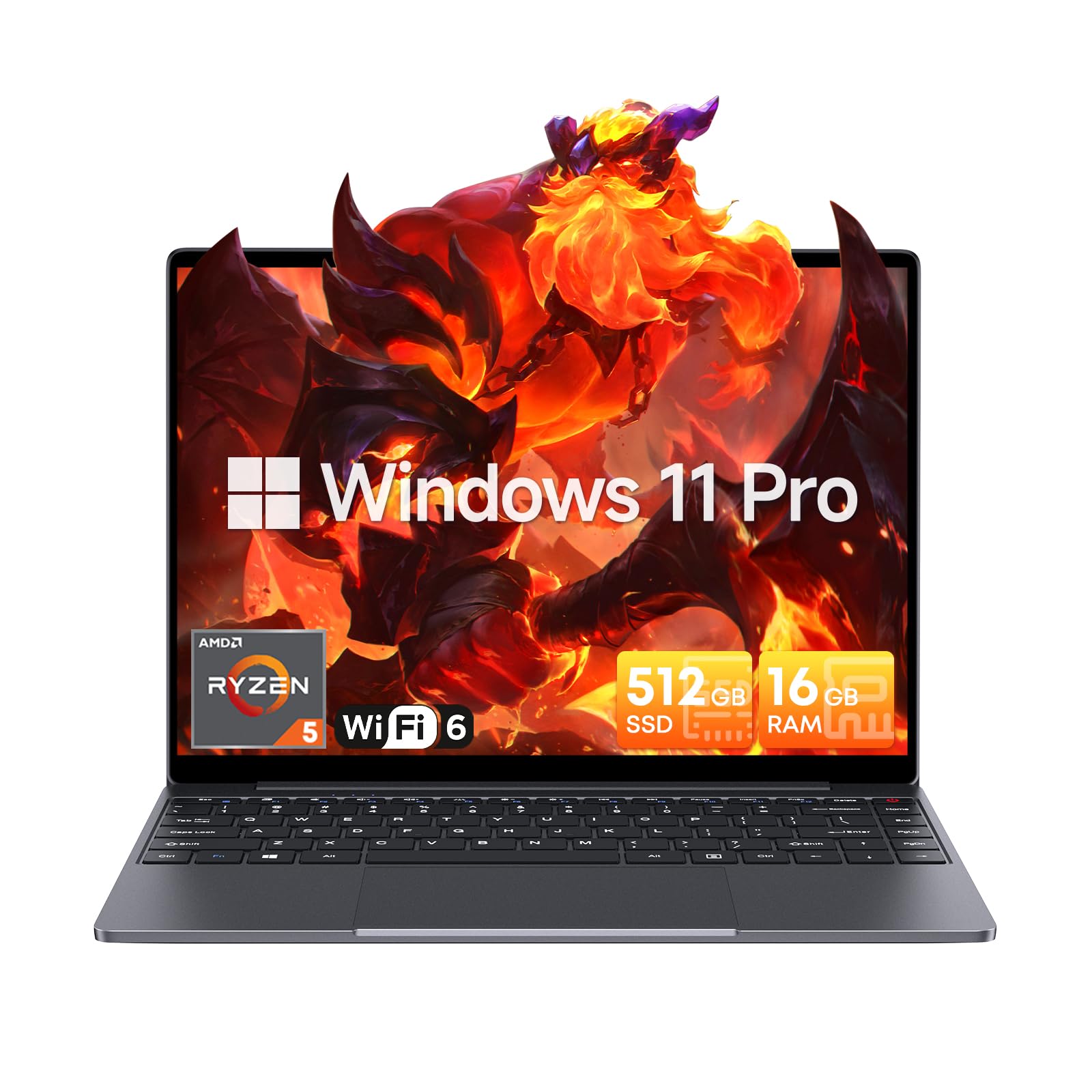
Image: The CHUWI CoreBook X laptop open on a desk, ready for use.
1.2 Cysylltu Perifferolion
- Dyfeisiau USB: Connect USB mice, keyboards, or external storage devices to the available USB 3.0 ports.
- Arddangosfa Allanol: Use the HDMI 1.4 port or the full-featured USB Type-C port to connect an external monitor.
- Dyfeisiau Sain: Cysylltwch glustffonau neu siaradwyr allanol â'r jac sain 3.5mm.
- Cerdyn TF: Insert a TF card into the TF card slot for additional storage.

Delwedd: Manwl view of the laptop's ports, including TF Card Slot, 3.5mm Headphone Jack, USB 3.0 Port, Lock Slot, USB Type-C (PD Charging/USB 2.0), HDMI 1.4, and Full-featured USB Type-C Port.
1.3 Network and Bluetooth Connection
- Wi-Fi 6: I gysylltu â rhwydwaith diwifr, cliciwch ar yr eicon Wi-Fi yn y bar tasgau, dewiswch eich rhwydwaith, a nodwch y cyfrinair.
- Bluetooth 5.2: To pair Bluetooth devices, go to Windows Settings > Bluetooth & devices, turn on Bluetooth, and select your device to pair.
2. Gweithredu
This section covers the basic operation of your CHUWI CoreBook X laptop.
2.1 Rheoli Pŵer
- Pŵer Ymlaen: Pwyswch y botwm pŵer.
- Modd Cwsg: Close the lid or select "Sleep" from the Start menu.
- Cau i Lawr: Select "Shut down" from the Start menu.
- Ailgychwyn: Select "Restart" from the Start menu.
2.2 Bysellfwrdd a Phad Cyffwrdd
- The laptop features a full-sized backlit keyboard with white illumination. Use the function keys (Fn) in combination with other keys for shortcuts like adjusting brightness, volume, or toggling the backlight.
- The large touchpad supports multi-touch gestures for navigation. Refer to Windows settings for customizing touchpad gestures.

Delwedd: Llun agos view of the laptop's backlit keyboard and large touchpad, highlighting its navigation features.
2.3 Arddangosfa a Sain
- The 14-inch IPS display offers a 2160*1440 resolution. Adjust display settings (brightness, resolution, scaling) through Windows Display Settings.
- The laptop is equipped with stereo speakers. Volume can be controlled via the keyboard function keys or the Windows sound settings.
- An HD webcam is integrated for video conferencing.

Image: The laptop's 14-inch 2K IPS display showcasing vibrant colors and a comparison of 3:2 and 16:9 aspect ratios.
2.4 Fideo Drosoddview
Video: An official product video demonstrating various features and usage scenarios of the CHUWI CoreBook X laptop, including its performance, display, and connectivity options.
3. cynnal
Mae cynnal a chadw priodol yn sicrhau hirhoedledd a pherfformiad gorau posibl eich gliniadur.
3.1 Glanhau
- Use a soft, lint-free cloth to clean the screen. For stubborn marks, dampgolchwch y brethyn ychydig gyda dŵr neu lanhawr sy'n ddiogel ar gyfer sgriniau.
- Wipe the chassis and keyboard with a soft, dry cloth. Avoid using harsh chemicals or abrasive materials.
- Periodically use compressed air to clear dust from the vents to maintain efficient cooling.
3.2 Gofal Batri
- Avoid fully discharging the battery frequently. Charge the laptop when the battery level is low.
- Store the laptop in a cool, dry place if not used for extended periods, with the battery charged to around 50-70%.
- Use only the original or certified compatible USB-C PD charger.
3.3 Storage and Memory Upgrades
The laptop supports RAM and SSD upgrades.
- The 16GB DDR4 RAM can be expanded up to 64GB via 2 SODIMM slots.
- The 512GB PCIe SSD can be expanded up to 2TB using the M.2 2280 PCIe slot.
- A convenient detachable bottom cover allows for easier access to upgrade components without removing the entire back panel.

Image: The underside of the laptop with the detachable cover removed, revealing the dual-channel SO-DIMM slot for RAM upgrades.
4. Datrys Problemau
Mae'r adran hon yn darparu atebion ar gyfer problemau cyffredin y gallech ddod ar eu traws.
4.1 Materion ac Atebion Cyffredin
- Nid yw'r gliniadur yn troi ymlaen:
- Gwnewch yn siŵr bod yr addasydd pŵer wedi'i gysylltu'n ddiogel â'r gliniadur ac allfa bŵer sy'n gweithio.
- Gwiriwch a yw'r allfa bŵer yn weithredol.
- Rhowch gynnig ar ddal y botwm pŵer am 10-15 eiliad i berfformio ailosodiad caled.
- Problemau arddangos (dim delwedd, fflachio):
- Adjust screen brightness using function keys.
- If an external monitor is connected, try disconnecting it.
- Ailgychwyn y gliniadur.
- Wi-Fi or Bluetooth connectivity problems:
- Ensure Wi-Fi/Bluetooth is enabled in Windows settings.
- Restart your router/modem for Wi-Fi issues.
- Remove and re-pair Bluetooth devices.
- Update network and Bluetooth drivers through Device Manager.
- Perfformiad araf:
- Cau cymwysiadau diangen sy'n rhedeg yn y cefndir.
- Check for Windows updates and driver updates.
- Sicrhewch fod digon o le gwag ar yr SSD.
- Run a malware scan.
If you encounter issues not covered here or require further assistance, please refer to the Support section.
5. manylebau
Detailed technical specifications for the CHUWI CoreBook X laptop.

Image: An illustration of the AMD Ryzen 5 processor, highlighting its core count, threads, and clock speed.
| Nodwedd | Manyleb |
|---|---|
| Enw Model | Corebook X |
| Prosesydd | AMD Ryzen 5 (6 Cores, 12 Threads, up to 4.3 GHz) |
| Graffeg | AMD Radeon Graphics (1800MHz, Max 2GB Memory) |
| HWRDD | 16GB DDR4 (Expandable up to 64GB via 2 SODIMM slots) |
| Storio | 512GB PCIe SSD (Expandable up to 2TB via M.2 2280 PCIe slot) |
| Arddangos | 14-inch IPS, 2160*1440 Resolution, 100% sRGB Color Gamut |
| System Weithredu | Windows 11 Pro |
| Cysylltedd | Wi-Fi 6 (802.11ax), Bluetooth 5.2 |
| Porthladdoedd | USB Type-C (PD Charging/USB 2.0), USB 3.0, HDMI 1.4, Full-featured USB Type-C, 3.5mm Audio Jack, TF Card Slot, Lock Slot |
| Batri | 46.2Wh Lithium-Ion Battery, 65W USB-C PD Fast Charging |
| Bysellfwrdd | Full-sized Backlit Keyboard with White Illumination |
| pad cyffwrdd | Large Touchpad, Multi-touch |
| Webcam | HD Webcam |
| Dimensiynau | 12.2"L x 9"W x 0.67"Th (17mm thin) |
| Pwysau | 2.2 pwys (1.4kg) |
6. Gwarant
The CHUWI CoreBook X laptop comes with a Gwarant gwneuthurwr 1 flynedd.
This warranty covers defects in materials and workmanship under normal use. It does not cover damage caused by accidents, misuse, unauthorized repairs, or modifications. Please retain your proof of purchase for warranty claims.
7. Cefnogaeth
For technical assistance, warranty claims, or further inquiries, please contact CHUWI customer support.
- Cefnogaeth i weithgynhyrchwyr: Visit the official CHUWI websafle ar gyfer adnoddau cymorth, Cwestiynau Cyffredin, a gwybodaeth gyswllt.
- Cymorth Gwerthwyr: If purchased through a retailer, you may also contact the seller for assistance.