
Rhagymadrodd
This instruction manual provides detailed information on the setup, operation, and maintenance of your Kuephom CD Player Boombox with Cassette Player, Model CD-X2A. Please read this manual thoroughly before using the device to ensure proper functionality and to maximize your listening experience. Keep this manual for future reference.
Cynnyrch Drosview
The Kuephom CD Player Boombox is a versatile audio system designed for both modern and classic audio formats. It features CD, cassette, Bluetooth, FM/AM radio, USB, and AUX input capabilities.

This image displays the Kuephom CD Player Boombox, highlighting its versatile features including CD/MP3 playback, Bluetooth connectivity, Type I/II tape support, USB input, FM/AM radio, sleep timer, remote control, phone jack, AUX input, and tape recording capabilities.
Cynnwys Pecyn

This image shows the items included in the product package: the CD Player Boombox, an AC Power Cord, the User Manual, and a Remote Control.
- Kuephom CD Player Boombox (Model CD-X2A)
- Cord pŵer AC
- Rheolaeth Anghysbell
- Llawlyfr Defnyddiwr
Gosod
Pweru'r Uned
Your Kuephom CD Player Boombox can be powered by either AC power or batteries.

This image illustrates the dual power options for the boombox: AC power for indoor use and battery power (6 C-size batteries, not included) for portable outdoor use.
AC Power (for Home Use)
- Gwnewch yn siŵr bod y boombox wedi'i ddiffodd.
- Connect the AC power cord to the AC input jack on the back of the unit.
- Plug the other end of the AC power cord into a standard wall outlet.
Battery Power (for Outdoor/Portable Use)
- Gwnewch yn siŵr bod y boombox wedi'i ddiffodd.
- Agorwch y gorchudd compartment batri sydd wedi'i leoli ar waelod yr uned.
- Insert 6 C-size batteries (not included), ensuring correct polarity (+/-).
- Caewch y clawr adran batri yn ddiogel.
Addasiad Antena
For optimal FM/AM radio reception, extend the telescopic antenna fully and adjust its position. For AM reception, rotating the unit itself may improve signal quality.
Cyfarwyddiadau Gweithredu
Rheolaethau Cyffredinol
Familiarize yourself with the main controls on the unit and the remote control for easy operation.

This image shows the Kuephom CD Player Boombox along with its remote control, demonstrating its convenience for operation from a distance.
Chwarae CD

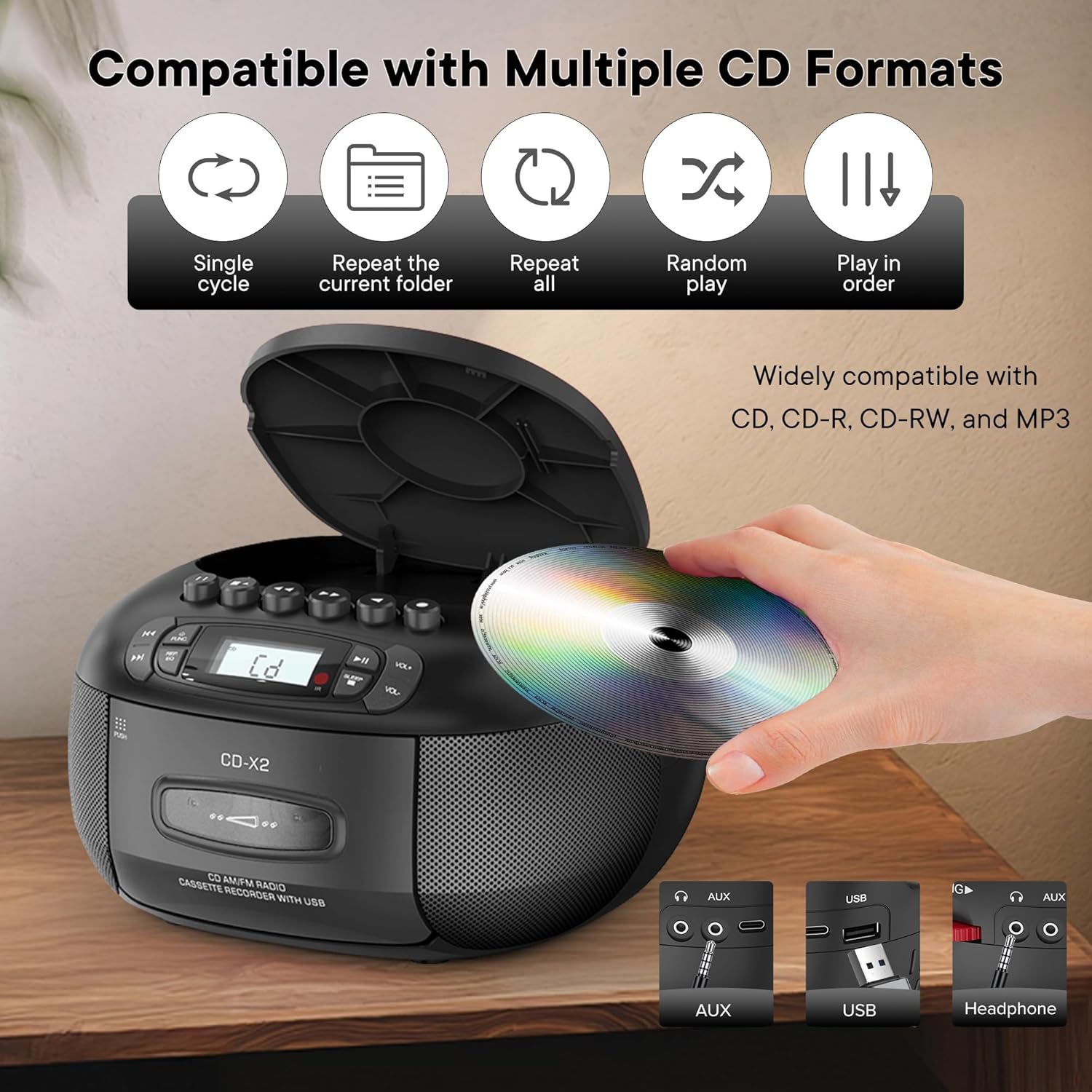
This image illustrates the CD compatibility of the boombox, supporting CD, CD-R, CD-RW, and MP3 formats. It also shows various playback modes: single cycle, repeat current folder, repeat all, random play, and play in order.
- Gwasgwch y SWYDDOG button to select CD mode. The display will show "CD".
- Open the CD compartment cover by pressing the AGOR/CAU botwm.
- Place a CD (CD, CD-R, CD-RW, or MP3 CD) onto the spindle with the label side facing up.
- Close the CD compartment cover. The unit will read the disc and display the total number of tracks.
- Gwasgwch y CHWARAE/SEIBIANT botwm i ddechrau chwarae.
- Defnyddiwch y SKIP YMLAEN or ESGIPIO YN ÔL botymau i lywio rhwng traciau.
- Gwasgwch y REP/EQ button repeatedly to cycle through repeat modes (single track, repeat all, random play).
- Addaswch y gyfrol gan ddefnyddio'r VOL+ a VOL- botymau.
Cassette Playback and Recording
This image shows a user inserting a cassette tape into the boombox, emphasizing its cassette playback and recording functions.
Chwarae yn ôl
- Gwasgwch y SWYDDOG button to select TAPE mode. The display will show "TAP".
- Gwasgwch y GWTHIO botwm i agor y compartment casét.
- Insert a cassette tape with the open edge facing up.
- Caewch y compartment casét.
- Gwasgwch y CHWARAE button (usually indicated by a triangle symbol) to start playback.
- Defnyddiwch y YMLAEN GYFLYM or AILWIN buttons to quickly move through the tape.
- Gwasgwch y AROS/GOLLWNG button to stop playback or eject the tape.
Recordio
You can record audio from CD, Bluetooth, USB, or FM/AM radio onto a cassette tape.
- Mewnosodwch dâp casét gwag i mewn i adran y casét.
- Select the desired source (CD, Bluetooth, USB, or Radio) using the SWYDDOG botwm.
- Start playback on the source (e.g., play a CD track, start Bluetooth streaming).
- Gwasgwch y COFNOD button (usually indicated by a red circle) on the boombox. The unit will begin recording the audio onto the cassette.
- Gwasgwch y AROS button to end recording.
Radio FM/AM
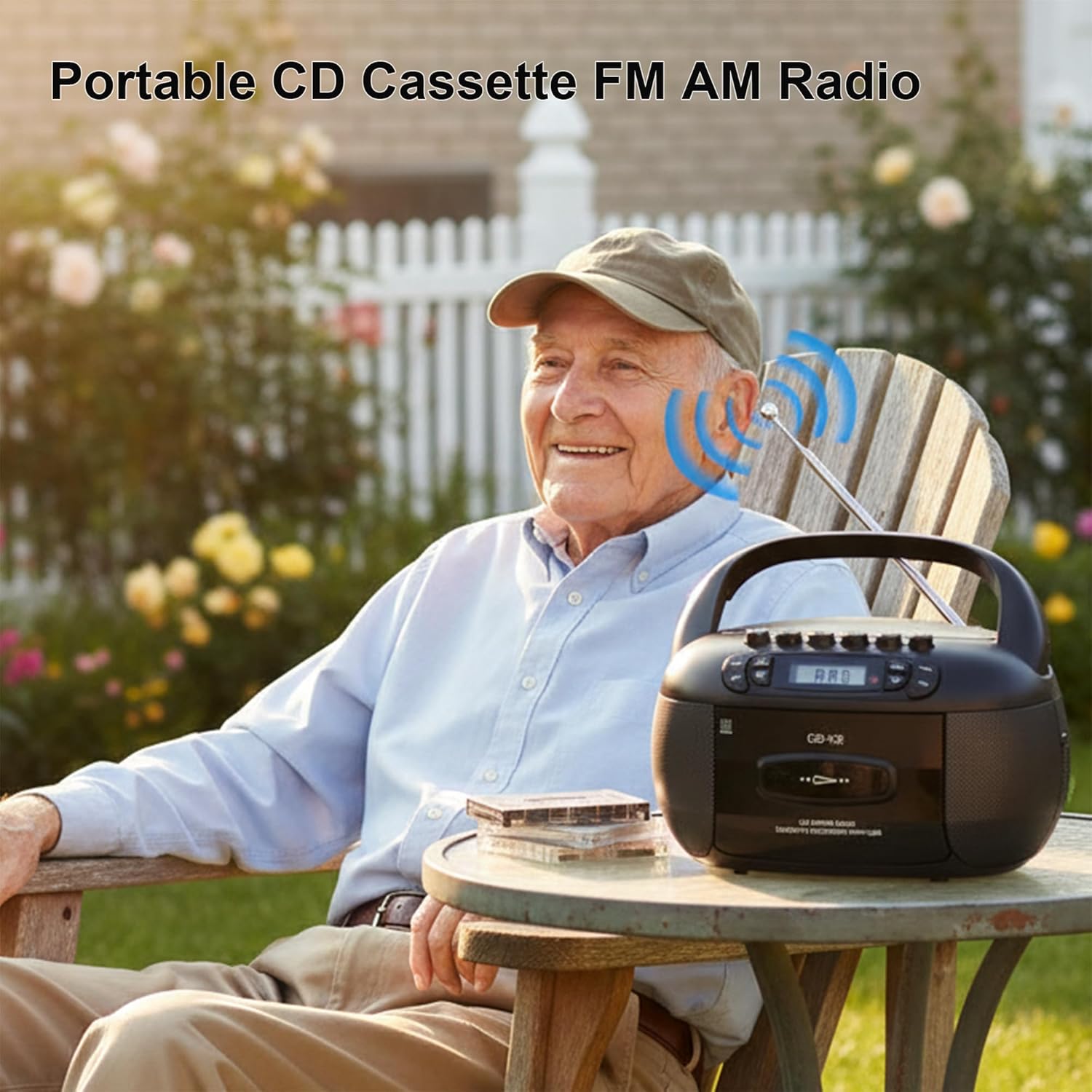
This image depicts a user enjoying the portable FM/AM radio function of the boombox outdoors, with the antenna extended for better reception.
- Gwasgwch y SWYDDOG button to select RADIO mode. The display will show "rAd".
- Extend the telescopic antenna for FM reception. For AM, adjust the unit's position.
- Defnyddiwch y DYNIO bwlyn (neu SGIP buttons if available) to tune to your desired FM or AM station. The frequency will be displayed.
- Addaswch y gyfrol gan ddefnyddio'r VOL+ a VOL- botymau.
Cysylltedd Bluetooth

The image demonstrates the boombox's Bluetooth functionality, allowing wireless audio streaming from a smartphone.
- Gwasgwch y SWYDDOG button to select Bluetooth mode. The display will show "bt" and flash, indicating it's in pairing mode.
- Ar eich ffôn clyfar neu ddyfais Bluetooth arall, galluogwch Bluetooth a chwiliwch am ddyfeisiau sydd ar gael.
- Select "Kuephom CD-X2A" (or similar name) from the list of devices.
- Once paired, the "bt" indicator on the boombox display will stop flashing and remain solid.
- You can now play audio from your connected device through the boombox.
USB/MP3 Playback
- Gwasgwch y SWYDDOG button to select USB mode. The display will show "USB".
- Mewnosod gyriant fflach USB yn y porthladd USB ar yr uned.
- The unit will automatically detect and begin playing MP3/WMA files o'r gyriant USB.
- Defnyddiwch y CHWARAE/SEIBIANT, SKIP YMLAEN, a ESGIPIO YN ÔL botymau i reoli chwarae.
Mewnbwn AUX
- Gwasgwch y SWYDDOG button to select AUX mode. The display will show "AUX".
- Connect an external audio device (e.g., smartphone, tablet, MP3 player) to the AUX input jack on the boombox using a 3.5mm audio cable (not included).
- Dechreuwch chwarae ar eich dyfais allanol. Bydd y sain yn cael ei llwybro drwy siaradwyr y boombox.
- Addaswch y gyfrol gan ddefnyddio'r VOL+ a VOL- buttons on the boombox and/or your external device.
Amserydd Cwsg

This image shows the boombox on a bedside table next to a sleeping person, highlighting the convenient sleep timer function that automatically stops playback.
- While the unit is playing, press the CYSGU botwm.
- Each press will cycle through available sleep timer durations (e.g., 10, 20, 30, 60, 90 minutes).
- Select your desired duration. The unit will automatically power off after the set time.
Cynnal a chadw
Glanhau'r Uned
- Sychwch y tu allan i'r uned gyda meddal, damp brethyn. Peidiwch â defnyddio glanhawyr neu doddyddion sgraffiniol.
- For the CD lens, use a specialized CD lens cleaning kit. Do not touch the lens directly.
- Keep the cassette head and pinch rollers clean to ensure optimal tape playback and recording quality. Use a cotton swab lightly dampyn cynnwys alcohol isopropyl.
Storio
When not in use for extended periods, disconnect the AC power cord and remove batteries. Store the unit in a cool, dry place away from direct sunlight and extreme temperatures.
Datrys problemau
| Problem | Achos Posibl | Ateb |
|---|---|---|
| Dim pŵer | Cord AC heb ei gysylltu; Batris wedi'u gwagio neu wedi'u mewnosod yn anghywir. | Gwiriwch gysylltiad y llinyn AC; Amnewidiwch y batris neu sicrhewch fod y polaredd yn gywir. |
| Dim sain | Volume too low; Incorrect mode selected; Headphones connected. | Increase volume; Select correct source mode; Disconnect headphones. |
| CD ddim yn chwarae | CD inserted incorrectly; CD dirty or scratched; Disc format not supported. | Reinsert CD label side up; Clean or replace CD; Ensure CD is supported format (CD, CD-R, CD-RW, MP3). |
| Derbyniad radio gwael | Antena heb ei hymestyn; Signal gwan; Ymyrraeth. | Estyn ac addasu antena FM; Cylchdroi'r uned ar gyfer AM; Symud i ffwrdd o ddyfeisiau electronig. |
| Mae paru Bluetooth yn methu | Nid yw'r Boombox yn y modd paru; Mae'r ddyfais yn rhy bell; mae Bluetooth wedi'i analluogi ar y ddyfais. | Ensure boombox is in BT pairing mode; Move device closer; Enable Bluetooth on your device. |
| Cassette not playing/recording | Tape inserted incorrectly; Tape damaged; Cassette head dirty. | Reinsert tape correctly; Use a different tape; Clean cassette head. |
Manylebau
| Nodwedd | Manylyn |
|---|---|
| Brand | Kuephom |
| Rhif Model | CD-X2A |
| Technoleg Cysylltedd | Cynorthwyol, Bluetooth, USB |
| Lliw | Du |
| Math o Siaradwr | Stereo |
| Dimensiynau Eitem (L x W x H) | 8.39 x 4.8 x 8.54 modfedd |
| Ffynhonnell Pwer | Corded Electric, Battery (6 C-size) |
| Wattage | 12 wat |
| Cymorth Bluetooth | Oes |
| Nifer y Siaradwyr | 2 |
| Cymhareb Arwydd-i-Sŵn | 80 dB |
| Modd Allbwn Sain | Stereo |
| Pwysau Eitem | 1.57 Cilogram |
Gwarant a Chefnogaeth
Kuephom products are manufactured with attention to quality and performance. For any questions, technical assistance, or warranty claims, please refer to the contact information provided with your purchase or visit the official Kuephom websafle. Cadwch eich prawf prynu at ddibenion gwarant.