
Moman Xview M4 Pro
Moman Xview M4 Pro Selfie Monitor User Manual
Model: Xview M4 Pro
1. Rhagymadrodd
This manual provides comprehensive instructions for the safe and efficient use of your Moman Xview M4 Pro Selfie Monitor. Please read this manual thoroughly before operating the device and retain it for future reference.
2. Gwybodaeth Diogelwch
Er mwyn sicrhau gweithrediad diogel ac atal difrod, dilynwch y rhagofalon canlynol:
- Do not expose the monitor to water or excessive humidity.
- Osgoi gollwng neu orfodi'r ddyfais i effeithiau cryf.
- Do not attempt to disassemble or repair the monitor yourself. Contact qualified service personnel.
- Cadwch y monitor i ffwrdd o olau haul uniongyrchol a ffynonellau gwres.
- Defnyddiwch yr addasydd pŵer a'r ategolion penodedig yn unig.
3. Cynnwys Pecyn
Gwiriwch fod yr holl eitemau yn bresennol yn y pecyn:
- Moman Xview M4 Pro Selfie Monitor (main unit)
- Cebl Codi Tâl USB-C
- Llawlyfr Defnyddiwr (y ddogfen hon)
Nodyn: Gall cynnwys y pecyn amrywio ychydig yn dibynnu ar y rhanbarth neu'r bwndel penodol a brynwyd.
4. Gosod
4.1 Gwefru'r Monitor
Before first use, fully charge the Moman Xview M4 Pro monitor. Connect the provided USB-C cable to the monitor's charging port and the other end to a compatible USB power adapter (not included) or a computer's USB port.
The charging indicator light will typically show red while charging and turn green or off when fully charged.
4.2 Gosod y Monitor
The Moman Xview M4 Pro is designed to be mounted on various camera rigs or smartphone cages. It features a standard 1/4"-20 screw hole for attachment.
- Attach the monitor to a cold shoe mount or a compatible bracket (sold separately) using the 1/4"-20 screw.
- Securely fasten the monitor to your smartphone cage or camera setup.
- Addaswch y viewing ongl yn ôl yr angen.
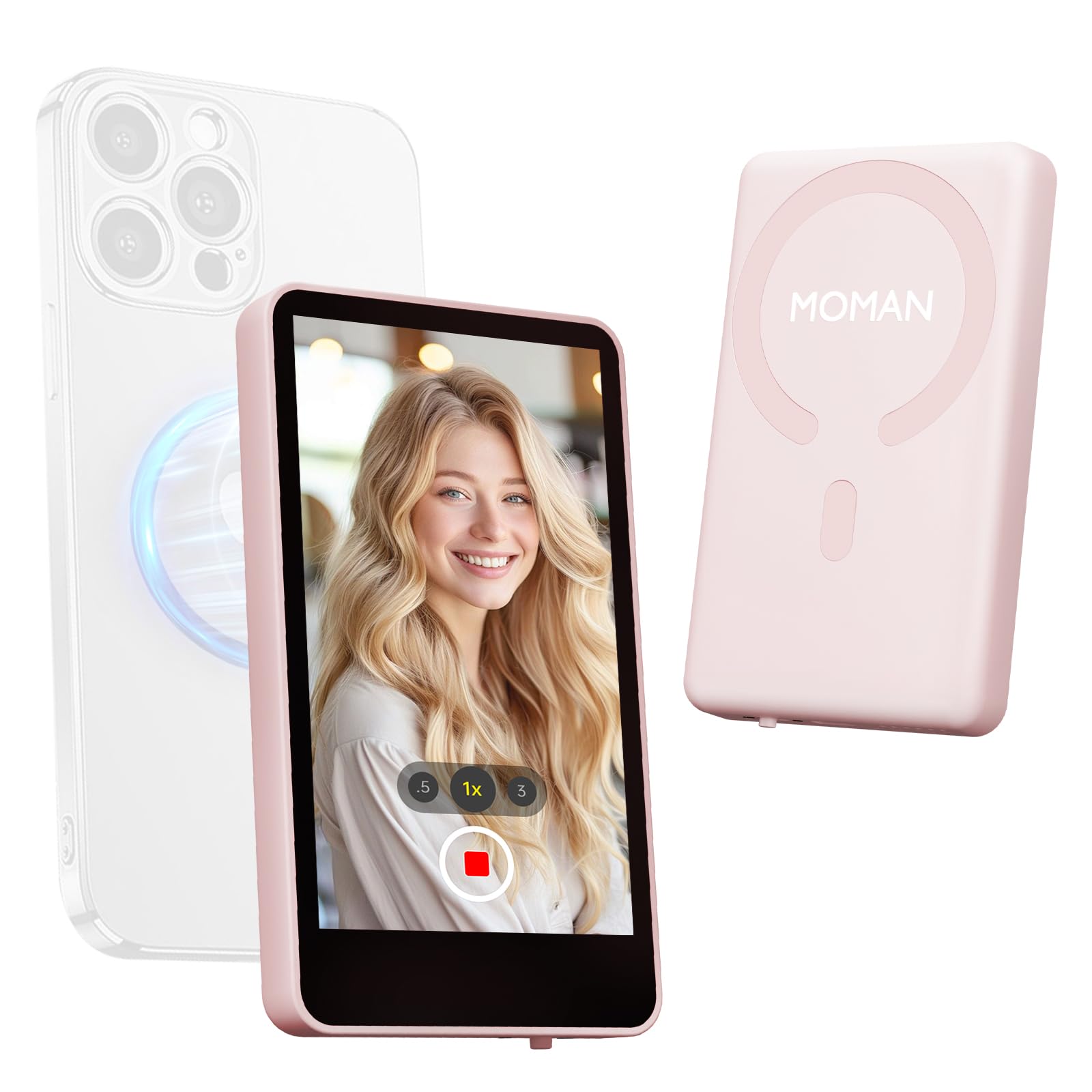
Image: The Moman Xview M4 Pro Selfie Monitor shown attached to a smartphone rig, demonstrating its compact size and mounting flexibility.
5. Cyfarwyddiadau Gweithredu
5.1 Pweru Ymlaen/Diffodd
To power on the monitor, press and hold the power button located on the side/back of the device for approximately 3 seconds. The screen will illuminate. To power off, press and hold the power button again until the screen turns off.
5.2 Connecting to a Smartphone
The Moman Xview M4 Pro connects wirelessly to your smartphone (iPhone 7-17 Series & Android). Follow these steps:
- Gwnewch yn siŵr bod Bluetooth a Wi-Fi eich ffôn clyfar wedi'u galluogi.
- Download and install the dedicated Moman Xview ap o siop apiau eich ffôn clyfar.
- Open the Moman Xview app and follow the on-screen instructions to pair with the M4 Pro monitor. The app will guide you through the connection process, typically involving selecting the monitor from a list of available devices.
- Once connected, your smartphone's camera feed will be mirrored on the M4 Pro monitor.
For optimal performance, ensure your smartphone and the monitor are within close proximity and free from wireless interference.
5.3 Swyddogaethau Monitro
The M4 Pro monitor provides various functions to enhance your selfie and video recording experience:
- Monitro amser real: View your smartphone's camera feed in real-time.
- Addasiad Disgleirdeb: Use the dedicated buttons or app controls to adjust screen brightness.
- Mirror/Flip Function: Some models or app versions may offer options to mirror or flip the display for specific shooting scenarios. Refer to the app for available features.
- Dangosydd Batri: The monitor displays its current battery level.
6. cynnal
6.1 Glanhau
To clean the monitor, use a soft, dry, lint-free cloth. For stubborn smudges, lightly dampen the cloth with water or a screen-cleaning solution. Do not use harsh chemicals or abrasive materials.
6.2 Storio
When not in use, store the monitor in a cool, dry place, away from direct sunlight and extreme temperatures. It is recommended to use the original packaging or a protective case to prevent scratches and damage.
7. Datrys Problemau
| Problem | Achos Posibl | Ateb |
|---|---|---|
| Nid yw monitor yn pweru ymlaen. | Batri isel. | Charge the monitor using the provided USB-C cable. |
| Cannot connect to smartphone. | Bluetooth/Wi-Fi off; App not installed; Monitor not in pairing mode; Interference. | Ensure Bluetooth/Wi-Fi are on. Install Moman Xview app. Restart monitor and app. Move closer to the monitor. |
| Mae'r sgrin yn wag neu'n fflachio. | Loose connection; Software glitch. | Ensure secure connection. Restart monitor and smartphone. Check for app updates. |
If the problem persists after trying these solutions, please contact Moman customer support.
8. manylebau
| Nodwedd | Manylyn |
|---|---|
| Model | Xview M4 Pro |
| Cysylltedd | Wireless (Bluetooth/Wi-Fi) |
| Cydweddoldeb | iPhone 7-17 Series & Android smartphones |
| Dimensiynau | 12.19 x 9.91 x 1.9 cm (tua) |
| Pwysau | 168 gram (tua) |
| Ffynhonnell Pwer | USB-C (internal rechargeable battery) |
Gall manylebau newid heb rybudd.
9. Gwarant a Chefnogaeth
Moman products are covered by a limited warranty. For detailed warranty terms and conditions, please refer to the warranty card included with your product or visit the official Moman websafle.
For technical support, troubleshooting assistance, or service inquiries, please contact Moman customer support through their official websafle neu'r wybodaeth gyswllt a ddarperir yn eich pecynnu cynnyrch.
Moman Official Websafle: www.moman.co
Dogfennau cysylltiedigXview M4 Pro


Ask a question about this manual
Ask about setup, troubleshooting, compatibility, parts, safety, or missing instructions. Manuals+ will review the question and use this page’s manual context to help answer it.