
Rhagymadrodd
The iLive Cinema Pop-up Movie Kit is a comprehensive portable entertainment solution designed to transform any space into a personal cinema. This kit includes a 720p projector, a 120-inch ultra-bright projector screen, an adjustable tripod, and a powerful Bluetooth 5.0 speaker system. Enjoy crisp images and rich audio for both indoor and outdoor movie nights.
Beth sy'n Gynwysedig
- Taflunydd 720p
- 120-inch Anti-Wrinkle Polyester Projector Screen (16:9 aspect ratio, 1.3 gain)
- Professional-Grade Tripod with integrated bubble level (360-degree pan, ±180-degree tilt, 41.73-inch max height, 4 kg capacity)
- Bluetooth 5.0 Speaker System (dual 4-inch full-range speakers, 16W peak output, LED light effects, rechargeable battery)
- Rheolaeth Anghysbell
- Cebl Pŵer
- Cebl HDMI
- Cebl Sain 3.5mm
- Cebl USB
- Achos Cario
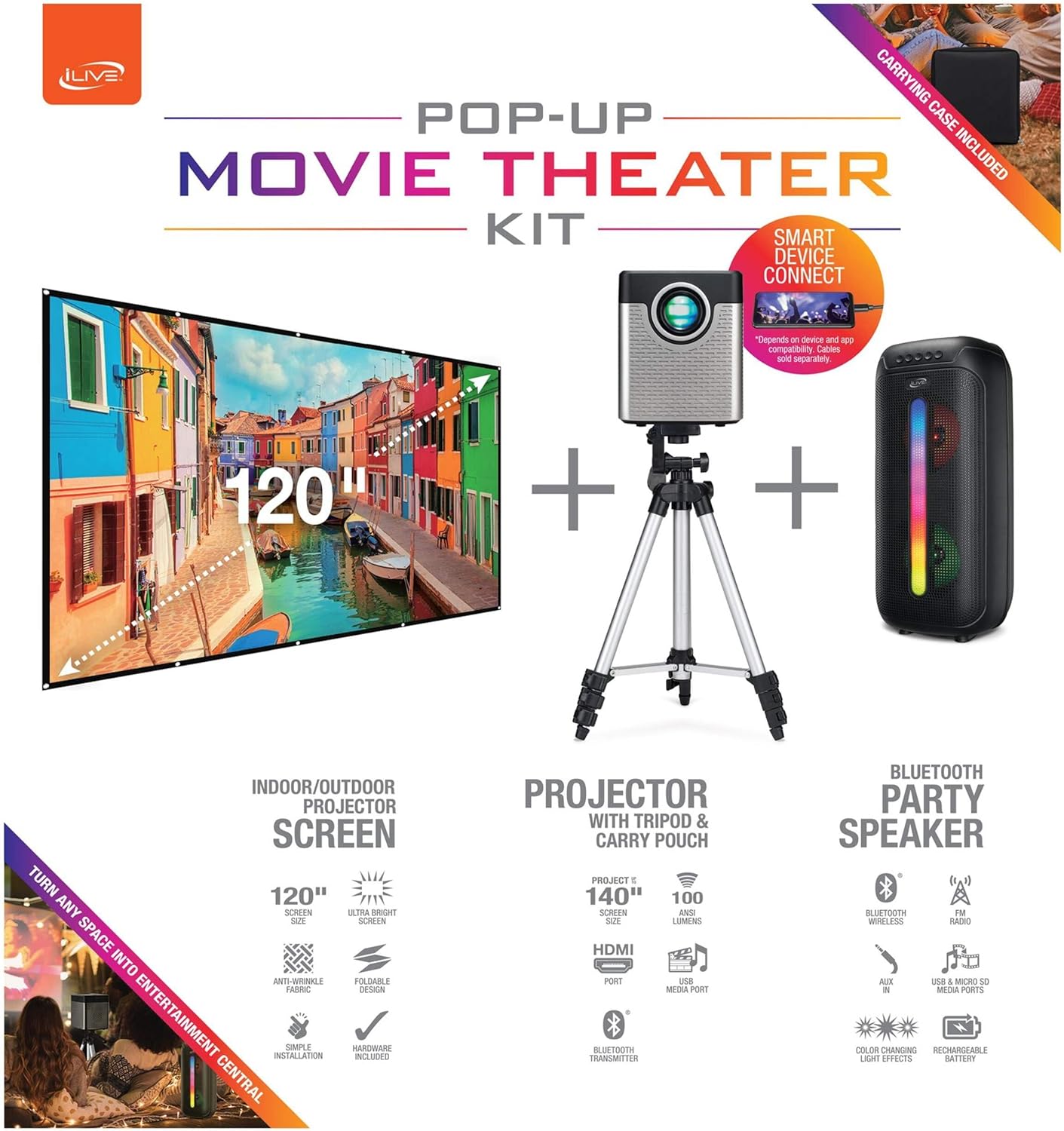
Figure 1: Diagram of the iLive Cinema Pop-up Movie Kit components.

Figure 2: The complete kit packed in its carrying case.
Gosod
- Dadbacio Cydrannau: Tynnwch yr holl eitemau o'r cas cario yn ofalus.
- Assemble Tripod: Extend the legs of the tripod and secure them. Adjust the height to your desired viewing level. The integrated bubble level assists in ensuring a stable and level base.
- Mount Projector: Securely attach the projector to the tripod mount. Ensure it is stable and facing the desired projection area.
- Set Up Screen: Unfold the 120-inch anti-wrinkle screen. If using the tripod, attach the screen to the tripod frame using the provided fasteners. Ensure the screen is taut and wrinkle-free for optimal viewing. For alternative mounting, use the grommets along the screen's edges with appropriate wall hooks (not included).
- Swydd Siaradwr: Place the Bluetooth speaker in a location that provides optimal sound distribution for your viewing ardal.
- Pwer Cysylltu: Connect the power cable to the projector and a suitable power outlet.
- Cysylltu Dyfeisiau (Dewisol): Connect your media source (e.g., laptop, gaming console, Blu-ray player) to the projector using an HDMI or USB cable. For external audio, use the 3.5mm audio input or connect wirelessly via Bluetooth to the speaker.

Figure 3: Projector mounted on the tripod.

Ffigur 4: Example outdoor setup with the projector and screen.
Cyfarwyddiadau Gweithredu
Gweithrediad Taflunydd
- Pŵer ymlaen / i ffwrdd: Pwyswch y botwm pŵer ar y taflunydd neu'r teclyn rheoli o bell i droi'r uned ymlaen neu i ffwrdd.
- Ffynhonnell Mewnbwn: Use the remote control to select the desired input source (HDMI, USB, etc.).
- Addasiad Ffocws: Adjust the focus ring on the projector lens until the image is clear.
- Cywiriad Keystone: If the projected image appears trapezoidal, use the keystone correction feature (manual or automatic, if available) to adjust the image to a rectangular shape. The projector supports vertical keystone correction.
- Cymhareb Agwedd: Select between 16:9 and 4:3 aspect ratios based on your content and preference.
- Pellter Rhagamcaniad: The projector has a flexible projection range of 2.6 to 12.5 feet. Adjust the distance to achieve the desired screen size.
Gweithrediad Siaradwr Bluetooth
- Pŵer ymlaen / i ffwrdd: Press and hold the power button on the speaker to turn it on or off.
- Pâr Bluetooth: Galluogwch Bluetooth ar eich dyfais (e.e., ffôn clyfar, tabled). Chwiliwch am the iLive speaker in the list of available devices and pair.
- Rheoli cyfaint: Addaswch y sain gan ddefnyddio'r rheolyddion ar y siaradwr neu'ch dyfais gysylltiedig.
- Effeithiau Golau LED: The speaker features LED light effects. Refer to the speaker's specific controls for adjusting or disabling these effects.
- Gwir Stereo Di-wifr (TWS): If you have two iLive Bluetooth speakers, you can pair them together for a True Wireless Stereo experience. Follow the instructions provided with the speaker for TWS pairing.
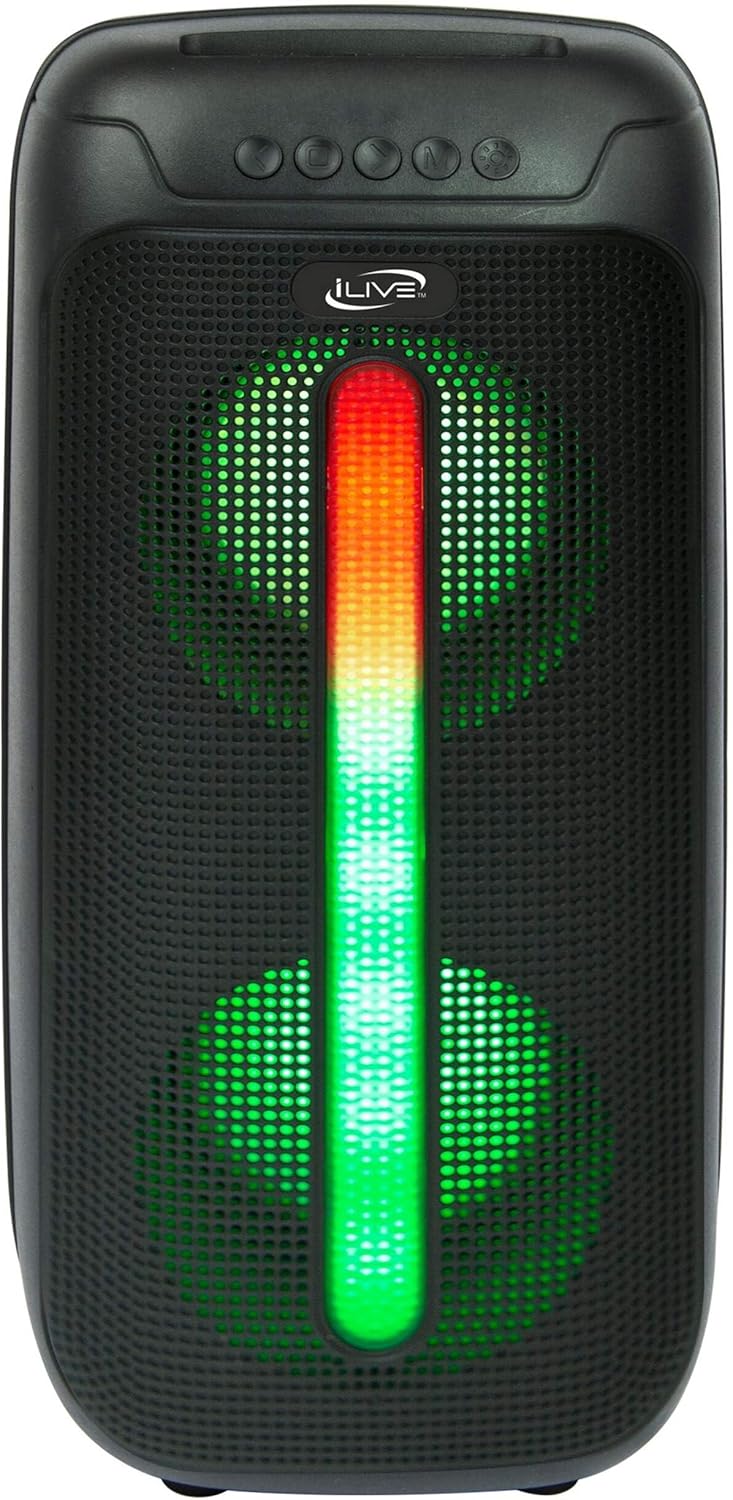
Figure 5: iLive Bluetooth 5.0 Speaker.
Cynnal a chadw
- Lens y Taflunydd: Use a soft, lint-free cloth to gently clean the projector lens. Avoid abrasive materials or harsh chemicals.
- Projector Vents: Ensure the projector's ventilation openings are clear of dust and debris to prevent overheating.
- Glanhau sgrin: The anti-wrinkle polyester screen can be gently wiped with a damp cloth if necessary. Allow it to air dry completely before folding or storing.
- Gofal Siaradwr: Keep the speaker dry and clean. Avoid exposing it to extreme temperatures or direct sunlight.
- Storio: When not in use, store all components in the provided carrying case in a cool, dry place to protect them from dust and damage.
Datrys problemau
- Dim Delwedd ar y Sgrin:
- Ensure the projector is powered on and the lens cap is removed.
- Gwiriwch fod y ffynhonnell fewnbwn gywir wedi'i dewis ar y taflunydd.
- Gwiriwch fod yr holl gysylltiadau cebl (HDMI, USB) yn ddiogel.
- Delwedd aneglur:
- Addaswch y cylch ffocws ar y lens taflunydd.
- Ensure the projection distance is within the recommended range (2.6-12.5 ft).
- Distorted Image (Trapezoidal):
- Use the keystone correction feature to adjust the image geometry.
- Ensure the projector is placed on a level surface or the tripod is properly adjusted.
- Dim sain o'r siaradwr:
- Ensure the speaker is powered on and charged.
- Verify Bluetooth pairing or 3.5mm audio cable connection.
- Check volume levels on both the speaker and the connected device.
- Problemau paru Bluetooth:
- Sicrhewch fod y siaradwr yn y modd paru.
- Symudwch y siaradwr yn agosach at eich dyfais.
- Disconnect and re-pair the device.
Manylebau
| Nodwedd | Manyleb |
|---|---|
| Rhif Model | THE2024BDL |
| Cydraniad Arddangos | 1280 x 720 (720p) |
| Math Arddangos | LED |
| Disgleirdeb | 3000 Lumen |
| Cymhareb Cyferbyniad | 1000:1 |
| Cymarebau Agwedd | 16:9, 4:3 |
| Bywyd Ffynhonnell Ysgafn | 20,000 Awr |
| Ystod Tafluniad | 2.6 - 12.5 Troedfedd |
| Maint Delwedd Uchaf | 120 modfedd |
| Cysylltedd | HDMI, USB, 3.5mm Audio, Bluetooth 5.0 |
| Allbwn Siaradwr | 16W Peak (Dual 4-inch drivers) |
| Speaker Battery Life | Hyd at 4 awr (cyfaint o 50%) |
| Nodweddion Tripod | Integrated bubble level, 360-degree pan, ±180-degree tilt, 41.73-inch max height, 4 kg capacity |
| Cymorth Amgodio Fideo | H.264, H.265 |
| Dull Rheoli | Rheolaeth Anghysbell |
Fideos Cynnyrch Swyddogol
Nid oes fideos swyddogol gan werthwyr ar gael ar gyfer y cynnyrch hwn ar hyn o bryd.
Gwarant a Chefnogaeth
For warranty information or technical support, please contact iLive customer service at 1-888-999-4215. Please have your model number (THE2024BDL) and proof of purchase ready when contacting support.