
1. Rhagymadrodd
This manual provides detailed instructions for the setup, operation, maintenance, and troubleshooting of your GMKtec Nucbox G10 Mini PC. The Nucbox G10 is a compact and powerful desktop computer designed for various applications, from office tasks to multimedia entertainment, featuring an AMD Ryzen 5 3500U processor, 16GB DDR4 RAM, and a 1TB NVMe SSD.
2. Cynnwys Pecyn
Gwiriwch fod yr holl eitemau a restrir isod yn bresennol yn eich pecyn:
- GMKtec Nucbox G10 AMD Ryzen 5 3500U Mini PC Computer
- Cyflenwad Pŵer a Chebl
- Cebl HDMI
- VESA Mount and Screws
- Llawlyfr Defnyddiwr (y ddogfen hon)

Image: Retail Boxed Packaging. This image displays the GMKtec Nucbox G10 Mini PC, power supply, HDMI cable, VESA mount, screws, and user manual, illustrating the complete contents of the product package.
3. Cynnyrch Drosview
3.1 Nodweddion Allweddol
- Prosesydd: AMD Ryzen 5 3500U (4 Cores, 8 Threads, up to 3.70GHz Turbo Boost)
- Graffeg: Integrated AMD Radeon Vega 8 Graphics (1200 MHz)
- Cof: 16GB Dual Channel DDR4 RAM (expandable up to 64GB)
- Storio: 1TB M.2 2280 NVMe SSD (expandable up to 16TB via dual M.2 2280 PCIe 3.0 slots)
- Rhwydwaith: 2.5GbE Ethernet, WiFi 5, Bluetooth 5.0
- Allbwn Arddangos: Triple 4K display support via HDMI 2.1, DisplayPort 1.4, and Full Function USB-C
- Oeri: Silent Turbo Cooling Fan system

Image: Nucbox G10 Feature Overview. This image provides a visual summary of the mini PC's core components including the AMD Ryzen 5 3500U CPU, Radeon Vega 8 Graphics, DDR4 RAM, M.2 SSD, 2.5GbE LAN, WiFi 5, Bluetooth 5.0, triple display support, and cooling system.
3.2 Porthladdoedd a Chysylltwyr
The Nucbox G10 features a comprehensive set of ports for connectivity:
- Blaen: 1x CTIA Audio Jack, 2x USB 3.2 (5Gbps), 1x Power Button
- Cefn: 1x Type-C (PD Only), 1x USB 2.0, 1x 2.5G Giga LAN, 1x HDMI 2.1 (4K@60Hz), 1x DP 1.4 (4K@60Hz), 1x Full Function USB-C (PD/DP/Data), 1x Kensington Lock slot

Image: Front Panel Ports. This image shows the front of the Nucbox G10, highlighting the power button, two USB 3.2 ports, and the CTIA audio jack.

Image: Rear Panel Ports. This image illustrates the rear of the Nucbox G10, detailing the USB-C (PD Only), USB 2.0, 2.5G LAN, HDMI 2.1, DisplayPort 1.4, Full Function USB-C, and Kensington Lock slot.
4. Canllaw Gosod
4.1 Cysylltu Perifferolion
- Monitro: Connect your monitor(s) to the Mini PC using the HDMI, DisplayPort, or USB-C ports. The Nucbox G10 supports up to three 4K displays simultaneously.
- Bysellfwrdd a Llygoden: Cysylltwch eich bysellfwrdd a'ch llygoden USB â'r porthladdoedd USB sydd ar gael.
- Rhwydwaith: For a wired connection, connect an Ethernet cable from your router/modem to the 2.5GbE LAN port. For wireless, ensure your WiFi network is available.
- Sain: Connect speakers or headphones to the 3.5mm audio jack on the front panel if needed.
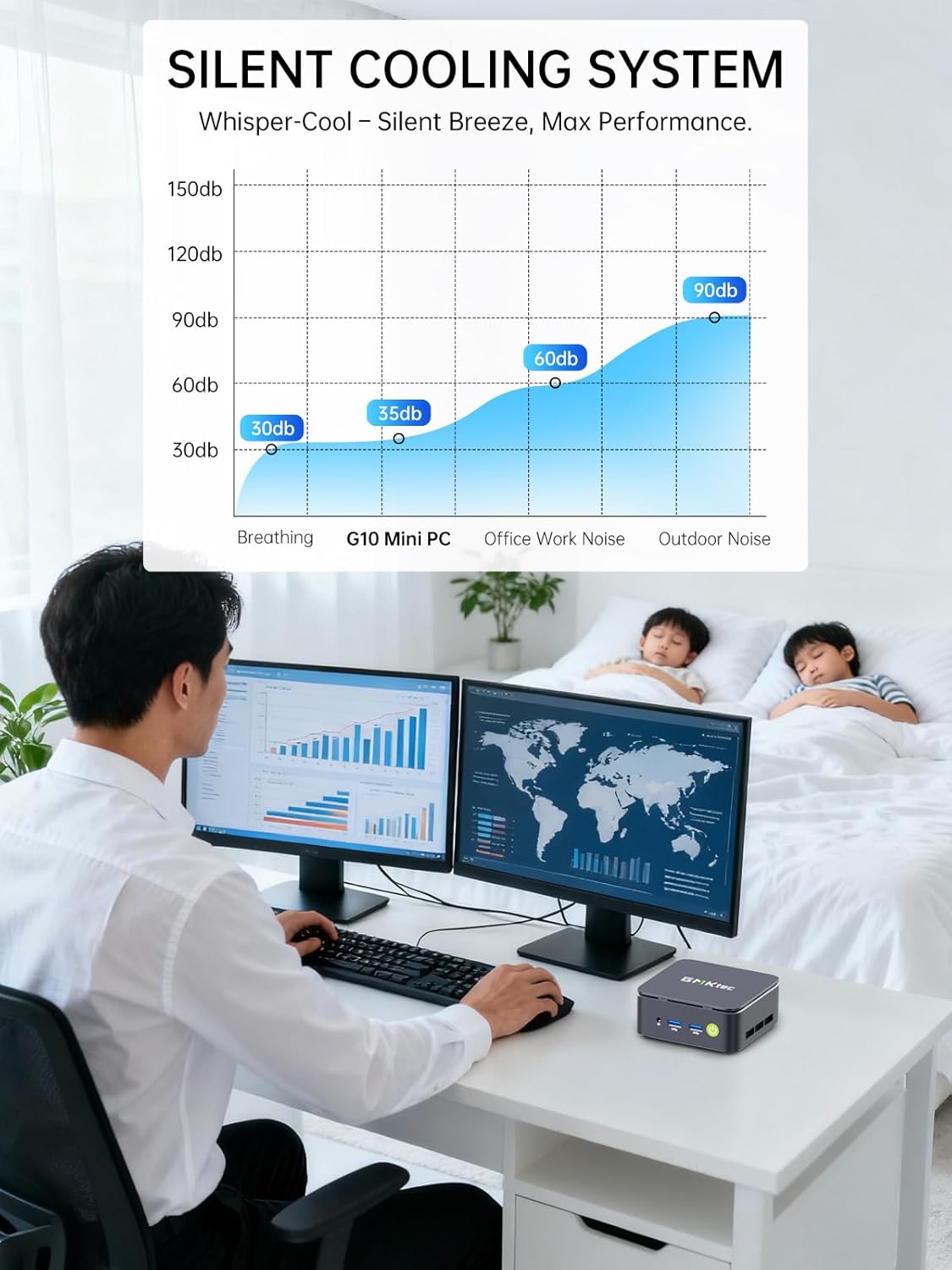
Image: Triple Display Setup. This image demonstrates the Nucbox G10 connected to two vertical monitors and a tablet, showcasing its triple display capability for enhanced productivity.
4.2 Cysylltiad Pwer
Connect the provided power adapter to the DC-in port on the Mini PC, then plug the power cable into a wall outlet. The Mini PC is designed for low power consumption.
4.3 Cychwyn Cychwynnol
Press the power button on the front panel. The Mini PC will boot into the pre-installed Windows 11 Pro operating system. Follow the on-screen instructions for initial Windows setup.
5. Cyfarwyddiadau Gweithredu
5.1 Pŵer Ymlaen/Diffodd
- Pŵer Ymlaen: Pwyswch y botwm pŵer unwaith.
- Pwer i ffwrdd: From Windows, go to Start > Power > Shut down. Alternatively, press and hold the power button for 5 seconds to force a shutdown (use only when necessary).
5.2 System Weithredu
Your Nucbox G10 comes with Windows 11 Pro pre-installed. Ensure you keep your operating system updated for optimal performance and security.
5.3 Cysylltedd Rhwydwaith
- Gwifredig (Ethernet): Once the Ethernet cable is connected, the system should automatically detect the network.
- Di-wifr (Wi-Fi): In Windows, click the Wi-Fi icon in the taskbar, select your network, enter the password, and connect.
- Bluetooth: To connect Bluetooth devices, go to Windows Settings > Bluetooth & devices, and pair your device.
6. cynnal
6.1 Glanhau
Regularly clean the exterior of the Mini PC with a soft, dry cloth. Ensure ventilation openings are free from dust to maintain optimal cooling performance. Do not use liquid cleaners directly on the device.

Image: Ultra Efficient Cooling System. This image provides an internal view of the Nucbox G10, highlighting the silent turbo cooling fan designed for efficient heat dissipation.
6.2 Diweddariadau Meddalwedd
Keep your Windows operating system and drivers updated to ensure system stability, security, and performance. Windows Update can be accessed via Settings > Windows Update.
6.3 Ehangu Storio a Chof
The Nucbox G10 supports memory expansion up to 64GB DDR4 RAM and storage expansion up to 16TB via its dual M.2 2280 PCIe 3.0 slots. Consult a qualified technician for hardware upgrades to avoid voiding your warranty or damaging the device.
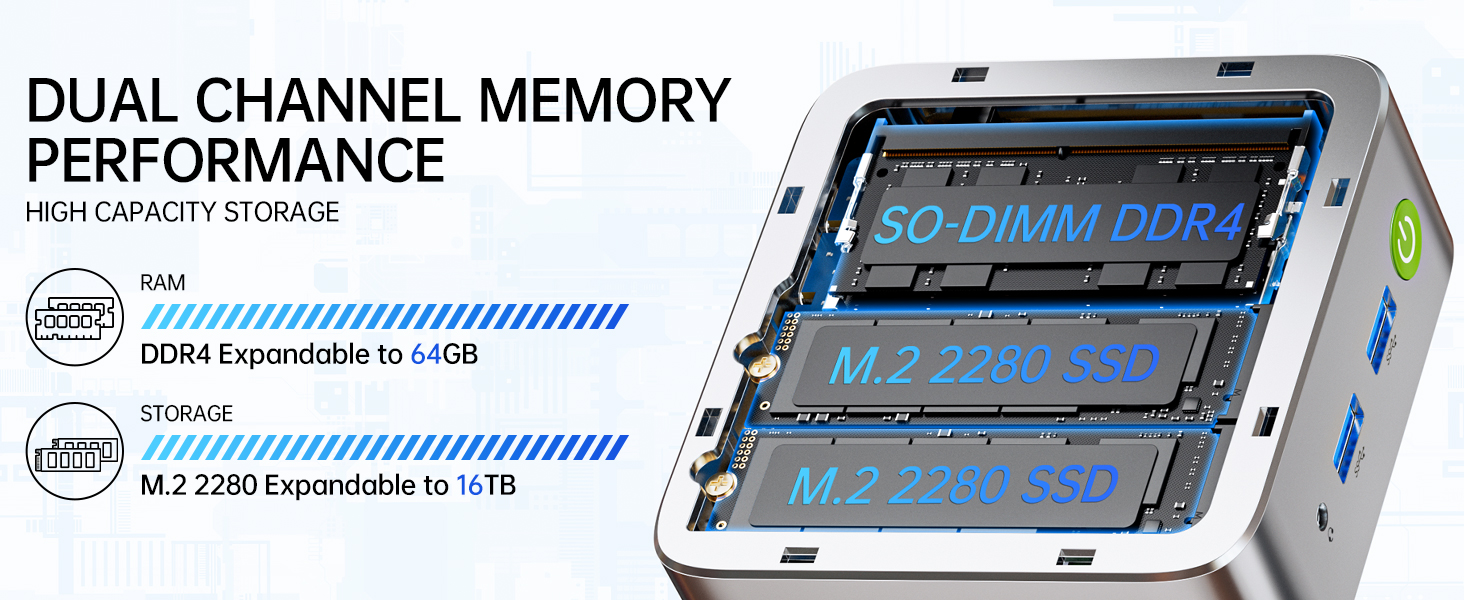
Image: Dual Channel Memory Performance and High Capacity Storage. This diagram illustrates the internal layout for SO-DIMM DDR4 RAM and M.2 2280 SSDs, indicating their expandability.
7. Datrys Problemau
If you encounter issues with your Mini PC, refer to the following common problems and solutions:
- Dim pŵer:
- Gwnewch yn siŵr bod yr addasydd pŵer wedi'i gysylltu'n ddiogel â'r Mini PC ac allfa bŵer sy'n gweithio.
- Gwiriwch fod y soced pŵer yn gweithio drwy blygio dyfais arall i mewn.
- Dim Arddangosfa:
- Check that the HDMI, DisplayPort, or USB-C cable is firmly connected to both the Mini PC and the monitor.
- Gwnewch yn siŵr bod y monitor wedi'i droi ymlaen ac wedi'i osod i'r ffynhonnell fewnbwn gywir.
- Rhowch gynnig ar gysylltu ag arddangosfa wahanol neu ddefnyddio cebl gwahanol.
- Problemau Cysylltedd Rhwydwaith:
- Gwifrog: Check the Ethernet cable connection. Restart your router/modem.
- Di-wifr: Ensure Wi-Fi is enabled in Windows settings. Verify your Wi-Fi password. Restart your router.
- Perfformiad Araf:
- Cau cymwysiadau diangen sy'n rhedeg yn y cefndir.
- Ensure the system has adequate ventilation and is not overheating.
- Chwiliwch am unrhyw ddiweddariadau Windows neu ddiweddariadau gyrwyr sydd ar ddod a'u gosod.
- Run a disk cleanup to free up storage space.
8. manylebau
| Nodwedd | Manyleb |
|---|---|
| Brand | GMKtec |
| Enw Model | G10 |
| System Weithredu | Windows 11 Pro |
| Model CPU | AMD Ryzen 5 3500U |
| Cyflymder CPU | 3.7 GHz (Boost) |
| Cyfrif Prosesydd | 4 |
| Cydbrosesydd graffeg | AMD Radeon Vega 8 Graphics 1200 MHz |
| Cof RAM wedi'i Gosod | 16 GB DDR4 |
| Maint Uchaf Cof RAM | 64 GB |
| Cyflymder Cof | 2400 MT/s |
| Cynhwysedd Storio Cof | 1 TB NVMe SSD |
| Disgrifiad Disg Galed | Dual Slot M.2 2280 PCIE Max. 16TB |
| Technoleg Cysylltedd | HDMI 2.1, RJ45 2.5GbE LAN, USB 3.2, USB-C (DP/DATA/PD), WIFI5/ BT 5.0 |
| Cydnawsedd Di-wifr | 802.11a/b/g/n/ac (WiFi 5), Bluetooth 5.0 |
| Allbwn Fideo | HDMI 2.1, DisplayPort, Type-C (Triple Display) |
| Arddangos Cydraniad Uchafswm | 4096 × 2160 Pixels (4K) |
| Cyfanswm Porthladdoedd USB | 4 (2x USB 3.2, 1x USB 2.0, 1x USB-C Full Function) |
| Defnydd Pŵer | 25 Wat (Nodweddiadol) |
| Dimensiynau Eitem | 4.1 x 3.8 x 1.7 modfedd |
| Pwysau Eitem | 0.95 Cilogram |
| Dull Oeri | Dual Cooling Fan |
| Nodweddion Ychwanegol | RTC Wake, Auto Power On, Wake On LAN, PXE Boot |
9. Gwarant a Chefnogaeth
9.1 Gwybodaeth Gwarant
GMKtec offers a Gwarant cyfyngedig 1 mlynedd for each Mini PC, starting from the date of purchase. This warranty covers defects due to design and workmanship. Please retain your proof of purchase for warranty claims.
9.2 Cefnogaeth i Gwsmeriaid
For technical assistance, warranty claims, or any questions regarding your GMKtec Nucbox G10 Mini PC, please contact GMKtec customer support. You can typically find contact information on the official GMKtec website or through the seller's contact page where you purchased the product (e.g., GMKtec-Direct on Amazon).