
1. Rhagymadrodd
The BTMETER DT100B LED Stroboscope Tachometer is a precision instrument designed for non-contact measurement of rotational speed (RPM/FPM) and for observing moving objects as if they were stationary. It features high accuracy, a wide measurement range, and bright LED illumination, making it suitable for various industrial and automotive applications. This manual provides essential information for the safe and effective use of your device.

Figure 1: BTMETER DT100B LED Stroboscope Tachometer
2. Beth sydd yn y Bocs
- 1 x BTMETER DT100B LED Stroboscope
- 1 x Llawlyfr Defnyddiwr
- 1 x Cebl Codi Tâl USB

Figure 2: Stroboscope with included USB charging cable.
3. Nodweddion Cynnyrch
- Mesur Di-gyswllt: Measures rotational speed from 60-999999 RPM/FPM without physical contact.
- Cywirdeb Uchel: Provides measurements with 0.001% accuracy.
- Real-time Observation: Allows stationary observation of moving objects by synchronizing strobe frequency.
- Data Storage & Review: Supports recording and reviewing data mesur.
- Zero-out Function: One-click button to ensure measurement accuracy.
- Addasiad Cyfnod: For precise control of the observed position.
- Goleuadau Disglair: Equipped with a 1500 lux LED light, with dimmable brightness.
- Dyluniad Symudol: Lightweight (320g) and handheld with a built-in rechargeable 2200mA lithium battery for up to 8 hours of continuous operation.

Figure 3: Key features of the BTMETER DT100B Stroboscope.
4. Cynnyrch Drosview

Ffigur 4: Blaen a brig view of the BTMETER DT100B with labeled components.
- Stroboscopic Rate Adjustment Rotary Dial: Used to adjust the flashing light frequency.
- Strobe Rate/Clear Button: Adjusts strobe rate or clears data.
- Relative Adjustment Button: For fine-tuning adjustments.
- Flicker Rate Increase/Decrease Digital Bit Display: Shows the current flicker rate.
- Arddangosfa Pŵer Batri: Yn dangos bywyd batri sy'n weddill.
- LED Strobe Projection Light Source: The light array for illumination.
- REV/HZ/LM Display: Shows measurement units (RPM/FPM, Hz, Lux).
- Botwm Pwer Ar / Oddi: Yn troi'r ddyfais ymlaen neu i ffwrdd.
- Botwm Newid Modd M: Switches between measurement modes.
- Rhyngwyneb USB: Ar gyfer gwefru'r ddyfais.
5. Gosod
5.1 Codi Tâl ar y Dyfais
Before initial use, ensure the stroboscope is fully charged. Connect the provided USB charging cable to the USB interface (10) on the device and to a standard USB power adapter (not included). The battery power display (5) will indicate charging status. A full charge provides approximately 8 hours of continuous operation.
5.2 Pweru Ymlaen/Diffodd
Press and hold the Power On/Off button (8) to turn the device on or off.
6. Cyfarwyddiadau Gweithredu
6.1 Basic Measurement Procedure
- Pŵer Ymlaen: Turn on the stroboscope using the Power On/Off button (8).
- Nod: Direct the LED strobe light source (6) towards the rotating object you wish to measure or observe.
- Addasu Amlder: Rotate the Stroboscopic Rate Adjustment Rotary Dial (1) to adjust the flashing light frequency. Observe the object.
- Cydamseru: Continue adjusting the frequency until the moving object appears visually stationary or moving very slowly.
- Darllenwch y Mesuriad: Once synchronized, the rotational speed (RPM/FPM) and frequency (Hz) will be displayed on the screen.

Figure 5: How the LED Stroboscope works to measure speed.
6.2 Storio a Chyflenwi Dataview
The device supports data recording and review. Refer to the on-screen prompts and the 'M' Mode Switch Button (9) for navigating data storage functions. Typically, pressing 'M' allows you to select between saving, recalling, or clearing data.

Figure 6: Data storage and review rhyngwyneb.
6.3 Zero-out Function
To ensure measurement accuracy, use the one-click zero-out button (part of Strobe Rate/Clear button 2) as needed before or during measurement.
6.4 Phase Adjustment
The phase adjustment function allows you to precisely control the observed position of the object, which can be useful if the object is partially obscured or for detailed inspection of different parts of the rotating component.
6.5 Addasiad Disgleirdeb
The LED light brightness is dimmable. Use the appropriate controls (refer to the display or specific buttons if available) to adjust the illumination for optimal viewamodau ing.
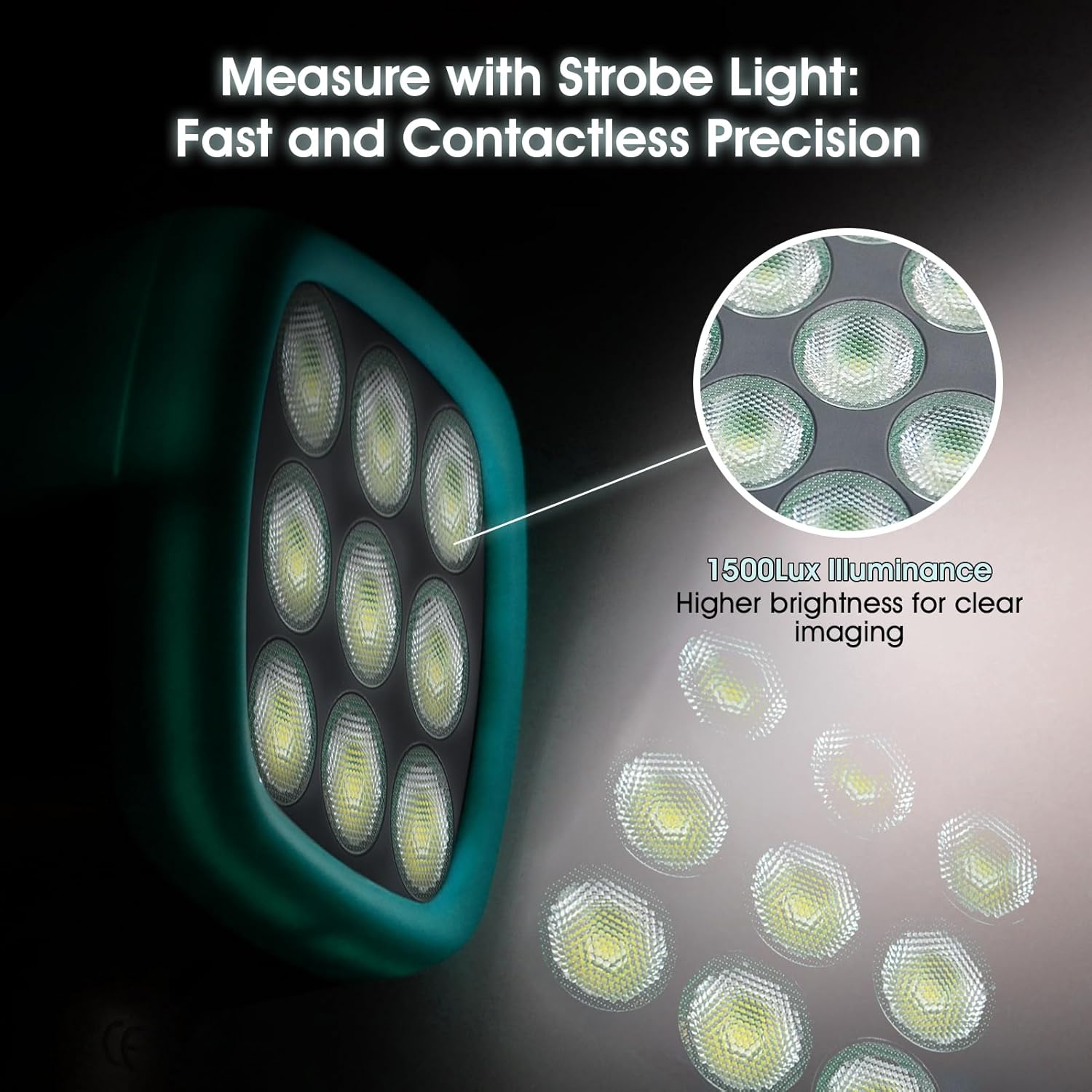
Figure 7: The 1500 Lux LED illumination array.
6.6 Ceisiadau
The BTMETER DT100B is widely used in various applications including gear meshing inspection, spinning machinery analysis, HVAC system diagnostics, paper making, printing industry, turbine inspection, and troubleshooting of driving motors and fans.

Figure 8: Wide range of applications for the stroboscope.
7. cynnal
- Glanhau: Defnyddiwch frethyn meddal, sych i lanhau'r ddyfais. Peidiwch â defnyddio glanhawyr sgraffiniol na thoddyddion.
- Storio: Store the stroboscope in a cool, dry place away from direct sunlight and extreme temperatures.
- Gofal Batri: To prolong battery life, avoid fully discharging the battery frequently. Recharge the device regularly, especially if it will not be used for an extended period.
- Osgoi Effaith: Amddiffynwch y ddyfais rhag cwympiadau ac effeithiau, a all niweidio cydrannau mewnol.
8. Datrys Problemau
| Problem | Achos Posibl | Ateb |
|---|---|---|
| Nid yw'r ddyfais yn pweru ymlaen | Low battery; Device fault | Gwefrwch y ddyfais yn llawn. Os yw'r broblem yn parhau, cysylltwch â'r tîm cymorth. |
| Object does not appear stationary | Strobe frequency not synchronized; Insufficient light | Adjust the rotary dial slowly to match the object's speed. Ensure adequate ambient lighting or adjust strobe brightness. |
| Darlleniadau anghywir | Incorrect synchronization; Environmental interference | Re-synchronize carefully. Use the zero-out function. Minimize external light sources. |
| Rotary dial is stiff or difficult to turn | Mater mecanyddol | Do not force the dial. Contact technical support for assistance. |
9. manylebau
| Paramedr | Gwerth |
|---|---|
| Ystod Mesur | 60-999999 RPM/FPM |
| Cywirdeb | 0.001% |
| Goleuo | 1500 Lux LED |
| Batri | 2200mA Lithium Battery (Rechargeable) |
| Amser Gweithio Parhaus | Hyd at 8 awr |
| Amser Wrth Gefn | Hyd at 3 mis |
| Pwysau Eitem | 11.2 owns (320g) |
| Dimensiynau Cynnyrch | 3.54 x 2.36 x 8.27 modfedd (90 x 60 x 210 mm) |
| Rhif Model | BT-DT100B |
10. Fideo Cynnyrch Swyddogol
Video: BTMETER Stroboscope Strobe Light Tachometer DT100B. This video demonstrates the features and operation of the BTMETER DT100B stroboscope, including its digital frequency synthesis technique for accurate flicker frequency output and USB charging capability.
11. Gwarant a Chefnogaeth
The BTMETER DT100B LED Stroboscope comes with a 365-day quality warranty. BTMETER also provides cymorth technegol oes for this product. For any inquiries, technical assistance, or warranty claims, please contact BTMETER customer service through their official channels or the retailer where the product was purchased.