
Rhagymadrodd
Thank you for choosing the TECKNET TK-HS049 Hybrid Active Noise Cancelling Headphones. These headphones are designed to provide a superior audio experience with advanced noise cancellation, long battery life, and versatile connectivity. This manual will guide you through the setup, operation, and maintenance of your new headphones.
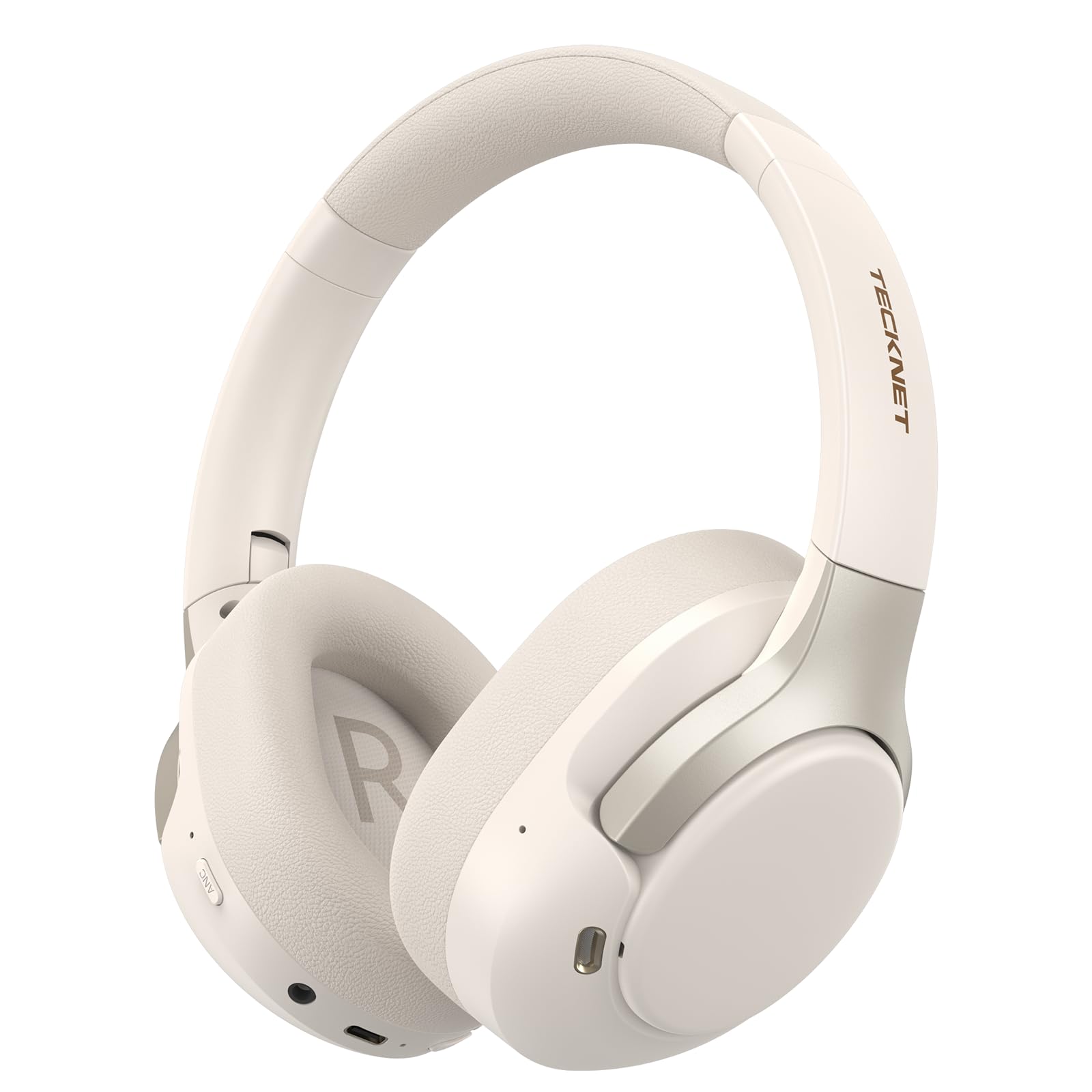
Image: TECKNET TK-HS049 Hybrid Active Noise Cancelling Headphones.
Beth Sydd yn y Bocs
- 1 x TECKNET TK-HS049 ANC Headphones
- Cebl Sain 1 x 3.5mm
- 1 x Llawlyfr Defnyddiwr
- 1 x Cebl Codi Tâl Math-C

Image: Contents of the product packaging.
Cynnyrch Drosview
Familiarize yourself with the various components and controls of your TECKNET TK-HS049 headphones.
Delwedd: Ochr view of the headphones highlighting control buttons and ports.
Cydrannau Allweddol:
- Botwm Pŵer: Fe'i defnyddir i droi'r clustffonau ymlaen/i ffwrdd ac ar gyfer paru Bluetooth.
- Botwm Cyfaint i Fyny/Trac Nesaf: Yn cynyddu'r gyfrol neu'n neidio i'r trac nesaf.
- Botwm Cyfaint i Lawr/Trac Blaenorol: Yn lleihau'r gyfrol neu'n mynd i'r trac blaenorol.
- Botwm Aml-swyddogaeth: Chwarae/saib cerddoriaeth, ateb/dod â galwadau i ben.
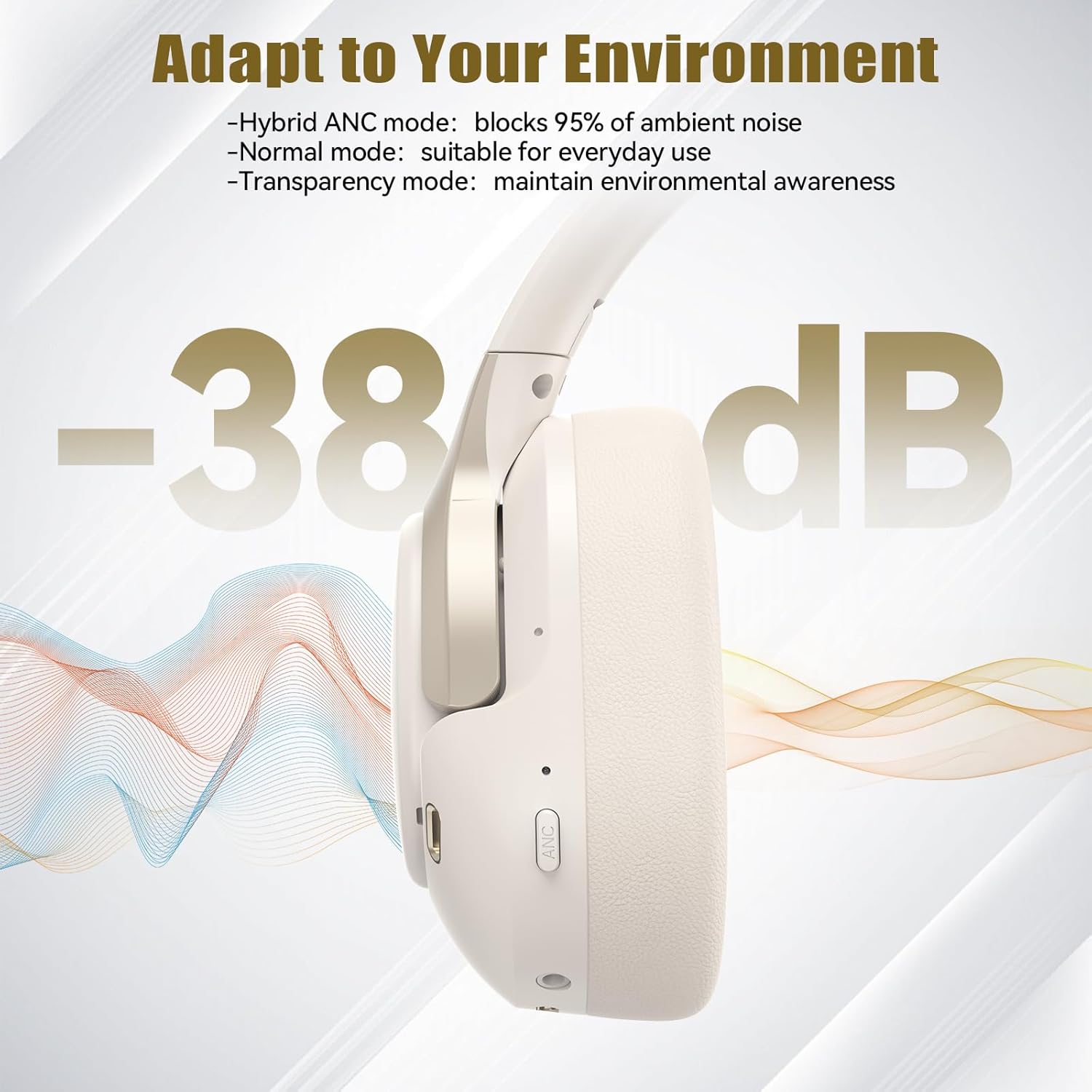
- Botwm ANC: Yn newid moddau Canslo Sŵn Gweithredol.
- Porthladd codi tâl Math-C: Ar gyfer gwefru'r clustffonau.
- Jac Sain 3.5mm: Ar gyfer cysylltiad sain â gwifrau.
- Meicroffon: Ar gyfer galwadau a gorchmynion llais.
Gosod
1. Codi Tâl y Clustffonau
Before first use, fully charge your headphones. Connect the supplied Type-C charging cable to the charging port on the headphones and the other end to a USB power source (e.g., wall adapter, computer USB port).
- Bydd y dangosydd LED yn dangos statws codi tâl.
- Mae gwefr lawn fel arfer yn cymryd tua 2-3 awr.
2. Pŵer Ymlaen / I ffwrdd
- Pŵer Ymlaen: Press and hold the Power button for 3 seconds until the LED indicator flashes blue.
- Pwer i ffwrdd: Press and hold the Power button for 3 seconds until the LED indicator flashes red and then turns off.
3. Pâr Bluetooth
I gysylltu eich clustffonau â dyfais drwy Bluetooth:
- Sicrhewch fod y clustffonau wedi'u pweru i ffwrdd.
- Pwyswch a daliwch y botwm Pŵer am 5 eiliad nes bod y dangosydd LED yn fflachio'n goch a glas yn ail, gan nodi modd paru.
- Ar eich dyfais (ffôn clyfar, tabled, gliniadur), galluogwch Bluetooth a chwiliwch am ddyfeisiau sydd ar gael.
- Select "TECKNET TK-HS049" from the list of devices.
- Ar ôl ei gysylltu, bydd y dangosydd LED yn fflachio'n las yn araf.
4. Cysylltiad Dyfais Ddeuol
The headphones support simultaneous connection to two Bluetooth devices, allowing seamless switching between them.
- Pair the headphones with the first device (e.g., smartphone) as described above.
- Analluogwch Bluetooth ar y ddyfais gyntaf. Bydd y clustffonau'n ail-fynd i'r modd paru.
- Pair the headphones with the second device (e.g., laptop).
- Ail-alluogi Bluetooth ar y ddyfais gyntaf. Dylai'r clustffonau gysylltu'n awtomatig â'r ddwy ddyfais.
- I newid sain, chwaraewch y cyfryngau ar y ddyfais a ddymunir.

Image: Dual device connection setup.
5. Cysylltiad Wired
For devices without Bluetooth or when battery is low, use the included 3.5mm audio cable.
- Plygiwch un pen o'r cebl sain 3.5mm i mewn i jac sain y clustffonau.
- Plygiwch y pen arall i mewn i allbwn sain 3.5mm eich dyfais.
- Note: Some headphone functions (e.g., ANC, EQ modes) may be limited or unavailable in wired mode without power.

Image: Wired connection via 3.5mm audio jack.
Gweithredu
1. Moddau Canslo Sŵn Gweithredol (ANC)
Press the ANC button to cycle through the available noise cancellation modes:
- Hybrid ANC Mode: Blocks up to 35dB-38dB of ambient noise, ideal for travel or noisy environments.
- Modd Arferol: ANC is off, suitable for everyday use where some environmental awareness is desired.
- Modd Tryloywder: Allows ambient sounds to pass through, enhancing awareness of your surroundings.

Image: Hybrid Active Noise Cancellation in action.
2. Chwarae Cerdd
- Chwarae/Seibiant: Pwyswch y botwm Aml-swyddogaeth unwaith.
- Trac Nesaf: Pwyswch a daliwch y botwm Cyfrol i Fyny.
- Trac Blaenorol: Pwyswch a dal y botwm Cyfrol Down.
- Cyfrol i Fyny: Pwyswch y botwm Cyfaint i Fyny yn fyr.
- Cyfrol i Lawr: Pwyswch y botwm Cyfaint i Lawr yn fyr.
3. Rheoli Galwadau
- Ateb / Diwedd Galwad: Pwyswch y botwm Aml-swyddogaeth unwaith.
- Gwrthod Galwad: Pwyswch a dal y botwm Aml-swyddogaeth am 2 eiliad.
- Cynorthwyydd Llais: Pwyswch ddwywaith y botwm Aml-swyddogaeth i actifadu cynorthwyydd llais eich dyfais.
4. EQ Music Modes
The headphones feature 6 EQ music modes to optimize your listening experience for different genres. Press the EQ button (if available, or refer to specific button on your model) to cycle through these modes:
- Dawns
- Roc
- Clasurol
- Lleisiol
- Bas
- Meddal

Image: Cycling through 6 EQ music modes.
Cynnal a chadw
To ensure the longevity and optimal performance of your TECKNET TK-HS049 headphones, follow these maintenance guidelines:
- Glanhau: Defnyddiwch frethyn meddal, sych i lanhau'r clustffonau a'r band pen. Peidiwch â defnyddio glanhawyr sgraffiniol na thoddyddion.
- Storio: When not in use, store the headphones in a cool, dry place, preferably in a protective case to prevent dust and damage.
- Osgoi Lleithder: Although the headphones have a waterproof rating, avoid prolonged exposure to water or high humidity. Do not submerge them.
- Codi tâl: Only use the provided Type-C cable for charging. Avoid overcharging the battery.
- Tymheredd: Do not expose the headphones to extreme temperatures (hot or cold).
Datrys problemau
If you encounter any issues with your headphones, refer to the following common problems and solutions:
| Problem | Ateb |
|---|---|
| Ni fydd clustffonau'n troi ymlaen. | Ensure the headphones are charged. Connect to a power source and try again after a few minutes. |
| Methu paru drwy Bluetooth. | Make sure the headphones are in pairing mode (LED flashing red/blue). Disable and re-enable Bluetooth on your device. Ensure no other devices are connected. |
| Dim sain na chyfaint isel. | Check volume levels on both headphones and your connected device. Ensure the headphones are properly paired. Try playing audio from a different source. |
| Nid yw ANC yn effeithiol. | Ensure ANC mode is activated. Check that the earcups form a good seal around your ears. ANC is most effective against low-frequency, constant noise. |
| Meicroffon ddim yn gweithio. | Ensure the headphones are connected via Bluetooth. Check microphone settings on your device. |
Manylebau
Detailed technical specifications for the TECKNET TK-HS049 headphones:
| Nodwedd | Manylyn |
|---|---|
| Rhif Model | TK-HS049 |
| Technoleg Cysylltedd | Di-wifr (Bluetooth), Gwifredig (Jack 3.5mm) |
| Fersiwn Bluetooth | 6.0 |
| Rheoli Sŵn | Canslo Sŵn Hybrid (hyd at 38dB) |
| Math Gyrrwr | Gyrwyr Dynamig 40mm |
| Amrediad Amrediad | 20Hz - 20,000Hz (supports up to 40kHz for high-resolution audio) |
| Bywyd Batri (ANC Ymlaen) | Hyd at 40 awr (cyfaint o 60%) |
| Bywyd Batri (ANC I Ffwrdd) | Hyd at 70 awr |
| Dull Rheoli | Botymau Corfforol |
| Lleoliad Clust | Dros Glust |
| Deunydd | Fabric, Silicone, Memory Foam (earcups) |
| Lefel Gwrthsefyll Dŵr | Dal dwr |
| Meicroffon | 4 Meicroffon ENC |
| Moddau EQ | 6 Presets (Dance, Rock, Classical, Vocal, Bass, Soft) |

Image: Battery life overview.

Image: 40mm dynamic drivers for premium audio.

Image: Comfort features including memory foam earcups and adjustable headband.
Gwarant a Chefnogaeth
TECKNET TK-HS049 headphones come with a Gwarant 36 mis. If you encounter any problems during product use, please contact our professional customer service team for assistance. You can typically find contact information on the TECKNET official websafle neu drwy eich platfform prynu.