
1. Rhagymadrodd
This manual provides detailed instructions for the safe and efficient operation of your iSinbox AC311 4K Projector. Please read this manual thoroughly before use and retain it for future reference.
The iSinbox AC311 is a portable smart projector designed for versatile entertainment. It features a 360° rotatable stand, 1.1:1 short-throw ratio, 1000 ANSI lumens brightness, 4K HDR10+ support, integrated Smart TV OS with official apps like Netflix, YouTube, and Prime Video, Dolby Audio, Bluetooth 5.4, and WiFi 6 connectivity. It also includes intelligent automatic adjustments for focus and keystone correction.
2. Cynnwys Pecyn
Gwiriwch fod yr holl eitemau a restrir isod wedi'u cynnwys yn eich pecyn. Os oes unrhyw eitemau ar goll neu wedi'u difrodi, cysylltwch â chymorth cwsmeriaid.
- iSinbox AC311 Projector Unit
- Rheolydd o Bell (heb gynnwys batris AAA)
- Cord Pŵer
- Cebl HDMI
- Glanhau Brethyn
- Glanhau swabiau
- Llawlyfr Defnyddiwr

3. Gosod
3.1 Cysylltiad Pwer
- Connect the power cord to the power input port on the back of the projector.
- Plygiwch ben arall y llinyn pŵer i mewn i allfa wal.
3.2 Troi Ymlaen Cychwynnol a Dewis Iaith
- Press the power button located on the top of the projector to turn it on.
- Dilynwch yr awgrymiadau ar y sgrin i ddewis eich iaith ddewisol.
- Connect to your Wi-Fi network as instructed.
4. Cyfarwyddiadau Gweithredu
4.1 Defnydd Rheoli o Bell
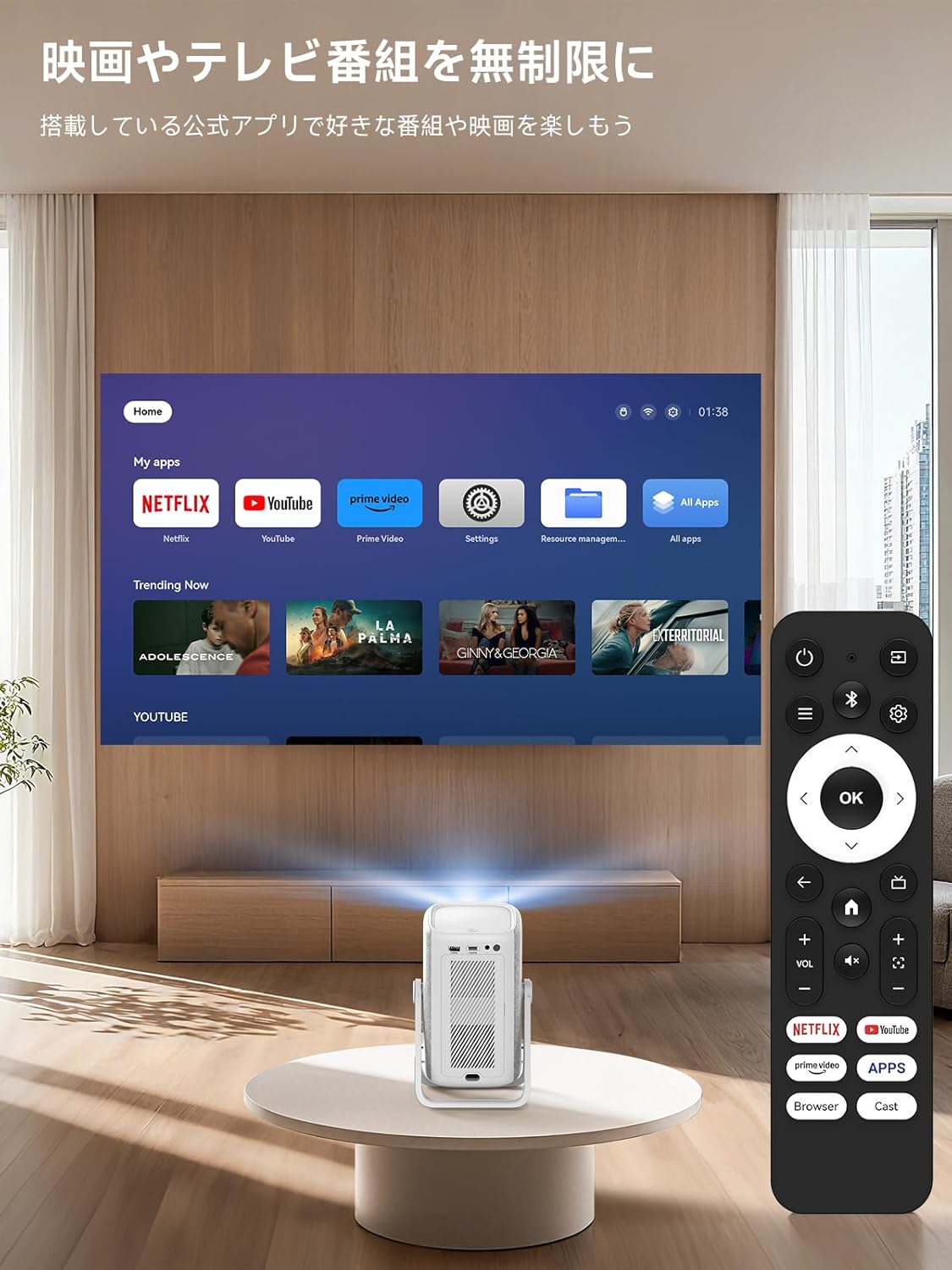
The included remote control allows for easy navigation and control of the projector's functions. Insert two AAA batteries (not included) into the remote before use.

4.2 Smart TV OS and Applications
The iSinbox AC311 features an integrated Smart TV operating system, providing direct access to popular streaming services.
- Apiau sydd wedi'u gosod ymlaen llaw: Netflix, YouTube, Prime Video, Disney+, and more are pre-installed for immediate use.
- App Store: Access the App Store to download additional applications.
- Porwr: Use the built-in browser to navigate the internet and access webcynnwys sy'n seiliedig ar -.
4.3 Image and Sound Adjustment
Adjust image and sound settings for an optimal viewing profiad.
- Llywiwch i'r ddewislen "Gosodiadau".
- Select "Display and Sound" to adjust image mode (brightness, contrast, color, sharpness, noise reduction, color temperature) and sound effects (standard, movie, music, news, sports).
4.4 Addasiadau Awtomatig
The projector features AI auto-focus and 6D keystone correction, automatically adjusting the image for clarity and proper alignment within approximately 3 seconds. It also includes automatic obstacle avoidance.
4.5 Cysylltedd
- Wi-Fi 6: Supports high-speed wireless connections for seamless streaming and screen mirroring.
- Bluetooth 5.4: Connect external Bluetooth speakers or use the projector as a standalone Bluetooth speaker.
- HDMI/USB: Connect external devices such as game consoles, Blu-ray players, or USB drives.
5. Nodweddion a Galluoedd
- 360° Rotation & Portable Design: The projector features a 360° rotatable stand and an ergonomic handle, allowing for easy adjustment from wall projection to ceiling projection and convenient portability.
- 1.1:1 Short-Throw Ratio: Project a large 100-inch screen from a distance of approximately 2.4 meters (95 inches), ideal for small spaces.
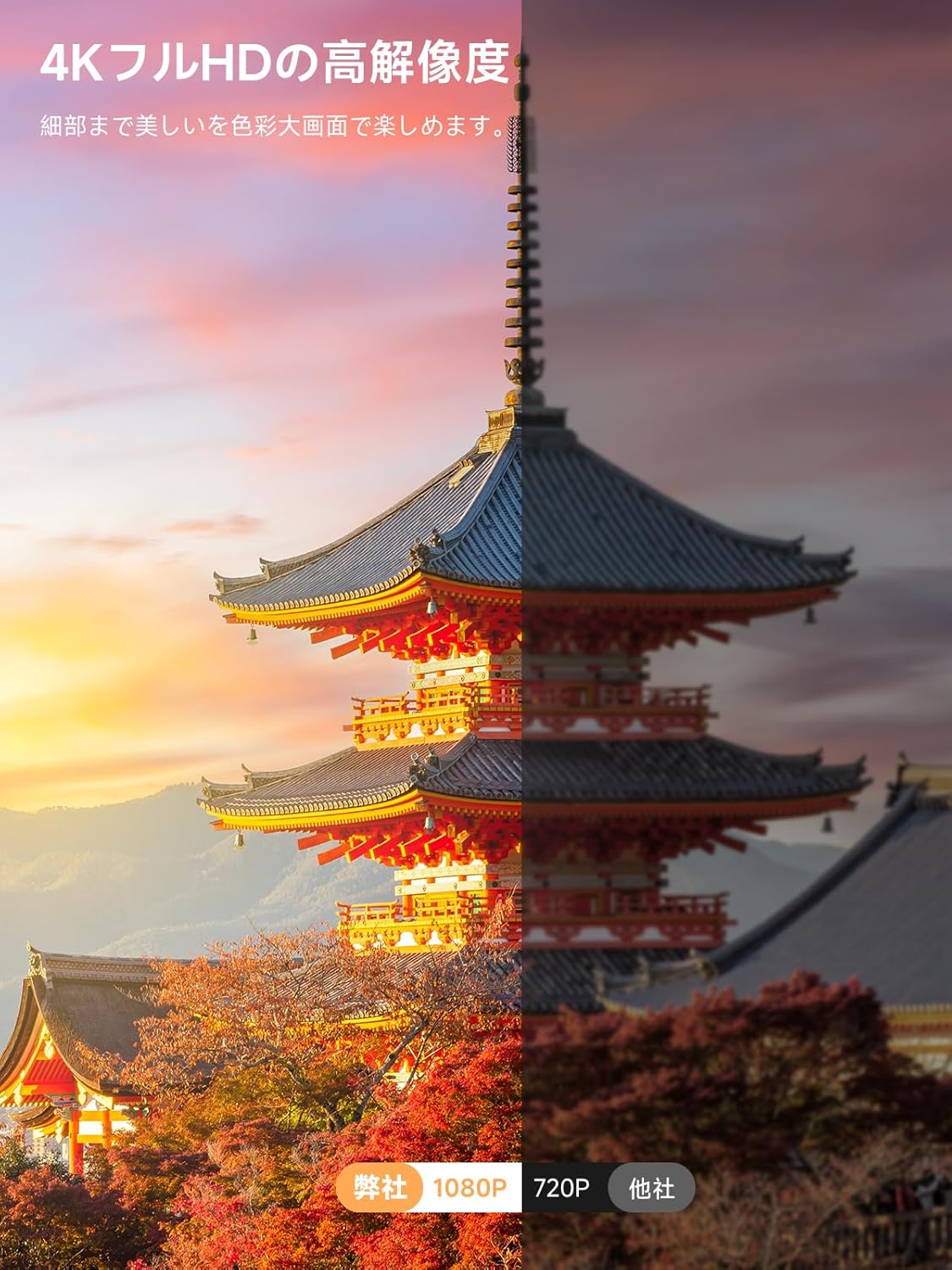
- 1000 ANSI Lumens & 4K HDR10+ Support: Delivers bright, clear 1080p resolution with support for 4K HDR10+ content, ensuring vibrant colors and sharp details.
- Dolby Audio & DTS Decoding: Provides an immersive audio experience with HiFi stereo speakers and DTS decoding technology.
- AI Image Enhancement & Eye Protection: Utilizes AI image enhancement technology for 98% NTSC color reproduction and blue light reduction for comfortable long-term viewing.
- Chwyddo Digidol: Adjust screen size from 50% to 100% without moving the projector.


6. cynnal
6.1 Glanhau'r Hidlydd Aer
Regularly clean the air filter to ensure optimal performance and longevity of your projector.
- Locate the filter cover on the side of the projector.
- Gently open the cover.
- Tynnwch yr hidlydd aer.
- Clean the filter using the provided cleaning swabs or a soft brush.
- Ail-osodwch yr hidlydd glân a chau'r clawr yn ddiogel.
7. Datrys Problemau
If you encounter any issues with your iSinbox AC311 Projector, please refer to the following common troubleshooting tips:
- Dim pŵer: Gwnewch yn siŵr bod y llinyn pŵer wedi'i gysylltu'n ddiogel â'r taflunydd a'r soced pŵer. Rhowch gynnig ar soced gwahanol.
- Dim Delwedd: Check that the projector is powered on. Verify the input source if using HDMI/USB. Ensure the lens cap is removed.
- Delwedd aneglur: The projector features auto-focus. If the image remains blurry, try moving the projector slightly or manually adjusting focus in the settings.
- Image Not Rectangular: The projector has automatic keystone correction. If the image is still distorted, try repositioning the projector or manually adjusting keystone in the settings.
- Dim Sain: Check the volume settings on both the projector and any connected external audio devices. Ensure the correct audio output is selected in the settings.
- Rheolaeth Anghysbell Ddim yn Gweithio: Replace the AAA batteries in the remote control. Ensure there are no obstructions between the remote and the projector.
For further assistance, please contact iSinbox customer support.
8. manylebau
| Nodwedd | Manyleb |
|---|---|
| Brand | iSinbox |
| Rhif Model | AC311 |
| Dimensiynau Cynnyrch | 11.5 x 13 x 19 cm |
| Pwysau Eitem | 1.35 Cilogram |
| Datrysiad Brodorol | 1920 x 1080 picsel (1080p) |
| Cydraniad Arddangos Uchaf | 1920 x 1080 picsel |
| Disgleirdeb | 1000 ANSI Lumens |
| Technoleg Cysylltedd | Bluetooth, HDMI, USB, Wi-Fi |
| Cyfathrebu Di-wifr | Bluetooth 5.4, Wi-Fi 6 |
| Ffactor Ffurf | Cludadwy |
| Nodweddion Arbennig | Wi-Fi compatible, Built-in speaker, Foldable arm, Auto screen alignment, Lightweight |
| Wattage | 6.5 Gw |
9. Gwarant a Chefnogaeth
iSinbox is committed to providing excellent customer service and product quality.
- 1-Year Free Exchange: Enjoy a one-year free exchange policy for eligible issues.
- Gwarant 3 Flwyddyn: The product comes with a conditional three-year warranty.
- Cymorth Technegol Oes: iSinbox offers lifetime technical support for your projector.
For any questions or concerns, please do not hesitate to contact our customer support team.