
1. Rhagymadrodd
This manual provides detailed instructions for the safe and effective use of your Moukey MPS5 Portable Karaoke Machine. Please read this manual thoroughly before operating the device and retain it for future reference. The MPS5 is a versatile portable speaker system designed for various audio playback needs, including karaoke, music streaming, and public address, featuring wireless microphones and multiple connectivity options.
2. Beth sydd yn y Bocs
Dadbacio pob eitem o'r blwch yn ofalus. Gwnewch yn siŵr bod yr holl gydrannau a restrir isod yn bresennol ac mewn cyflwr da.
- Moukey MPS5 Portable Karaoke Machine (1 unit)
- Meicroffonau Di-wifr (2 uned)
- Cebl gwefru USB (1 uned)
- 3.5mm AUX Cable (1 unit)
- Shoulder Strap (1 unit)
- Llawlyfr Defnyddiwr (1 uned)
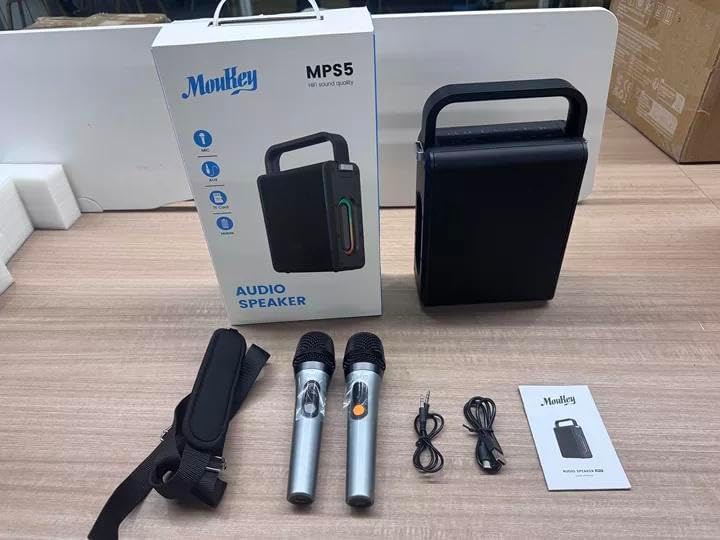
Image: All components included in the Moukey MPS5 package.
3. Cynnyrch Drosview
The Moukey MPS5 is a compact yet powerful portable karaoke machine. It features a robust design with integrated LED lighting on the sides, enhancing the user experience. A sturdy handle and an included shoulder strap provide convenient portability.
Delwedd: Blaen view of the Moukey MPS5 speaker.

Delwedd: Ochr view of the Moukey MPS5, showing the LED lighting.
4. Nodweddion Allweddol
- Excellent Sound Output: The MPS5 delivers 200W peak power (RMS 60W) through a 4-inch woofer and two 2-inch tweeters, providing full-range stereo sound with enhanced bass.
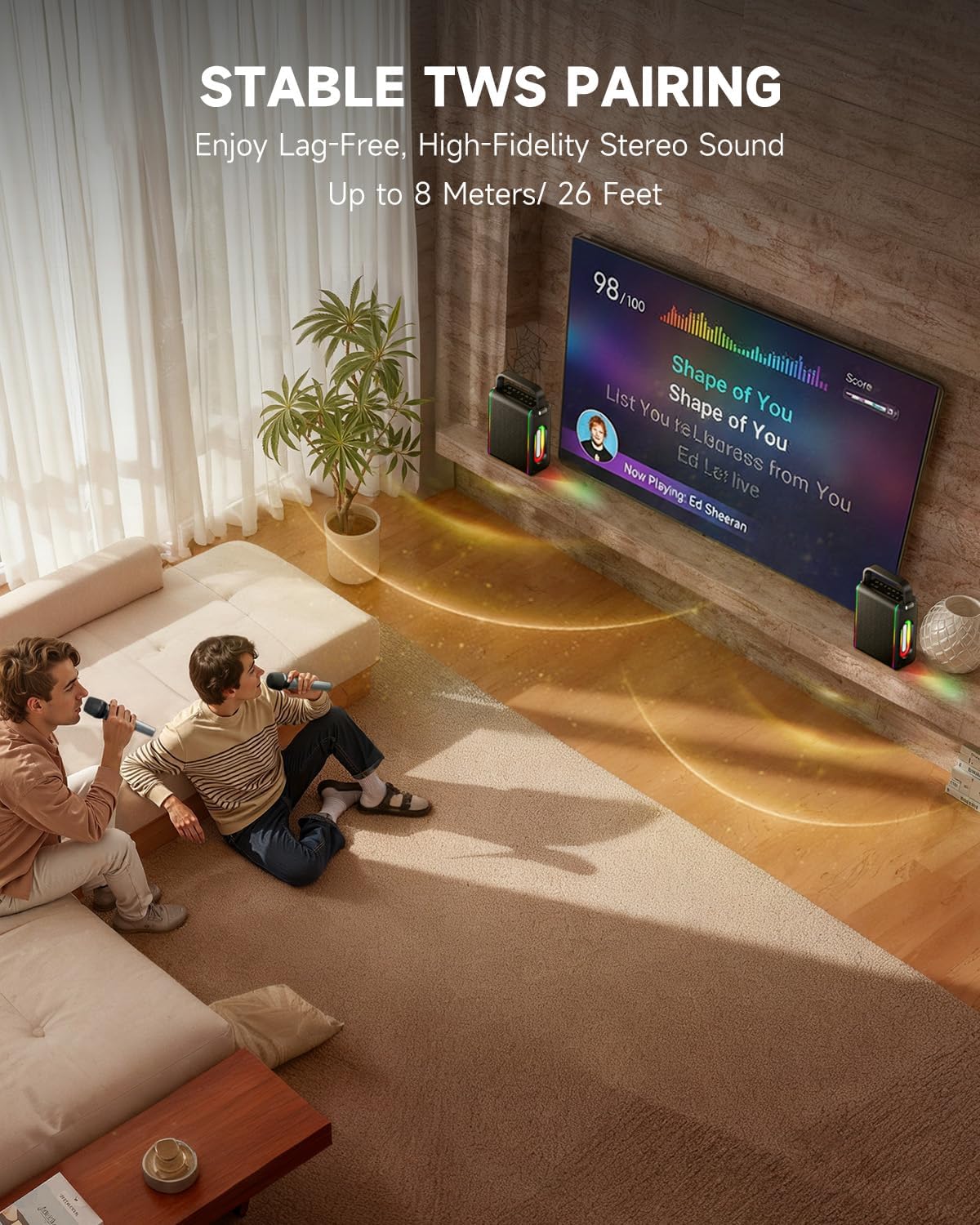
- Swyddogaeth Bwerus: Supports Bluetooth 5.3 for wireless connection to various devices. Also includes Micro TF card, Flash USB, MP3, and AUX IN playback options. Features stable TWS (True Wireless Stereo) pairing for connecting two MPS5 units for a wider stereo soundstage.
- Bywyd Batri Hir Iawn: The rechargeable battery provides up to 8 hours of continuous music playback on a 2-hour charge, suitable for extended use indoors or outdoors.
- Dyluniad Ysgafn a Chludadwy: Weighing only 2kg, the MPS5 is designed for easy transport. It can be carried by hand using the integrated handle or with the included shoulder strap.
- Meicroffonau Di-wifr Deuol: Includes two 2.4Ghz rechargeable microphones with a connection range of up to 60 feet and up to 8 hours of use time per charge (2-3 hours charging time). Features one-tap connectivity for effortless pairing.

Image: Internal speaker components of the MPS5.

Image: MPS5 connected to multiple devices via Bluetooth.

Image: Battery life and charging details for the MPS5.

Image: Demonstrating the portability of the MPS5 with hand and shoulder strap options.

Image: The two wireless microphones for the MPS5.
5. Gosod
5.1 Gwefru'r Siaradwr a'r Meicroffonau
Before first use, fully charge the MPS5 speaker and both wireless microphones.
- Siaradwr: Connect the provided USB Type-C cable to the charging port on the speaker and to a compatible USB power adapter (not included). The charging indicator light will show charging status. A full charge takes approximately 2 hours.
- Meicroffonau: Each microphone has a charging port. Connect them to a USB power source using the provided USB cable. Charging time for microphones is 2-3 hours.
5.2 Pŵer Ymlaen/Diffodd
- To power on the speaker, press and hold the power button (U) on the top panel for 2 seconds.
- I ddiffodd y pŵer, pwyswch a daliwch y botwm pŵer (U) eto am 2 eiliad.
5.3 Pâr Bluetooth
- Ensure the MPS5 speaker is powered on and in Bluetooth mode (indicated by a blue LED). If not, press the 'M' (Mode) button to switch to Bluetooth mode.
- Ar eich dyfais symudol (ffôn clyfar, tabled, ac ati), galluogwch Bluetooth a chwiliwch am ddyfeisiau sydd ar gael.
- Select 'Moukey MPS5' from the list of devices to pair. A voice prompt will confirm successful connection.
Paru 5.4 TWS (Stereo Di-wifr Gwirioneddol)
To achieve stereo sound, you can pair two Moukey MPS5 speakers together.
- Ensure both MPS5 speakers are powered on and in Bluetooth mode, but not connected to any other device.
- On one of the speakers, double-press the 'M' (Mode) button. The speaker will enter TWS pairing mode.
- Bydd y ddau siaradwr yn cysylltu â'i gilydd yn awtomatig. Bydd neges llais yn cadarnhau paru TWS llwyddiannus.
- Once TWS is established, connect your mobile device to one of the MPS5 speakers via Bluetooth as described in section 5.3. Both speakers will then play audio in stereo.
Fideo: Trosolwg cyflymview of the MPS5 Karaoke Machine, demonstrating TWS pairing and other features.
6. Cyfarwyddiadau Gweithredu
6.1 Rheolaeth Drosview
The top panel of the MPS5 speaker features several buttons for controlling playback, volume, and microphone settings.
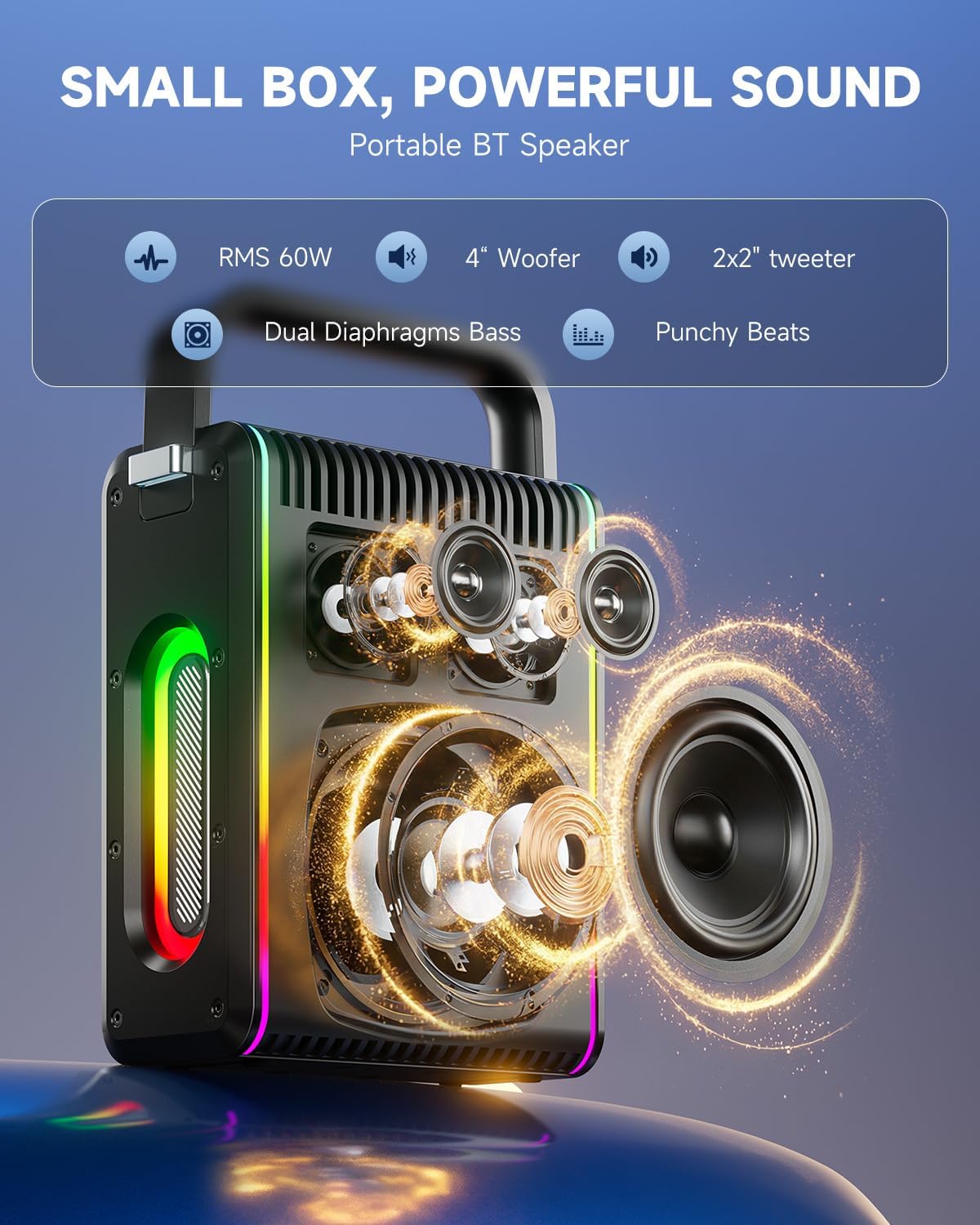
Image: Top control panel of the MPS5.
- Botwm Pŵer (U): Pwyswch a daliwch am 2 eiliad i bweru ymlaen / i ffwrdd.
- Botwm Modd (M): Short press to cycle through input modes (Bluetooth, AUX, USB, TF Card). Double-press to initiate TWS pairing.
- Microphone Volume (Mic - / Mic +): Yn addasu cyfaint y meicroffonau cysylltiedig.
- Echo Adjustment (R- / R+): Yn addasu'r effaith adlais ar gyfer y meicroffonau.
- Chwarae/Seibiant (▶): Yn chwarae neu'n oedi'r trac cyfredol.
- Cyfrol i Lawr (-): Decreases the main speaker volume.
- Cyfaint i Fyny (+): Increases the main speaker volume.
- EQ A/E: Short press to switch between EQ modes. Long press to toggle between original sound and accompaniment elimination.
6.2 Defnyddio Meicroffon
The MPS5 comes with two wireless microphones for karaoke and vocal performances.
- Pŵer ymlaen / i ffwrdd: Pwyswch a daliwch y botwm pŵer ar y meicroffon i'w droi ymlaen neu i ffwrdd.
- Paru: The microphones are pre-paired with the speaker. If re-pairing is needed, ensure the speaker is on, then power on the microphone. They should connect automatically.
- Microphone Disconnect/Reconnect: Press the dedicated microphone button on the speaker's control panel to quickly disconnect or reconnect the microphones.
6.3 Moddau Mewnbwn Sain
In addition to Bluetooth, the MPS5 supports several wired and local storage input options.

Image: Input ports on the MPS5 speaker.
- Mewnbwn AUX: Connect an external audio device using the 3.5mm AUX cable. Select AUX mode using the 'M' button.
- Chwarae USB: Mewnosodwch yriant fflach USB sy'n cynnwys sain MP3 files i mewn i'r porthladd USB. Bydd y siaradwr yn newid yn awtomatig i fodd USB ac yn dechrau chwarae.
- Chwarae Cerdyn TF yn ôl: Insert a Micro TF card containing MP3 audio files i mewn i'r slot cerdyn TF. Bydd y siaradwr yn newid yn awtomatig i fodd cerdyn TF ac yn dechrau chwarae.
6.4 Goleuadau LED
The MPS5 features dynamic LED lighting on its sides. Use the dedicated LED button (if available, or refer to the 'M' button for light control if combined) to cycle through different light modes or turn them off.
7. cynnal
- Glanhau: Use a soft, dry cloth to clean the exterior of the speaker. Do not use liquid cleaners or abrasive materials.
- Storio: Storiwch y ddyfais mewn lle oer, sych i ffwrdd o olau haul uniongyrchol a thymheredd eithafol.
- Gofal Batri: Er mwyn ymestyn oes y batri, osgoi rhyddhau'r batri'n llwyr yn aml. Gwefrwch y ddyfais yn rheolaidd, hyd yn oed os nad yw'n cael ei defnyddio am gyfnodau hir.
8. Datrys Problemau
If you encounter issues with your Moukey MPS5, refer to the following common problems and solutions:
| Problem | Achos Posibl | Ateb |
|---|---|---|
| Dim pŵer | Mae batri wedi'i ddisbyddu. | Gwefrwch y siaradwr gan ddefnyddio'r cebl USB Math-C a ddarperir. |
| Dim sain gan y siaradwr | Mae'r sain yn rhy isel neu wedi'i mudo. Modd mewnbwn anghywir wedi'i ddewis. | Increase volume using the '+' button. Press 'M' to cycle through input modes. |
| Methodd paru Bluetooth | Speaker is not in pairing mode. Device is too far. | Ensure speaker is in Bluetooth mode. Move device closer to speaker. Try restarting both devices. |
| Meicroffon ddim yn gweithio | Microphone is off or uncharged. Microphone is disconnected. | Ensure microphone is charged and powered on. Press the microphone button on the speaker to reconnect. |
| Methodd paru TWS | Speakers are already connected to another device. | Ensure both speakers are not connected to any other Bluetooth device before initiating TWS pairing. |
9. manylebau
- Brand: Moukey
- Rhif Model: MPS5
- Allbwn Wattage: 200 Wat (Uchaf)
- Technoleg Cysylltedd: Bluetooth 5.3
- Mewnbwn sain: Bluetooth, TF card, USB, MP3, AUX, Wired microphones
- Nifer y sianeli: 2
- Ffynhonnell Pwer: Wedi'i Bweru â Batri
- Math o gysylltydd: USB Math C
- Dimensiynau Eitem (L x W x H): 2.36 x 6.3 x 12.2 modfedd
- Pwysau Eitem: Tua 2 kg
- Dyfeisiau Cydnaws: Smartphone, Tablet, Laptop, MP3 Player, Microphone
- Lliw: Black with Silver Accents
10. Gwarant a Chefnogaeth
The Moukey MPS5 Portable Karaoke Machine comes with a Gwarant 1 Flynedd o ddyddiad y pryniant. Mae'r warant hon yn cwmpasu diffygion gweithgynhyrchu a chrefftwaith o dan ddefnydd arferol. Cadwch eich prawf prynu ar gyfer hawliadau gwarant.
For technical support, troubleshooting assistance, or warranty inquiries, please contact Moukey customer service through the retailer where the product was purchased or visit the official Moukey websafle ar gyfer gwybodaeth cyswllt.