
1. Cynnyrch Drosview
The NICGIGA 16 Port 2.5Gb Ethernet Switch (Model S25-1600) is an unmanaged network switch designed to expand your network capacity with high-speed 2.5 Gigabit Ethernet ports. It features a fanless metal design for quiet operation and efficient heat dissipation, supporting both desktop and 19-inch rack mounting. This plug-and-play device requires no software configuration, making it suitable for home and small office environments requiring enhanced network performance.
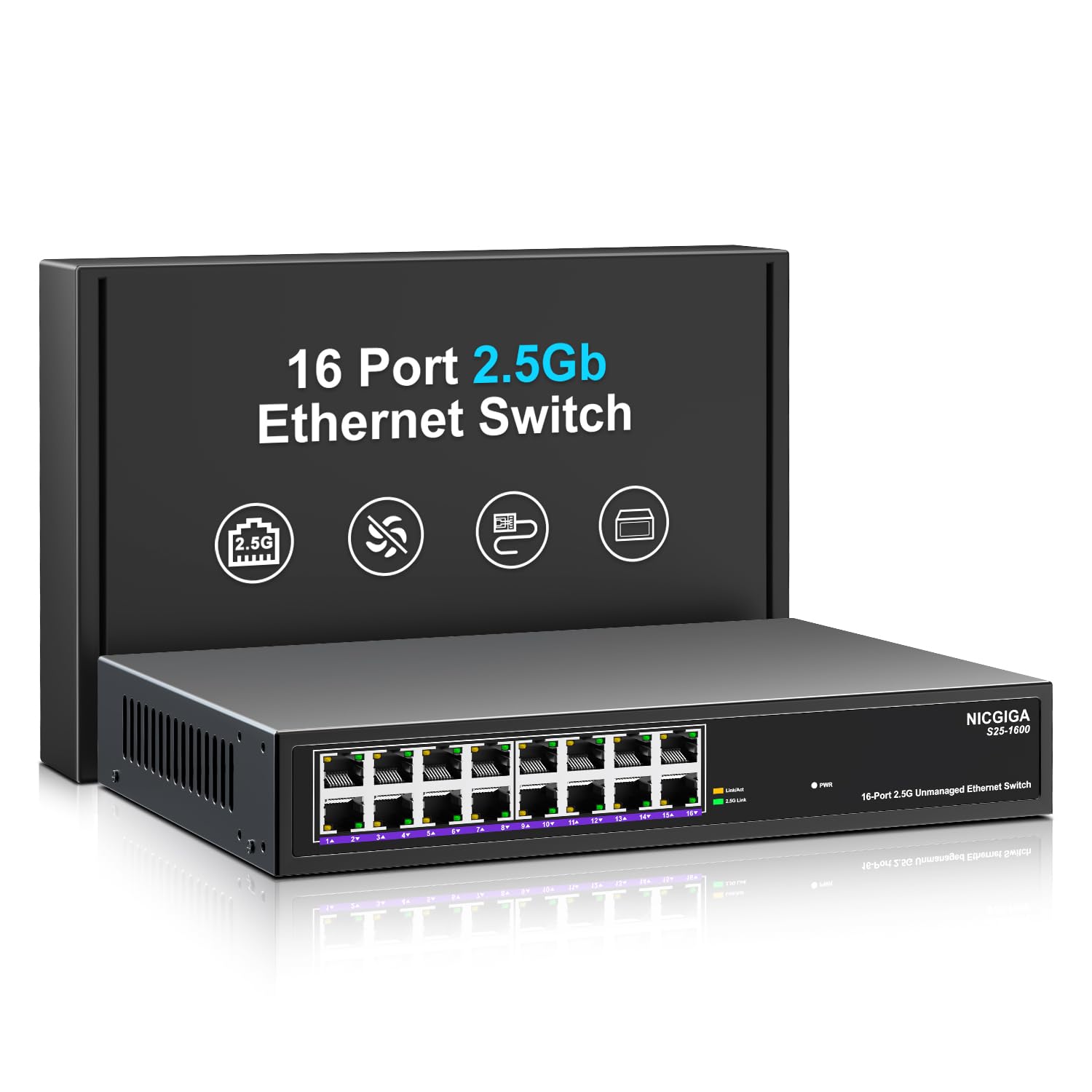
Ffigur 1: Blaen view of the NICGIGA S25-1600 switch, highlighting the 16 RJ45 ports and LED indicators for power and link status.
2. Cynnwys Pecyn
Gwiriwch fod yr eitemau canlynol wedi'u cynnwys yn eich pecyn:
- NICGIGA 16 Port 2.5Gb Ethernet Switch (Model S25-1600)
- Addasydd Pŵer
- Pecyn Mowntio Rac (os yn berthnasol)
- Llawlyfr Defnyddiwr (y ddogfen hon)
3. Nodweddion Cynnyrch
- 16x 2.5Gbps RJ45 Ports: Provides high-speed connectivity for multiple devices.
- Capasiti Newid 80Gbps: Ensures high-performance data transfer without bottlenecks.
- Awto-negodi: Automatically detects and adjusts to optimal link speeds (100Mbps, 1Gbps, 2.5Gbps) for connected devices.
- Plygiwch a Chwarae: No software or configuration required for immediate use.
- Fanless Metal Design: Offers silent operation and robust heat dissipation.
- Desktop or 19-inch Rack Mount: Dewisiadau gosod hyblyg.
- Amddiffyniad Mellt 4KV: Enhances device durability against electrical surges.
- Automatic MDI/MDIX: Yn dileu'r angen am geblau croesi.
- Non-blocking Data Forwarding: Ensures full wire-speed throughput on all ports simultaneously.

Figure 2: Key features of the NICGIGA S25-1600 switch, including its 2.5Gbps ports, rack-mountable design, fanless operation, plug-and-play functionality, metal casing, and 4KV lightning protection.
4. Cyfarwyddiadau Gosod
The NICGIGA 16 Port 2.5Gb Ethernet Switch is designed for simple plug-and-play installation. Follow these steps to set up your switch:
- Cysylltiad Pwer: Connect the provided power adapter to the switch's power input port and then plug the adapter into a standard electrical outlet. The Power LED on the front panel should illuminate.
- Cysylltiad Dyfais: Connect your network devices (e.g., computers, NAS, WiFi 6 APs, routers) to any of the 16 RJ45 ports on the switch using standard Ethernet cables. The switch will automatically detect the link speed and establish a connection.
- Dilysu: Observe the LED indicators on the front panel. A green light indicates a 2.5G link, while a yellow light indicates a 100Mb/1G link. A flashing yellow light signifies data transmission.

Figure 3: Simplified setup process: connect power, connect devices, and the network is ready.
Opsiynau Gosod:
The switch supports both desktop placement and 19-inch rack mounting. Use the included rack mount kit for rack installations.

Figure 4: The NICGIGA S25-1600 switch installed in a 19-inch rack, showing its compact dimensions suitable for enterprise and data center use.
5. Cyfarwyddiadau Gweithredu
As an unmanaged switch, the NICGIGA S25-1600 operates automatically once connected. There is no software configuration required.
Dangosyddion LED:
- Pwer LED:
- Ar: Mae'r switsh wedi'i bweru ymlaen.
- Wedi diffodd: Mae'r switsh yn cael ei bweru i ffwrdd.
- Port Link/Activity LEDs (Green/Yellow):
- Golau Gwyrdd Ymlaen: Indicates a 2.5G network link is established.
- Golau Melyn Ymlaen: Indicates a 100Mb/1G network link is established.
- Yellow Light Flashing: Indicates data transmission activity on the port.
- Wedi diffodd: No link is established or the connected device is powered off.
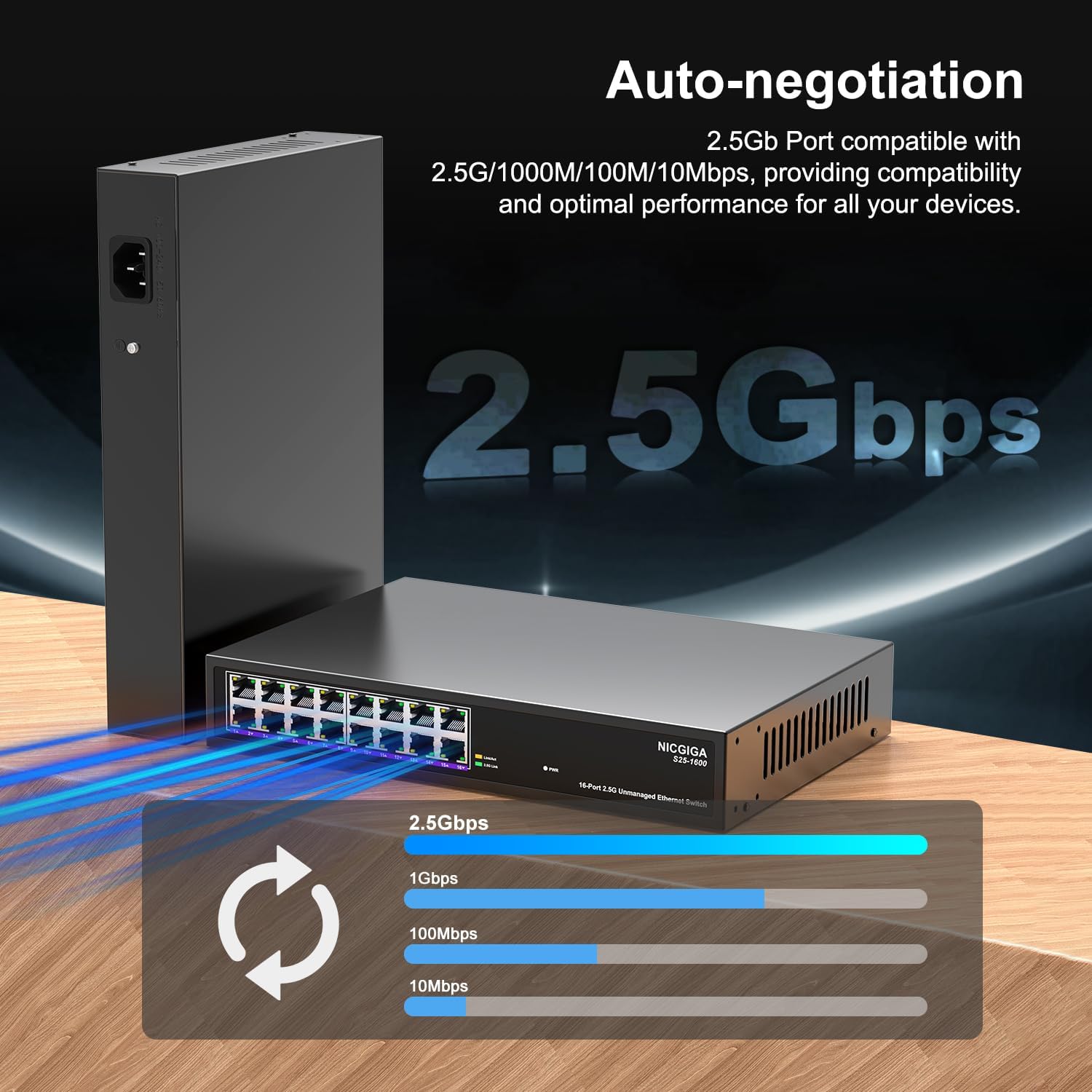
Figure 5: The auto-negotiation function ensures compatibility and optimal performance across various network speeds.
6. cynnal
The NICGIGA S25-1600 switch is designed for minimal maintenance.
- Glanhau: Defnyddiwch frethyn meddal, sych i lanhau tu allan y switsh. Peidiwch â defnyddio glanhawyr hylif na glanhawyr aerosol.
- Awyru: Ensure the switch is placed in a well-ventilated area. Although fanless, proper airflow helps maintain optimal operating temperatures. Do not block ventilation openings.
- Amodau Amgylcheddol: Operate the switch within the recommended temperature and humidity ranges specified in the technical specifications.
7. Datrys Problemau
If you encounter issues with your NICGIGA S25-1600 switch, refer to the following troubleshooting tips:
| Problem | Achos Posibl | Ateb |
|---|---|---|
| Dim arwydd LED Pŵer. | Dim cyflenwad pŵer neu addasydd pŵer diffygiol. |
|
| No Link/Activity LED for a connected device. |
|
|
| Cyflymder rhwydwaith araf. |
|
|
8. manylebau
| Nodwedd | Disgrifiad |
|---|---|
| Model | S25-1600 |
| Porthladdoedd | Porthladdoedd 16x 100/1000/2500Mbps RJ45 |
| Cynhwysedd Newid | 80Gbps |
| Cyfradd Anfon Pecyn | 89.28Mpps |
| Tabl Cyfeiriad MAC | 16K |
| Ffrâm Jumbo | 12K |
| Cache Cof | 12Mbit |
| Auto-Trafod | 100Mb/1G/2.5G |
| MDI / MDIX | Cefnogir |
| Dyluniad Fanless | Oes |
| Tai | Metel |
| Opsiynau Mowntio | Desktop, 19-inch Rack Mount |
| Amddiffyniad Mellt | 4KV |
| Dimensiynau Pecyn | 13.62 x 10.51 x 3.5 modfedd |
| Pwysau Eitem | 4.09 pwys |
| UPC | 790885830181 |
9. Gwarant a Chymorth Technegol
NICGIGA provides a one-year warranty for this product. For technical assistance or warranty claims, please contact NICGIGA customer support. Lifetime technical support is available for the product.
For further information, please visit the official NICGIGA websafle neu cyfeiriwch at y manylion cyswllt a ddarparwyd gyda'ch pryniant.