
Rhagymadrodd
This manual provides detailed instructions for the setup, operation, and maintenance of your REACHER CR7WL FM Alarm Clock Radio with White Noise Machine. Please read this manual thoroughly before using the device to ensure proper function and to maximize your user experience. Keep this manual for future reference.
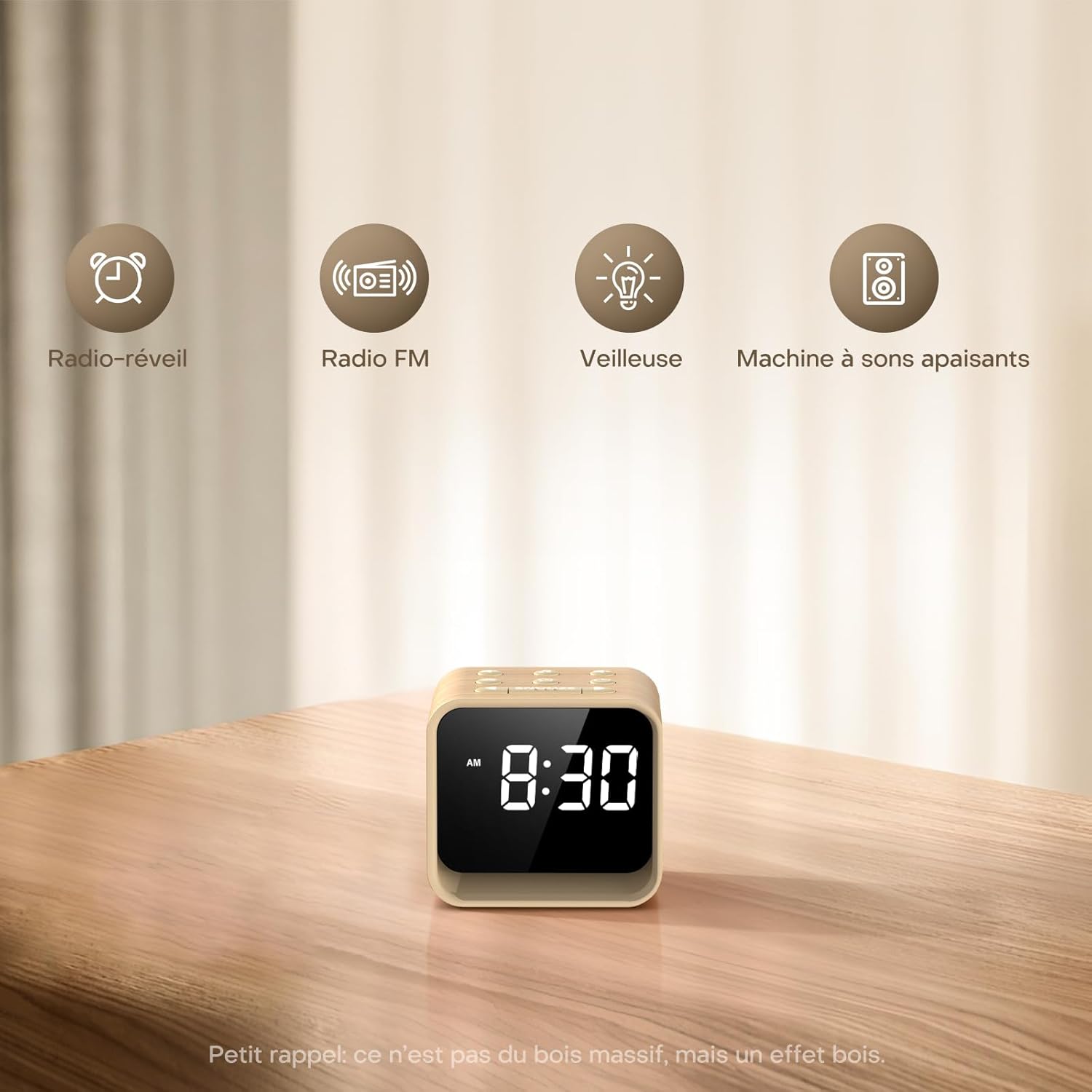
Image: The REACHER CR7WL device highlighting its core functionalities: Alarm Clock, FM Radio, Night Light, and Soothing Sound Machine.
Nodweddion Cynnyrch
- Enhanced FM Radio Experience: Enjoy clear, high-quality FM radio with automatic station search and easy saving of favorite stations.
- Customizable Alarm: Choose from 9 alarm sounds, including 8 natural sounds (bird, flute, piano, frog, stream, wave, bell, beep) or your preferred FM radio station. Features a 9-minute snooze function and adjustable volume (20-105 dB).
- 4-in-1 Bedside Companion: Functions as a connected alarm clock, FM radio, night light, and sleep aid.
- Soothing Sleep Aid: Access 24 relaxing sounds, including natural sounds (rain, fan, waves) and various white noises (white, brown, pink, blue) for a customized sleep environment.
- Adjustable Display & 7-Color Night Light: Clear display with adjustable brightness for day and night viewing. The integrated 7-color night light at the base creates a soft, warm ambiance.
- Ffynhonnell Pwer: Operates exclusively via AC power.
Cynnwys Pecyn
Gwiriwch y pecyn am yr eitemau canlynol:
- REACHER CR7WL FM Alarm Clock Radio
- Addasydd Pŵer (DC 5V)
- Llawlyfr Defnyddiwr
Product Layout and Controls

Delwedd: Manwl view of the control buttons and ports on the REACHER CR7WL. The top panel features buttons for sound, time, alarm, FM radio, and snooze. The rear panel includes the display dimmer, night light brightness control, DC 5V power input, and the radio antenna.
Rheolaethau Panel Uchaf:
- Sound On/Off Button: Activates or deactivates soothing sounds.
- Time Setting Buttons: Adjusts hour and minute.
- Alarm Setting/On/Off Button: Configures and toggles the alarm.
- FM Radio On/Off/Auto Search Button: Controls FM radio functions.
- Botwm SNOOZE: Activates snooze function for alarms and controls the night light.
Rheolaethau Panel Cefn:
- Dimmer Arddangos: Adjusts the brightness of the time display.
- Night Light Brightness: Adjusts the intensity of the 7-color night light.
- Mewnbwn DC 5V: Power connection port.
- Antena Radio: Extend for optimal FM reception.
Gosod
1. Cysylltiad Pwer
- Dadbacio'r cloc larwm a'r holl ategolion.
- Insert the DC 5V power adapter into the DC 5V input port on the rear of the unit.
- Plygiwch yr addasydd pŵer i mewn i soced wal safonol. Bydd yr arddangosfa'n goleuo.

Image: Illustration of connecting the power adapter to the alarm clock and a power source. A CR2032 button cell battery is also shown, which serves solely for memory backup of settings during power outages.
2. Gosod Amser
- Pwyswch a dal y Gosod Amser button (usually marked with a clock icon) on the top panel. The hour digits will start flashing.
- Defnyddiwch y +/- buttons (or similar directional buttons) to adjust the hour.
- Gwasgwch y Gosod Amser button again to switch to minute adjustment. The minute digits will flash.
- Defnyddiwch y +/- botymau i addasu'r cofnodion.
- Gwasgwch y Gosod Amser botwm unwaith eto i gadarnhau ac ymadael â'r modd gosod amser.
Cyfarwyddiadau Gweithredu
1. Gosod y Larwm
- Pwyswch a dal y Gosod Larwm button (usually marked with an alarm clock icon). The alarm hour digits will flash.
- Defnyddiwch y +/- botymau i osod yr awr larwm a ddymunir.
- Gwasgwch y Gosod Larwm button again to switch to minute adjustment. The alarm minute digits will flash.
- Defnyddiwch y +/- botymau i osod y munudau larwm a ddymunir.
- Gwasgwch y Gosod Larwm button again to select the alarm sound. Use the +/- buttons to cycle through the 9 available sounds (8 natural sounds + FM radio).
- Gwasgwch y Gosod Larwm button once more to confirm and activate the alarm. An alarm icon will appear on the display.

Image: The 9 available alarm sounds, including various natural sounds and FM radio, designed to provide a gentle wake-up experience.
2. Swyddogaeth Snooze
Pan fydd y larwm yn swnio, pwyswch y SNOOZE button to temporarily silence the alarm for 9 minutes. The alarm will sound again after 9 minutes. To turn off the alarm completely, press any other button.
3. Gweithrediad Radio FM
- Extend the radio antenna on the rear of the unit for better reception.
- Gwasgwch y Radio FM botwm i droi'r radio ymlaen.
- Pwyswch a dal y Radio FM button to initiate an automatic station search. The radio will scan and save available stations.
- Defnyddiwch y +/- buttons to cycle through saved stations or manually tune.
- Adjust the volume using the dedicated volume controls (if available) or the +/- buttons in radio mode.
- Gwasgwch y Radio FM botwm eto i ddiffodd y radio.

Image: The FM Radio function, indicating a frequency range of 76-108 MHz, 0-30 volume levels, and an adjustable auto-off timer from 0-180 minutes.
4. White Noise / Soothing Sounds
- Gwasgwch y Sain ymlaen / i ffwrdd button to activate the soothing sounds.
- Defnyddiwch y +/- buttons to cycle through the 24 available soothing sounds.
- Adjust the volume using the dedicated volume controls or the +/- buttons in sound mode.
- Gwasgwch y Sain ymlaen / i ffwrdd button again to turn off the sounds.

Delwedd: Drosoddiadview of the 24 soothing sounds, categorized into 6 white noises, 4 fan sounds, 2 baby-specific sounds, and 12 nature sounds, designed to aid relaxation and sleep.
5. Swyddogaeth Golau Nos
- Gwasgwch y SNOOZE botwm i droi golau nos ymlaen.
- Gwasgwch y SNOOZE button repeatedly to cycle through the 7 available colors.
- Defnyddiwch y Night Light Brightness control on the rear panel to adjust the intensity of the light.
- Pwyswch a dal y SNOOZE button to turn off the night light.
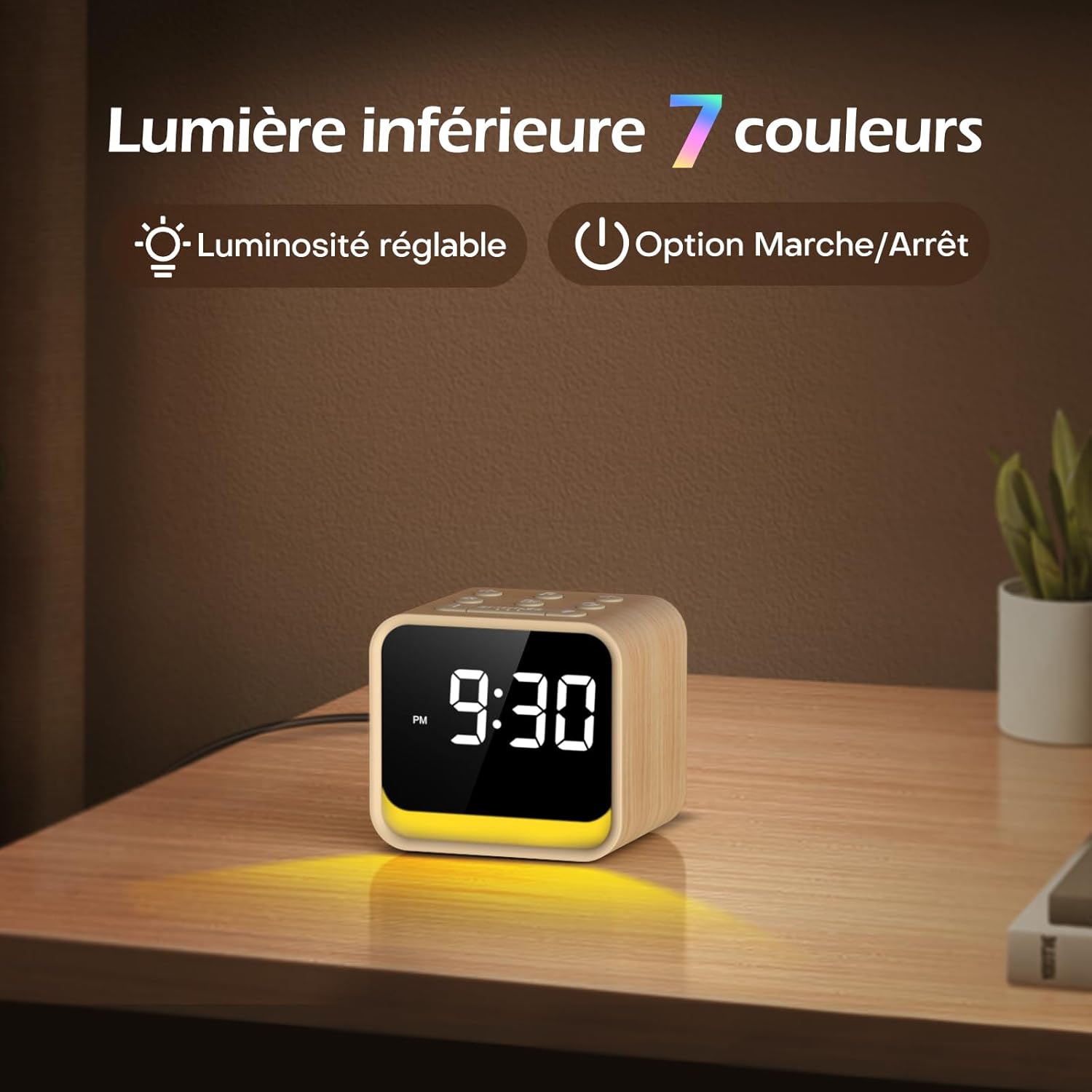
Image: The 7-color ambient night light feature, showing the light emanating from the base of the clock, with options for adjustable brightness.
6. Amserydd Cwsg
The sleep timer allows the FM radio or soothing sounds to play for a set duration before automatically turning off. This duration can be set from 0 to 180 minutes.
- While FM radio or soothing sounds are playing, press the Amserydd Cwsg button (if available, or refer to specific button combinations in the quick start guide).
- Defnyddiwch y +/- buttons to select the desired sleep timer duration.
- The device will automatically turn off the audio after the set time.
7. Addasiad Disgleirdeb Arddangos
The display brightness can be adjusted to suit your preference, ensuring readability during the day and preventing disturbance at night.
- Lleolwch y Arddangos Dimmer control on the rear panel of the unit.
- Slide or rotate the control to increase or decrease the display brightness.
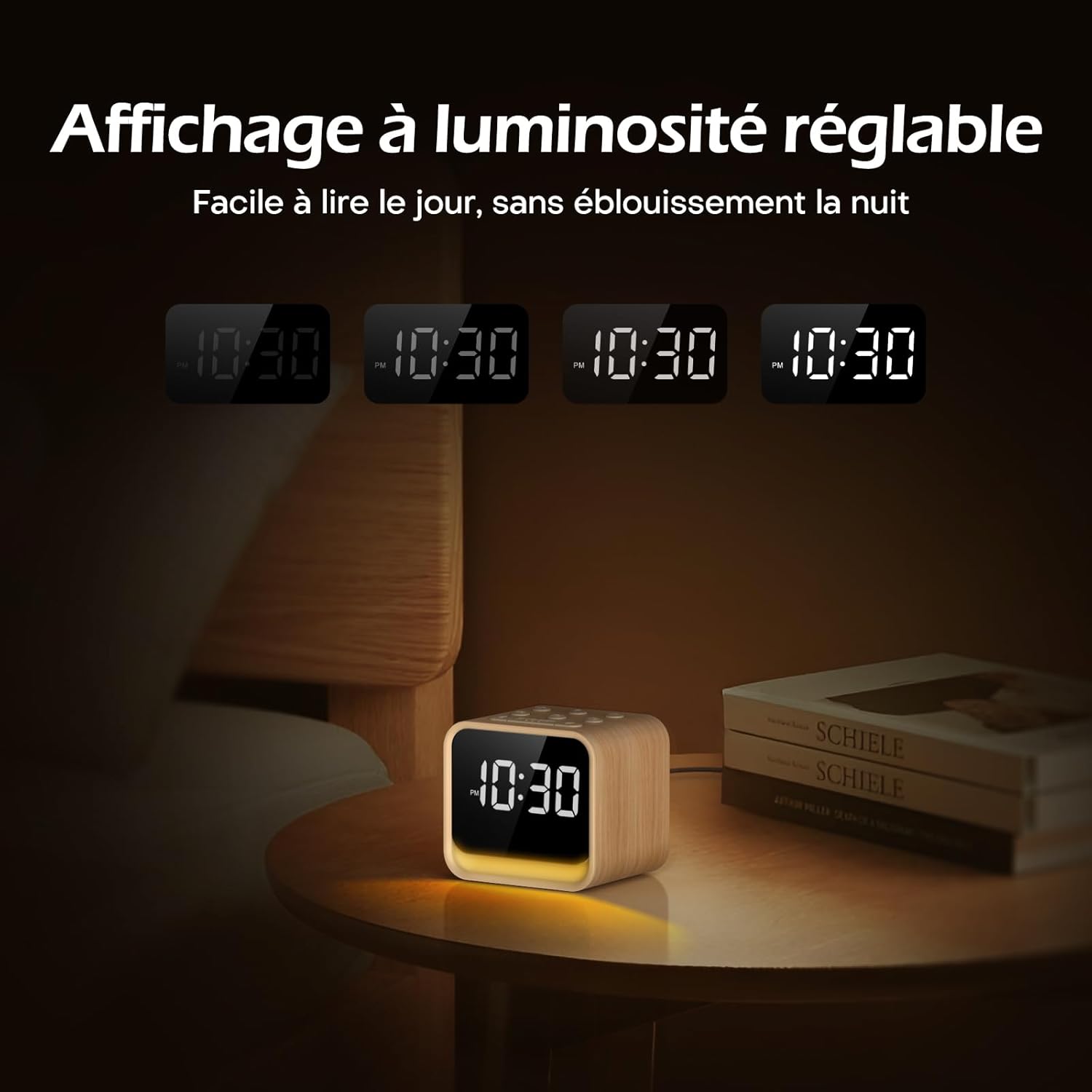
Image: The adjustable brightness display, demonstrating its readability in various lighting conditions, from bright daylight to a dim night setting.
Cynnal a chadw
To ensure the longevity and optimal performance of your REACHER CR7WL:
- Glanhau: Sychwch y ddyfais gyda lliain meddal, sych. Peidiwch â defnyddio glanhawyr hylif na deunyddiau sgraffiniol.
- Lleoliad: Place the device on a stable, flat surface. Avoid direct sunlight, excessive heat, or moisture.
- Pwer: Always use the provided power adapter. Disconnect power during electrical storms or when not in use for extended periods.
Datrys problemau
| Problem | Achos Posibl | Ateb |
|---|---|---|
| Nid yw'r ddyfais yn pweru ymlaen. | Addasydd pŵer heb ei gysylltu neu soced diffygiol. | Ensure the power adapter is securely plugged into the device and a working wall outlet. Try a different outlet. |
| No sound from FM radio. | Antenna not extended, poor reception, or volume too low. | Extend the radio antenna fully. Try repositioning the device. Increase the volume. Perform an automatic station search. |
| Nid yw'r larwm yn canu. | Larwm heb ei actifadu neu gyfaint yn rhy isel. | Ensure the alarm is set and the alarm icon is visible on the display. Increase the alarm volume. |
| Mae'r arddangosfa'n rhy dywyll neu'n rhy llachar. | Display dimmer not adjusted. | Adjust the Display Dimmer control on the rear panel. |
| Night light not working or wrong color. | Night light off or color not selected. | Press the SNOOZE button to turn on/cycle colors. Adjust brightness with the Night Light Brightness control. |
Manylebau
| Nodwedd | Manylyn |
|---|---|
| Brand | CYRRAEDD |
| Rhif Model | CR7WL |
| Lliw | Maple Finish |
| Dimensiynau Cynnyrch (L x W x H) | 9 x 3.81 x 8 cm (3.54 x 1.5 x 3.15 modfedd) |
| Pwysau | 480 gram (1.06 pwys) |
| Deunydd | Wood-look finish (not solid wood) |
| Math Arddangos | Digidol |
| Nodweddion Arbennig | Adjustable Brightness, FM Radio, White Noise Machine, 7-Color Night Light, 9 Alarm Sounds, Sleep Timer |
| Ffynhonnell Pwer | Corded Electric (DC 5V Adapter) |
| Batri wrth gefn | CR2032 (for memory retention only) |

Image: Product dimensions showing the device measures 9 cm in length, 7.2 cm in depth, and 8 cm in height.
Gwarant a Chefnogaeth
Gwybodaeth Gwarant
REACHER products are designed and manufactured to the highest quality standards. For specific warranty details, please refer to the warranty card included in your product packaging or contact customer support.
Cefnogaeth i Gwsmeriaid
If you encounter any issues or have questions regarding your REACHER CR7WL FM Alarm Clock Radio, please contact our customer support team. Contact information can typically be found on the product packaging or our official websafle.
Please have your model number (CR7WL) and purchase details ready when contacting support.