
1. Rhagymadrodd
Welcome to the user manual for your SGIN Android Tablet 10.1 Inch, Model GE8300. This manual provides essential information for setting up, operating, maintaining, and troubleshooting your new tablet. Designed with children in mind, this tablet features a durable case, parental controls, and pre-installed educational content through Kidoz software. Please read this manual thoroughly to ensure proper use and to maximize your tablet's potential.
2. Cynnyrch Drosview
The SGIN Android Tablet 10.1 Inch is equipped with a 10.1-inch HD IPS display, a quad-core processor, 4GB RAM, and 64GB of internal storage. It runs on Android 13 and includes a protective case with an adjustable bracket.
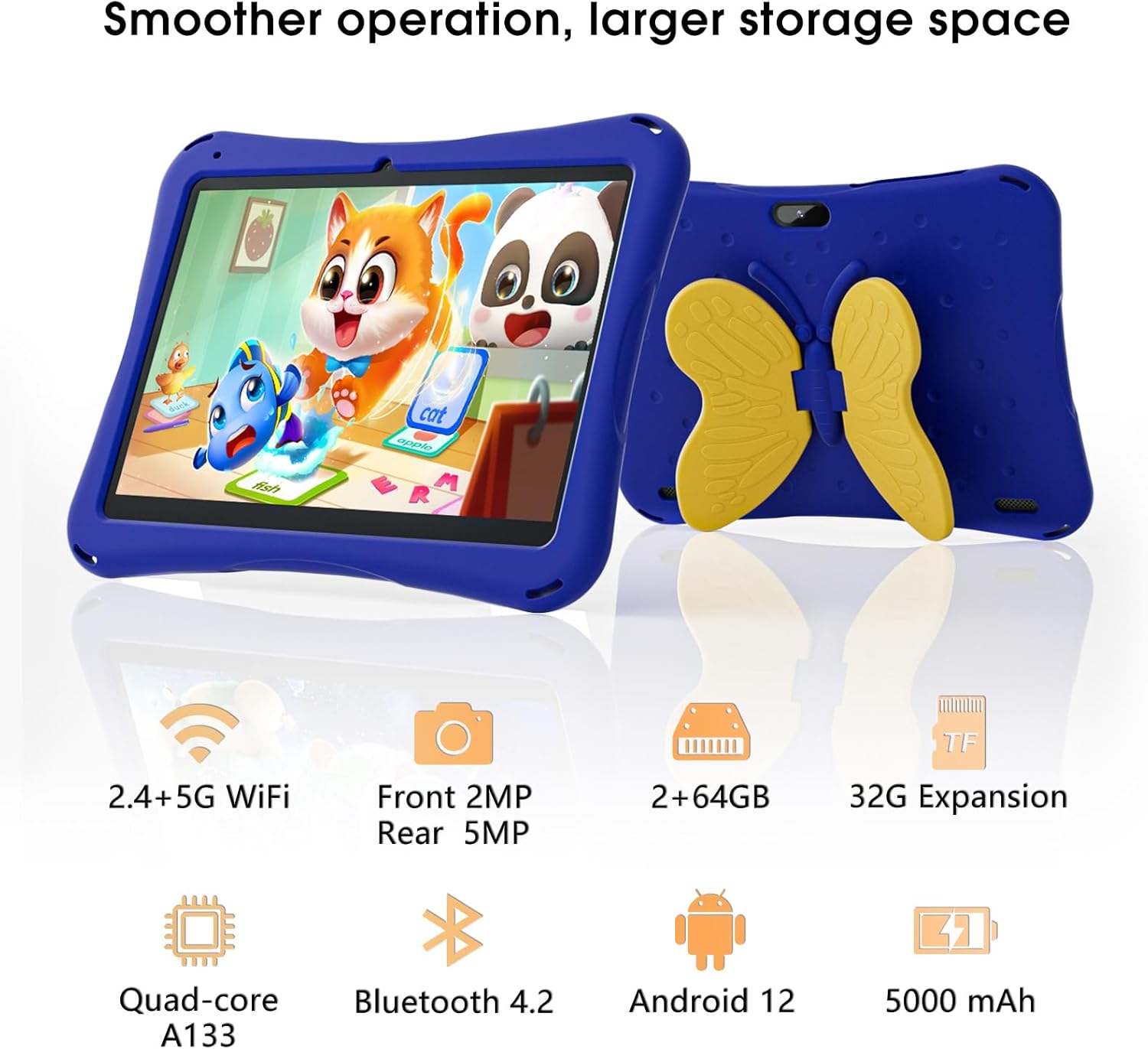
Image: SGIN Android Tablet 10.1 Inch with its protective blue case and yellow butterfly stand.
Cydrannau Tabled

Image: Detailed diagram illustrating the various components and ports of the SGIN Android Tablet.
- Camera blaen: Ar gyfer galwadau fideo a hunluniau.
- Camera Cefn: Ar gyfer tynnu lluniau a fideos.
- Siaradwyr: Ar gyfer allbwn sain.
- Porthladd Math-C: Ar gyfer codi tâl a throsglwyddo data.
- Slot Cerdyn TF: Ar gyfer storfa ehangadwy.
- Jack Clustffon: Ar gyfer cysylltu clustffonau â gwifrau.
- Cynyddu Cyfrol: Button to raise the audio level.
- Lleihau cyfaint: Button to lower the audio level.
- Braced: Adjustable stand integrated into the protective case.
3. Gosod
3.1 Gwefru'r Tabled
Before first use, fully charge the tablet using the provided Type-C cable and power adapter. The 5000mAh battery provides approximately 6-8 hours of usage on a full charge. A charging indicator will typically appear on the screen.
3.2 Pweru Ymlaen/Diffodd
- I Bweru Ymlaen: Press and hold the power button (usually located on the side) until the SGIN logo appears.
- I Bweru i ffwrdd: Press and hold the power button, then select 'Power Off' from the options on the screen.
- I ailgychwyn: Pwyswch a daliwch y botwm pŵer, yna dewiswch 'Ailgychwyn' o'r opsiynau.
3.3 Gosod Cychwynnol a Chysylltiad Wi-Fi
Upon first power-on, follow the on-screen prompts to complete the initial Android 13 setup. This includes selecting your language, region, and connecting to a Wi-Fi network. The tablet supports both 2.4G and 5G Wi-Fi for stable internet connectivity.
- Ewch i Gosodiadau > Rhwydwaith a rhyngrwyd > Wi-Fi.
- Togglo Wi-Fi On.
- Dewiswch eich rhwydwaith dymunol o'r rhestr.
- Rhowch y cyfrinair os gofynnir amdano, yna tapiwch Cyswllt.
4. Cyfarwyddiadau Gweithredu
4.1 Mordwyo Sylfaenol
The tablet uses a touch-sensitive screen for navigation. Common gestures include tapping to select, swiping to scroll, pinching to zoom, and long-pressing for additional options.
4.2 Defnyddio'r Camera
The tablet features a 2MP front-facing camera and a 5MP rear camera. To use the camera:
- Agorwch y Camera cais.
- Select between front and rear cameras using the switch icon.
- Tapiwch y botwm caead i dynnu llun neu ddechrau/stopio recordio fideo.
4.3 Rheoli Storfa
The tablet comes with 64GB of internal storage. If more space is needed, you can expand it by inserting a TF (microSD) card into the TF card slot. The tablet supports expansion up to 34GB.
4.4 Cysylltedd Bluetooth
The tablet supports Bluetooth 4.2 for connecting to wireless accessories such as headphones or speakers.
- Ewch i Gosodiadau > Dyfeisiau cysylltiedig > Dewisiadau cysylltiad > Bluetooth.
- Toglo Bluetooth On.
- Dewiswch eich dyfais o'r rhestr o ddyfeisiau sydd ar gael i'w paru.
5. Parental Control Features
The SGIN tablet includes a built-in parental control security system to manage your child's usage and content access.
- Gosod Cyfrineiriau: Create a password to secure parental control settings.
- Screen Time Limits: Define daily usage limits for the tablet.
- Hidlo Cynnwys: Eliminate unwanted ads and create specific media files or approved websites for your children.
- Multiple Accounts: Set up individual accounts for each child, allowing personalized settings and content access.
6. Kidoz Kids Software
The tablet comes with the Kidoz Kid's software pre-installed, offering a safe and engaging environment for children.
- Accessing Kidoz: Launch the Kidoz app from the home screen.
- Kids Store: Explore thousands of free games and educational apps available for download within the Kidoz environment.
- Cynnwys Addysgol: Kidoz provides content that supports learning in subjects like math, language, music, and painting.
7. cynnal
7.1 Glanhau
Use a soft, lint-free cloth to clean the screen and the tablet's body. For stubborn smudges, slightly dampgolchwch y brethyn gyda dŵr. Osgowch gemegau llym neu ddeunyddiau sgraffiniol.
7.2 Gofal Batri
To prolong battery life, avoid exposing the tablet to extreme temperatures. Charge the tablet regularly and avoid letting the battery completely drain frequently.
7.3 Diweddariadau Meddalwedd
Gwiriwch am ddiweddariadau system o bryd i'w gilydd i sicrhau'r perfformiad a'r diogelwch gorau posibl. Ewch i Gosodiadau > System > Diweddariad system.
7.4 Achos Amddiffynnol
The included kid-proof case is designed to protect the tablet from dust, bumps, and drops. It also features a hollow design for heat dissipation. Ensure the tablet is properly seated within the case for maximum protection.

Image: The durable anti-drop protective case with its adjustable bracket.
8. Datrys Problemau
If you encounter issues with your SGIN tablet, refer to the following common solutions:
- Tabled Ddim yn Pweru Ymlaen: Gwnewch yn siŵr bod y dabled wedi'i wefru. Cysylltwch hi â'r gwefrydd ac aros ychydig funudau cyn ceisio ei throi ymlaen eto.
- Sgrin Anymatebol: If the screen becomes unresponsive, try restarting the tablet by holding down the power button for approximately 10-15 seconds until it powers off, then power it on normally.
- Materion Cysylltiad Wi-Fi: Check if other devices can connect to the Wi-Fi network. Restart your Wi-Fi router. On the tablet, forget the network and reconnect.
- Perfformiad Araf: Close unused applications running in the background. Clear cache data for apps. Consider performing a factory reset if performance issues persist (back up important data first).
- Apiau'n Chwalu: Ensure apps are updated to their latest versions. Clear the app's cache and data via Gosodiadau > Apiau > [Enw'r Ap] > Storio a storfa.
Os oes problemau nad ydynt wedi'u datrys gan y camau hyn, cysylltwch â chymorth cwsmeriaid.
9. manylebau
Key technical specifications for the SGIN Android Tablet 10.1 Inch Model GE8300:
| Nodwedd | Manyleb |
|---|---|
| Rhif Model | GE8300 |
| Maint Sgrin | 10.1 modfedd |
| Cydraniad Arddangos | 1280 x 800 picsel (HD IPS) |
| Prosesydd | 1.6 GHz Quad-core (Allwinner A133) |
| HWRDD | 4GB (2GB corfforol + 2GB ehanguadwy) |
| Storio Mewnol | 64GB ROM |
| Storfa Ehangadwy | Up to 34GB via TF Card |
| System Weithredu | Android 13 |
| Gallu Batri | 5000mAh |
| Camera blaen | 2MP |
| Camera Cefn | 5MP |
| Cysylltedd Di-wifr | WiFi 2.4G/5G, Bluetooth 4.2 |
| Lliw | Glas dwfn |
| Dimensiynau Parseli | 32.2 x 20.4 x 4.7 cm; 1.04 kg |
10. Gwarant a Chefnogaeth
10.1 Gwarant Cynnyrch
The SGIN Android Tablet 10.1 Inch Model GE8300 comes with a Gwarant 1 mlynedd o ddyddiad y pryniant. Mae'r warant hon yn cwmpasu diffygion gweithgynhyrchu o dan ddefnydd arferol. Cadwch eich prawf prynu ar gyfer hawliadau gwarant.
10.2 Cefnogaeth i Gwsmeriaid
If you require further assistance or have questions not covered in this manual, please contact SGIN customer support. Refer to the product packaging or the official SGIN websafle am y wybodaeth gyswllt ddiweddaraf.