
Rhagymadrodd
This manual provides essential instructions for setting up, operating, maintaining, and troubleshooting your Motorola Razr 2024 smartphone. Please read this guide thoroughly to ensure proper use and to maximize the device's capabilities.
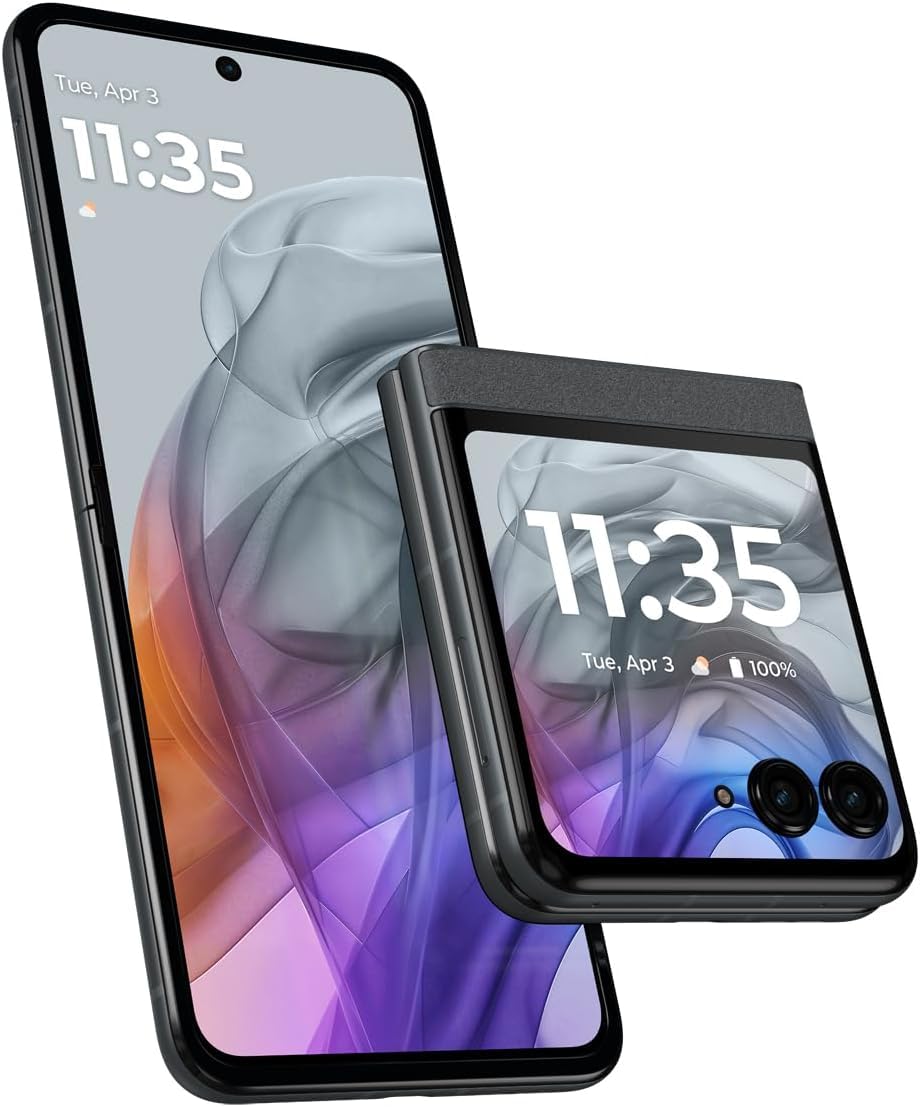
Image: The Motorola Razr 2024 in its folded state, showcasing yr arddangosfa allanol.
1. Gosod
1.1 Dadbocsio a Thâl Cychwynnol
Carefully remove all components from the packaging. Before first use, it is recommended to fully charge your device using the provided USB Type-C cable and a compatible power adapter (sold separately).
1.2 Gosod Cerdyn SIM
- Lleolwch y hambwrdd cerdyn SIM ar ochr eich dyfais.
- Insert the SIM ejector tool (or a small paperclip) into the small hole on the tray and press firmly until the tray pops out.
- Rhowch eich cerdyn Nano-SIM yn y hambwrdd gyda'r cysylltiadau aur yn wynebu i lawr, gan sicrhau ei fod yn ffitio'n ddiogel.
- Ailosodwch yr hambwrdd yn y ddyfais yn ofalus.
Note: This device supports a single Nano-SIM card.
1.3 Troi Ymlaen a Chyflunio Cychwynnol
Press and hold the Power button until the Motorola logo appears. Follow the on-screen prompts to complete the initial setup, which includes selecting your language, connecting to a Wi-Fi network, setting up your Google account, and configuring security features.
2. Gweithredu Eich Dyfais
2.1 Folding Design and Displays
The Motorola Razr 2024 features a unique foldable design. It has two main displays:
- Arddangosfa Allanol: A 3.6-inch screen visible when the phone is folded. This display allows you to check notifications, view the time, control music, and access quick settings without opening the device.
- Prif Arddangosfa: A 6.9-inch pOLED screen that becomes accessible when the phone is unfolded. This is your primary interface for apps, browsing, and media consumption.
2.2 Navigation and Android 14
Your device runs on Android 14. You can navigate using gestures (swiping from edges) or traditional three-button navigation (Back, Home, Recents). Customize your navigation preferences in the Settings menu.
2.3 Swyddogaethau'r Camera
The device is equipped with a 50MP rear camera system. To open the camera, tap the camera icon on your home screen or external display. Key features include:
- Moddau Llun: Standard, Portrait, Night Vision, Pro Mode.
- Recordiad Fideo: Supports up to 4K resolution at 30 frames per second (fps).
- Moto AI Stabilization: Enhances video smoothness, especially during movement.
- Fflecs View: Utilize the foldable design to prop the phone at various angles for hands-free photography and video calls.
2.4 Audio and Media
Experience immersive sound with Dolby Atmos technology. Connect headphones via the USB Type-C port or wirelessly via Bluetooth. The device supports various media formats for playback.
2.5 Rheoli Batri
The Motorola Razr 2024 is powered by a 4200 mAh Lithium-Ion battery. To optimize battery life, adjust screen brightness, close unused applications, and utilize power-saving modes available in the Settings menu.
3. cynnal
3.1 Glanhau Eich Dyfais
To clean your phone, gently wipe it with a soft, lint-free cloth. For stubborn smudges, slightly dampen the cloth with water or a screen cleaner specifically designed for electronics. Avoid using harsh chemicals or abrasive materials.
3.2 Gwrthsefyll Dŵr
The device features a water-resistant design. This means it is protected against splashes and light rain, but it is not waterproof. Avoid submerging the device in water or exposing it to pressurized water. Damage due to liquid exposure is not covered under warranty.
3.3 Diweddariadau Meddalwedd
Regularly check for and install software updates to ensure your device has the latest features, security patches, and performance improvements. You can find update options in Gosodiadau> System> Diweddariadau system.
3.4 Foldable Screen Care
The foldable display is a delicate component. Avoid pressing hard on the screen, especially near the crease. Keep the screen free of debris before folding. Do not apply screen protectors not specifically designed for foldable displays.
4. Datrys Problemau
4.1 Dyfais Ddim yn Troi Ymlaen
- Gwnewch yn siŵr bod y batri wedi'i wefru. Cysylltwch y ddyfais â gwefrydd am o leiaf 15 munud cyn ceisio ei throi ymlaen.
- Ailgychwynwch yn orfodol trwy wasgu a dal y botwm Pŵer am tua 10-15 eiliad.
4.2 Problemau Cysylltedd Rhwydwaith
- Gwiriwch a yw eich cerdyn SIM wedi'i fewnosod yn iawn.
- Toggle Airplane Mode on and off (Settings > Network & internet > Airplane mode).
- Ailosod gosodiadau rhwydwaith (Gosodiadau > System > Dewisiadau ailosod > Ailosod Wi-Fi, ffôn symudol a Bluetooth).
- Contact your carrier (T-Mobile) to verify your service plan and network status.
4.3 Apiau'n Chwalu neu'n Rhewi
- Caewch ac ailagor yr ap.
- Clirio storfa a data'r ap (Settings > Apps > See all apps > [App Name] > Storage & cache).
- Gwnewch yn siŵr bod yr ap wedi'i ddiweddaru i'w fersiwn ddiweddaraf o Google Play Store.
- Os yw'r broblem yn parhau, dadosodwch ac ailosodwch yr ap.
4.4 Ailosod Ffatri
Os byddwch chi'n dod ar draws problemau meddalwedd parhaus, gallai ailosodiad ffatri eu datrys. Rhybudd: Bydd hyn yn dileu'r holl ddata ar eich dyfais. Gwnewch gopi wrth gefn o ddata pwysig cyn bwrw ymlaen. I ailosod y ffatri, ewch i Gosodiadau > System > Ailosod opsiynau > Dileu'r holl ddata (ailosod ffatri).
5. manylebau
| Nodwedd | Manylyn |
|---|---|
| Brand | Motorola |
| Enw Model | Razr 2024 |
| System Weithredu | Android 14 |
| HWRDD | 8 GB |
| Storio Mewnol | 256 GB (Maximum Flash Memory Supported) |
| Maint y Prif Sgrin | 6.9 modfedd o OLED p |
| Main Screen Resolution | 1080 x 2640 picsel |
| Arddangosfa Allanol | 3.6 modfedd |
| Camera Cefn | 50 AS |
| Datrysiad Dal Fideo | 4K ar 30 fps |
| Gallu Batri | 4200 mAh Lithiwm-Ion |
| Cysylltedd | 5G, USB Type C |
| Math Cerdyn SIM | Single Nano SIM |
| Gwrthiant Dŵr | Gwrth-ddŵr |
| Dimensiynau (Heb blygu) | 0.28 x 2.91 x 6.74 modfedd (bras) |
| Pwysau | 6.63 owns |
6. Gwybodaeth Gwarant
This Motorola Razr 2024 device comes with a Gwarant cyfyngedig 90 diwrnod. This warranty covers manufacturing defects under normal use. It does not cover damage caused by accidents, misuse, unauthorized modifications, or liquid exposure. For detailed terms and conditions, please refer to the warranty documentation provided with your purchase or visit the official Motorola support websafle.
7. Cefnogaeth
For further assistance, technical support, or to access additional resources, please refer to the following:
- Cefnogaeth Motorola Websafle: Ymwelwch www.motorola.com/cefnogi for FAQs, user guides, and contact information.
- T-Mobile Support: As this device is made for T-Mobile, you can also contact T-Mobile customer service for network-related issues or device support specific to your carrier plan.
- Online Forums: Community forums may offer solutions to common issues and tips from other users.