
1. Rhagymadrodd
The T-WOLF G520 is a high-performance wired gaming mouse designed for precision and comfort. It features a USB2.0 wired connection, 7 customizable buttons, and dynamic RGB lighting. This manual provides essential information for setting up, operating, and maintaining your G520 gaming mouse.
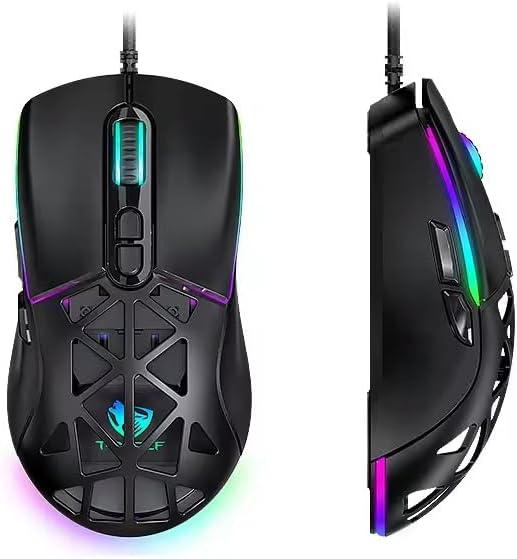
Figure 1: T-WOLF G520 Gaming Mouse (Front and Side View)
2. Nodweddion Cynnyrch
- Cysylltiad: Wired USB2.0 for stable and responsive performance.
- Math Synhwyrydd: Optical sensor for accurate tracking.
- Gosodiadau DPI: Adjustable DPI from 800 to 12800 (800 / 1600 / 3200 / 4800 / 6400 / 12800).
- Cyfradd Bleidleisio: 1000Hz for rapid response times.
- Botymau: 7 programmable buttons (Left, Right, Middle, Forward, Back, DPI+, DPI-).
- Goleuadau RGB: 13 dynamic RGB lighting modes.
- Gwydnwch: 10 million click lifespan for micro switches.
- Cebl: 1.5m braided cable for enhanced durability and tangle resistance.
- Dyluniad: Lightweight honeycomb structure and ergonomic shape for comfortable grip and ventilation.
- Addasu: Magnetic interchangeable back cover.

Ffigur 2: Nodweddion Allweddol Drosoddview
3. Cynnwys Pecyn
- T-WOLF G520 Gaming Mouse Unit
- Interchangeable Magnetic Back Covers (2 types)

Figure 3: G520 Mouse with Interchangeable Back Covers
4. Cyfarwyddiadau Gosod
- Connect the USB connector of the T-WOLF G520 gaming mouse to an available USB 2.0 port on your computer.
- The mouse is Plug & Play compatible and does not require additional drivers for basic functionality. Your operating system will automatically detect and install the necessary drivers.
- Once detected, the mouse will be ready for use.
5. Cyfarwyddiadau Gweithredu
5.1 Swyddogaethau Botwm
The T-WOLF G520 mouse features 7 buttons with the following default functions:
- Botwm Chwith: Swyddogaeth clic cynradd.
- Botwm De: Swyddogaeth clicio eilaidd (dewislen gyd-destun).
- Middle Button / Scroll Wheel: Scroll up/down, click for universal scroll or other functions.
- Botwm Ymlaen: Yn llywio ymlaen yn web porwyr neu file fforwyr.
- Botwm Cefn: Yn llywio yn ôl i mewn web porwyr neu file fforwyr.
- Botwm DPI+: Increases DPI sensitivity.
- Botwm DPI: Decreases DPI sensitivity.
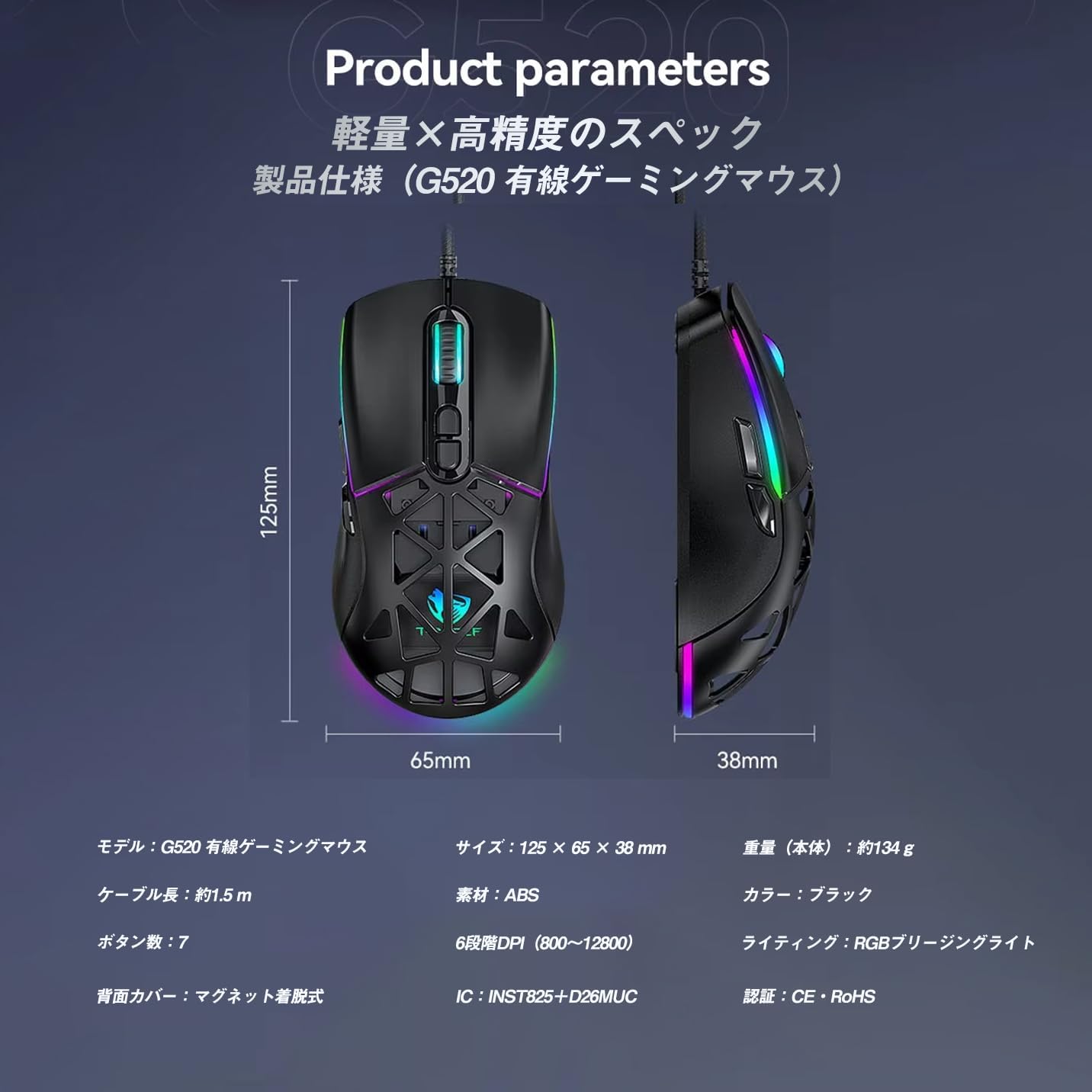
Figure 4: G520 Button Layout
5.2 Addasiad DPI
The mouse supports 6 adjustable DPI levels. To change the DPI, press the DPI+ or DPI- buttons located on the top of the mouse. Each press will cycle through the available DPI settings: 800, 1600, 3200, 4800, 6400, and 12800.

Ffigur 5: Lefelau Addasu DPI
5.3 Rheoli Goleuadau RGB
The T-WOLF G520 features 13 RGB lighting modes. To change the RGB lighting mode, press and hold the Botwm Cefn a'r DPI- Botwm simultaneously for approximately 3 seconds. Repeat this action to cycle through the different lighting effects.
5.4 Magnetic Back Cover
The mouse comes with two types of magnetic back covers that can be easily interchanged. To remove a cover, gently lift it from the back of the mouse. To attach a cover, align it with the mouse body and allow the magnets to secure it in place.

Figure 6: Magnetic Back Cover Exchange
6. cynnal
- Glanhau: Defnyddiwch frethyn meddal, sych i lanhau'r llygoden. Ar gyfer baw ystyfnig, defnyddiwch frethyn ychydig yn sych.amp cloth can be used, ensuring no liquid enters the mouse.
- Osgoi hylifau: Peidiwch â throchi'r llygoden mewn dŵr na'i hamlygu i leithder gormodol.
- Storio: Storiwch y llygoden mewn lle oer, sych i ffwrdd o olau haul uniongyrchol a thymheredd eithafol.
- Gofal Cebl: Avoid bending or twisting the braided cable excessively to prevent damage.
7. Datrys Problemau
- Llygoden Ddim yn Ymateb:
- Gwnewch yn siŵr bod y cebl USB wedi'i gysylltu'n ddiogel â phorthladd USB eich cyfrifiadur.
- Rhowch gynnig ar gysylltu'r llygoden â phorthladd USB gwahanol.
- Ailgychwyn eich cyfrifiadur.
- DPI Ddim yn Newid:
- Ensure you are pressing the correct DPI+ or DPI- buttons.
- The mouse cycles through 6 fixed DPI levels; there is no software adjustment.
- Goleuadau RGB Ddim yn Gweithio/Yn Newid:
- Ensure the mouse is properly connected.
- Pwyswch a dal y Botwm Cefn a DPI- Botwm simultaneously for 3 seconds to cycle through modes.
- Problemau Olrhain:
- Glanhewch y synhwyrydd optegol ar ochr isaf y llygoden.
- Defnyddiwch y llygoden ar arwyneb glân, unffurf neu bad llygoden.
8. manylebau
| Nodwedd | Manyleb |
|---|---|
| Model | G520 |
| Math Cysylltiad | Wired USB2.0 |
| Math Synhwyrydd | Optegol |
| Gosodiadau DPI | 800/1600/3200/4800/6400/12800 |
| Cyfradd Bleidleisio | 1000Hz |
| Nifer y Botymau | 7 |
| Hyd Cebl | 1.5m (Braided) |
| Dimensiynau (L×W×H) | 124 × 65 × 40 mm |
| Pwysau | Tua. 132g |
| Vol Gweithredutage / Cyfredol | 5V / 150mA |
| Goleuo | RGB (13 Modes) |
| Deunydd | Plastig (ABS) |
| AO cydnaws | Windows 10, Windows 11, Mac OS, Linux (OS standard, no driver required) |

Figure 7: Product Specifications Diagram
9. Gwarant a Chefnogaeth
This product is covered by a standard manufacturer's warranty. Please refer to your purchase documentation for specific warranty terms and conditions. For technical support or warranty claims, please contact the retailer or the manufacturer's customer service.