
Cynnyrch Drosview
The pTron Studio Pro are wireless over-ear headphones designed for extended listening and clear communication. They feature an ergonomic design with soft earpads and an adjustable headband for comfortable wear. Key features include long battery life, advanced audio drivers, and versatile connectivity options.
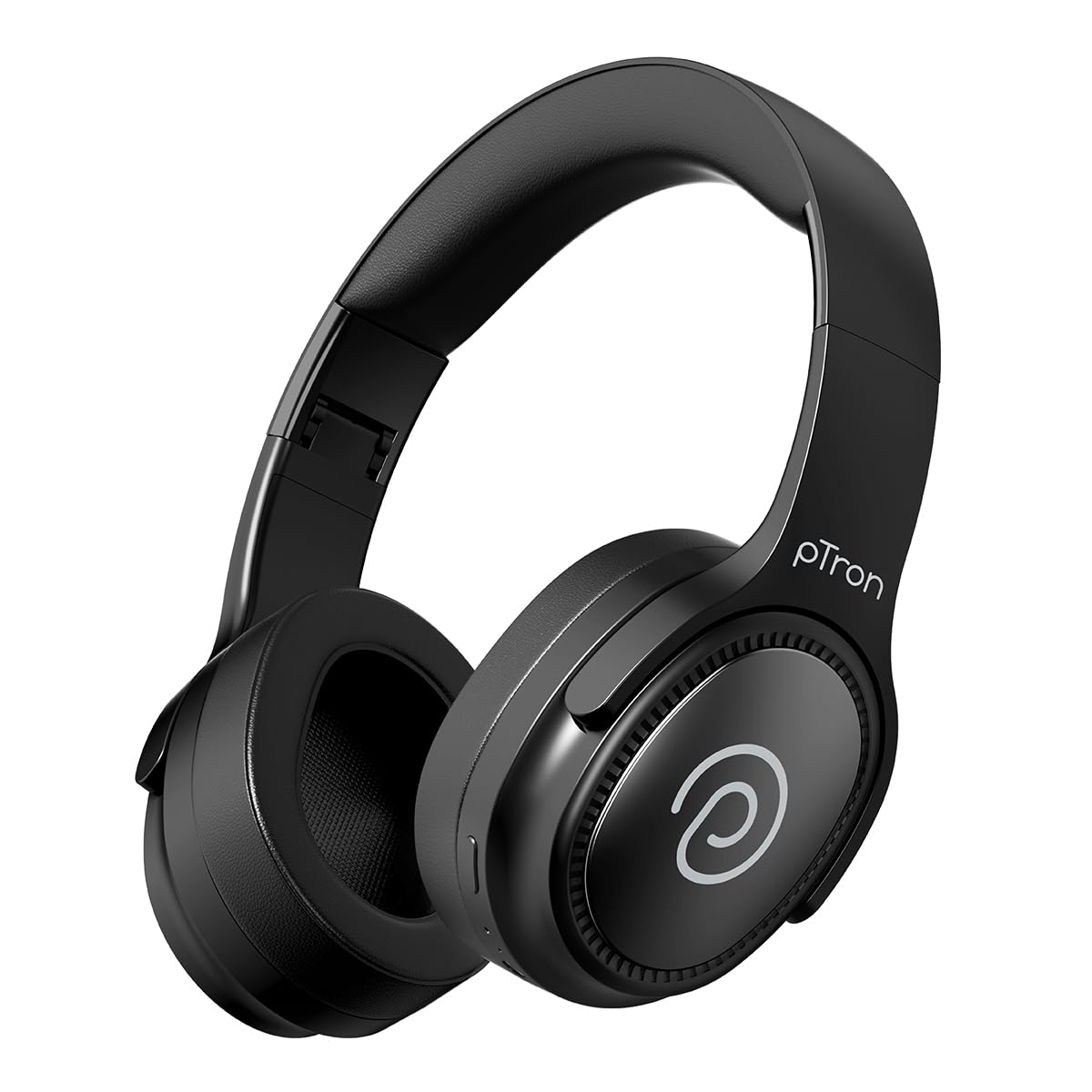
Image: pTron Studio Pro Wireless Over-Ear Headphones in Jet Black, showcasing y dyluniad cain.
Nodweddion Allweddol
- Amser Chwarae Estynedig: Up to 65 hours of music playback on a single full charge.
- Codi Tâl Cyflym: 2.5 hours for a full charge via Type-C. A 10-minute charge provides approximately 4 hours of playtime.
- Sain o Ansawdd Uchel: Equipped with 40mm Neody Drivers for pristine stereo sound.
- Clirio Galwadau: Built-in HD Microphone with TruTalk AI-ENC (Environmental Noise Cancellation) for crystal-clear calls.
- Cysylltedd Uwch: Fast Bluetooth v5.4 for instant pairing and stable connection.
- Paru Dyfais Ddeuol: Seamlessly connect and switch between two devices simultaneously.
- Dulliau Amlbwrpas: Dedicated Low-Latency Gaming Mode and Music Mode.
- Gwrthiant Dŵr: IPX4 rating, making them resistant to water splashes and sweat.
- Comfort & Portability: Ergonomic, lightweight, and foldable design with soft earpads and an adjustable headband for a perfect fit and easy storage.
- Rheolaethau Hawdd: Multi-functional buttons for managing music, calls, and activating voice assistant.

Image: Infographic detailing the main features of the pTron Studio Pro headphones, including battery life, drivers, and connectivity.
Beth Sydd yn y Bocs
Upon unboxing your pTron Studio Pro headphones, you will find the following items:
- pTron Studio Pro Wireless Over-Ear Headphones
- Cebl gwefru (Math-C)
- Llawlyfr Defnyddiwr
Video: An official product video demonstrating the unboxing and key features of the pTron Studio Pro headphones.
Product Layout and Controls
Familiarize yourself with the physical components and control buttons of your pTron Studio Pro headphones.

Delwedd: Manwl view of the multi-function control buttons located on the ear cup, including power, volume, and track controls.
Control Button Functions:
| Botwm/Gweithredu | Swyddogaeth |
|---|---|
| Botwm Pŵer (Gwasg Hir) | Pŵer Ymlaen/Diffodd, Ewch i Mewn i'r Modd Paru |
| Botwm Chwarae/Saib (Gwasgiad Sengl) | Chwarae/Saib Cerddoriaeth, Ateb/Diweddu Galwad |
| Botwm Chwarae/Saib (Pwyso Hir) | Gwrthod Galwad, Actifadu Cynorthwyydd Llais |
| Volume Up (+) (Single Press) | Cynyddu Cyfrol |
| Volume Down (-) (Single Press) | Lleihau Cyfrol |
| Volume Up (+) (Long Press) | Trac Nesaf |
| Volume Down (-) (Long Press) | Trac Blaenorol |
| Mode Button (Single Press) | Newid rhwng Modd Gêm a Modd Cerddoriaeth |
Gosod
1. Codi Tâl y Clustffonau
- Cysylltwch y cebl gwefru Math-C a ddarperir â'r porthladd gwefru ar y clustffonau.
- Connect the other end of the cable to a USB power source (DC5V-1A max.).
- Bydd y dangosydd LED yn dangos statws y gwefru. Mae gwefr lawn yn cymryd tua 2.5 awr.
- A 10-minute charge can provide up to 4 hours of playtime.

Image: The pTron Studio Pro headphones highlighting the Type-C charging port and emphasizing the 65-hour playtime.
2. Pâr Bluetooth
- Gwnewch yn siŵr bod y clustffonau wedi'u gwefru'n llawn.
- Press and hold the Power button until the LED indicator flashes red and blue alternately, indicating pairing mode.
- Ar eich dyfais (ffôn clyfar, tabled, gliniadur), galluogwch Bluetooth a chwiliwch am ddyfeisiau sydd ar gael.
- Select "pTron Studio Pro" from the list of devices.
- Ar ôl cysylltu, bydd y dangosydd LED yn troi'n las solet neu'n rhoi'r gorau i fflachio.
3. Paru Dyfais Ddeuol
- Parwch y clustffonau â'r ddyfais gyntaf fel y disgrifiwyd uchod.
- Analluogwch Bluetooth ar y ddyfais gyntaf. Bydd y clustffonau'n ail-fynd i'r modd paru.
- Pârwch y clustffonau gyda'r ail ddyfais.
- Ail-alluogi Bluetooth ar y ddyfais gyntaf. Dylai'r clustffonau gysylltu'n awtomatig â'r ddwy ddyfais.
- You can now switch audio playback between the two connected devices.

Image: The headphones connected to both a laptop and a smartphone, demonstrating the dual device pairing feature.
4. Wired Connection (3.5mm Aux-in)
- Insert one end of a 3.5mm audio cable (not included) into the Aux-in port on the headphones.
- Connect the other end of the cable to your audio source's 3.5mm jack.
- Bydd y clustffonau'n newid yn awtomatig i'r modd gwifredig.

Image: The headphones connected to a smartphone using a 3.5mm Aux-in cable, illustrating wired music playback.
Cyfarwyddiadau Gweithredu
Pŵer Ymlaen / Diffodd
- Pŵer Ymlaen: Pwyswch a daliwch y botwm Pŵer am tua 3 eiliad nes bod y dangosydd LED yn goleuo.
- Pwer i ffwrdd: Pwyswch a daliwch y botwm Pŵer am tua 5 eiliad nes bod y dangosydd LED yn diffodd.
Rheolaethau Cerddoriaeth
- Chwarae/Seibiant: Pwyswch y botwm Chwarae/Saib unwaith.
- Trac Nesaf: Pwyswch y botwm Cyfaint i Fyny (+) yn hir.
- Trac Blaenorol: Pwyswch y botwm Cyfaint i Lawr (-) yn hir.
- Cyfrol i Fyny: Single press the Volume Up (+) button.
- Cyfrol i Lawr: Single press the Volume Down (-) button.
Rheolaethau Galwadau
- Ateb / Diwedd Galwad: Pwyswch y botwm Chwarae/Saib unwaith.
- Gwrthod Galwad: Pwyswch y botwm Chwarae/Saib yn hir.
Cynorthwyydd Llais
- Ysgogi Cynorthwyydd Llais: Long press the Play/Pause button (after rejecting a call, if applicable, or when not on a call).
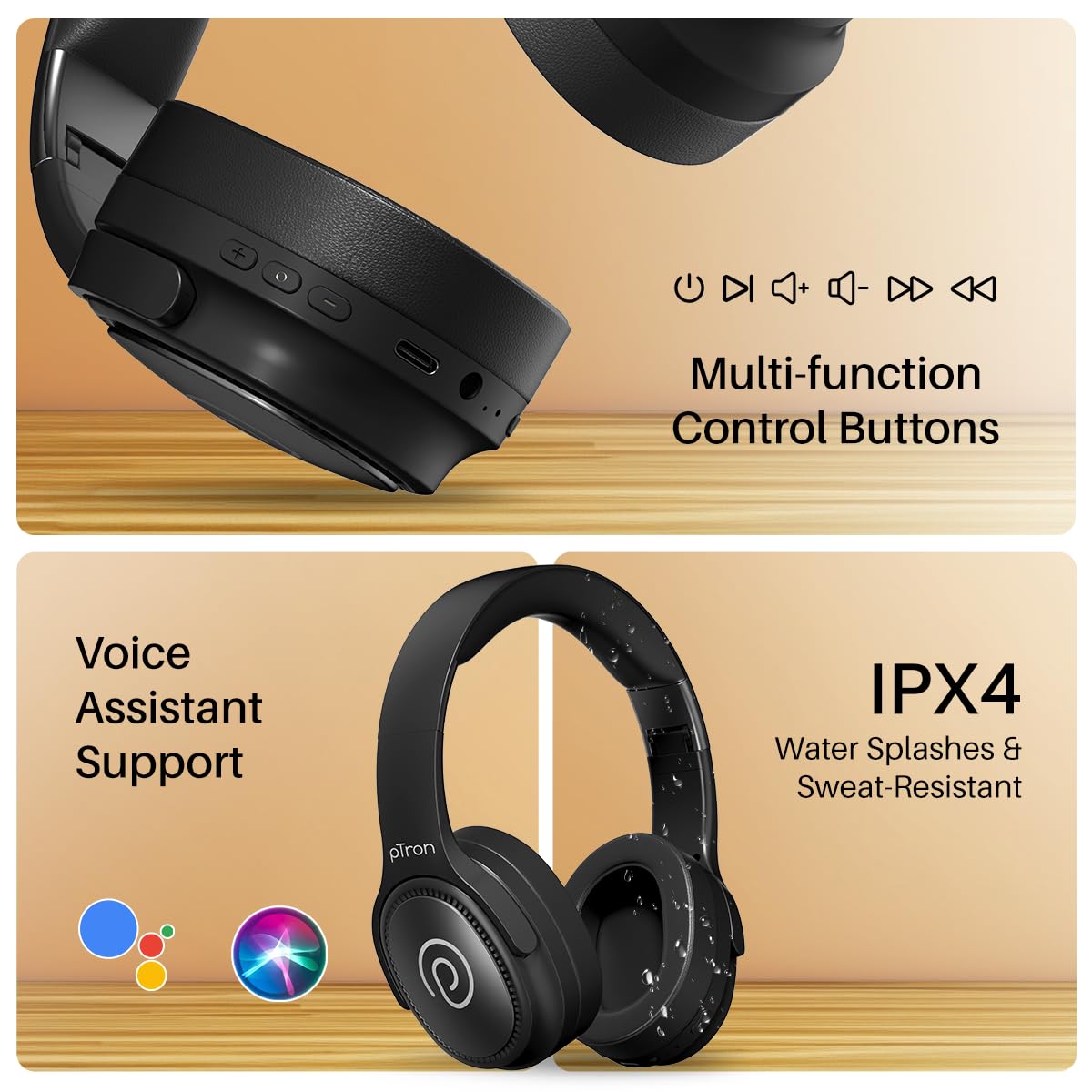
Image: The headphones illustrating support for voice assistants like Google Assistant and Siri, along with their IPX4 water-resistant rating.
Game & Music Modes
- Moddau Newid: Single press the Mode button to toggle between Low-Latency Gaming Mode and standard Music Mode.
Cynnal a chadw
To ensure the longevity and optimal performance of your pTron Studio Pro headphones, follow these maintenance guidelines:
- Glanhau: Defnyddiwch frethyn meddal, sych i lanhau'r clustffonau. Peidiwch â defnyddio glanhawyr sgraffiniol na thoddyddion.
- Storio: Pan nad ydynt yn cael eu defnyddio, storiwch y clustffonau mewn lle oer, sych. Mae'r dyluniad plygadwy yn caniatáu storio cryno.
- Amlygiad Dŵr: While rated IPX4 for water splashes and sweat resistance, avoid submerging the headphones in water or exposing them to heavy rain. Dry them thoroughly if they get wet.
- Codi tâl: Use only the provided Type-C cable and a compatible power adapter (DC5V-1A max.) for charging.
- Osgoi Tymheredd Eithafol: Peidiwch â dinoethi'r clustffonau i dymheredd uchel iawn neu isel.
Datrys problemau
If you encounter any issues with your pTron Studio Pro headphones, refer to the following common troubleshooting steps:
| Problem | Ateb |
|---|---|
| Nid yw clustffonau'n troi ymlaen. | Gwnewch yn siŵr bod y clustffonau wedi'u gwefru'n llawn. Cysylltwch â ffynhonnell bŵer a gwiriwch y dangosydd gwefru. |
| Ni ellir paru â dyfais. | Make sure Bluetooth is enabled on your device and the headphones are in pairing mode (LED flashing red/blue). Move closer to the device. Forget previous pairings on your device and try again. |
| Dim sain na chyfaint isel. | Check the volume levels on both the headphones and your connected device. Ensure the headphones are correctly paired. If using Aux-in, ensure the cable is fully inserted. |
| Mae ansawdd yr alwad yn wael. | Ensure the microphone is not obstructed. Move to an area with less environmental noise. Check your device's network signal. |
| Headphones disconnect frequently. | Ensure there are no obstacles between the headphones and your device. Keep within the Bluetooth range (10 meters). Avoid strong electromagnetic interference. |
Manylebau
| Nodwedd | Manylyn |
|---|---|
| Brand | pTron |
| Enw Model | Stiwdio |
| Lleoliad Clust | Dros Glust |
| Fersiwn Bluetooth | 5.4 |
| Amrediad Bluetooth | 10 Metr |
| Maint Gyrrwr Sain | 40 Milimetr |
| rhwystriant | 32 Ohms |
| Bywyd Cyfartalog Batri | 65 Awr |
| Amser Codi Batri | 2.5 Awr |
| Porthladd Codi Tâl | Math-C |
| Lefel Gwrthsefyll Dŵr | IPX4 (gwrth-ddŵr) |
| Meicroffon | Built-in HD Mic with AI-ENC |
| Jack clustffon | 3.5 mm Jack |
| Math o Reoli | Call Control, Push Button |
| Nodweddion Cynnyrch | Fast Charging, Foldable, Microphone Included, Noise Isolation, Surround Sound |
| Pwysau Eitem | 200 gram |
| Deunydd | Styren Biwtadïen Acrylonitrile (ABS) |
| Dyfeisiau Cydnaws | Ffonau Symudol, Cyfrifiaduron Penbwrdd, Gliniaduron, Tabledi |
Gwarant a Chefnogaeth
Your pTron Studio Pro headphones come with a manufacturer's warranty and dedicated customer support.
- Gwarant: 6 Months Manufacturer Warranty from the Date of Purchase on Manufacturing Defects Only.
- Cyswllt Gwneuthurwr: Building A1, Red Box Creative Park, No. 3 Huancheng South Road, Bantian Street, Longgang District, Shenzhen City, China 518116.
- Customer Care Contact Details: 40-67138888/ Support@ptron.in
- Importer Contact: PALRED ELECTRONICS PVT. LTD., SY.RHIF. 56, LLAWR 1AF, GUNDLAPOCHAMPALLY VILLAGE, TECH PARK MTP, TSIIC-IALA NACHARAM, HYDERABAD - 500076, TELANGANA, INDIA.