
1. Cynnyrch Drosview
This manual provides essential information for the SGIN 15.6 Inch Laptop Computer, Model SGIN-Y101. It covers initial setup, operation, maintenance, and troubleshooting to ensure optimal performance and longevity of your device.
Nodweddion Allweddol:
- Powerful Core i3 Processor: Equipped with an i3 (4-thread) CPU up to 3.9GHz for multitasking.
- Ample Storage and Speed: Features 16GB RAM and 1024GB SSD for quick application loading and smooth operation. Storage is expandable with a TF card up to 1TB.
- 15.6 Inch FHD IPS Display: Full HD 1920×1080 IPS screen with 180° viewing angles for vivid colors and sharp details.
- Bysellfwrdd ôl-oleuo: White backlit keyboard for improved typing accuracy in low-light conditions. Activate with "FN" + "F5".
- All-Day Battery and Connectivity: 53.2Wh battery (7000mAh) providing up to 8 hours of battery life. Includes USB 3.0, HDMI, Micro SD slot, Kensington lock, and a headphone jack. Features WiFi 6.
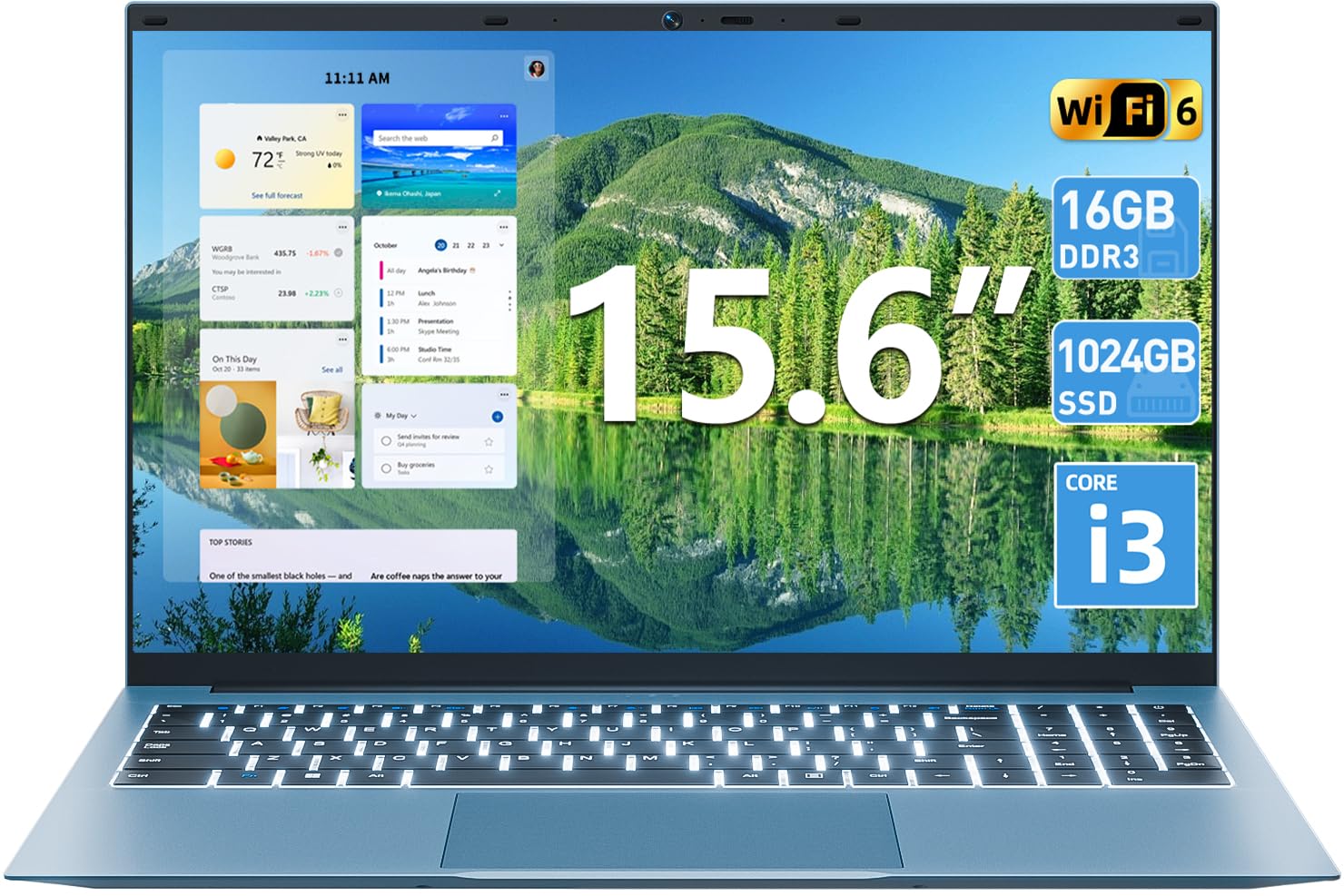
Delwedd 1.1: Drosoddview of the SGIN 15.6 Inch Laptop Computer, highlighting its main features like RAM, SSD, Core i3 processor, Windows 11, battery, backlit keyboard, and WiFi 6.
2. Gosodiad Cychwynnol
2.1 Unpacking the Laptop
Tynnwch yr holl gydrannau o'r pecynnu yn ofalus. Gwnewch yn siŵr bod yr eitemau canlynol yn bresennol:
- SGIN 15.6 Inch Laptop
- Addasydd Pŵer
- Llawlyfr Defnyddiwr

Image 2.1: The SGIN laptop, power adapter, and user manual as typically found in the package.
2.2 Codi Tâl ar y Batri
Before first use, fully charge the laptop battery.
- Cysylltwch yr addasydd pŵer â'r porthladd gwefru ar y gliniadur.
- Plygiwch yr addasydd pŵer i mewn i allfa wal.
- Allow the laptop to charge until the battery indicator shows a full charge.
Pwysig: Use only the provided power adapter to avoid damage to the laptop.
2.3 Troi ymlaen a Gosod Windows Cychwynnol
- Agorwch gaead y gliniadur.
- Pwyswch y botwm pŵer sydd wedi'i leoli ar y bysellfwrdd.
- Dilynwch y cyfarwyddiadau ar y sgrin i gwblhau'r gosodiad cychwynnol ar Windows 11, gan gynnwys dewis iaith, cysylltiad rhwydwaith, a chreu cyfrif defnyddiwr.
3. Gweithredu'r Gliniadur
3.1 Bysellfwrdd a Phad Cyffwrdd
The laptop features a full-size keyboard with a numeric keypad and a large touchpad for navigation.
- Bysellfwrdd ôl-oleuo: To toggle the keyboard backlight, press the FN key simultaneously with the F5 cywair.
- Ystumiau padiau cyffwrdd: Refer to Windows 11 settings for customizable touchpad gestures.

Image 3.1: The laptop's backlit keyboard and numeric keypad, shown illuminated for use in low-light conditions.
3.2 Cysylltu Perifferolion
The laptop offers various ports for connecting external devices.
- Porthladdoedd USB: Connect USB devices such as mice, keyboards, or external storage.
- Porthladd HDMI: Cysylltwch â monitor neu deledu allanol i gael arddangosfa estynedig.
- Porthladd Math-C: For data transfer and potentially charging (check specific adapter compatibility).
- Slot Micro SD: Insert a Micro SD card for additional storage.
- Jack Clustffon: Cysylltu clustffonau neu siaradwyr allanol.
- Slot Clo Kensington: Use a compatible security cable to secure your laptop.

Image 3.2: The left side of the laptop displaying the power input, Type-C port, HDMI port, and a USB port.
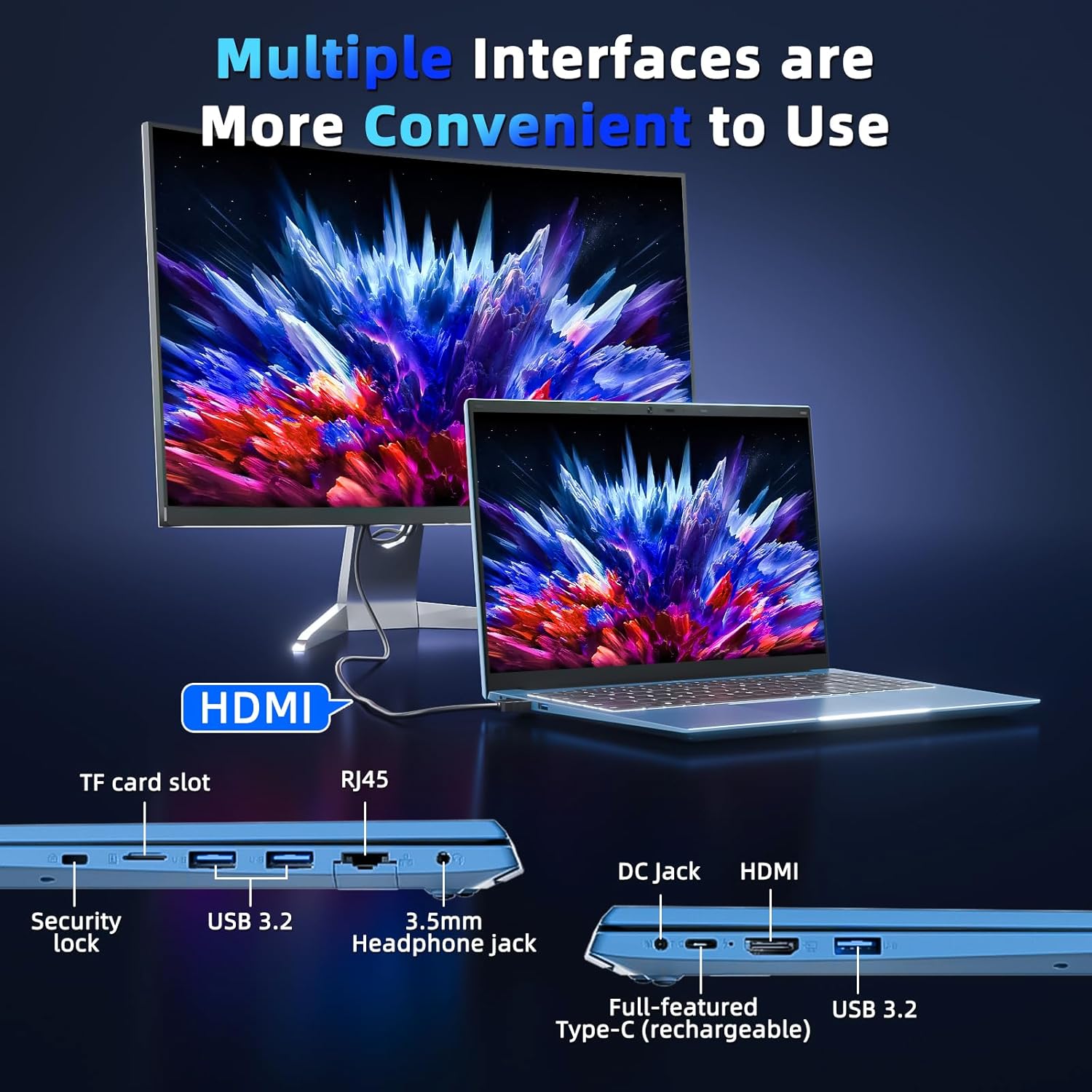
Image 3.3: The right side of the laptop displaying the Kensington lock slot, Micro SD card slot, two USB ports, and the headphone jack.
3.3 Cysylltedd Wi-Fi
The laptop supports Wi-Fi 6 for fast wireless internet access.
- Cliciwch ar yr eicon Wi-Fi yn y bar tasgau.
- Dewiswch eich rhwydwaith dymunol o'r rhestr.
- Enter the network password if prompted and click "Connect".
For wired internet connection, use the Ethernet port.
4. Cynnal a Chadw a Gofal
4.1 Glanhau'r Gliniadur
- Defnyddiwch frethyn meddal, di-lint i lanhau'r sgrin a'r tu allan.
- Ceisiwch osgoi defnyddio cemegau llym neu ddeunyddiau sgraffiniol.
- Ar gyfer smwtshis ystyfnig, rhwbiwch yn ysgafnamprhowch y lliain gyda dŵr neu doddiant glanhau sgrin.
4.2 Gofal Batri
- Osgowch ollwng y batri'n llwyr yn aml.
- Storiwch y gliniadur mewn lle oer, sych pan nad yw'n cael ei ddefnyddio am gyfnodau hir.
- If the laptop will not be used for a long time, charge the battery to about 50-60% before storage.
4.3 Webcam Privacy
The laptop includes a physical webcam switch for privacy. Slide the switch to cover or uncover the webcam lens as needed.
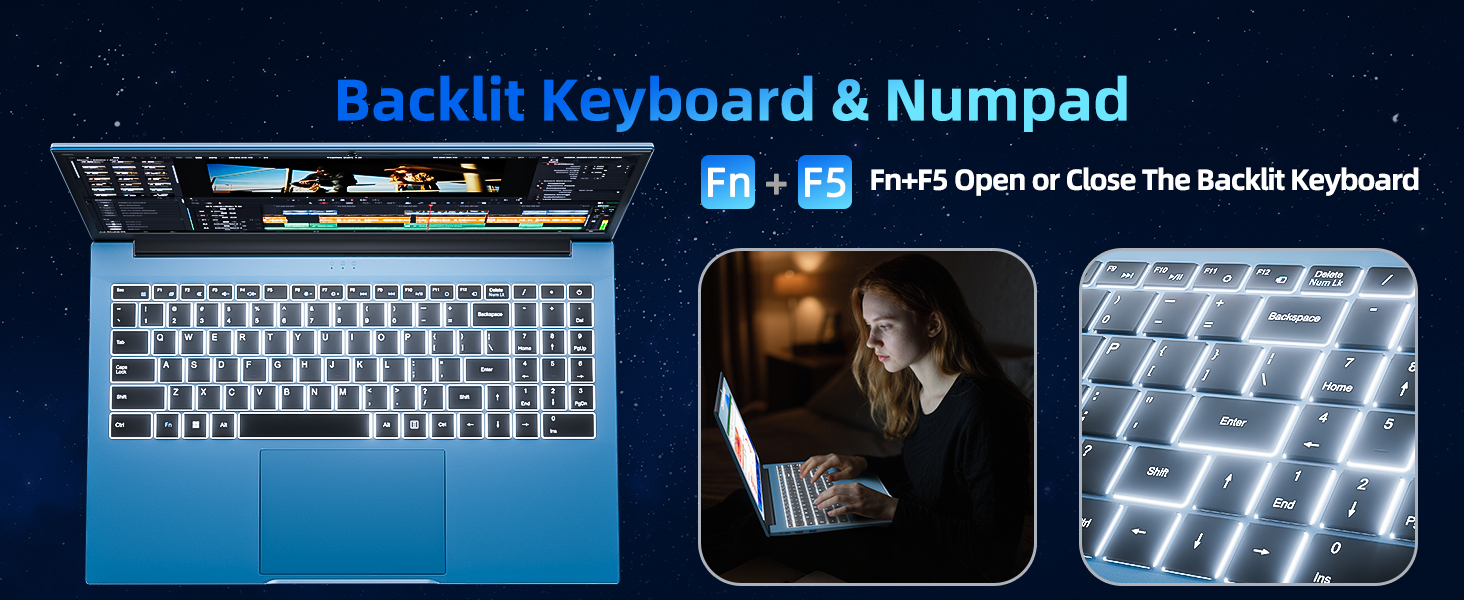
Image 4.1: Illustration of the physical webcam cover, demonstrating how to open and close it for privacy.
5. Datrys Problemau
5.1 Problemau Pŵer
- Nid yw'r gliniadur yn troi ymlaen: Ensure the power adapter is securely connected to both the laptop and a working power outlet. Check if the battery is charged.
- Batri ddim yn codi tâl: Verify the power adapter connection. If the issue persists, contact customer support.
5.2 Materion Arddangos
- Mae'r sgrin yn wag: Ensure the laptop is powered on. Try adjusting the screen brightness using the function keys. If connected to an external monitor, disconnect it.
- Distorted image: Restart the laptop. Update display drivers if necessary.
5.3 Problemau Cysylltedd
- Dim cysylltiad Wi-Fi: Check if Wi-Fi is enabled in Windows settings. Restart your router and the laptop. Ensure you are within range of a Wi-Fi network.
- Dyfais Bluetooth ddim yn cysylltu: Ensure Bluetooth is enabled on both the laptop and the device. Make sure the device is in pairing mode.
6. manylebau
| Nodwedd | Manylyn |
|---|---|
| Brand | SGIN |
| Rhif Model | SGIN-Y101 |
| Maint Sgrin | 15.6 modfedd |
| Cydraniad Arddangos | 1920 x 1080 picsel (IPS HD Llawn) |
| Model CPU | Core i3 (10th Gen, Intel Core i3-10100) |
| CPU Speed (Max) | 3.9 GHz |
| HWRDD | 16GB DDR3 SDRAM |
| Storio | 1024GB SSD (Expandable with TF card up to 1TB) |
| System Weithredu | Windows 11 |
| Gallu Batri | 53.2 Wh (7000mAh) |
| Cysylltedd Di-wifr | WiFi 6 (802.11ax), Bluetooth |
| Porthladdoedd | USB 3.0, HDMI, Micro SD slot, Kensington lock, Headphone jack, Type-C |
| Bysellfwrdd | Wedi'i oleuo'n ôl |
| Webcam | Yes (with physical privacy switch) |
| Pwysau | 2.52 Cilogram |
7. Gwarant a Chefnogaeth
The SGIN 15.6 Inch Laptop Computer comes with a 1-year limited protection warranty.
For technical assistance, troubleshooting, or warranty claims, please contact SGIN customer support. They offer 24/7 instant help. Refer to the contact information provided with your product packaging or visit the official SGIN websafle am fanylion cymorth.
8. Fideo Cynnyrch
Video 8.1: An official product video demonstrating the SGIN 15.6 Inch Laptop Computer, including its physical features and some operational aspects. This video is provided by the seller, SGIN Lap US.