
1. Rhagymadrodd
The Amzfast AMZG27F5Q is a 27-inch WQHD (2560 x 1440p) gaming monitor designed for an immersive visual experience. Featuring a Fast IPS panel, it delivers a high 200Hz refresh rate and a rapid 1ms response time, ensuring smooth and fluid gameplay. This monitor is compatible with both FreeSync and G-SYNC technologies to reduce screen tearing and stuttering. It supports HDR400, offers 132% sRGB and 96% DCI-P3 color gamut, and includes eye care features such as low blue light, anti-flicker, and anti-glare to protect your vision during extended use. Built-in speakers and a retractable headphone holder enhance convenience.
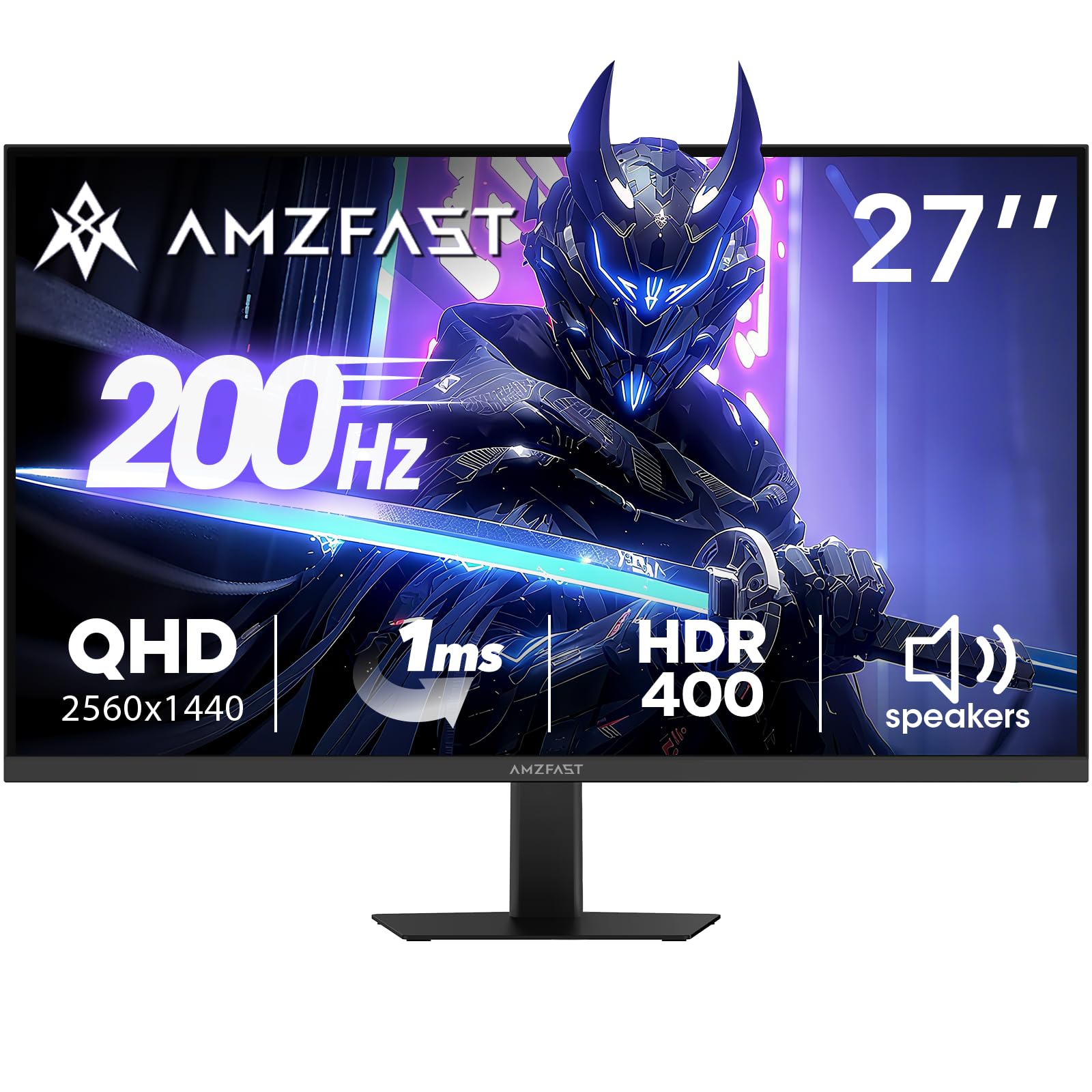
Image: Amzfast 27-inch gaming monitor displaying a vibrant game scene.
2. Beth sydd yn y Bocs
Gwiriwch gynnwys y pecyn wrth ddadbocsio i sicrhau bod yr holl eitemau yn bresennol:
- Amzfast AMZG27F5Q 27-Inch Gaming Monitor
- Addasydd x 1
- DP Cable (1.5m) x 1
- Llawlyfr Defnyddiwr
- Canllaw Cychwyn Cyflym
3. Gosod
3.1 Cydosod y Stand
Carefully remove the monitor and stand components from the packaging. Attach the stand base to the stand neck, then secure the assembled stand to the back of the monitor. Ensure all screws are tightened appropriately to prevent instability.
3.2 Cysylltu'r Monitor
The monitor supports multiple input options. Connect your device (PC, game console, laptop) to the monitor using one of the following cables:
- DisplayPort (DP 1.4): For resolutions up to 2560x1440 at 200Hz.
- HDMI (HDMI 2.0): For resolutions up to 2560x1440 at 144Hz.
Cysylltwch yr addasydd pŵer â mewnbwn DC y monitor ac yna ag allfa bŵer.

Delwedd: Cefn view diagram of the monitor showing port locations and dimensions.
3.3 Mowntio VESA
The monitor is compatible with 100mm x 100mm VESA mounts. If using a VESA mount, remove the stand and attach the monitor to your VESA-compatible arm or wall mount using appropriate screws (not included).

Delwedd: Cefn view of the Amzfast 27-inch monitor, highlighting the VESA mounting points.
3.4 Gosod drosoddview Fideo
Fideo: Swyddog drosoddview of the Amzfast 27 Inch QHD 200Hz Gaming Monitor, demonstrating its features and setup.
4. Gweithredu'r Monitor
4.1 Pŵer Ymlaen/Diffodd
Pwyswch y botwm pŵer, sydd fel arfer wedi'i leoli ar gefn neu waelod y monitor, i'w droi ymlaen neu i ffwrdd. Bydd y golau dangosydd pŵer yn goleuo pan fydd y monitor yn weithredol.
4.2 Dewislen Arddangos Ar y Sgrin (OSD)
The OSD menu allows you to adjust various monitor settings. Typically, a joystick or a set of buttons on the back or bottom of the monitor is used for navigation. Common settings include:
- Gosodiadau Llun: Disgleirdeb, Cyferbyniad, Miniogrwydd, Gama, Tymheredd Lliw.
- Gosodiadau lliw: sRGB, DCI-P3, HDR modes.
- Gosodiadau Hapchwarae: Overdrive (response time), Adaptive Sync (FreeSync/G-SYNC compatible), AI Crosshair, Night Vision.
- Ffynhonnell Mewnbwn: Select between DP and HDMI inputs.
- Sain: Volume control for built-in speakers and headphone output.
4.3 Nodweddion Allweddol
- Cyfradd Adnewyddu 200Hz ac Amser Ymateb 1ms: Experience ultra-smooth visuals and reduced motion blur, crucial for fast-paced gaming.
- Cysoni Addasol: Synchronizes the monitor's refresh rate with your GPU's frame rate to eliminate screen tearing and stuttering. Ensure this feature is enabled in both the monitor's OSD and your graphics card settings.
- HDR400 Display: Provides enhanced contrast and color accuracy for a more vibrant and realistic viewing profiad.
- Game Assist Modes: Utilize features like AI Crosshair for improved aiming and Night Vision for enhanced visibility in dark game scenes.
- Built-in Speakers & Headphone Holder: Convenient integrated 2W speakers for audio output and a retractable holder to keep your headphones organized.
- Technoleg Gofal Llygaid: Features Low Blue Light, Anti-glare, and Anti-flicker technologies to reduce eye strain during prolonged use.

Image: Visual representation of 200Hz refresh rate in a racing game.

Image: Illustration of 1ms response time and Adaptive Sync technology.

Image: Display showcasing HDR400 and 10-bit color depth capabilities.

Image: Demonstration of AI Crosshair and Night Vision features in gaming scenarios.

Delwedd: Cefn view of the monitor highlighting the built-in speakers and retractable headphone holder.

Image: User interacting with the monitor, emphasizing eye care features.
5. cynnal
5.1 Glanhau'r Sgrin
I lanhau sgrin y monitor, sychwch hi'n ysgafn gyda lliain meddal, di-flwff. Ar gyfer marciau ystyfnig, sychwch hi'n ysgafnampen the cloth with water or a mild, non-abrasive screen cleaner. Avoid using harsh chemicals, alcohol, or ammonia-based cleaners, as these can damage the screen surface.
5.2 Glanhau'r Casing
Defnyddiwch frethyn meddal, sych i sychu'r monitor casing. Os oes angen, ychydig yn damp cloth can be used, followed by a dry cloth to remove any moisture. Do not allow liquids to enter the monitor's vents or ports.
6. Datrys Problemau
If you encounter issues with your Amzfast AMZG27F5Q monitor, refer to the following common solutions:
| Problem | Achos Posibl | Ateb |
|---|---|---|
| Dim delwedd ar y sgrin | Power cable disconnected, input source incorrect, video cable loose. | Ensure power cable is securely connected. Select the correct input source via the OSD menu. Check video cable connections (DP/HDMI) at both the monitor and your device. |
| Delwedd sy'n fflachio neu'n ystumio | Faulty video cable, incorrect refresh rate, Adaptive Sync issue. | Try a different video cable. Adjust the refresh rate in your device's display settings. Disable/enable Adaptive Sync in the OSD menu and graphics card settings. |
| Dim sain o'r siaradwyr/clustffonau | Volume too low, audio output not selected, faulty cable. | Increase volume via OSD menu or your device. Ensure the monitor is selected as the audio output device on your computer. Check headphone connection. |
| Nid yw'r monitor yn troi ymlaen | Power adapter issue, power button malfunction. | Verify the power adapter is working and connected correctly. Try a different power outlet. |
7. manylebau
| Nodwedd | Manylyn |
|---|---|
| Dimensiynau Cynnyrch | 7.28 x 24.13 x 17.68 modfedd |
| Pwysau Eitem | 12.97 pwys |
| Rhif Model | AMZG27F5Q |
| Maint Sgrin | 27 modfedd |
| Datrysiad | 2560 x 1440 Picsel (WQHD) |
| Cymhareb Agwedd | 16:9 |
| Cyfradd Adnewyddu | 200Hz |
| Amser Ymateb | 1ms |
| Math o Banel | IPS cyflym |
| Disgleirdeb | 450 Candela per Square Meter (cd/m²) |
| Cymhareb Cyferbyniad | 1000:1 (Statig) |
| Lliw Gamut | 132% sRGB, 96% DCI-P3 |
| Dyfnder Lliw | 10-bit (8bit+FRC) |
| Cefnogaeth HDR | HDR400 |
| Cysoni Addasol | FreeSync & G-SYNC Compatible |
| Cysylltedd | DP 1.4 x 2, HDMI 2.0 x 2, Earphone Jack, DC Input |
| Mount VESA | 100mm x 100mm |
| Siaradwyr Cynwysedig | Yes (2W x 2) |
| Nodweddion Gofal Llygaid | Low Blue Light, Anti-glare, Anti-flicker |
| Gwneuthurwr | EXPRESS LUCK INDUSTRIAL(ZHONGSHAN)LIMITED |
8. Gwarant a Chefnogaeth
The Amzfast AMZG27F5Q monitor comes with a 1-year warranty. Additionally, a 30-day free return/replacement policy is offered. For further assistance, technical support, or warranty claims, please visit the official Amzfast store or contact customer service.
Official Amzfast Store: Amzfast Store